
Cisco switch comparison
C9300-48U-E vs WS-C3850-48U-L
C9300-48U-E and WS-C3850-48U-L both provide 48 Gigabit UPOE ports with modular uplinks. The newer platform changes switching capacity, memory and module support; default PoE stays close, and its listed system power consumption is higher.
2models compared
59specs published for every model
47confirmed differences
Change comparison
Select different models
At a glance
Key differences
Compare the specifications that shape your deployment.
| Specification | C9300-48U-E | WS-C3850-48U-L |
|---|---|---|
Switch Role |
Campus access switch | Stackable campus access switch with limited Layer 3 routing |
Network License |
Network Essentials | Cisco IOS LAN Base |
Access / Downlink Ports |
48 x 10/100/1000 Cisco UPOE RJ-45 | 48 x 10/100/1000 RJ-45 |
Uplink Interfaces |
Modular uplink bay | Optional modular uplinks: up to 4 x 10G SFP+ |
Maximum Uplink Speed |
40 Gbps | Up to 10 Gbps |
Switching Capacity (Standalone) |
256 Gbps | 176 Gbps |
Detailed comparison
Full specification comparison
| Comparison parameter | ||
|---|---|---|
| Product ID | C9300-48U-E | WS-C3850-48U-L |
| Product and ordering | ||
| Product Type | Cisco Catalyst 9300 Series modular-uplink stackable access switch | Cisco Catalyst 3850 Series stackable enterprise-class access switch |
| Form Factor | 1RU | 1RU |
| Switch Role | Campus access switch | Stackable campus access switch with limited Layer 3 routing |
| Network License | Network Essentials | Cisco IOS LAN Base |
| Configuration, licensing and management | ||
| Management Model | Cisco Catalyst Center, WebUI, CLI, NETCONF, RESTCONF and SNMP | Cisco IOS XE CLI, SNMP v1/v2c/v3, Cisco Prime Infrastructure |
| Ports and interfaces | ||
| Downlink Port Count | 48 | 48 |
| Access / Downlink Ports | 48 x 10/100/1000 Cisco UPOE RJ-45 | 48 x 10/100/1000 RJ-45 |
| Downlink Type | 1G Cisco UPOE RJ-45 | 10/100/1000BASE-T RJ-45 |
| Uplink Interfaces | Modular uplink bay | Optional modular uplinks: up to 4 x 10G SFP+ |
| Maximum Uplink Speed | 40 Gbps | Up to 10 Gbps |
| Supported Network Modules | C9300-NM-4G, C9300-NM-4M, C9300-NM-8X, C9300-NM-2Q, or C9300-NM-2YCatalyst 3850 network modules may also be used | C3850-NM-4-1G, C3850-NM-2-10G, C3850-NM-4-10G |
| Management Ports | 1 x 10/100/1000BASE-T dedicated management port | 1 x RJ-45 out-of-band management Ethernet port |
| Console Ports | 1 x RJ-45; 1 x USB Mini-B console | 1 x RJ-45 console plus 1 x USB Mini-B console |
| USB Ports | 1 x USB 2.0 Type-A host port | 1 x USB Type-A external-storage port |
| PoE-capable Ports | 48 | 48 |
| Connector Types | RJ-45; SFP/SFP+/SFP28/QSFP; USB | RJ-45 for 10/100/1000 and Multigigabit ports; SFP/SFP+ for uplinks and fiber; copper Cisco StackWise-480 stacking; Cisco StackPower cabling; RJ-45 management and console |
| Total System Ports | 56 | Not applicable |
| Performance and scale | ||
| Switching Capacity (Standalone) | 256 Gbps | 176 Gbps |
| Switching Capacity (Stacked) | 736 Gbps | Not published by Cisco |
| Forwarding Rate (Standalone) | 190.48 Mpps | 130.95 Mpps |
| Forwarding Rate (Stacked) | 547.62 Mpps | Not published by Cisco |
| MAC Address Scale | 32,000 | 32,000 |
| IPv4 Route Scale | 32,000 | 24,000 |
| IPv6 Route Scale | 16,000 | Not published by Cisco |
| Multicast Route Scale | 8,000 | Not published by Cisco |
| VLAN Scale | 4,094 | 4,000 |
| ACL Scale | 5,120 | Not published by Cisco |
| QoS Scale | 5,120 | Not published by Cisco |
| Packet Buffer | 16 MB | Not published by Cisco |
| Jumbo Frame Size | 9,198 bytes | 9,198 bytes |
| Flexible NetFlow Entries | 64,000 | 48,000 |
| Switched Virtual Interfaces | 1,000 | 1,000 |
| PoE and power | ||
| PoE Support | Cisco UPOE | Cisco UPOE on all downlink ports |
| PoE Standard | Cisco UPOE; IEEE 802.3bt Type 3 capable | Cisco UPOE (up to 60W per port); IEEE 802.3af/at compatible |
| Default PoE Budget | 822 W | 800 W |
| Maximum PoE Budget | 1,800 W | 1,900 W |
| Default Power Supply | PWR-C1-1100WAC-P | PWR-C1-1100WAC |
| Power Supply Slots | 2 | 2 |
| Power Supply Options | 350W, 715W, 1100W and supported 1900W AC/HVDC power supplies | PWR-C1-350WAC, PWR-C1-715WAC, PWR-C1-1100WAC, PWR-C1-440WDC |
| Maximum System Power | 203.9 W | 121.5 W |
| AC Input Voltage | 115 to 240 V | 100 to 240 V |
| AC Input Frequency | 47 to 63 Hz | 50 to 60 Hz |
| Power Input Type | AC input; supported AC/HVDC options depend on power-supply model | AC |
| Heat Dissipation | 696 BTU/h | Not published by Cisco |
| Power Redundancy | Dual redundant field-replaceable power supplies | Optional second modular power supply (1+1); Cisco StackPower; optional external Cisco XPS-2200 |
| Stacking and resiliency | ||
| Stacking Technology | StackWise-480Stacks with Catalyst 9300 and 9300X models at the same license level; not with Catalyst 3850 or 3650 | Cisco StackWise-480 |
| Stack Bandwidth | 480 Gbps | 480 Gbps |
| Maximum Stack Members | 8 | 9 |
| StackPower | Cisco StackPower | Supported (Cisco StackPower) |
| Fan Modules | 3 field-replaceable fans with N+1 redundancy | 3 field-replaceable fans |
| Memory and software | ||
| Operating System | Cisco IOS XE | Cisco IOS XE |
| Minimum Software Release | Cisco IOS XE 16.5.1a | Cisco IOS XE 3.3.0SE or later |
| DRAM | 8 GB | 4 GB |
| Flash Memory | 16 GB | 2 GB |
| CPU | x86 CPU complex | Not published by Cisco |
| Physical and environmental | ||
| Dimensions (H × W × D) | 44 × 445 × 488 mm | 44.5 × 445 × 488 mm |
| Weight | 7.72 kg | 8 kg |
| Operating Temperature | -5 to 45 °C; -5 to 40 °C | -5 to 45 °C; -5 to 40 °C |
| Storage Temperature | -40 to 70 °C | -40 to 70 °C |
| Storage Humidity | Not listed | Not published by Cisco |
| Operating Humidity | 5% to 90% | 10% to 95% |
| Operating Altitude | Up to 3,048 m | Up to 3,000 m |
| MTBF | 227,410 hours | 205,110 hours |
| Warranty | Cisco Enhanced Limited Lifetime hardware warranty (E-LLW) | Cisco Enhanced Limited Lifetime Warranty (E-LLW) |
| Acoustic Rating | LpA 45 dBA typical; 48 dBA maximum (ISO 7779/9296, 25°C) | 43 dB typical, 45 dB maximum (LpA per ISO 7779) |
| Environmental Compliance | RoHS compliant | Reduction of Hazardous Substances (RoHS) 5 |
| Safety Certifications | UL/CSA 60950-1; EN/IEC 60950-1 | UL 60950-1 Second Edition, CAN/CSA-C22.2 No. 60950-1 Second Edition, EN 60950-1 Second Edition, IEC 60950-1 Second Edition, NOM |
| EMC Certifications | FCC Part 15 Class A; EN 55032 Class A; CISPR 32 Class A | FCC Part 15 Class A, AS/NZS CISPR22 Class A, CISPR22 Class A, EN55022 Class A, ICES-003 Class A, VCCI Class A, EN61000-3-2, EN61000-3-3, KN22 Class A, KCC, CNS13438 Class A, EN55024, CISPR24, KN24 |
| Mounting | 19-inch rack mount | 19-inch rack mount |
| Airflow | Front-to-back airflow | Front/side chassis intake toward rear fan and power-supply modules; exact path depends on installed supplies |
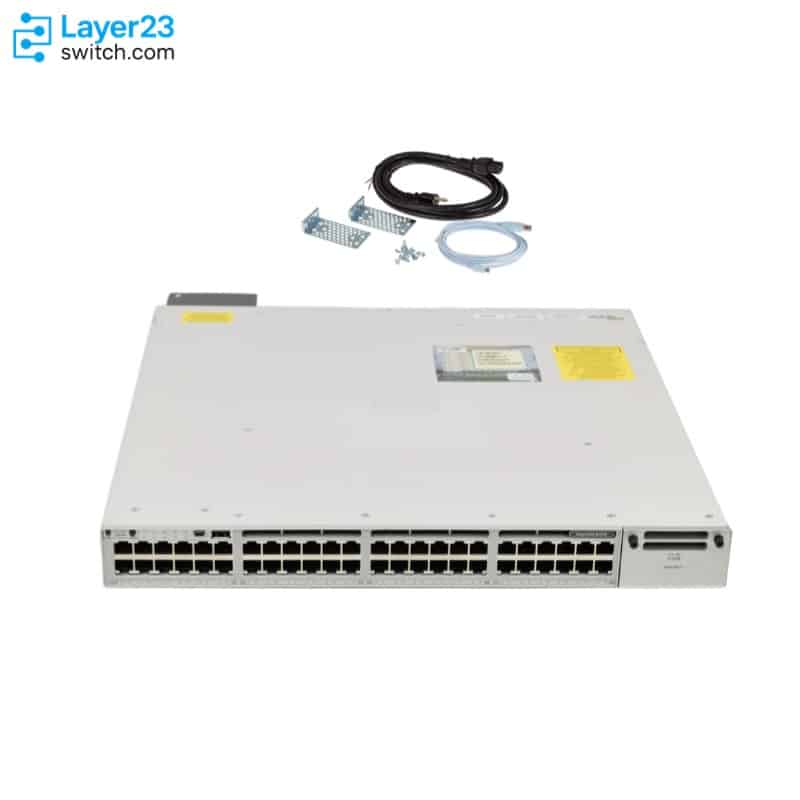
Specifications from Cisco Catalyst 9300 Series Switches Data Sheet and Cisco Catalyst 3850 Series Switches Data Sheet (checked 2026-10-11).
“Not published by Cisco” and “Not listed” indicate that a confirmed direct comparison is unavailable. These rows are not counted as confirmed differences.
Continue to the product pages
Product details
Specifications, documentation and purchasing information for each model.
Related comparisons