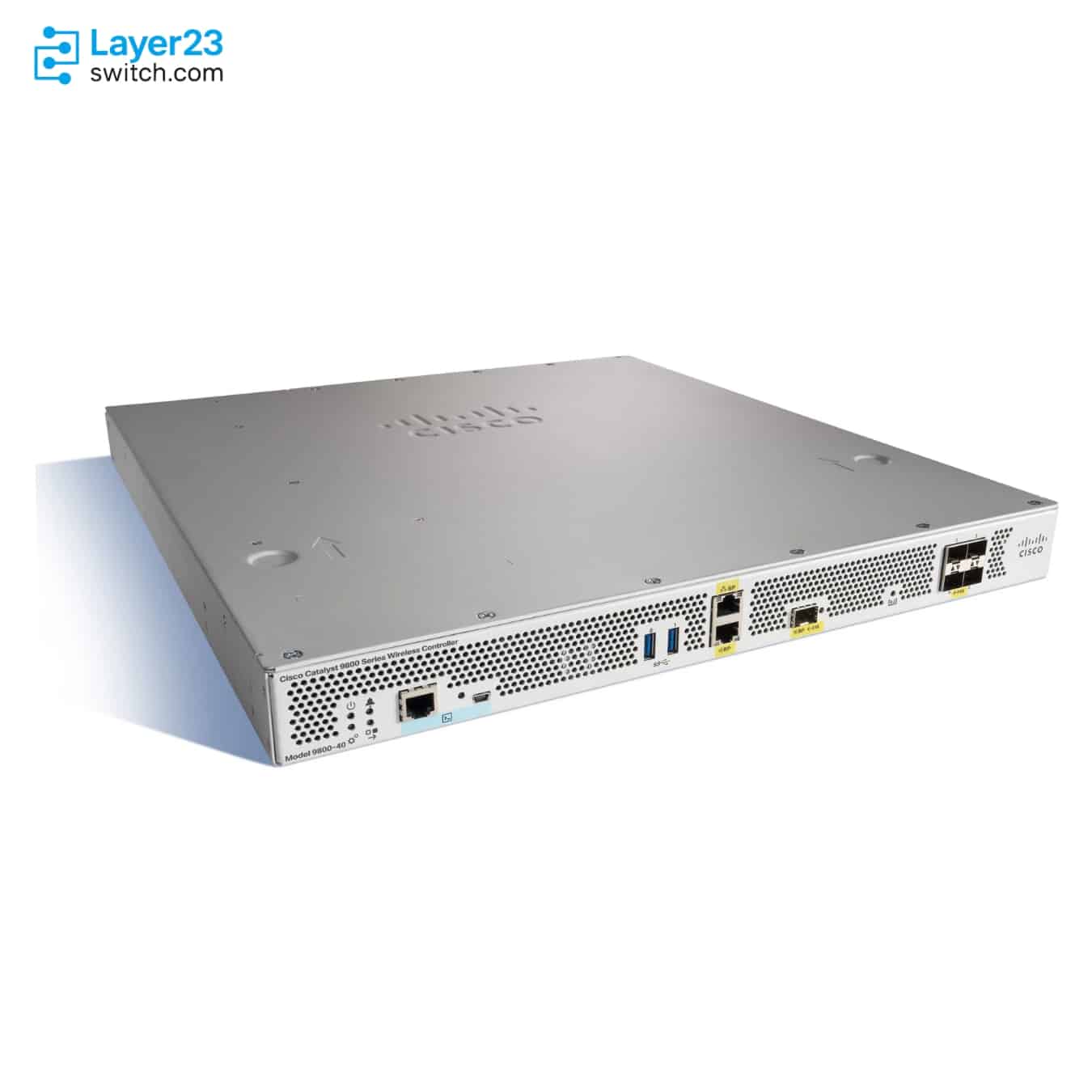
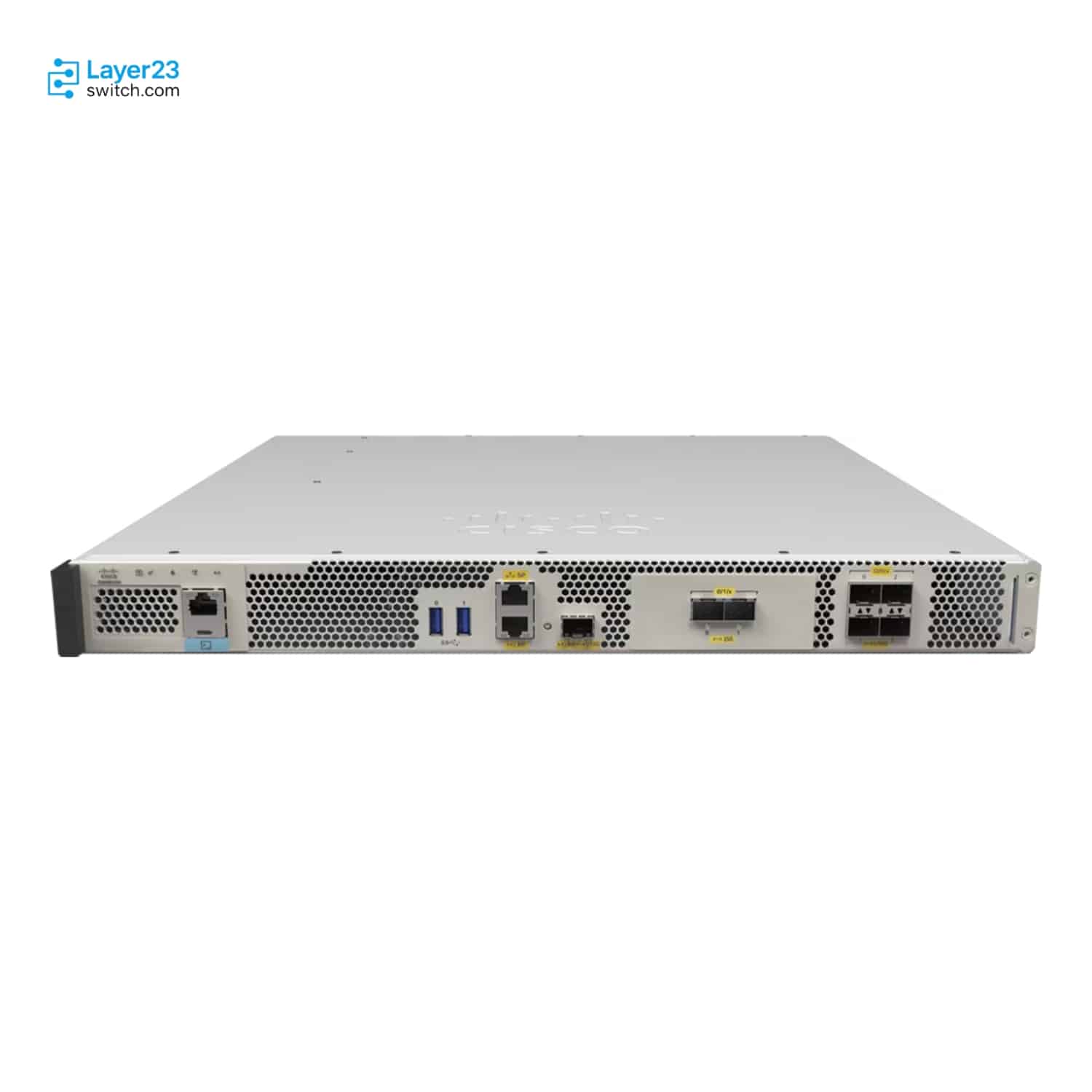
Maximum Access PointsDifferent
C9800-40-K9
2,000
CW9800M
3,000

The CW9800M is the replacement Cisco names for the C9800-40-K9. The CW9800M supports 3,000 access points against 2,000 and adds 25G uplinks, with the same client limit in one rack unit. Buy the C9800-40-K9 only to complete an installed high-availability pair, which needs identical hardware.
Start with the specifications that decide whether a model fits, whether they differ or not. Each card says if the values are the same.
2,000
3,000
32,000
32,000
40 Gbps
50 Gbps
Wi-Fi 5 Wave 2, Wi-Fi 6/6E and Wi-Fi 7 APs; 2.4, 5 and 6 GHz
Wi-Fi 5 Wave 2, Wi-Fi 6/6E and Wi-Fi 7 APs; 2.4, 5 and 6 GHz
From Cisco IOS XE 17.15.2, with Multi-Link Operation and 320 MHz channels in 6 GHz
From Cisco IOS XE 17.15.2, with Multi-Link Operation and 320 MHz channels in 6 GHz
4 x 1/10G SFP+
4 x 1/10G SFP+; 2 x 25G SFP28
The CW9800M supports 3,000 access points against 2,000 on the C9800-40-K9. Its throughput rises from 40 to 50 Gbps. Each site can hold 300 FlexConnect access points against 100, which suits branch networks.
The C9800-40-K9 is no longer sold but still supported by Cisco, so a working pair can stay in service while you plan the move. Buy one only as the standby for an installed unit, because stateful switchover pairs only identical hardware.
The CW9800M needs Cisco IOS XE 17.14.1 or later, so confirm the release supports every access point model in service. Wi-Fi 7 is no reason to replace: both run Wi-Fi 7 access points from 17.15.2. Check SFP+ optics against the CW9800M's supported list.
Send your port, performance, license, quantity or deployment requirements. A CCIE-level network engineer will review the shortlist and help identify the better-fit Product ID.
| Comparison parameter | ||
|---|---|---|
| Product ID | C9800-40-K9 | CW9800M |
| Product and ordering | ||
| Product Type | Cisco Catalyst 9800-40 Wireless Controller | Cisco Catalyst CW9800M Wireless Controller |
| Scale and performance | ||
| Maximum Access Points | 2,000 | 3,000 |
| Maximum Clients | 32,000 | 32,000 |
| Maximum Throughput | 40 Gbps | 50 Gbps |
| Maximum Site Tags | 2,000 | 3,000 |
| Maximum FlexConnect APs per Site | 100 | 300 |
| Maximum WLANs | 4,096 | 4,096 |
| Maximum VLANs | 4,096 | 4,096 |
| Wi-Fi and software | ||
| Wi-Fi Standards and Bands | Wi-Fi 5 Wave 2, Wi-Fi 6/6E and Wi-Fi 7 APs; 2.4, 5 and 6 GHz6 GHz (Wi-Fi 6E) access points need Cisco IOS XE 17.7.1 or later. | Wi-Fi 5 Wave 2, Wi-Fi 6/6E and Wi-Fi 7 APs; 2.4, 5 and 6 GHz |
| Wi-Fi 7 Support | From Cisco IOS XE 17.15.2, with Multi-Link Operation and 320 MHz channels in 6 GHzWi-Fi 7 WLANs need WPA3; from Cisco IOS XE 17.15.3 a WLAN that does not meet the Wi-Fi 7 requirements runs as 802.11ax. Each access point model has its own minimum release. | From Cisco IOS XE 17.15.2, with Multi-Link Operation and 320 MHz channels in 6 GHzWi-Fi 7 WLANs need WPA3; from Cisco IOS XE 17.15.3 a WLAN that does not meet the Wi-Fi 7 requirements runs as 802.11ax. Each access point model has its own minimum release. |
| Operating System | Cisco IOS XE | Cisco IOS XE |
| Minimum Software Release | Cisco IOS XE 16.10.1 | Cisco IOS XE 17.14.1 |
| Deployment Modes | Centralized, FlexConnect and fabric (SD-Access) | Centralized, FlexConnect and fabric (SD-Access) |
| Ports and interfaces | ||
| Uplink Ports | 4 x 1/10G SFP+ | 4 x 1/10G SFP+; 2 x 25G SFP28 |
| HA Redundancy Ports | 1 x RJ-45; 1 x 1G SFPSFP redundancy port optics: GLC-LH-SMD or GLC-SX-MMD. | 1 x RJ-45; 1 x 1/10G SFPSFP redundancy port optics: GLC-SX-MMD, GLC-LH-SMD, SFP-10G-SR, SFP-10G-SR-S, SFP-10G-LR or SFP-10G-LR-S. |
| Management Ports | 1 x RJ-45 service port | 1 x RJ-45 service port |
| Console Ports | 1 x RJ-45 console; 1 x mini-USB console | 1 x RJ-45 console; 1 x micro-USB console |
| USB Ports | 2 x USB 3.0 | 2 x USB 3.0 |
| High availability and power | ||
| Stateful Switchover (SSO) | Supported (1:1 active-standby) | Supported (1:1 active-standby) |
| N+1 Redundancy | Supported | Supported |
| Default Power Supply | Single 750 W AC power supply | Single 750 W AC power supply |
| Power Redundancy | 1+1 with an optional second AC power supply | 1+1 with an optional second AC power supply |
| Maximum Power Consumption | 381 W | 350 W |
| Heat Dissipation | 1,300 BTU/h | 1,194 BTU/h |
| Physical and environmental | ||
| Form Factor | 1RU | 1RU |
| Dimensions (H × W × D) | 43.7 × 439.4 × 495.3 mm | 43.9 × 439.4 × 467.4 mm |
| Weight | 10.34 kg | 9.3 kg |
| Operating Temperature | 0 to 40 °C; 0 to 50 °C short term | 0 to 40 °C; 0 to 50 °C short term |
| Operating Humidity | 10% to 90%; 5% to 90% short term | 10% to 90%; 5% to 90% short term |
| Operating Altitude | Up to 3,000 m (10,000 ft) | Up to 3,000 m (10,000 ft) |
| Warranty | 1-year limited hardware warranty | 1-year limited hardware warranty |
“Not published by Cisco” and “Not listed” indicate that a confirmed direct comparison is unavailable. These rows are not counted as confirmed differences.
Use the exact Product ID when requesting a quote, because suffixes can identify different licenses, regions or configurations. Open an available product page for details and pricing, or request a project quote from our team.
Browse all Cisco wireless controllers