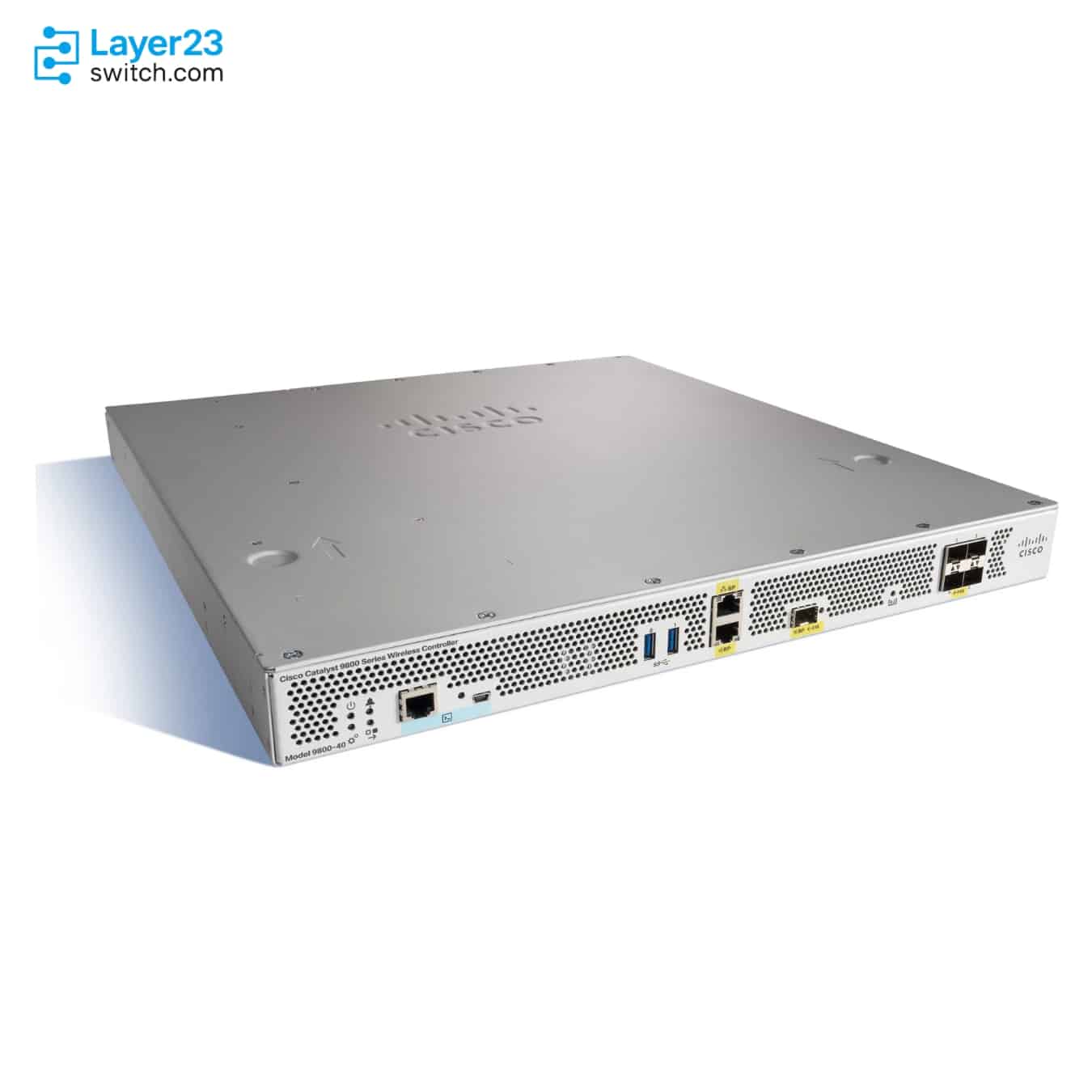
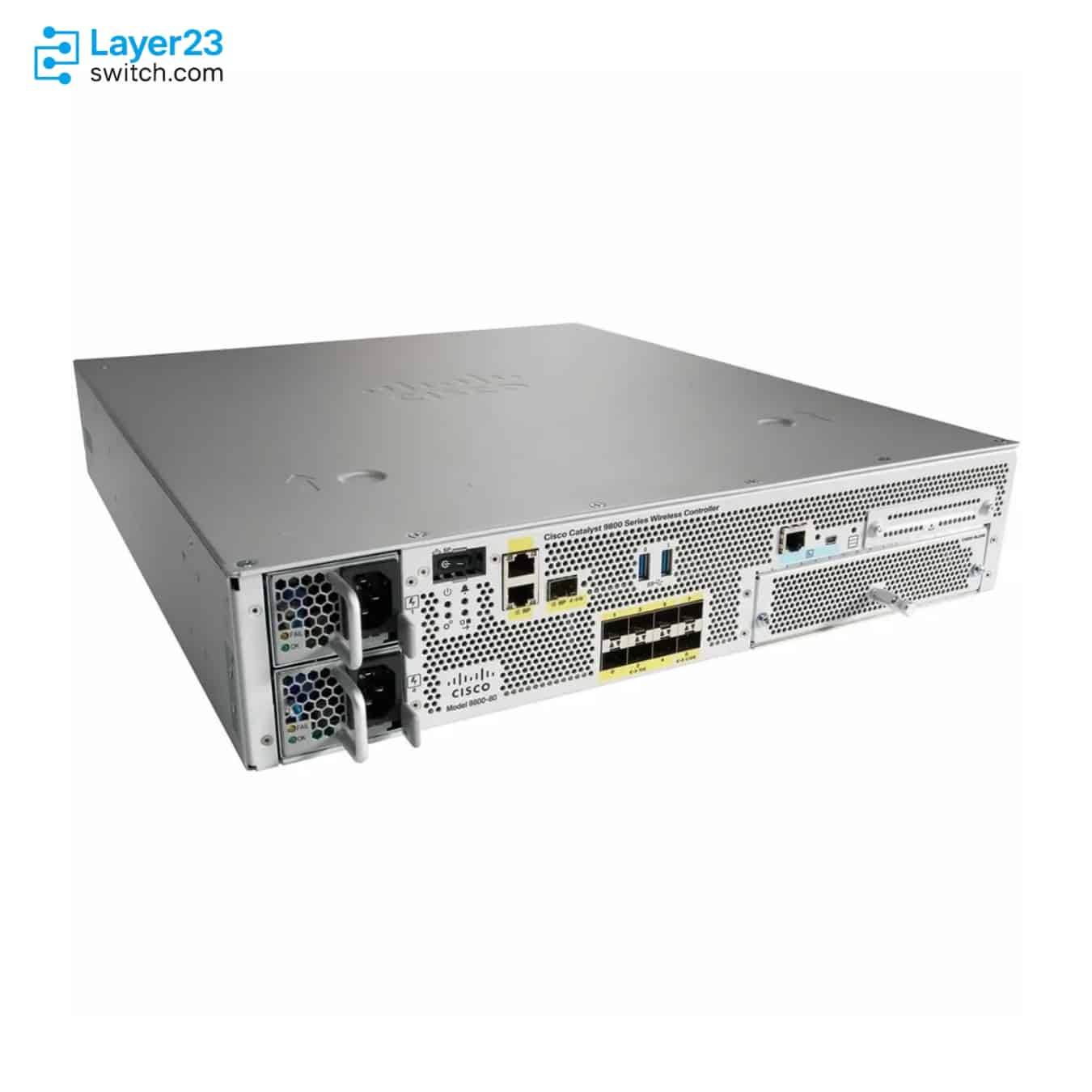
Maximum Access PointsDifferent
C9800-40-K9
2,000
C9800-80-K9
6,000

The C9800-80-K9 handles three times the access points of the C9800-40-K9, 6,000 against 2,000, and adds an uplink module bay in two rack units instead of one. Both are no longer sold, so buy either only to match an installed controller; for a new network, compare the CW9800M and CW9800H1.
Start with the specifications that decide whether a model fits, whether they differ or not. Each card says if the values are the same.
2,000
6,000
32,000
64,000
40 Gbps
80 Gbps
Wi-Fi 5 Wave 2, Wi-Fi 6/6E and Wi-Fi 7 APs; 2.4, 5 and 6 GHz
Wi-Fi 5 Wave 2, Wi-Fi 6/6E and Wi-Fi 7 APs; 2.4, 5 and 6 GHz
From Cisco IOS XE 17.15.2, with Multi-Link Operation and 320 MHz channels in 6 GHz
From Cisco IOS XE 17.15.2, with Multi-Link Operation and 320 MHz channels in 6 GHz
4 x 1/10G SFP+
6 x 10G SFP+; 2 x 1/10G SFP+
Stateful switchover pairs only identical hardware, so a standby for an installed C9800-40-K9 must be the same model. The C9800-40-K9 fits in one rack unit and ships with a single 750 W AC supply.
The C9800-80-K9 alone has an uplink module bay, for modules up to 100G, and ships with two AC or DC supplies. A standby for an installed C9800-80-K9 must be the same model.
Cisco names the CW9800M as the replacement for the C9800-40-K9, and the CW9800H1 or CW9800H2 for the C9800-80-K9. Each runs the same Cisco IOS XE software in one rack unit and manages at least as many access points.
Send your port, performance, license, quantity or deployment requirements. A CCIE-level network engineer will review the shortlist and help identify the better-fit Product ID.
| Comparison parameter | ||
|---|---|---|
| Product ID | C9800-40-K9 | C9800-80-K9 |
| Product and ordering | ||
| Product Type | Cisco Catalyst 9800-40 Wireless Controller | Cisco Catalyst 9800-80 Wireless Controller |
| Scale and performance | ||
| Maximum Access Points | 2,000 | 6,000 |
| Maximum Clients | 32,000 | 64,000 |
| Maximum Throughput | 40 Gbps | 80 Gbps |
| Maximum Site Tags | 2,000 | 6,000 |
| Maximum FlexConnect APs per Site | 100 | 100 |
| Maximum WLANs | 4,096 | 4,096 |
| Maximum VLANs | 4,096 | 4,096 |
| Wi-Fi and software | ||
| Wi-Fi Standards and Bands | Wi-Fi 5 Wave 2, Wi-Fi 6/6E and Wi-Fi 7 APs; 2.4, 5 and 6 GHz6 GHz (Wi-Fi 6E) access points need Cisco IOS XE 17.7.1 or later. | Wi-Fi 5 Wave 2, Wi-Fi 6/6E and Wi-Fi 7 APs; 2.4, 5 and 6 GHz6 GHz (Wi-Fi 6E) access points need Cisco IOS XE 17.7.1 or later. |
| Wi-Fi 7 Support | From Cisco IOS XE 17.15.2, with Multi-Link Operation and 320 MHz channels in 6 GHzWi-Fi 7 WLANs need WPA3; from Cisco IOS XE 17.15.3 a WLAN that does not meet the Wi-Fi 7 requirements runs as 802.11ax. Each access point model has its own minimum release. | From Cisco IOS XE 17.15.2, with Multi-Link Operation and 320 MHz channels in 6 GHzWi-Fi 7 WLANs need WPA3; from Cisco IOS XE 17.15.3 a WLAN that does not meet the Wi-Fi 7 requirements runs as 802.11ax. Each access point model has its own minimum release. |
| Operating System | Cisco IOS XE | Cisco IOS XE |
| Minimum Software Release | Cisco IOS XE 16.10.1 | Cisco IOS XE 16.10.1 |
| Deployment Modes | Centralized, FlexConnect and fabric (SD-Access) | Centralized, FlexConnect and fabric (SD-Access) |
| Ports and interfaces | ||
| Uplink Ports | 4 x 1/10G SFP+ | 6 x 10G SFP+; 2 x 1/10G SFP+Ports Te0/0/6 and Te0/0/7 also take 1G SFPs; the other six run at 10G only. |
| Modular Uplinks | Not applicable | Optional module: 18 x 1G SFP, 10 x 10G SFP+, 1 x 40G QSFP, 2 x 40G QSFP or 1 x 100GC9800-18X1GE, C9800-10X10GE, C9800-1X40GE, C9800-2X40GE or C9800-1X100GE; like the controller, the modules are no longer sold. |
| HA Redundancy Ports | 1 x RJ-45; 1 x 1G SFPSFP redundancy port optics: GLC-LH-SMD or GLC-SX-MMD. | 1 x RJ-45; 1 x 1G SFPSFP redundancy port optics: GLC-LH-SMD or GLC-SX-MMD. |
| Management Ports | 1 x RJ-45 service port | 1 x RJ-45 service port |
| Console Ports | 1 x RJ-45 console; 1 x mini-USB console | 1 x RJ-45 console; 1 x mini-USB console |
| USB Ports | 2 x USB 3.0 | 2 x USB 3.0 |
| High availability and power | ||
| Stateful Switchover (SSO) | Supported (1:1 active-standby) | Supported (1:1 active-standby) |
| N+1 Redundancy | Supported | Supported |
| Default Power Supply | Single 750 W AC power supply | Dual 1,100 W AC or 950 W DC power supplies |
| Power Redundancy | 1+1 with an optional second AC power supply | 1+1 with dual AC or DC power supplies |
| Maximum Power Consumption | 381 W | 600 WWith uplink modules installed. |
| Heat Dissipation | 1,300 BTU/h | 2,047 BTU/h |
| Physical and environmental | ||
| Form Factor | 1RU | 2RU |
| Dimensions (H × W × D) | 43.7 × 439.4 × 495.3 mm | 88.1 × 439.4 × 520.7 mm |
| Weight | 10.34 kg | 14.29 kg |
| Operating Temperature | 0 to 40 °C; 0 to 50 °C short term | 0 to 40 °C; 0 to 50 °C short term |
| Operating Humidity | 10% to 90%; 5% to 90% short term | 10% to 90%; 5% to 90% short term |
| Operating Altitude | Up to 3,000 m (10,000 ft) | Up to 3,000 m (10,000 ft) |
| Warranty | 1-year limited hardware warranty | 1-year limited hardware warranty |
“Not published by Cisco” and “Not listed” indicate that a confirmed direct comparison is unavailable. These rows are not counted as confirmed differences.
Use the exact Product ID when requesting a quote, because suffixes can identify different licenses, regions or configurations. Open an available product page for details and pricing, or request a project quote from our team.
Browse all Cisco wireless controllers