Cisco Default Password List 2026: All Switches & Routers
Direct answer: There is no single Cisco default password. Cisco Small Business switches (SG/SF/200/300/350/500), Cisco Business (CBS220/250/350), and Catalyst 1200/1300 use
cisco / ciscoat192.168.1.254. Catalyst 9200/9300 ship with usernameciscoand the chassis serial number as password on the management port. Enterprise Catalyst 9400/9500/9600, 2960, 3850, Nexus, MDS, and ISR routers have no factory-default password — credentials are created during Day-0 setup.
Last verified: May 12, 2026 · Sources: Cisco Catalyst 1300 Administration Guide, Cisco Catalyst 9300 NIST Security Policy (FIPS 140-2), Cisco IOS XE 17.x Configuration Guide.
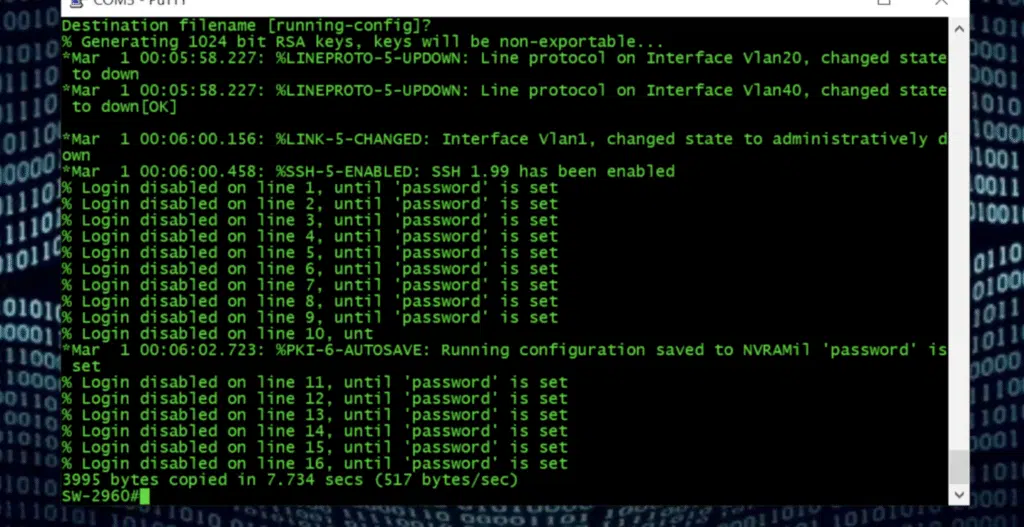
Table of Contents
- Cisco Default Password — Master Table (All Products)
- SMB vs Enterprise: Why the Defaults Differ
- Small Business Switches (SG200/SG300/SG350/SG500/SF300)
- Cisco Business Switches (CBS220/CBS250/CBS350)
- Catalyst 1200 and 1300 Default Password
- Catalyst 9200 / 9300: Serial Number as Password
- Catalyst 9400 / 9500 / 9600
- Catalyst 2960 / 3650 / 3850
- Catalyst 8200 / 8300 Default Login
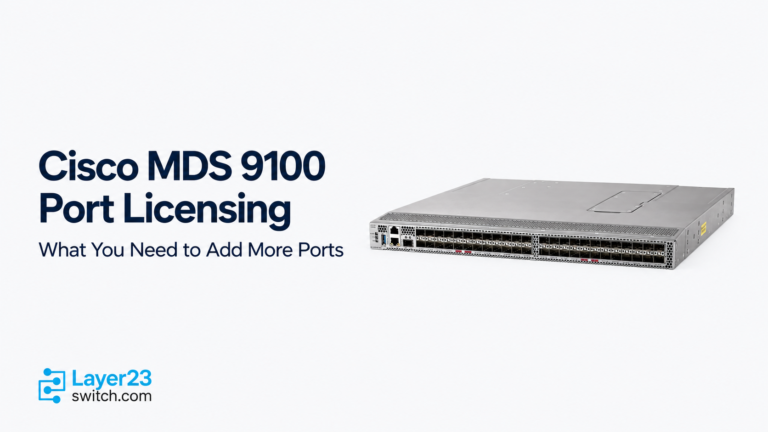
- Nexus and MDS Default Password
- Industrial Ethernet (IE1000–IE5000)
- ISR / RV Routers
- Aironet & Catalyst Wireless APs
- SPA / Voice / IP Phone Default Login
- ASA, ASDM, Firepower FMC/FTD
- Meraki Cloud-Managed Switches
- Cisco WebUI Default Credentials
- Cisco Default IP Address by Product
- “Default pwd is in use” Error Explained
- What If the Cisco Default Password Doesn’t Work?
- Cisco Password Recovery Procedure
- Security Best Practices
- FAQs
Cisco Default Password — Master Table (All Products)
The table below covers every major Cisco product family with verified factory-default credentials as of May 2026. Use Ctrl + F to jump to your model.
| Cisco Product Family | Default Username | Default Password | Default IP | Notes |
|---|---|---|---|---|
| Small Business Switches | ||||
| SF300 / SF500 | cisco | cisco | 192.168.1.254 | Web UI; forced change at first login |
| SG200 / SG220 / SG250 | cisco | cisco | 192.168.1.254 | Web UI; forced change |
| SG300 / SG350 / SG350X | cisco | cisco | 192.168.1.254 | Most-searched SMB switch login |
| SG500 / SG500X / SG550 / SG550X | cisco | cisco | 192.168.1.254 | Web UI; forced change |
| Cisco Business Switches | ||||
| CBS220 / CBS250 / CBS350 | cisco | cisco | 192.168.1.254 | Forced password change at first login |
| Catalyst 1000 / 1200 / 1300 | ||||
| Catalyst 1000 (C1000) | None | None | Console / setup | IOS-based; setup-driven |
| Catalyst 1200 (C1200) | cisco | cisco | 192.168.1.254 | SMB-class; forced change |
| Catalyst 1300 (C1300) | cisco | cisco | 192.168.1.254 | Replaces CBS350; forced change |
| Catalyst 9000 Enterprise | ||||
| Catalyst 9200 / 9200L | cisco (mgmt port) | chassis serial number | mgmt port DHCP | Documented in NIST FIPS Security Policy |
| Catalyst 9300 / 9300L / 9300X | cisco (mgmt port) | chassis serial number | mgmt port DHCP | Console requires setup dialog |
| Catalyst 9400 / 9500 / 9600 | None | None | Console / Day-0 setup | Setup-driven; no universal default |
| Catalyst 2960 / 3000 Access | ||||
| Catalyst 2960 / 2960-X / 2960-XR | None | None | Console / Express Setup | Setup-driven; mode button for recovery |
| Catalyst 3560 / 3650 / 3750 / 3850 | None | None | Console / WebUI | Setup-driven |
| Catalyst 8000 Edge | ||||
| Catalyst 8300 WebUI (Day-0) | admin | default | https://192.168.1.1/#/dayZeroRouting | Documented Day-0 WebUI |
| Catalyst 8300 uCPE CIMC | admin | password | CIMC management | Chassis management |
| Catalyst 8200 / C8200 / 8500 | Mode-dependent | Mode-dependent | Console / WebUI / Day-0 | Verify exact guide |
| Nexus / MDS Data Center | ||||
| Nexus 3000 / 5000 / 7000 / 9000 | Created at setup | Created at setup | Console | NX-OS prompts for admin password |
| MDS 9000 | Setup-based | Setup-based | Console | Verify exact MDS guide |
| Industrial Ethernet | ||||
| IE1000 (Express Setup) | (blank) | cisco | http://192.168.1.254 | Documented Express Setup |
| IE2000 / IE3000 | None | None | Console / Express Setup | Configuration-dependent |
| IE3300 / IE3400 | None | None | Console / WebUI / Day-0 | IOS XE platform |
| IE4000 / IE5000 | None | None | Console | Recovery may be required |
| ISR / RV Routers | ||||
| ISR 1000 / 4000 | None | None | Console / setup | IOS XE setup-driven |
| RV016 / RV042 / RV082 (legacy) | admin | admin | 192.168.1.1 | Legacy small-biz router |
| RV130 / RV180 / RV320 / RV325 / RV340 / RV345 | cisco | cisco | 192.168.1.1 | Forced change at first login |
| Wireless / APs | ||||
| Aironet 1130AG / 1200 / 2100 (older IOS APs) | Cisco | Cisco | GUI / CLI after reset | Case-sensitive (capital C) |
| Catalyst 9100 / 9115 / 9120 / 9130 APs | None standalone | None standalone | Joins controller (CAPWAP) | WLC-managed |
| Catalyst 9800 Wireless Controller | None | None | Day-0 WebUI / console | Setup creates admin |
| Voice / SPA / Telepresence | ||||
| SPA112 / SPA122 / SPA2102 / SPA3102 | admin | admin | 192.168.0.1 (LAN side) | Phone adapter |
| IP Phone 7800 / 8800 / 9800 | CUCM-provisioned | CUCM-provisioned | TFTP / provisioned | No standalone default |
| SX20 / Telepresence | admin | (blank) | Web UI | Set on first login |
| Security | ||||
| ASA 5500 / 5500-X (factory) | (blank) | (blank), enable: (blank) | Console | Setup-driven |
| ASDM | (blank) | (blank) | https://192.168.1.1/admin | After ASA setup |
| Firepower FMC | admin | Admin123 | https://<FMC-IP> | Forced change at first login |
| Firepower FTD | admin | Admin123 | Console / FMC | Forced change at first login |
| Meraki (Cloud-Managed) | ||||
| Meraki MS / MR / MX | Dashboard account | Dashboard account | dashboard.meraki.com | No local default |
| Meraki local status page | (blank) | Device serial number | setup.meraki.com | Serial as password |
Important: This table reflects documented factory-default behavior. A switch already in service will reject these credentials because the previous owner configured it — you’ll need password recovery.
SMB vs Enterprise: Why Cisco Defaults Differ
The single most useful mental model for Cisco default passwords:
| Aspect | SMB Switches (SG / CBS / Catalyst 1200/1300) | Enterprise Switches (Catalyst 9000, 2960, 3850, Nexus) |
|---|---|---|
| Out-of-box credentials | cisco / cisco at 192.168.1.254 | No fixed default (Catalyst 9200/9300 use mgmt-port serial-number scheme) |
| First-login behavior | Web UI loads; forced password change | Console prompts “Initial configuration dialog” |
| Management | Web UI primary; CLI optional | CLI primary; WebUI optional |
| Security philosophy | Easy onboarding for non-engineers | “Secure by default” — no known credentials |
| Recovery if lost | Factory reset button → restores cisco / cisco | Password recovery via boot interruption |
| OS family | Linux-based SMB firmware | IOS / IOS XE / NX-OS |
Why it matters: Treating an enterprise Catalyst 9300 like an SG350 wastes hours. If your switch is enterprise-class, stop guessing cisco / cisco — go straight to console or password recovery.
What Is the Cisco Small Business Switch Default Password?
Direct answer: For every Cisco Small Business managed switch (SF300, SG200, SG220, SG250, SG300, SG350, SG500, SG550 and their X/XG variants), the factory-default login is username cisco and password cisco at https://192.168.1.254. The login is case-sensitive. The switch forces a password change on first login.
Cisco SG300 Default Password
cisco / cisco at 192.168.1.254. The SG300 is the most-searched Cisco login on the internet. Open https://192.168.1.254 in a browser, accept the self-signed certificate warning, and enter cisco for both fields. The SG300 then prompts you to set a new password before continuing.
Cisco SG200 Default Password
Identical to SG300: cisco / cisco at 192.168.1.254. The SG200 is “Smart” (lightweight managed) and may not expose a full CLI by default.
Cisco SG350 / SG500 / SG550 Default Password
All use cisco / cisco at 192.168.1.254. The SG350X, SG500X, SG500XG, and SG550X variants behave identically.
Why cisco / cisco Might Fail on a Small Business Switch
If cisco / cisco is rejected, the switch is not in factory-default state. Common causes:
- The password was changed during a previous setup.
- The switch has a saved startup configuration from a prior deployment.
- The management IP is no longer
192.168.1.254(DHCP or manual change). - HTTPS-only mode is enforced — try
https://, nothttp://. - Your PC is on a different subnet (set it to
192.168.1.100/24temporarily).
For used or refurbished Small Business switches, hold the Reset button for ~10 seconds while powered on to restore factory defaults — but this erases all configuration.
What Is the Cisco Business (CBS220/CBS250/CBS350) Default Password?
Direct answer: Cisco Business CBS220, CBS250, and CBS350 switches use username cisco and password cisco at https://192.168.1.254. The switch forces a password change at first login and will not accept cisco as the new password.
The CBS350 was End-of-Sale on January 6, 2025 — its direct replacement is the Cisco Catalyst 1300, which uses identical credentials.
For bulk onboarding of multiple CBS switches, use the Cisco Business Dashboard or Cisco Business Mobile App instead of per-device Web UI login.
What Is the Cisco Catalyst 1200 and 1300 Default Password?
Direct answer: Cisco Catalyst 1200 (C1200) and Catalyst 1300 (C1300) switches use cisco / cisco at the Web UI (typically 192.168.1.254 out of the box). Both force a password change on first login. They are SMB-class platforms — do not apply this to enterprise Catalyst 9000.
| Series | Default Username | Default Password | Notes |
|---|---|---|---|
| Catalyst 1200 (C1200) | cisco | cisco | Forced change at first login |
| Catalyst 1300 (C1300) | cisco | cisco | Forced change at first login |
The Catalyst 1300 runs a modern Linux-based OS with a redesigned Web UI, Cisco Business Dashboard support, and a mobile app — but the initial login matches CBS350 and SG350 behavior.
Catalyst 1200/1300 vs Catalyst 9200/9300
| Series | Class | Default Login |
|---|---|---|
| Catalyst 1200 / 1300 | SMB | cisco / cisco |
| Catalyst 9200 / 9300 | Enterprise (mgmt port Day-0) | cisco + chassis serial number |
| Catalyst 9400 / 9500 / 9600 | Enterprise modular/core | No default — setup dialog |
What Is the Cisco Catalyst 9200 / 9300 Default Password?
Direct answer: A factory-new Catalyst 9200 or 9300 has no fixed CLI default over the console — it enters the initial configuration dialog where you create the admin user. However, via the dedicated management Ethernet port, Cisco documents the Day-0 login as username cisco and password equal to the switch chassis serial number (the 11-character serial printed on the device label, e.g., FOC2530L0AB).
This management-port behavior is documented in the Cisco Catalyst 9000 NIST FIPS 140-2 Security Policy and is required for IOS XE Day-0 onboarding via WebUI or RESTCONF without console access.
Catalyst 9300 Login Methods (Day-0)
| Access Method | Default Behavior |
|---|---|
| Console port (factory-new) | Enters initial config dialog: “Would you like to enter the initial configuration dialog? [yes/no]:” |
| Management port (GigE 0/0) | DHCP client; login as cisco + chassis serial number |
| WebUI via mgmt port | Same credentials as above; URL: https://<mgmt-port-IP> |
| PnP / Cisco Catalyst Center | Credentials pushed by controller |
| Already configured switch | Use existing local, line, enable secret, or AAA credentials |
Why This Matters
If you’ve inherited a brand-new, sealed Catalyst 9300, you don’t need console access — connect the management port to a DHCP-enabled network, find its IP from your DHCP server logs, and log in with cisco + the serial number printed on the box. This dramatically speeds up large-scale deployments.
If the switch is not factory-new (any prior deployment), this method will fail — you’ll need password recovery.
What Is the Cisco Catalyst 9400 / 9500 / 9600 Default Password?
Direct answer: The Catalyst 9400, 9500, and 9600 (enterprise modular and core platforms) have no factory-default username or password. Factory-new chassis enter the initial configuration dialog over console where you create the admin user. There is no cisco / cisco, admin / admin, or cisco / serial-number shortcut for these platforms.
For Day-0 deployment, use one of:
- Console access with the initial configuration dialog
- Cisco PnP with Cisco Catalyst Center / DNA Center
- ZTP (Zero-Touch Provisioning) with a pre-staged config server
For already-configured units with lost credentials, use password recovery.
What Is the Cisco Catalyst 2960 / 3650 / 3850 Default Password?
Direct answer: The Catalyst 2960 (all variants), 3560, 3650, 3750, and 3850 have no fixed factory-default password. Factory-new units use console setup; configured units require existing credentials or password recovery via the mode button.
| Scenario | Login Behavior | Action |
|---|---|---|
| Factory-new 2960/3850 | No CLI password — enters setup dialog | Create credentials during setup |
| Used / refurbished 2960/3850 | Has saved local user, enable secret, or AAA | Recover or factory-reset |
| Lab-staged 2960 | Sometimes cisco / cisco from prior staging | Try once, then stop |
| Express Setup (2960) | Web UI on 10.0.0.1 (button-triggered) | Only during initial onboarding |
The Catalyst 2960 password recovery procedure uses the mode button held during boot to bypass the startup-config — see the recovery procedure below.
What Is the Cisco Catalyst 8300 Default Login?
Direct answer: The Cisco Catalyst 8300 WebUI Day-0 access uses username admin and password default at https://192.168.1.1/#/dayZeroRouting. The Catalyst 8300 uCPE CIMC management uses admin / password.
| C8000 Platform | Default | URL / Access |
|---|---|---|
| C8300 WebUI Day-0 | admin / default | https://192.168.1.1/#/dayZeroRouting |
| C8300 uCPE CIMC | admin / password | CIMC chassis management |
| C8200 / C8200L | Setup-dependent | Verify exact guide |
| C8500 / C8500L | Setup-dependent | Aggregation edge router |
| Catalyst 8000V (virtual) | Created at deploy time | Cloud / virtual instance |
| SD-WAN mode (any 8000) | Mode-dependent | Onboarded via vManage / Catalyst SD-WAN Manager |
What Is the Cisco Nexus and MDS Default Password?
Direct answer: Cisco Nexus (3000, 5000, 7000, 9000) and MDS 9000 switches have no universal default password. Both NX-OS platforms force admin credential creation during the first boot setup dialog. There is no cisco / cisco or admin / admin to try.
| Platform | Default Behavior | What to Do |
|---|---|---|
| New / erased Nexus | Setup dialog prompts: “Enter the password for ‘admin’:” | Console in, run setup, create admin |
| Configured Nexus | Use existing local or AAA user | If unknown → boot-loader password recovery |
| Cisco MDS 9000 | Setup or existing credentials | Verify exact MDS guide |
Nexus Password Recovery (Boot Loader)
- Console into the Nexus.
- Power-cycle the switch.
- During boot, press
Ctrl + ](or send a serial break) to interrupt at theloader>prompt. - Boot the kickstart image:
boot <kickstart-image> - When prompted, the switch enters password recovery mode.
- Set a new admin password and save.
What Is the Cisco Industrial Ethernet (IE) Default Password?
Direct answer: Cisco IE1000 uses blank username + password cisco via Express Setup at http://192.168.1.254. Other IE switches (IE2000, IE3000, IE3300, IE3400, IE4000, IE5000) have no fixed default — they’re setup-driven IOS / IOS XE platforms.
| IE Series | Default Username | Default Password | Access |
|---|---|---|---|
| IE1000 (Express Setup) | (blank) | cisco | http://192.168.1.254 |
| IE2000 / IE3000 | None | None | Console / Express Setup |
| IE3300 / IE3400 | None | None | Console / WebUI / Day-0 |
| IE4000 / IE5000 | None | None | Console / Express Setup |
What Is the Cisco ISR and RV Router Default Login?
Direct answer: Cisco ISR 1000/4000 routers (IOS XE) have no factory-default password — they’re setup-driven. Cisco RV-series small-business routers use cisco / cisco (RV130/180/320/325/340/345) or admin / admin (legacy RV016/042/082) at 192.168.1.1.
| Router Series | Default Username | Default Password | Default IP |
|---|---|---|---|
| ISR 1000 / 4000 (IOS XE) | None | None | Console / setup |
| RV016 / RV042 / RV082 (legacy) | admin | admin | 192.168.1.1 |
| RV130 / RV130W / RV180 | cisco | cisco | 192.168.1.1 |
| RV320 / RV325 | cisco | cisco | 192.168.1.1 |
| RV340 / RV345 / RV345P | cisco | cisco | 192.168.1.1 |
What Is the Cisco Aironet / Catalyst AP Default Password?
Direct answer: Older Cisco Aironet IOS APs (1130AG, 1200, 2100 series) use Cisco / Cisco (capital C — case-sensitive) after factory reset. Modern Catalyst 9100-series APs (9115/9120/9130/9162/9166) have no standalone default because they join a Wireless LAN Controller via CAPWAP. The Catalyst 9800 Wireless Controller has no default — credentials are created at Day-0 setup.
| Device | Default Login | Notes |
|---|---|---|
| Aironet 1130AG / 1200 / 2100 (IOS) | Cisco / Cisco | Capitalized; case-sensitive |
| Catalyst 9100 / 9115 / 9120 / 9130 / 9162 / 9166 | No standalone default | Joins WLC via CAPWAP |
| Catalyst 9800-CL / 9800-L / 9800-40 / 9800-80 | None | Day-0 setup creates admin |
What Is the Cisco SPA / IP Phone Default Password?
Direct answer: Cisco SPA Analog Telephone Adapters (SPA112, SPA122, SPA2102, SPA3102) use admin / admin at http://192.168.0.1 on the LAN-side interface. Cisco IP Phones (7800/8800/9800 series) have no standalone default — they’re provisioned by Cisco Unified Communications Manager (CUCM) or Webex Calling.
| Device | Default Username | Default Password | Default IP |
|---|---|---|---|
| SPA112 / SPA122 (ATA) | admin | admin | 192.168.0.1 (LAN) |
| SPA2102 / SPA3102 | admin | admin | 192.168.0.1 (LAN) |
| IP Phone 7800 / 8800 / 9800 | CUCM-provisioned | CUCM-provisioned | TFTP / provisioned |
What Is the Cisco ASA, ASDM, and Firepower Default Password?
Direct answer: A factory-new Cisco ASA 5500-X has blank login and blank enable password — press Enter at both prompts. Cisco Firepower FMC and FTD use admin / Admin123 for the first login and force a password change.
| Product | Default Username | Default Password | Notes |
|---|---|---|---|
| ASA 5500 / 5500-X CLI | (blank) | (blank) | Enable password also blank |
| ASDM | (blank) | (blank) | After ASA configured for ASDM |
| Firepower FMC (Management Center) | admin | Admin123 | Forced change at first login |
| Firepower FTD (Threat Defense) | admin | Admin123 | Forced change at first login |
| FMC Linux shell (CLI) | admin | Admin123 | Same as Web UI initially |
For factory-new ASAs, you press Enter at both the login and enable prompts during the first console connection, then immediately configure new credentials.
What Is the Cisco Meraki Default Password?
Direct answer: Cisco Meraki switches (MS), APs (MR), and security appliances (MX) are cloud-managed — there is no local default password. Access is through the Meraki Dashboard at dashboard.meraki.com. For the local status page at setup.meraki.com, the password is the device’s serial number (printed on the bottom of the device).
| Meraki Access | Credentials |
|---|---|
| Dashboard (cloud) | Your Meraki account (created at dashboard.meraki.com) |
| Local status page | Username: (blank) · Password: device serial number |
| Local config page | setup.meraki.com (after physical setup) |
Meraki devices are zero-touch — they call home to the Meraki cloud as soon as they get internet, and configuration is pushed from the dashboard.
What Are the Cisco WebUI Default Credentials?
Direct answer: Cisco WebUI default credentials vary by platform. Catalyst 8300 uses admin / default at 192.168.1.1. Catalyst 9200/9300 use cisco + chassis serial number via the management port. SMB switches (SG/CBS/Catalyst 1300) use cisco / cisco at 192.168.1.254. There is no single universal Cisco WebUI default.
| Platform | WebUI Default | URL |
|---|---|---|
| Catalyst 8300 | admin / default | https://192.168.1.1/#/dayZeroRouting |
| Catalyst 9200 / 9300 (mgmt port) | cisco + chassis serial | https://<mgmt-port-IP> |
| Catalyst 9400 / 9500 / 9600 | None | Setup-driven |
| Catalyst 9800-CL / 9800-L | Created at Day-0 | Console-driven setup |
| IE3300 / IE3400 | Release-dependent | Day-0 WebUI |
| ISR 1000 / 4000 | Release-dependent | Day-0 WebUI |
| SG / CBS / Catalyst 1300 | cisco / cisco | https://192.168.1.254 |
The HTTP/HTTPS server itself is typically enabled by default on IOS XE devices, but requires a privilege-level-15 user, configured via:
Switch(config)# username admin privilege 15 secret <password>
Switch(config)# ip http secure-server
What Is the Cisco Default IP Address?
Direct answer: Cisco default IP addresses vary by product. SMB switches (SG/CBS/Catalyst 1200/1300) and IE1000 use 192.168.1.254. Catalyst 8300 Day-0 WebUI and RV-series routers use 192.168.1.1. SPA ATAs use 192.168.0.1. Catalyst 2960 Express Setup uses 10.0.0.1. Enterprise Catalyst, Nexus, MDS, and ISR devices have no default IP — console access is required.
| Product Family | Default IP | Access Method |
|---|---|---|
| SG200 / SG300 / SG350 / SG500 / SG550 | 192.168.1.254 | Web UI |
| SF300 / SF500 | 192.168.1.254 | Web UI |
| CBS220 / CBS250 / CBS350 | 192.168.1.254 | Web UI |
| Catalyst 1200 / 1300 | 192.168.1.254 | Web UI |
| IE1000 Express Setup | 192.168.1.254 | Web UI |
| Catalyst 8300 Day-0 WebUI | 192.168.1.1 | Web UI |
| RV016/042/082/130/180/320/325/340/345 | 192.168.1.1 | Web UI |
| SPA112 / SPA122 / SPA2102 | 192.168.0.1 | Web UI (LAN side) |
| Catalyst 2960 Express Setup | 10.0.0.1 | Web UI (button-triggered) |
| Catalyst 9200 / 9300 (mgmt port) | DHCP-assigned | Web UI / SSH |
| Catalyst 9400 / 9500 / 9600 | None | Console |
| Nexus / MDS | None | Console |
| ASA 5500-X (factory) | None (interfaces shut) | Console |
Tip: If 192.168.1.254 doesn’t respond, the switch likely received an IP via DHCP. Check your DHCP server’s lease table for a Cisco MAC address (common Cisco OUIs: 00:1A:A1, 00:1B:0C, 00:1B:54, 00:1C:0F, 00:1C:F6, 00:23:04, 00:24:50, 00:25:84).
What Does “Default pwd is in use, please change the password” Mean?
Direct answer: This message appears on Cisco SMB, CBS, and Catalyst 1200/1300 switches after you log in with cisco / cisco. It is not an error — the switch is enforcing its first-login password change policy. You cannot proceed to the rest of the Web UI or CLI until you set a new password that meets the complexity requirements (typically 8+ characters, mixed case, digit, special character).
To clear the message:
- Enter current password:
cisco - Enter new password (example:
MyN3wP@ssw0rd!) - Re-enter to confirm
- The switch reloads with the new credentials
If you can’t reach the password-change screen because the device disconnects immediately, your PC is likely on the wrong subnet — set it to 192.168.1.100/24 to reach 192.168.1.254.
What If the Cisco Default Password Doesn’t Work?
Direct answer: If documented Cisco default credentials are rejected after two attempts, stop guessing. The device is almost certainly not in factory-default state — either it was previously configured, the password was already changed, or the model doesn’t use the default you’re trying.
| Symptom | Most Likely Cause | Next Step |
|---|---|---|
cisco / cisco rejected on SG/CBS/Catalyst 1300 | Device already configured | Factory reset (10-sec button) — erases config |
Web UI not reachable at 192.168.1.254 | IP changed or PC subnet mismatch | Console in or check DHCP lease |
| Catalyst 9300 mgmt-port login fails | Switch not factory-new | Console + password recovery |
| Catalyst 2960 / 3850 won’t accept any login | Configured local user, unknown | Password recovery (mode button) |
Nexus prompts for username but admin fails | Existing local or AAA user | Boot-loader password recovery |
| WebUI works but CLI rejects same password | Different user levels / AAA | Check aaa authentication login config |
cisco / cisco works but immediately logs out | First-login password change required | Set a new password when prompted |
Default pwd is in use message | Forced first-login change | See dedicated section |
Golden rule: After 2 failed attempts with documented defaults, the device is configured. Used or pre-deployed equipment retains its prior configuration — only password recovery (or a factory reset, sacrificing config) will get you back in.
How to Recover a Cisco Switch Password (Step-by-Step)
Direct answer: Cisco password recovery requires physical console access and a power-cycle. You interrupt the boot loader, bypass the startup configuration, then re-apply the existing config with new credentials. The exact commands differ between IOS, IOS XE (Catalyst 9000), and NX-OS (Nexus).
General Procedure (works for most Catalyst, ISR, and Nexus)
- Console in at 9600 8-N-1 (9600 baud, 8 data bits, no parity, 1 stop bit).
- Power-cycle the device.
- Interrupt the boot during the first 60 seconds:
Ctrl + Break(most terminals)- Send a serial break (PuTTY: Special Command → Break)
- Hold the mode button for 10+ seconds (Catalyst 2960/3560/3750/3850)
- At the boot loader prompt:
- Catalyst IOS (2960, 3560, 3750, 3850):
flash_init→rename flash:config.text flash:config.old→boot - Catalyst IOS XE (9200, 9300, 9400, 9500, 9600):
SWITCH_IGNORE_STARTUP_CFG=1→boot(prompt isswitch:) - ISR / IOS XE routers:
confreg 0x2142→reset(prompt isrommon>) - Nexus / NX-OS: boot kickstart image, enter password recovery mode
- After boot, the device starts with no configuration loaded.
- Restore the old config:
copy startup-config running-config - Set new credentials:
   enable secret <newpassword>
username admin privilege 15 secret <newpassword>- Save and reload:
write memory→reload
For full model-specific instructions, see Cisco Switch Password Recovery Guide.
⚠️ Authorization warning: Only perform password recovery on equipment you own or are explicitly authorized to administer. Unauthorized access is illegal in most jurisdictions.
Security Best Practices After First Login
Default credentials are a known attack vector — Cisco devices with default cisco / cisco are routinely scanned and compromised on the public internet within minutes. After your first successful login:
- Change the default password immediately — never leave
cisco / ciscoactive. - Create a unique admin username (avoid
admin,cisco,root). - Use strong passwords — 16+ characters, randomly generated, stored in a password manager (Bitwarden, 1Password, HashiCorp Vault, CyberArk).
- Disable Telnet, enable SSH (
ip ssh version 2). - Use HTTPS only for WebUI (
ip http secure-server,no ip http server). - Restrict management access to a dedicated management VLAN or specific source IPs via ACL.
- Configure AAA (TACACS+ or RADIUS) for centralized authentication in enterprise environments.
- Enable login banners warning against unauthorized access.
- Set login failure throttling (
login block-for ... attempts ... within ...). - Back up the configuration and store it securely off-device.
- Rotate credentials when staff changes or after any suspected compromise.
- Never expose the Cisco management interface to the public internet — use a VPN or jump host.
FAQs
What is the default password for a Cisco switch?
It depends on the model. SMB switches (Cisco SG/SF/200/300/350/500, CBS220/250/350, Catalyst 1200/1300) use cisco / cisco. Catalyst 9200/9300 use cisco + chassis serial number on the management port. Enterprise Catalyst 9400/9500/9600, 2960, 3850, Nexus, MDS, and ISR routers have no factory default — credentials are created during Day-0 setup.
What is the Cisco SG300 default password?
Username cisco, password cisco, at https://192.168.1.254. The login is case-sensitive. The SG300 forces a password change at first login.
What is the Cisco SG200 default password?
Identical to SG300: cisco / cisco at https://192.168.1.254.
What is the Cisco CBS350 default password?
Username cisco, password cisco, at https://192.168.1.254. CBS350 forces a password change at first login and rejects cisco as the new password.
What is the Cisco Catalyst 1300 default password?
Username cisco, password cisco. The Catalyst 1300 is the direct successor to CBS350 and uses identical credentials. Forced password change at first login.
What is the Cisco Catalyst 1200 default password?
Identical to Catalyst 1300: cisco / cisco via Web UI, forced first-login change.
What is the Cisco Catalyst 9200 default username and password?
Via the management port: username cisco, password is the chassis serial number (printed on the device label). Via console, the switch enters the initial configuration dialog and you create the admin user.
What is the Cisco Catalyst 9300 default password?
Same as Catalyst 9200: via management port, cisco + chassis serial number. Via console, no default — you create credentials in the setup dialog. Documented in the Cisco Catalyst 9000 NIST FIPS Security Policy.
What is the Cisco Catalyst 2960 default password?
There is no factory-default password. Factory-new units enter the setup dialog over console. Used units require existing credentials or password recovery using the mode button.
What is the Cisco Catalyst 3850 default password?
Same as 2960: no factory default. Use console setup for new units, password recovery for configured units.
What is the Cisco Catalyst 8300 default password?
For WebUI Day-0 at https://192.168.1.1/#/dayZeroRouting: username admin, password default. For the uCPE CIMC: admin / password.
What is the Cisco Nexus default password?
No universal default. New or erased Nexus prompts for admin password during NX-OS first-boot setup. Existing devices require their configured credentials or boot-loader password recovery.
What is the Cisco IE1000 default password?
Username is blank, password is cisco. Access via Express Setup at http://192.168.1.254.
What is the Cisco RV320 / RV325 default password?
Username cisco, password cisco, at https://192.168.1.1. Forced password change at first login.
What is the Cisco ASA default password?
Factory-new ASA has blank login password and blank enable password. Press Enter at both prompts during the first console connection, then immediately configure credentials.
What is the Cisco Firepower FMC default password?
Username admin, password Admin123. FMC forces a password change during first WebUI login.
What is the Cisco Meraki default password?
Meraki is cloud-managed — no local default. Access via dashboard.meraki.com. For the local status page at setup.meraki.com, the password is the device’s serial number.
What is the Cisco default IP address?
Most Cisco SMB / CBS / Catalyst 1200/1300 switches and IE1000 use 192.168.1.254. Catalyst 8300 Day-0 WebUI and RV routers use 192.168.1.1. SPA ATAs use 192.168.0.1. Catalyst 2960 Express Setup uses 10.0.0.1. Enterprise Catalyst, Nexus, and MDS have no default IP.
What is the Cisco enable default password?
Factory-new Cisco IOS / IOS XE devices have no enable password — the enable command works without prompting until an administrator configures enable secret. If enable is prompting for a password on a used device, the password was set in the previous configuration.
Why doesn’t cisco / cisco work on my Cisco switch?
Common reasons: (1) the device was already configured and password was changed; (2) the model doesn’t use cisco / cisco (e.g., Catalyst 9000, Nexus, ASA); (3) the WebUI requires HTTPS, not HTTP; (4) your PC is on the wrong subnet to reach 192.168.1.254; (5) the device is not in factory-default state.
How do I reset a Cisco switch to factory defaults?
SMB switches (SG/CBS/Catalyst 1200/1300): hold the Reset button for ~10 seconds while powered on. Enterprise Catalyst (2960/3850/9200/9300): use write erase followed by reload, or perform password recovery via boot interruption + SWITCH_IGNORE_STARTUP_CFG=1. Factory reset erases all configuration.
Is there a back-door Cisco password?
No. Cisco does not have a universal back-door password. Modern IOS / IOS XE encrypt passwords with strong hashing (type 8 / type 9 / SCRYPT). If the password isn’t documented, password recovery (which requires physical console access) is the only legitimate path.
How do I find a Cisco switch’s serial number for Catalyst 9200/9300 login?
The serial number is printed on the product label on the bottom or side of the chassis (11 characters, typically starting with FOC, FCW, FDO, or FXS). It’s also on the original packaging. If powered and reachable, you can also run show version | include Processor board ID over console.
What’s the difference between Cisco SMB and enterprise default passwords?
SMB switches (SG/CBS/Catalyst 1200/1300) ship with cisco / cisco for easy onboarding by non-engineers. Enterprise switches (Catalyst 9000, 2960, 3850, Nexus, ISR) follow “secure by default” — no known credentials, forcing administrators to create unique credentials during setup. This is a deliberate Cisco security design choice.
Related Resources
Official Cisco documentation referenced in this guide:
- Cisco Catalyst 1200 and 1300 Administration Guide
- Cisco Catalyst 9300 Series Hardware Installation Guide
- Cisco IOS XE Configuration Guide
- Cisco Catalyst 8300 Day-0 WebUI Configuration
- Cisco Firepower Management Center Hardware Installation Guide
Last verified: May 12, 2026 · Author: Layer23-Switch CCIE Engineering Team · Reviewed by: Senior Network Engineer (CCIE certified) · Information cross-referenced with Cisco Catalyst 1200/1300 Administration Guide, Cisco IOS XE 17.x Configuration Guide, Cisco Catalyst 9300 NIST FIPS 140-2 Security Policy (SP3599), Cisco Nexus NX-OS Fundamentals Configuration Guide, and Cisco Firepower hardware installation documentation. Verified by Layer23-Switch engineering team in lab environment.