Cisco Commands Cheat Sheet: Daily Network Device Inspection & Troubleshooting
This cisco commands cheat sheet consolidates essential Cisco switch commands and general Cisco commands for daily health checks. Regular inspections help detect potential issues early and keep devices running stably. Tasks include checking hardware status, interface status, routing tables, logs, CPU and memory usage—vital for troubleshooting, performance tuning, and security management.
Basic Network Inspection Commands
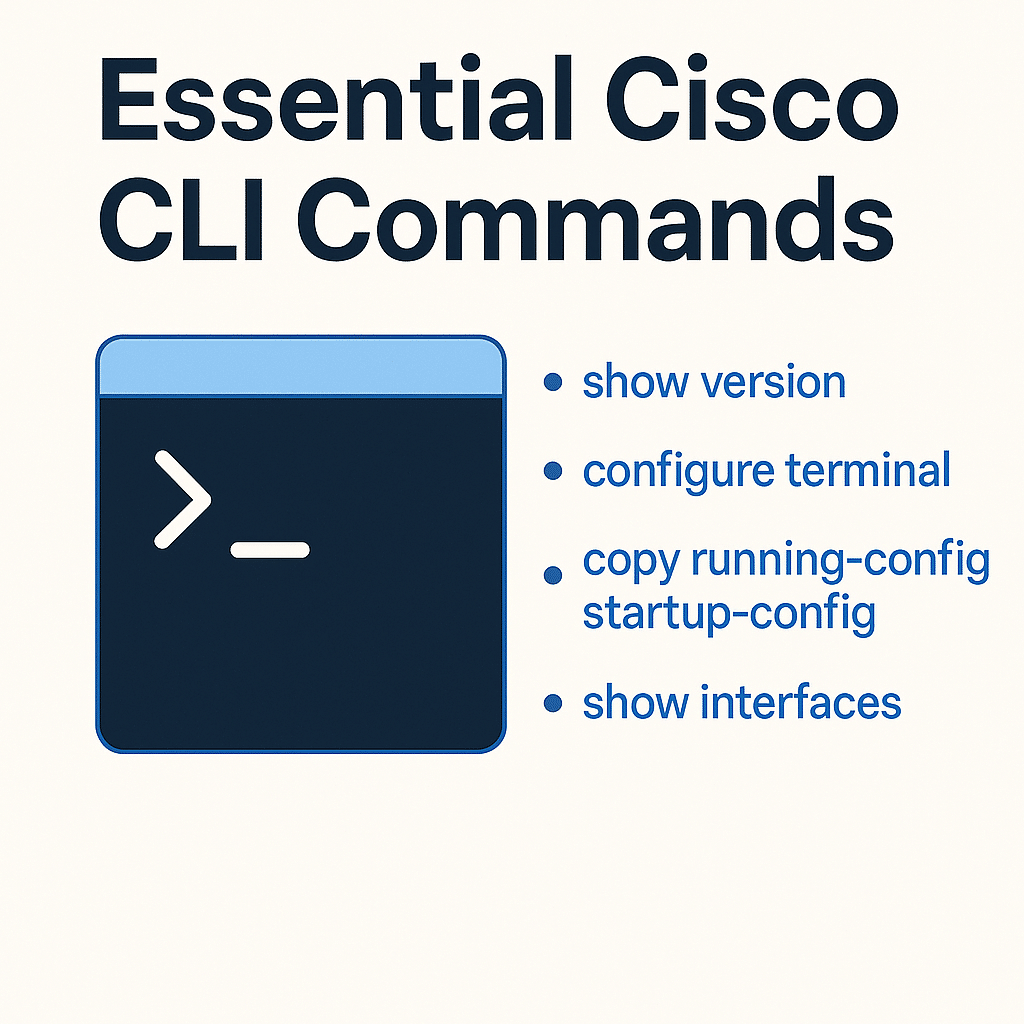
On Cisco devices, the following baseline commands help administrators quickly gather key information.
show version
Displays basic device information, including IOS version, serial number, memory size, and model—crucial for understanding the hardware/software environment.
Example:
Router# show version
Cisco IOS Software, C2900 Software (C2900-UNIVERSALK9-M), Version 15.2(4)M3, RELEASE SOFTWARE (fc2)
Technical Support: http://www.cisco.com/techsupport
Copyright (c) 1986-2012 by Cisco Systems, Inc.
Compiled Thu 20-Dec-12 13:03 by prod_rel_team
...
Use this output to decide whether IOS needs an upgrade or if hardware resources are constrained.
show running-config
Shows the current running configuration. This is key after changes to verify that settings are active.
Example:
Router# show running-config
Building configuration...
Current configuration : 1023 bytes
!
version 15.2
service timestamps debug datetime msec
service timestamps log datetime msec
no service password-encryption
...
Check interface settings, routing protocols, and security policies directly.
show startup-config
Displays the configuration that will load at boot, which differs from the running config. This matters for understanding what the device will apply after a reload.
Example:
Router# show startup-config
Using 1023 out of 524288 bytes
!
version 15.2
service timestamps debug datetime msec
service timestamps log datetime msec
no service password-encryption
...
If running-config and startup-config differ, configuration changes may not have been saved—review and save as needed.
show interfaces
Provides detailed information for all interfaces—physical/link status, error counters, and traffic.
Example:
Router# show interfaces
GigabitEthernet0/0 is up, line protocol is up
  Hardware is CN Gigabit Ethernet, address is 00a0.c9ff.1234 (bia 00a0.c9ff.1234)
  Description: Connection to ISP
  MTU 1500 bytes, BW 1000000 Kbit/sec, DLY 10 usec,
      reliability 255/255, txload 1/255, rxload 1/255
  Encapsulation ARPA, loopback not set
  Keepalive set (10 sec)
  Full-duplex, 1000Mb/s, media type is RJ45
  ...
Use this to validate link status, speed/duplex, and traffic/error statistics.
show ip interface brief
Shows a concise view of each interface’s IP address, physical status, and protocol status.
Example:
Router# show ip interface brief
Interface              IP-Address      OK? Method Status                Protocol
GigabitEthernet0/0     192.168.1.1     YES manual up                    up
GigabitEthernet0/1     unassigned      YES unset  administratively down down
...
Quickly confirm IP assignments and status to localize issues.
show protocols
Displays protocol status for all interfaces and which protocols are running on them.
Example:
Router# show protocols
Global values:
  Internet Protocol routing is enabled
GigabitEthernet0/0 is up, line protocol is up
  Internet address is 192.168.1.1/24
GigabitEthernet0/1 is administratively down, line protocol is down
...
A convenient snapshot of protocol operation.
Router Inspection Commands
Beyond basics, routers need routing-protocol and RIB checks to maintain and optimize forwarding.
show ip route
Displays the routing table that determines how packets are forwarded.
Example:
Router# show ip route
Codes: C - connected, S - static, R - RIP, M - mobile, B - BGP
       D - EIGRP, EX - EIGRP external, O - OSPF, IA - OSPF inter area
       N1 - OSPF NSSA external type 1, N2 - OSPF NSSA external type 2
       E1 - OSPF external type 1, E2 - OSPF external type 2
       i - IS-IS, su - IS-IS summary, L1 - IS-IS level-1, L2 - IS-IS level-2
       ia - IS-IS inter area, * - candidate default, U - per-user static route
       o - ODR, P - periodic downloaded static route, + - replicated route
Gateway of last resort is not set

      192.168.1.0/24 is variably subnetted, 2 subnets, 2 masks
C        192.168.1.0/24 is directly connected, GigabitEthernet0/0
S        10.0.0.0/8 is directly connected, GigabitEthernet0/1
...
View connected, static, and dynamic routes at a glance.
show ip bgp summary
Checks BGP status—neighbors, updates, and table counts.
Example:
Router# show ip bgp summary
BGP router identifier 192.168.1.1, local AS number 65001
BGP table version is 10, main routing table version 10
9 network entries using 1044 bytes of memory
9 path entries using 468 bytes of memory
5/3 BGP path/bestpath attribute entries using 720 bytes of memory
3 BGP AS-PATH entries using 72 bytes of memory
2 BGP community entries using 48 bytes of memory
0 BGP route-map cache entries using 0 bytes of memory
0 BGP filter-list cache entries using 0 bytes of memory
BGP using 2352 total bytes of memory
BGP activity 0/0 prefixes, 0/0 paths, scan interval 60 secs
Neighbor        V    AS MsgRcvd MsgSent   TblVer InQ OutQ Up/Down State/PfxRcd
192.168.1.2     4 65002    12345    12345       10   0    0 5d14h        5
...
Monitor BGP session health and identify potential issues.
show ip ospf neighbor
Views OSPF neighbor relationships to confirm adjacencies.
Example:
Router# show ip ospf neighbor
Neighbor ID     Pri   State         Dead Time   Address         Interface
192.168.1.2       1   FULL/BDR      00:00:39    192.168.1.2     GigabitEthernet0/0
192.168.1.3       1   FULL/DROTHER  00:00:39    192.168.1.3     GigabitEthernet0/1
...
show ip eigrp neighbors
For EIGRP, shows neighbor state, interface, hold time, SRTT/RTO, etc.
Example:
Router# show ip eigrp neighbors
IP-EIGRP neighbors for process 100
H   Address               Interface       Hold Uptime   SRTT   RTO  Q  Seq
                                        (sec)         (ms)        Cnt Num
0   192.168.1.2           Gi0/0           10  00:10:21  50    300  0  15
1   192.168.1.3           Gi0/1           11  00:10:19  60    360  0  13
...
Switch Inspection Commands
Switches are the core of LANs. Inspection focuses on Layer-2 forwarding, VLAN management, and spanning tree.
show mac address-table
Displays the MAC address table that guides frame forwarding.
Example:
Switch# show mac address-table
          Mac Address Table
-------------------------------------------
Vlan    Mac Address       Type        Ports
----    -----------       --------    -----
 10     0010.5a0c.7a01    DYNAMIC     Gi0/1
 20     0010.5a0c.7a02    DYNAMIC     Gi0/2
 30     0010.5a0c.7a03    DYNAMIC     Gi0/3
...
show spanning-tree
Views STP status to prevent Layer-2 loops and confirm stability.
Example:
Switch# show spanning-tree
VLAN0001
  Spanning tree enabled protocol ieee
  Root ID    Priority    32769
             Address     0010.5a0c.7a01
             Cost        19
             Port        2 (GigabitEthernet0/1)
             Hello Time  2 sec  Max Age 20 sec  Forward Delay 15 sec

  Bridge ID  Priority    32769 (priority 32768 sys-id-ext 1)
             Address     0010.5a0c.7a01
             Hello Time  2 sec  Max Age 20 sec  Forward Delay 15 sec
             Aging Time  300 sec

Interface        Role Sts Cost      Prio.Nbr Type
---------------- ---- --- --------  -------- --------------------------------
Gi0/1            Root FWD 19        128.2    P2p
Gi0/2            Desg FWD 19        128.3    P2p
...
show vlan brief
Shows VLAN configuration—IDs, names, and associated interfaces.
Example:
Switch# show vlan brief
VLAN Name                             Status    Ports
---- -------------------------------- --------- -------------------------------
1    default                          active    Gi0/1, Gi0/2, Gi0/3
10   Sales                            active    Gi0/4, Gi0/5
20   Engineering                      active    Gi0/6, Gi0/7
...
show vtp status
Checks VTP status for VLAN synchronization between switches.
Example:
Switch# show vtp status
VTP Version                      : 2
Configuration Revision           : 12
Maximum VLANs supported locally  : 255
Number of existing VLANs         : 10
VTP Operating Mode               : Server
VTP Domain Name                  : example_domain
VTP Pruning Mode                 : Disabled
VTP V2 Mode                      : Enabled
VTP Traps Generation             : Disabled
MD5 digest                       : 0x79 0x12 0x33 0x44 0x56 0x78 0x9A 0xBC
Configuration last modified by 192.168.1.1 at 5-18-2021 12:34:56
Firewall Inspection Commands
Firewalls are core to network security. Inspection focuses on ACLs, firewall rules, and NAT.
show access-lists
Views ACL entries that permit/deny traffic.
Example:
Firewall# show access-lists
Extended IP access list 100
    10 permit ip 192.168.1.0 0.0.0.255 any
    20 deny ip any any log
Extended IP access list 101
    10 permit tcp any any eq 80
    20 permit tcp any any eq 443
    30 deny ip any any log
show firewall
Displays firewall configuration and rule status (format varies by platform)—rules, NAT configuration, and operating status.
Example:
Firewall# show firewall
Firewall mode: Routed
Inspection type: CBAC
  Protocol: tcp
    Total sessions: 100
    Max sessions: 1000
  Protocol: udp
    Total sessions: 50
    Max sessions: 1000
show nat
Views NAT configuration and translations.
Example:
Firewall# show nat
Nat configurations:
    Nat instance #1:
      Type: dynamic
      Protocol: ip
      Inside source: 192.168.1.0/24
      Outside source: 203.0.113.1/32
      Translations:
        192.168.1.100 -> 203.0.113.100
        192.168.1.101 -> 203.0.113.101
    Nat instance #2:
      Type: static
      Protocol: ip
      Inside source: 192.168.2.0/24
      Outside source: 203.0.113.2/32
Device Performance Monitoring Commands
Monitoring CPU, memory, and environmental status is essential for stability.
show processes cpu
Displays CPU utilization by process to identify heavy consumers.
Example:
Router# show processes cpu
CPU utilization for five seconds: 10%/5%; one minute: 20%; five minutes: 15%
PID Runtime(ms)   Invoked      uSecs   5Sec   1Min   5Min TTY Process
  1       43210     56789         0     2%     5%     3%   0 Load Meter
  2        1234      2345         1     1%     2%     1%   0 ARP Input
...
show memory
Shows total, used, and free memory to detect leaks or pressure.
Example:
Router# show memory
                Head    Total(b)     Used(b)     Free(b)   Lowest(b)  Largest(b)
Processor   8001234   12345678     2345678     10000000    9999999    8888888
      I/O   6001234    7654321     1234567      6419754    5123456    4000000
show environment
Displays physical environment—temperature, power supplies, fans.
Example:
Router# show environment
Temperature: 40C/104F (Normal)
Power supply 1: OK
Power supply 2: OK
Fan status: OK
Network Interface Status Commands
Interfaces are the bridge to the outside world; their state directly impacts connectivity.
show interfaces
The most common interface command—operational state, configuration, and traffic statistics.
Example:
Router# show interfaces GigabitEthernet0/0
GigabitEthernet0/0 is up, line protocol is up
  Hardware is Gigabit Ethernet, address is 0010.5a0c.7a01 (bia 0010.5a0c.7a01)
  MTU 1500 bytes, BW 1000000 Kbit/sec, DLY 10 usec,
      reliability 255/255, txload 1/255, rxload 1/255
  Encapsulation ARPA, loopback not set
  Keepalive set (10 sec)
  Full-duplex, 1000Mb/s, media type is RJ45
  ...
show ip interface brief
Quickly lists IP configuration and states for all interfaces.
Example:
Router# show ip interface brief
Interface              IP-Address      OK? Method Status                Protocol
GigabitEthernet0/0     192.168.1.1     YES manual up                    up
GigabitEthernet0/1     unassigned      YES unset  administratively down down
GigabitEthernet0/2     192.168.2.1     YES manual up                    up
...
show interface status
On switches, shows link status and VLAN assignment—handy for port troubleshooting.
Example:
Switch# show interface status
Port    Name               Status       Vlan       Duplex  Speed Type
Gi0/1   Server1            connected    10         a-full  a-1000 10/100/1000BaseTX
Gi0/2   Server2            notconnect   20         a-full  a-1000 10/100/1000BaseTX
...
Routing Protocol Status Commands
Healthy routing protocols ensure end-to-end connectivity. Use the following to check status and configuration.
show ip route
Displays the RIB and how the device forwards to destinations.
Example:
Router# show ip route
Codes: C - connected, S - static, R - RIP, M - mobile, B - BGP
       D - EIGRP, EX - EIGRP external, O - OSPF, IA - OSPF inter area
       ...
C    192.168.1.0/24 is directly connected, GigabitEthernet0/0
O    192.168.2.0/24 [110/2] via 192.168.1.2, 00:00:05, GigabitEthernet0/0
D    192.168.3.0/24 [90/30720] via 192.168.1.3, 00:00:10, GigabitEthernet0/1
...
show ip protocols
Displays configured routing protocols and parameters (e.g., RIP/OSPF/EIGRP status and timers).
Example:
Router# show ip protocols
Routing Protocol is "eigrp 100"
  Outgoing update filter list for all interfaces is not set
  Incoming update filter list for all interfaces is not set
  Default networks flagged in outgoing updates
  Default metric is 10000
  Automatic Summarization is in effect
  Maximum path: 4
  Routing for Networks:
    192.168.1.0/24
    192.168.2.0/24
...
show ip bgp summary
Shows global BGP status and session overview for inter-domain routing.
Example:
Router# show ip bgp summary
BGP router identifier 192.168.1.1, local AS number 65000
BGP table version is 10, main routing table version 10
10 network entries using 1600 bytes of memory
10 path entries using 800 bytes of memory
5 BGP path attribute entries using 300 bytes of memory
BGP activity 10/0 prefixes, 10/0 paths, scan interval 60 secs
 Neighbor        V          AS MsgRcvd MsgSent   TblVer  InQ OutQ  Up/Down  State/PfxRcd
192.168.1.2      4       65001   1000    1000       10    0   0   00:15:32        5
192.168.1.3      4       65002    900     900       10    0   0   00:10:21        3
...
Network Security Commands
Security is a key part of device inspection.
show ssh
Views SSH configuration and session status for secure remote management.
Example:
Router# show ssh
%No SSH server connections running.
show crypto isakmp sa
Displays ISAKMP Security Associations used for IPSec VPNs.
Example:
Router# show crypto isakmp sa
IPv4 Crypto ISAKMP SA
dst             src             state          conn-id status
192.168.1.1     192.168.1.2     QM_IDLE        1001    ACTIVE
192.168.1.1     192.168.1.3     QM_IDLE        1002    ACTIVE
...
show access-lists
Views configured ACLs that control ingress/egress traffic.
Example:
Router# show access-lists
Standard IP access list 1
    10 permit 192.168.1.0 0.0.0.255
Extended IP access list 100
    10 permit ip 192.168.1.0 0.0.0.255 any
    20 deny ip any any log
...
Troubleshooting Commands
When issues arise, these commands help quickly isolate and resolve faults.
ping
Tests reachability by sending ICMP echo requests and measuring response time.
Example:
Router# ping 192.168.1.1
Type escape sequence to abort.
Sending 5, 100-byte ICMP Echos to 192.168.1.1, timeout is 2 seconds:
!!!!!
Success rate is 100 percent (5/5), round-trip min/avg/max = 1/2/3 ms
traceroute
Displays the path packets take from source to destination, with hop IPs and RTTs.
Example:
Router# traceroute 192.168.1.1
Type escape sequence to abort.
Tracing the route to 192.168.1.1
  1 192.168.1.254 2 msec 2 msec 2 msec
  2 10.1.1.1      3 msec 3 msec 3 msec
  3 192.168.1.1   4 msec 4 msec 4 msec
debug
Shows real-time detailed processing. Powerful but may impact performance; use with care.
Example:
Router# debug ip packet
IP: s=192.168.1.1, d=192.168.2.1, len 48, input feature
IP: s=192.168.1.1, d=192.168.2.1, len 48, forwarded
...
Log Management Commands
Logs record operational state and events.
show logging
Views device logs and logging configuration.
Example:
Router# show logging
Syslog logging: enabled (0 messages dropped, 0 messages rate-limited, 0 flushes, 0 overruns)
    Console logging: level debugging, 283 messages logged
    Monitor logging: level debugging, 0 messages logged
    Buffer logging: level debugging, 283 messages logged
    Trap logging: level informational, 282 messages logged
    Logging to 192.168.1.100 (tcp port 1470, audit disabled, link up), 2 message lines logged
clear logging
Clears stored logs—useful after analysis to record new events cleanly.
Example:
Router# clear logging
Clear logging buffer [confirm]
Logging buffer cleared
Configuration Management Commands
Configuration management ensures consistency and rapid recovery.
show running-config
Shows the current running configuration with all parameters and settings.
Example:
Router# show running-config
Building configuration...
   Current configuration : 1234 bytes
!
version 15.1
hostname Router
!
interface GigabitEthernet0/0
 ip address 192.168.1.1 255.255.255.0
 duplex auto
 speed auto
...
show startup-config
Displays the startup configuration stored in NVRAM.
Example:
Router# show startup-config
Using 1234 out of 32768 bytes
!
version 15.1
hostname Router
!
interface GigabitEthernet0/0
 ip address 192.168.1.1 255.255.255.0
 duplex auto
 speed auto
...
copy running-config startup-config
Saves the current configuration to startup to persist through reloads.
Example:
Router# copy running-config startup-config
Destination filename [startup-config]?
Building configuration...
[OK]
Leard More About Cisco Default Password