Unlocking Data Protection: What is Parity in RAID and How It Actually Works?
In the world of enterprise storage, hard drive failure is not a matter of “if,” but “when.” When a drive fails in a critical server, how does the system miraculously keep running without losing a single byte of data?
The answer isn’t magic—it’s mathematics. It is called Parity.
If you are configuring a Cisco UCS server or managing a storage array, understanding parity is essential. It dictates not just safety, but the performance (IOPS) of your system. In this guide, we go beyond the surface definition to explain exactly how parity works, the logic of XOR, and the hidden performance costs you need to know about.
What is Parity in RAID?
Parity is a mechanism used in RAID (Redundant Array of Independent Disks) to achieve fault tolerance.
In simple terms, parity is “extra” data calculated from your original files. It is stored alongside your actual data. If a drive fails, the RAID controller uses this parity information to mathematically reconstruct the missing data bits, allowing the system to continue operating without downtime.
Parity is the defining feature of RAID 5 and RAID 6, distinguishing them from RAID 0 (speed only) and RAID 1 (simple mirroring).
How Parity Works: The “Missing Number” Logic
Most technical guides jump straight into binary code, which can be confusing. Let’s start with a simple algebra analogy to understand the concept.
Imagine we have two data drives and we want to create protection for them.
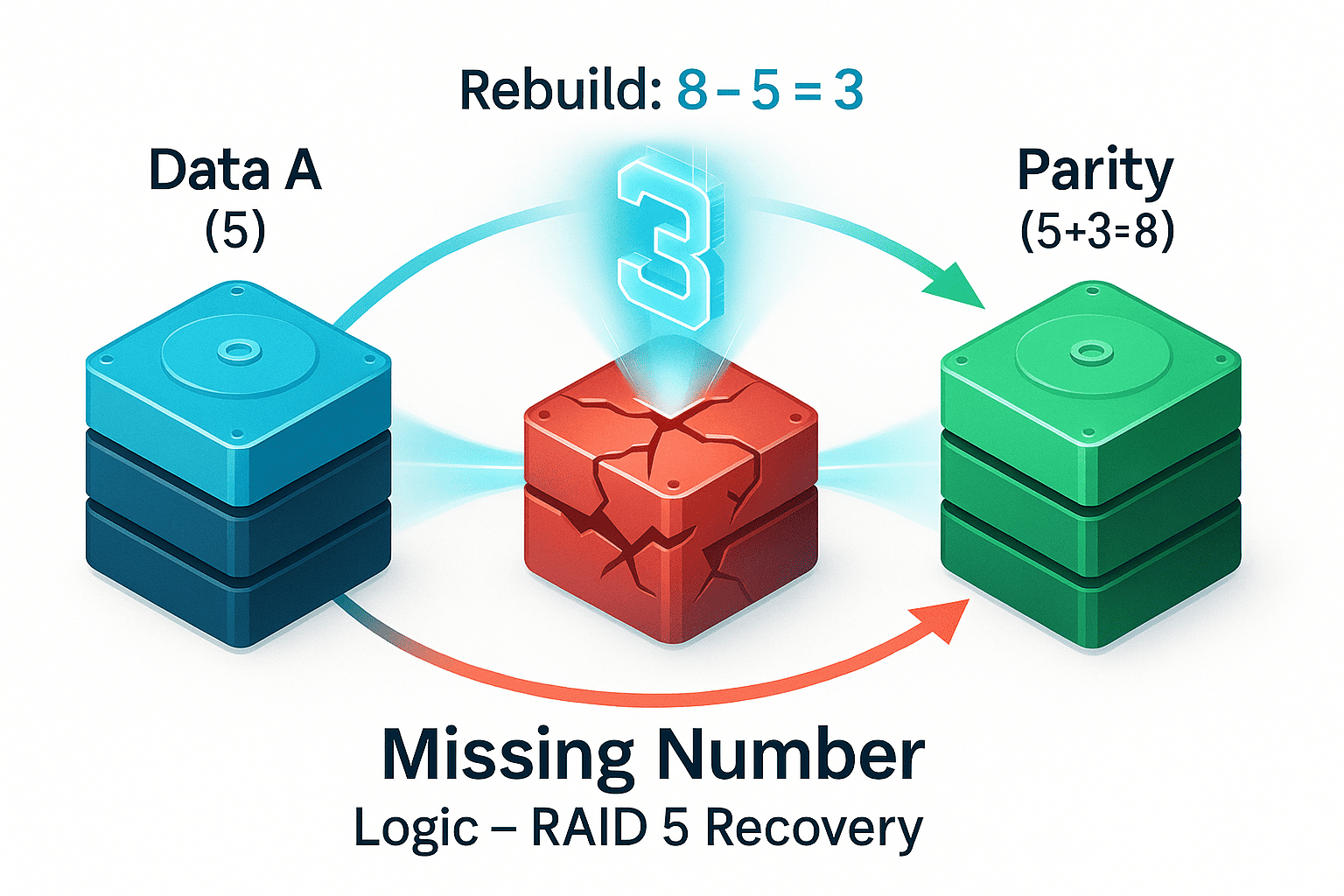
- Drive A holds the number: 5
- Drive B holds the number: 3
To create parity, the system adds them together: 5+3=8. We store this “8” on a separate Parity Drive.
The Recovery Scenario
Now, imagine Drive B (the 3) fails and is destroyed. The controller looks at what is left:
- Drive A: 5
- Parity Drive: 8
The controller asks: “5 plus what equals 8?” By doing simple subtraction (8−5=3), the system instantly knows the missing data was 3. It has reconstructed the lost data using the parity bit.
The Technical Engine: The XOR Operation
Computers don’t use decimal numbers (5, 3, 8); they use binary (0s and 1s). To calculate parity efficiently, RAID controllers use a logical operation called XOR (Exclusive OR).
The XOR rule is simple:
- If the bits are the same (0 vs 0, or 1 vs 1), the result is 0.
- If the bits are different (0 vs 1), the result is 1.
Here is how a RAID controller calculates parity across drives using XOR:
|
Drive 1 (Data) |
Drive 2 (Data) |
Parity Bit (Result) |
|---|---|---|
|
1 |
0 |
1 (Different) |
|
0 |
0 |
0 (Same) |
|
1 |
1 |
0 (Same) |
|
0 |
1 |
1 (Different) |
Why XOR?
The beauty of XOR is that it is perfectly reversible.
A⊕B=P(Data A XOR Data B equals Parity)
P⊕A=B(奇偶校验异或数据 A 等于数据 B)
This allows the RAID controller to rebuild any single missing drive by simply “XOR-ing” the remaining drives together.
The Hidden Cost: The “Write Penalty” Explained
This is the most critical section for system architects. While parity saves space compared to mirroring (RAID 1), it comes with a performance cost known as the RAID Write Penalty.
Reading data from a parity RAID is fast. Writing data is slow. Why?
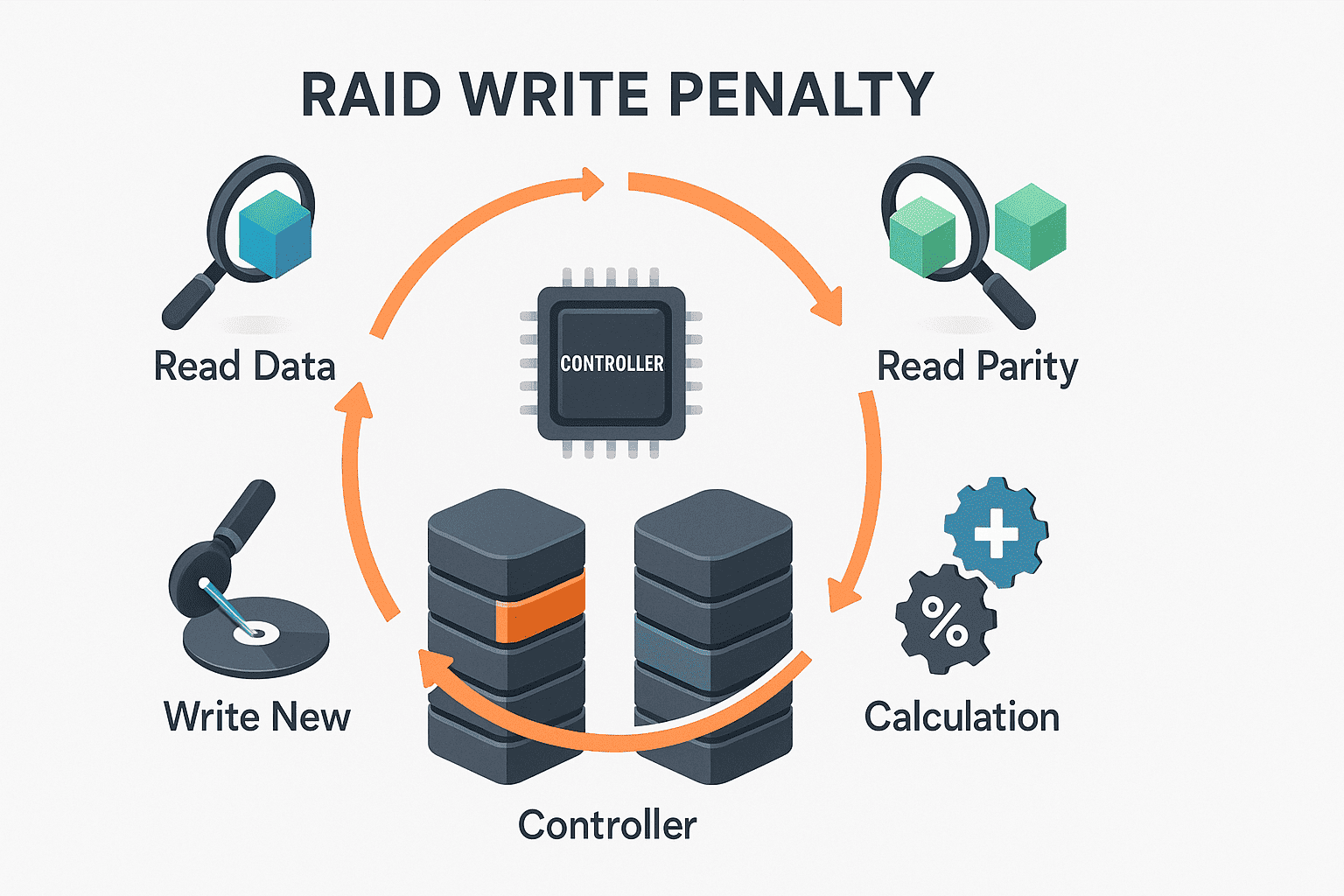
In a simple RAID 0, writing data is one step: Write to disk. In RAID 5 (Parity), changing even a tiny block of data triggers a 4-step process called “Read-Modify-Write”:
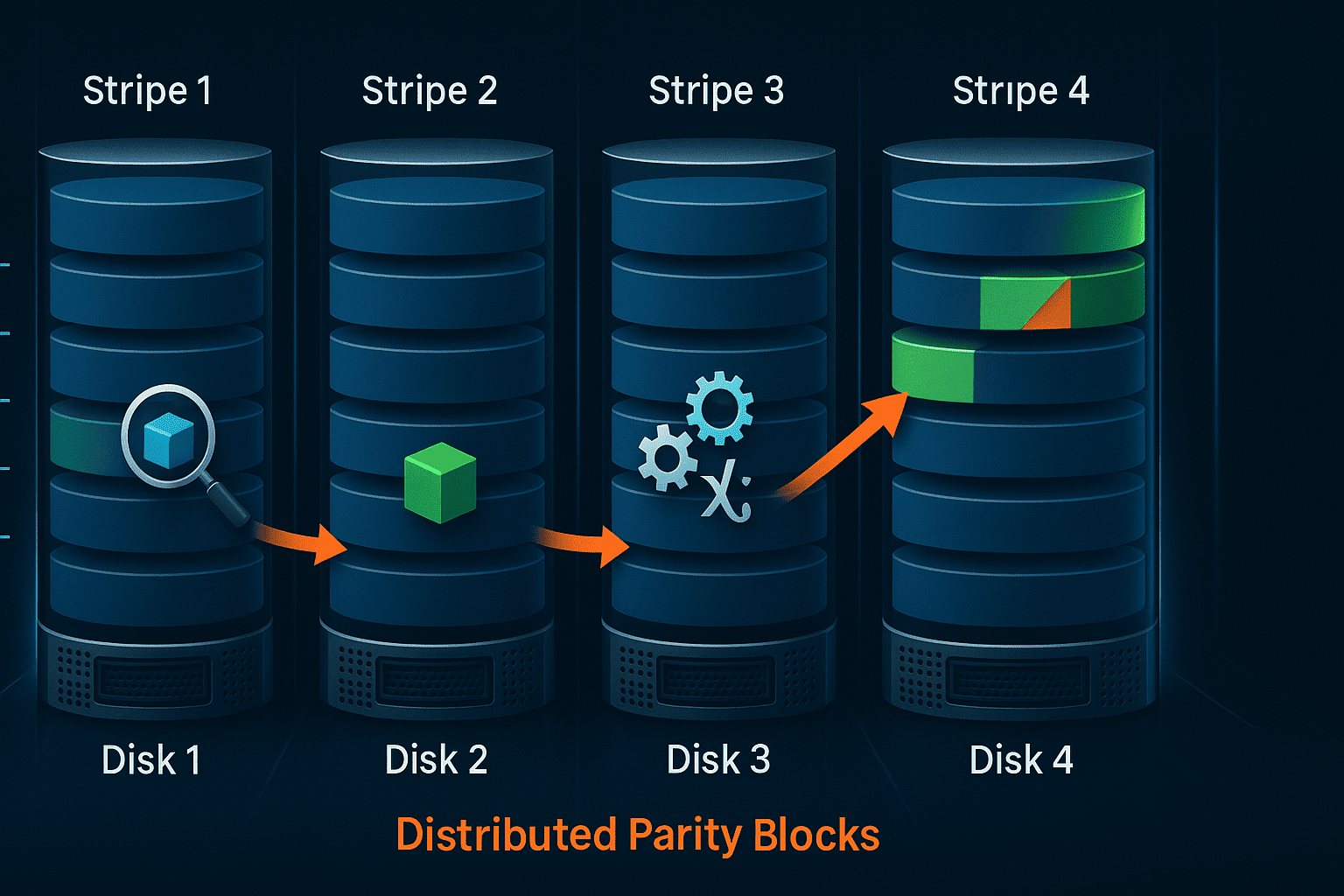
- Read Old Data: The controller must read the existing data block from the disk.
- Read Old Parity: It must read the existing parity block associated with that data.
- Calculate New Parity: It compares the old data, new data, and old parity to compute the new parity bit.
- Write New Data & Parity: Finally, it writes the new data and the updated parity to the disks.
The Impact: A single write request from your server results in 4 I/O operations on the backend disks. This drastically reduces write performance on database or transactional workloads.
RAID 5 vs. RAID 6 Parity
As hard drives grow larger (10TB, 18TB+), the risk of a second drive failing during a rebuild increases. This brings us to the difference between Single and Dual Parity.
RAID 5 (Single Parity)
- Protection: Can withstand 1 drive failure.
- Method: Uses basic XOR calculation.
- Risk: If a second drive fails while you are replacing the first one, all data is lost.
RAID 6 (Dual Parity)
- Protection: Can withstand 2 drive failures simultaneously.
- Method: Uses XOR for the first parity block (P) and a complex algorithm (usually Reed-Solomon) for the second parity block (Q).
- Trade-off: Because it calculates two parity blocks, the “Write Penalty” is even higher (6 I/O operations per write), requiring more powerful processing hardware.
Software vs. Hardware RAID: Why It Matters for Enterprise
For home users, “Software RAID” (handled by the Windows or Linux CPU) is fine. But for enterprise environments running Cisco, Dell, or HPE servers, relying on Software RAID parity is a mistake.
Calculating XOR checks and managing the “Read-Modify-Write” cycle thousands of times per second puts a massive load on your server’s main CPU.
The Solution: Hardware RAID Controllers Enterprise RAID controllers (like the Cisco 12G SAS RAID controller) feature a dedicated XOR Engine (ASIC) and Cache Memory.
- Offloading: The dedicated chip handles the math, freeing up your main CPU for running applications.
- Caching: The controller’s cache (often 2GB or 4GB) absorbs the “Write Penalty,” holding data temporarily to write it to the disks more efficiently.
Conclusion
Parity is the unsung hero of data storage—an elegant mathematical trick that allows us to lose hardware without losing data. However, it is not a free lunch. Understanding the mechanics of XOR and the Write Penalty is crucial for choosing the right storage configuration.
If you are building a high-performance environment, ensure you are not just looking at capacity, but also at the processing power of your RAID controller to handle the heavy lifting of parity calculations.