Port 8443 Explained: What It Is, What It’s Used For, and 8443 vs 443
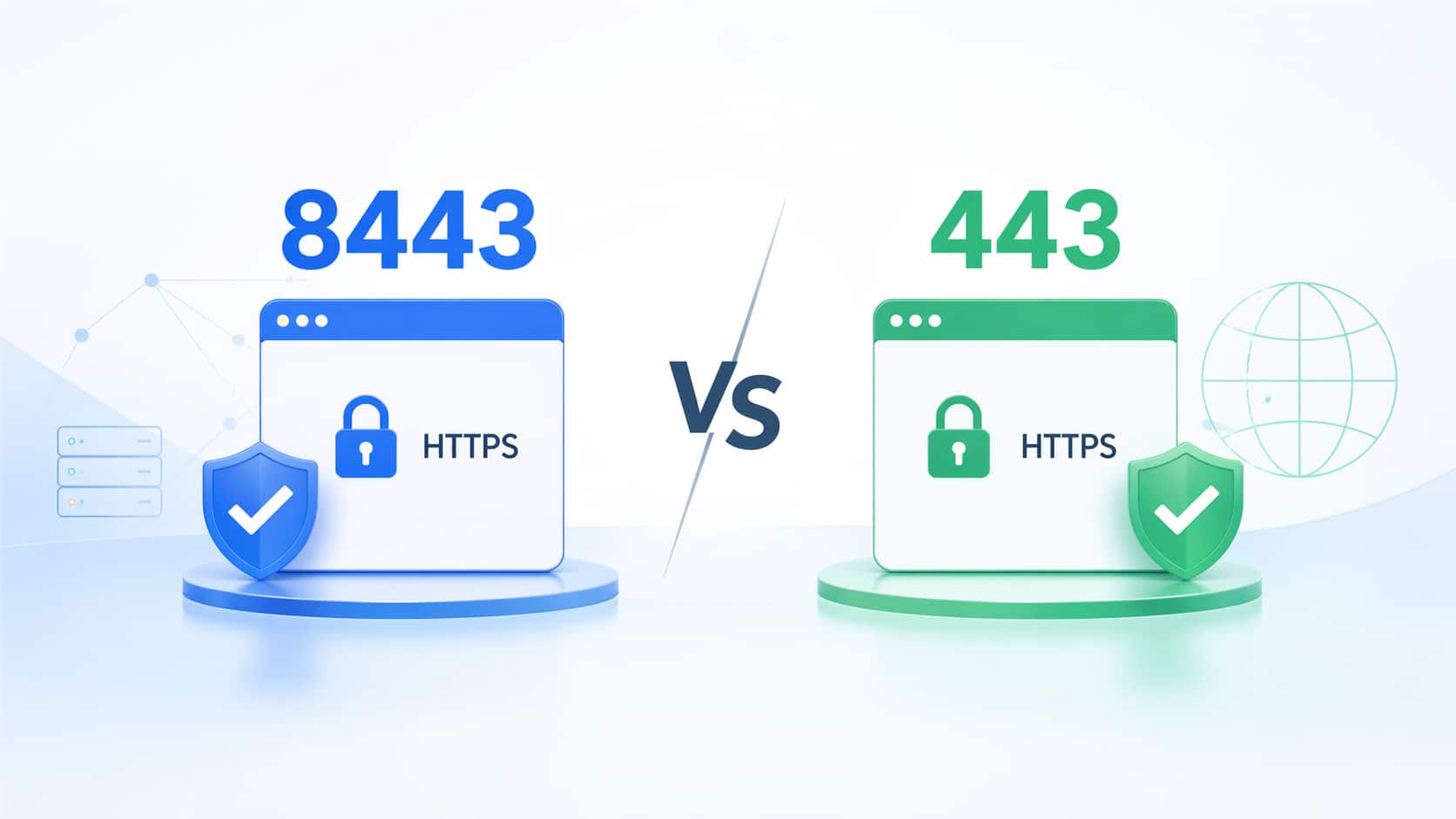
Port 8443 often appears in secure web applications, admin portals, application servers, APIs, and internal enterprise systems. It looks similar to port 443 because both are commonly associated with HTTPS traffic, but they are not the same.
The simple answer is this:
Port 443 is the default HTTPS port. Port 8443 is a common non-default port used for HTTPS-based services, especially admin consoles, application servers, internal tools, staging environments, APIs, and backend services.
The key detail is that a port number does not automatically define the protocol. Port 8443 is often used for HTTPS, but it is only secure if the service behind it is actually configured with TLS/SSL, valid certificates, strong authentication, updated software, and proper access controls.
What Is Port 8443?
Port 8443 is commonly used as a non-default HTTPS port for secure web applications, admin consoles, APIs, and application servers. Unlike port 443, which browsers use automatically for HTTPS, port 8443 usually requires users to type it in the URL, such as https://example.com:8443.
In real deployments, port 8443 is often used when a secure web service needs to run separately from the main public website or the standard HTTPS service.
For example, a company may use:
https://example.comfor the public website on port 443, while using:
https://admin.example.com:8443or:
https://internal-app.example.com:8443for an admin portal, application server, staging system, or internal HTTPS service.
The most important point is this:
Port 8443 is not “better HTTPS” than port 443. It is simply a non-default port that is often configured to carry HTTPS traffic.
If TLS is configured correctly, port 8443 can provide encrypted communication. If TLS is not configured, the traffic may not be secure, even if the port number is 8443.
What Is Port 8443 Used For?
Port 8443 is usually used when a secure application needs HTTPS-like access but cannot, should not, or does not need to use the default HTTPS port 443.
In real networks, port 8443 is more common on internal systems, management interfaces, development environments, backend services, and application platforms than on public websites.
Common Uses of Port 8443
Port 8443 is often used for:
- Secure web applications that run separately from the main website
- Admin consoles and control panels
- Application servers, especially Java-based web applications
- Internal APIs and backend services
- Network or security appliance management interfaces
- Development, testing, and staging environments
- Reverse proxy or load balancer backend targets
A practical example is a public-facing service where users access the site through port 443, while the backend application listens on 8443 behind a reverse proxy.
In that setup, the user sees:
https://example.comBut internally, traffic may be routed to:
https://backend-server:8443This keeps the public user experience clean while allowing the backend application to run on a separate secure port.
Common Services That May Use Port 8443
Port 8443 is not tied to one vendor or one application. It may appear in many different environments.
| Service Type | Why Port 8443 May Be Used |
|---|---|
| Apache Tomcat / Java applications | HTTPS connector or application endpoint |
| Hosting control panels | Secure admin login interface |
| Network or security appliances | Web-based management UI |
| Internal enterprise applications | Separate secure service from the public website |
| APIs / backend services | Non-default secure endpoint |
| Dev or staging systems | Avoid conflict with production port 443 |
| Reverse proxy backends | Internal HTTPS target behind a public 443 frontend |
This does not mean every Tomcat server, control panel, or appliance always uses 8443. It means 8443 is commonly seen in these scenarios because it is useful for separating secure application traffic from the default public HTTPS port.
Is Port 8443 HTTPS?
Port 8443 is commonly used for HTTPS-based services, but it is not automatically HTTPS just because the port number is 8443.
This is one of the most important points many basic explanations miss.
A port number is only a network endpoint. The application behind that port decides what protocol is actually running.
| Question | Correct Answer |
|---|---|
| Is 8443 always HTTPS? | No. A port number does not decide the protocol. |
| Why is 8443 often linked to HTTPS? | Many systems configure it as an alternative HTTPS port. |
| Does a browser use 8443 by default? | No. Browsers use 443 by default for HTTPS. |
| Can 8443 be as secure as 443? | Yes, if TLS/SSL is properly configured. |
| Can 8443 run non-HTTPS traffic? | Yes, if an application is configured that way. |
For example:
https://example.com:8443tells the browser to connect to port 8443 using HTTPS.
But:
http://example.com:8443uses the HTTP scheme, not HTTPS. The :8443 part only tells the browser which port to connect to. It does not automatically make the connection encrypted.
So the correct way to think about it is:
8443 is commonly used for HTTPS, but HTTPS depends on the protocol and TLS configuration, not the port number alone.
Port 8443 vs 443: What’s the Difference?
The main difference between port 443 and port 8443 is not encryption strength. If both are configured with TLS correctly, both can provide secure encrypted communication.
The real difference is default browser behavior, user experience, firewall compatibility, and deployment purpose.
Quick Comparison Table
| Comparison Point | Port 443 | Port 8443 |
|---|---|---|
| Common role | Default HTTPS port | Alternative HTTPS port |
| Browser behavior | Used automatically for https:// | Must be typed as :8443 |
| Typical use | Public websites, SaaS portals, ecommerce, login pages | Admin panels, app servers, APIs, internal services |
| Firewall compatibility | Usually allowed in enterprise networks | May need an explicit firewall rule |
| URL example | https://example.com | https://example.com:8443 |
| Security | TLS-capable | TLS-capable if configured |
| Best for public production sites | Yes | Usually no |
| Best for internal/admin services | Possible | Common |
For a public website, port 443 is normally the better choice. It is expected by browsers, users, firewalls, proxies, and security tools.
For an internal application, management interface, or backend service, port 8443 can be useful because it keeps that service separate from the main public HTTPS endpoint.
Is 8443 More Secure Than 443?
No. Port 8443 is not more secure than port 443 by default.
This is a common misunderstanding. Some people assume a non-standard port is safer because it is less obvious. That is not real security.
If an attacker scans a server, open ports such as 8443 can still be detected. If the service behind 8443 has weak passwords, outdated software, poor TLS configuration, or an exposed admin panel, the port can still be risky.
Security depends on:
- TLS certificate quality
- TLS protocol and cipher configuration
- Authentication strength
- MFA availability
- Patch level of the application, server, or appliance
- Firewall policy
- Whether the service is exposed to the public internet
- Whether access is limited by VPN or IP allowlist
A well-configured HTTPS service on port 8443 can be secure. A poorly protected admin console on port 8443 can be a serious risk.
Why Does a URL Include :8443?
A URL includes :8443 when the web service is listening on port 8443 instead of the default HTTPS port 443.
Browsers automatically assume port 443 when you enter an HTTPS URL without a port number.
| URL | Meaning |
|---|---|
https://example.com | Browser connects to port 443 |
https://example.com:443 | Same as normal HTTPS |
https://example.com:8443 | Browser connects to port 8443 |
http://example.com:8443 | Uses HTTP scheme; not automatically secure |
For normal public websites, users should not usually need to type :8443. It looks less familiar, may be blocked by some networks, and can reduce trust for non-technical users.
For internal tools, admin portals, staging systems, and backend services, seeing :8443 in the URL is much more common.
Is Port 8443 Secure or Risky?
Port 8443 is not secure or insecure by itself. The risk depends on what service is running behind it, whether TLS is enabled, how authentication is handled, and whether the port is exposed to the public internet.
A better question is not:
Is port 8443 dangerous?The better question is:
What is listening on port 8443, who can reach it, and how is it protected?When Port 8443 Is Usually Safe
Port 8443 is usually acceptable when it is used intentionally and protected properly.
For example, it is generally safer when:
- The service is internal only
- Access requires VPN
- Firewall rules restrict source IP addresses
- The service uses valid TLS certificates
- Strong authentication is required
- MFA is enabled for admin access
- The application, server, or appliance is patched
- Logs are monitored for failed logins and scanning activity
In these cases, 8443 is simply a controlled access point for a specific secure service.
When Port 8443 Becomes Risky
Port 8443 becomes risky when it exposes sensitive services without enough control.
Common risk scenarios include:
- Admin panel exposed directly to the internet
- Weak or reused passwords
- No MFA
- Outdated application, server, firewall, or appliance
- Unknown service listening on 8443
- Expired or self-signed certificate in production
- No firewall restriction beyond the login page
- Management interface accessible from any public IP
A public-facing 8443 port is not automatically bad, but it should always be intentional. If no one can clearly explain why 8443 is open, it should be investigated.
Should You Open Port 8443 to the Internet?
In most cases, you should avoid exposing port 8443 directly to the public internet unless there is a clear business or technical requirement.
| Situation | Recommendation |
|---|---|
| Internal admin console | Keep private or VPN-only |
| Public customer-facing website | Prefer port 443 |
| Backend application service | Put behind reverse proxy, firewall, or load balancer |
| Temporary testing service | Open only temporarily, then close |
| Vendor-required management port | Restrict source IPs if possible |
| Unknown service on 8443 | Investigate before allowing |
For public users, port 443 is usually the cleaner and safer design. If an application must run on 8443 internally, a reverse proxy or load balancer can present the service externally on 443 while forwarding traffic to 8443 in the backend.
That design gives users a normal HTTPS URL while keeping backend port usage flexible.
When Should You Use 443 Instead of 8443?
Use port 443 for public-facing HTTPS services. Use port 8443 for internal applications, admin consoles, staging systems, APIs, or backend HTTPS services behind a reverse proxy.
The decision usually comes down to access, exposure, user experience, and firewall policy.
| Scenario | Better Choice | Why |
|---|---|---|
| Public company website | 443 | Default HTTPS access |
| Ecommerce checkout or login page | 443 | Better user trust and usability |
| Customer-facing SaaS portal | 443 | Fewer firewall and access issues |
| Internal admin console | 8443 | Separates management traffic |
| Backend behind reverse proxy | 443 frontend + 8443 backend | Clean public access with flexible backend routing |
| Dev or staging environment | 8443 | Avoids conflict with production 443 |
| Multiple HTTPS services on one host | 8443 or another custom port | Separates services by port |
For example, a customer-facing portal should normally use:
https://portal.example.comnot:
https://portal.example.com:8443The second version may work technically, but it is less user-friendly and may be blocked in stricter enterprise networks.
A better production pattern is:
User → https://portal.example.com on port 443
Reverse proxy / load balancer → backend application on port 8443
This gives users a clean public HTTPS endpoint while allowing the backend service to keep using 8443.
That is often the most practical way to use both ports correctly.
How to Check What Is Running on Port 8443
If you find port 8443 open, do not assume what it is. Check the service behind it.
Check from a Browser
Open:
https://example.com:8443If a page loads, check whether it is a public application, admin console, appliance login, API endpoint, or error page. If there is a certificate warning, check whether the certificate is expired, self-signed, or issued for the wrong hostname.
Check with curl
curl -vk https://example.com:8443This can show TLS handshake details, certificate information, response headers, redirects, and whether the service is actually speaking HTTPS.
Check Listening Services on Linux
sudo ss -tulpn | grep 8443This helps identify which local process is listening on port 8443.
Test Network Reachability
nc -vz example.com 8443This checks whether the remote host is reachable on TCP port 8443. If the connection fails, the service may be down, blocked by a firewall, or not listening on that port.
The goal is simple: identify the service, confirm whether it should be reachable, and decide whether access should be restricted.
Best Practices for Using Port 8443
Port 8443 is useful when used intentionally. It becomes a problem when it is opened casually and forgotten.
Use these practices when deploying or reviewing services on 8443:
- Use valid TLS certificates if 8443 handles HTTPS traffic.
- Do not expose admin consoles on 8443 directly to the public internet unless necessary.
- Restrict access with VPN, firewall rules, or IP allowlists.
- Use MFA for management interfaces.
- Keep the application, server, firewall, or appliance patched.
- Prefer port 443 for public-facing websites and user login pages.
- Use a reverse proxy or load balancer when users should not see
:8443. - Monitor logs for repeated failed login attempts or scanning activity.
- Close port 8443 if no required service is using it.
- Document why the port is open and who owns the service.
In enterprise networks, 8443 is often allowed only after a firewall exception is created, while 443 is usually already permitted for standard HTTPS access. That is why every open 8443 service should have a clear owner, a defined purpose, and an access policy.
For Cisco firewall, switching, or enterprise network environments, this usually means documenting which service is exposed, which VLAN or management network it belongs to, which source IPs are allowed, and whether the service should be reachable from the internet at all.
FAQ About Port 8443
What is port 8443?
Port 8443 is a commonly used non-default port for HTTPS-based web applications, admin consoles, APIs, and application servers. It is often used when a secure service needs to run separately from the default HTTPS port 443.
What is port 8443 used for?
Port 8443 is used for secure web applications, admin interfaces, application servers, internal APIs, staging systems, backend services, and management portals. It is especially common when a service needs HTTPS access but does not use the standard port 443.
Is port 8443 the same as 443?
No. Port 443 is the default HTTPS port used automatically by browsers. Port 8443 is a non-default alternative port. When a service uses 8443, the port usually needs to appear in the URL, such as https://example.com:8443.
Is port 8443 an HTTPS port?
Port 8443 is commonly used for HTTPS, but it is not automatically HTTPS. The service behind the port must be configured with TLS/SSL. The port number alone does not guarantee encryption.
Is port 8443 secure?
Port 8443 can be secure if it uses proper TLS, strong authentication, updated software, and restricted access. It can be risky if it exposes an admin panel, weak login page, outdated appliance, or unknown service to the public internet.
Should I open port 8443 on my firewall?
Only open port 8443 if a required service uses it. For admin consoles and internal applications, access should usually be limited through VPN, firewall rules, or IP allowlists instead of being exposed to the entire internet.
Should I use port 443 or 8443?
Use port 443 for public-facing HTTPS websites, login pages, ecommerce, and SaaS portals. Use port 8443 for internal services, admin panels, staging environments, APIs, or backend HTTPS services behind a proxy or load balancer.
Why does a URL use :8443?
A URL uses :8443 when the web service is listening on port 8443 instead of the default HTTPS port 443. Because 8443 is not the browser’s default HTTPS port, it must be shown explicitly in the URL.
Final Answer: Should You Use Port 8443 or 443?
Use port 443 for public-facing HTTPS services. It is the default, user-friendly, firewall-friendly choice for websites, login pages, ecommerce platforms, SaaS portals, and customer-facing applications.
Use port 8443 when you need a separate secure application port, an admin console, a staging service, an internal API, or a backend HTTPS endpoint behind a reverse proxy or load balancer.
Port 8443 can be secure, but it should not be exposed blindly. The real security depends on TLS configuration, authentication, patching, firewall rules, and access control — not the port number itself.
For network teams planning secure access, firewall rules, HTTPS service exposure, or enterprise infrastructure upgrades, Layer23-Switch provides Cisco switches, routers, firewalls, optics, modules, and related networking hardware for global B2B projects. Whether you are upgrading campus networks, securing management access, or sourcing Cisco equipment for deployment, Layer23-Switch can support your project with reliable product availability and professional network hardware supply.