ADSL vs VDSL: Key Differences & Best Choice in 2026
If you’ve ever wondered whether you should stay on ADSL or upgrade to VDSL, you’re not alone. Both run over the same copper phone line, but the real-world experience can be completely different.
Short answer – Difference Between ADSL and VDSL:
ADSL vs. VDSL mainly comes down to speed and distance. ADSL (Asymmetric Digital Subscriber Line) is slower but works over longer copper lines, making it good for basic browsing where exchanges are far away. VDSL (Very-high-bit-rate Digital Subscriber Line) is an upgraded DSL technology that delivers much higher download and upload speeds, but only over short distances from the cabinet or exchange.
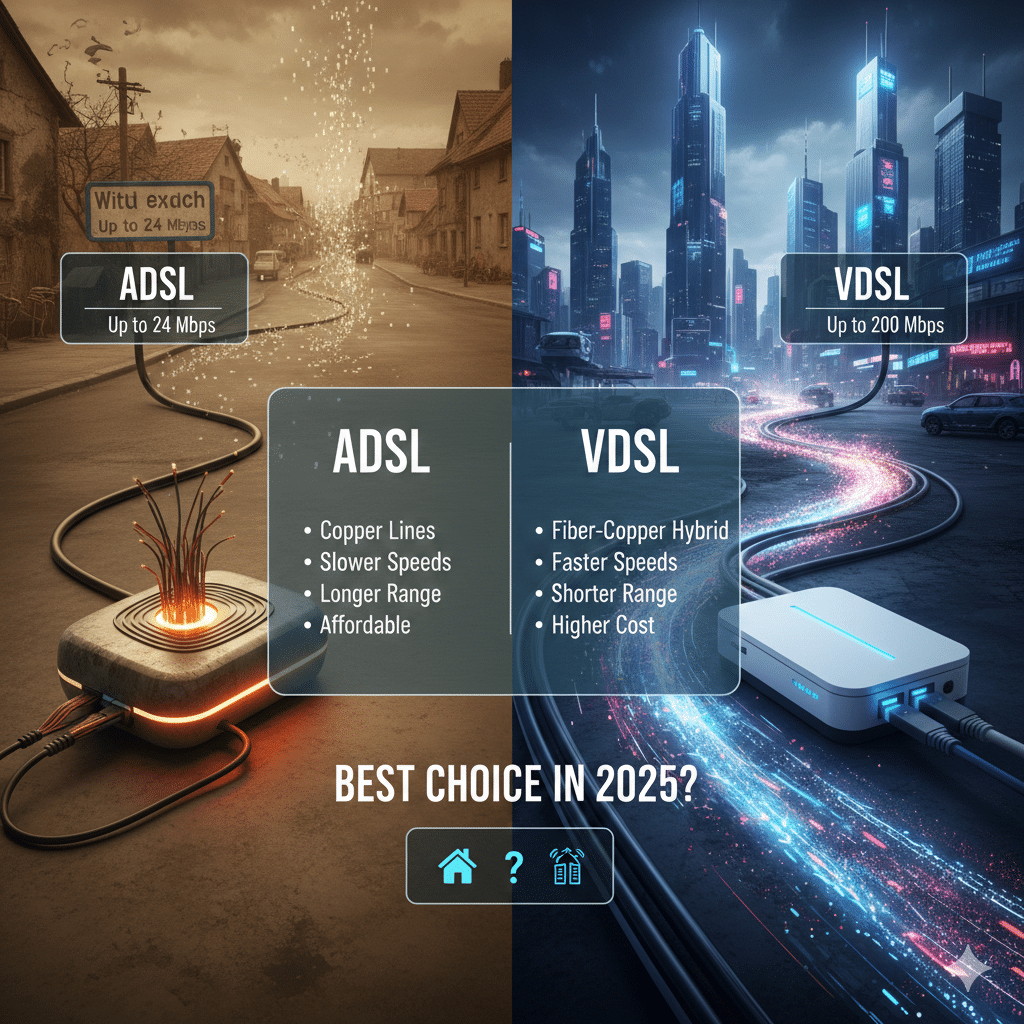
ADSL vs VDSL Comparison Table
|
Feature |
ADSL |
VDSL / VDSL2 |
|---|---|---|
|
Full name |
Asymmetric Digital Subscriber Line |
Very-high-bit-rate Digital Subscriber Line |
|
Typical download speed |
~8–24 Mbps, depending on distance and line quality |
~50–100 Mbps on short lines, higher with VDSL2 profiles |
|
Typical upload speed |
Up to ~1–2 Mbps |
Up to ~10–50 Mbps, depending on profile |
|
Effective distance |
Up to ~4–5 km from the exchange |
Best within ~1–1.5 km; speed drops quickly beyond that |
|
Line type |
Existing copper phone line |
Copper from cabinet to home, often with fiber backhaul |
|
Best for |
Email, web, SD streaming, light home use |
HD/4K streaming, video calls, gaming, cloud apps |
|
Availability |
Widely available in older networks |
Available where operators have upgraded street cabinets |
What Is ADSL?
ADSL is one of the earliest mass-market broadband technologies. It sends data over the same copper telephone pair you use for voice calls, splitting the voice and data into different frequency bands so you can use phone and Internet at the same time.
Key points:
- Asymmetric by design – download speeds are much higher than upload, because most home users download more than they upload.
- Typical speeds – up to about 8–24 Mbps down and around 1 Mbps up, depending on line quality and distance from the exchange.
- Distance-sensitive – the further you are from the exchange, the more the signal loses strength and the slower your connection becomes.
ADSL is still common in rural and legacy areas where infrastructure hasn’t been upgraded.
What Is VDSL?
VDSL is an evolution of ADSL that uses higher frequencies and more efficient modulation to push much more data over the same copper pair—especially over short distances.
Key points:
- Higher speeds – VDSL/VDSL2 can deliver downstream rates of 50–100 Mbps and significantly higher upload speeds than traditional ADSL on short loops.
- Shorter reach – performance is typically “full speed” only within about 300–1000 m of the cabinet or DSLAM; beyond that, speeds drop quickly.
- Often part of a hybrid fiber network – fiber runs from the exchange to a street cabinet, VDSL runs over copper for the last few hundred meters.
In practice, VDSL is designed for modern usage patterns: HD/4K video, remote work, video conferencing and multi-device households.
ADSL vs VDSL: 7 Key Differences
1. Speed (Download & Upload)
- ADSL: Good enough for basic usage, but limited for large downloads, cloud backups or many users at once.
- VDSL: Designed for high-bandwidth applications; far faster downloads and uploads, especially on short lines.
2. Distance and Signal Loss
- ADSL: Works over several kilometers; speed degrades gradually with distance, but slower plans may still be usable far from the exchange.
- VDSL: Very sensitive to distance; excellent within 1 km or so, but performance falls sharply beyond that, sometimes down to ADSL-like speeds.
3. Upload Performance
- ADSL: Upload channels are narrow, often capped around 1–2 Mbps; this can be a bottleneck for cloud storage, online backups and large file sharing.
- VDSL: Offers much higher upstream capacity, and VDSL2 can provide tens of Mbps upstream in some profiles, which is crucial for remote work and video conferencing.
4. Stability and Noise
Both ADSL and VDSL share the same copper medium and are affected by electrical noise, crosstalk and line quality. However:
- ADSL: Uses lower frequencies and tends to be more tolerant of longer, older lines.
- VDSL: Uses higher frequencies; it can be more sensitive to poor wiring but often performs better on short, good-quality loops with modern equipment.
5. Infrastructure and Equipment
- ADSL: Usually terminates directly at the exchange; hardware is mature and widely deployed.
- VDSL: Often relies on upgraded cabinets closer to homes (FTTC/FTTCab) and more advanced DSLAMs, plus compatible VDSL modems or routers.
6. Availability and Cost
- ADSL: More likely to be available in rural and legacy areas; often the cheapest broadband option.
- VDSL: Available where operators have invested in cabinet upgrades and fiber backhaul; pricing is typically higher than ADSL but lower than full fiber in many markets.
7. Best Use Cases
- ADSL: Single-user homes, basic browsing, email, SD video streaming, VoIP.
- VDSL: Multi-user households, HD/4K streaming, online gaming, frequent video calls, heavy cloud usage.
Difference Between ADSL and VDSL (Quick Summary)
If you need a one-line answer to the Difference Between ADSL and VDSL:
ADSL is a slower, long-reach DSL technology suitable for basic Internet access over older copper lines, while VDSL is its faster, short-reach successor that uses higher frequencies and often fiber-fed cabinets to deliver much higher speeds—especially for modern streaming, gaming and cloud workloads.
Which Is Better: ADSL or VDSL in 2025?
For most users in 2025, VDSL is the better choice—if you can get it and you’re reasonably close to the cabinet or exchange.
Choose VDSL if:
- You stream HD/4K video on multiple devices;
- You work from home, use VPNs, video calls or large cloud files;
- You game online and care about consistent latency and upload speeds.
Stay on ADSL only if:
- VDSL or fiber is unavailable at your location;
- Your usage is light (email, browsing, occasional SD streaming);
- Price is more important than performance.
If fiber is available at a reasonable price, it normally beats both ADSL and VDSL in speed, reliability and future-proofing.
How to Choose the Right Connection in 2025
When deciding between ADSL vs VDSL, ask yourself three questions:
- What’s actually available at my address?
- Check with your ISP’s coverage map for ADSL, VDSL and fiber.
- What do I really do online?
- Mostly browsing and email → ADSL may be enough.
- Streaming + remote work + gaming → VDSL or fiber.
- How far am I from the cabinet/exchange?
- Very far (many km) → VDSL may not be much faster than ADSL.
- Close (same street or neighborhood cabinet) → VDSL can deliver near-headline speeds.
ADSL vs VDSL FAQs
-
Is VDSL always faster than ADSL?
On short, good-quality lines, yes—VDSL is designed to be significantly faster than ADSL. On very long or very noisy lines, the advantage can shrink, and speeds may be similar.
-
Is VDSL good for gaming?
Usually yes. Higher upload speeds and lower latency make VDSL better suited to online gaming than typical ADSL connections, assuming your line length is short and quality is good.
-
Can I use my old ADSL modem for VDSL?
Most ADSL-only modems do not support VDSL. You normally need a modem or router that explicitly supports VDSL/VDSL2. Some “DSL” gateways support both standards—check the spec sheet.
-
Should I upgrade from ADSL to VDSL if fiber is not available?
If VDSL is available and priced reasonably, upgrading from ADSL almost always gives a noticeable improvement in speed and responsiveness, especially for streaming, video calls and cloud services.
-
What if my VDSL speed is not much better than ADSL?
This usually means your copper line is too long or noisy, or your VDSL profile is limited. Contact your ISP to check line length, profile and wiring; in some cases, internal wiring fixes or a different cabinet can help.
Releated: WAN vs LAN Port: What’s the Difference