
Your cart is currently empty!
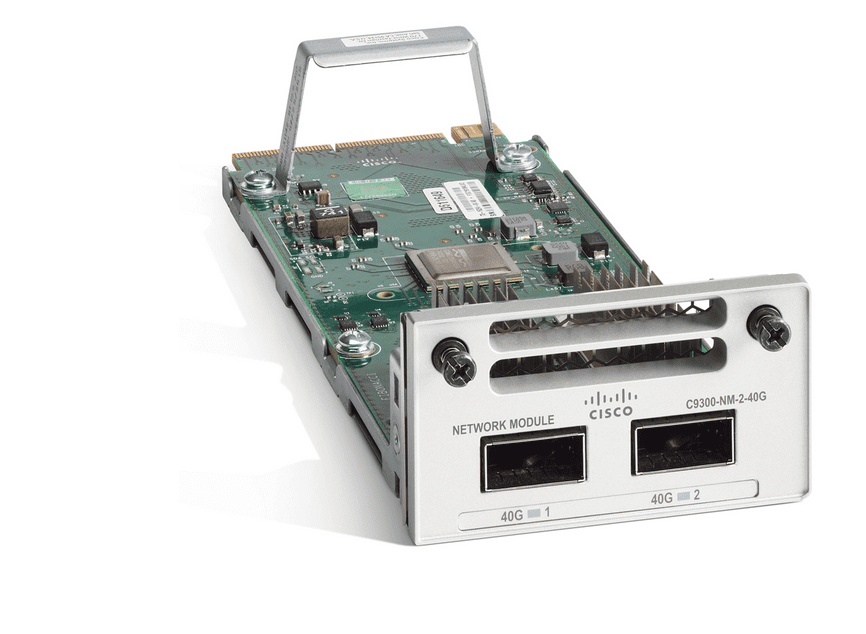
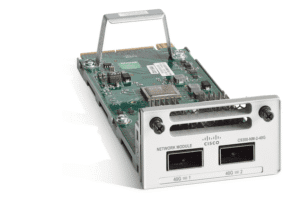
C9300-NM-2Q= – 2×40G uplink module(spare part) – Cisco Catalyst 9300

Questions
4/mo Solds
Trusted & Secure Payments
Shipping
Express Shipping 2-6 Days, via DHL, FedEx, UPS, etc.
Packaging weight and dimensions included:

Stable Global Supply Chain for Thriving Businesses.
- $3,000,000 Inventory
- Certified Cisco Partner ships
- Collaborating with FedEx, UPS, DHL
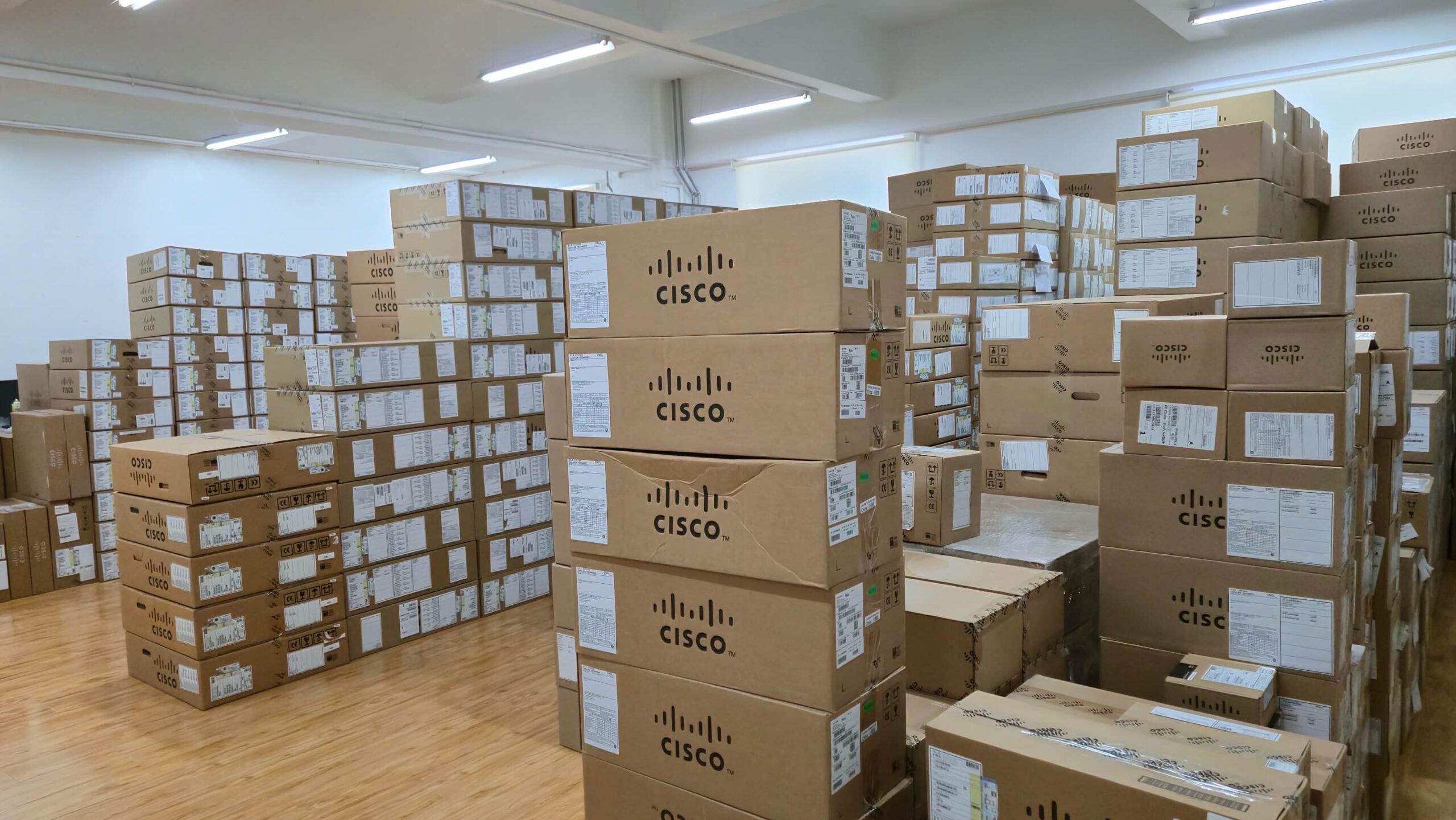
Established Global IT Distributor
With over a decade of industry experience, we are a certified Cisco Partner delivering genuine enterprise networking hardware and trusted services to system integrators, ISPs, and enterprises worldwide.
C9300-NM-2Q= Description
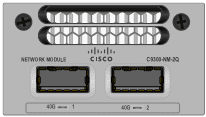
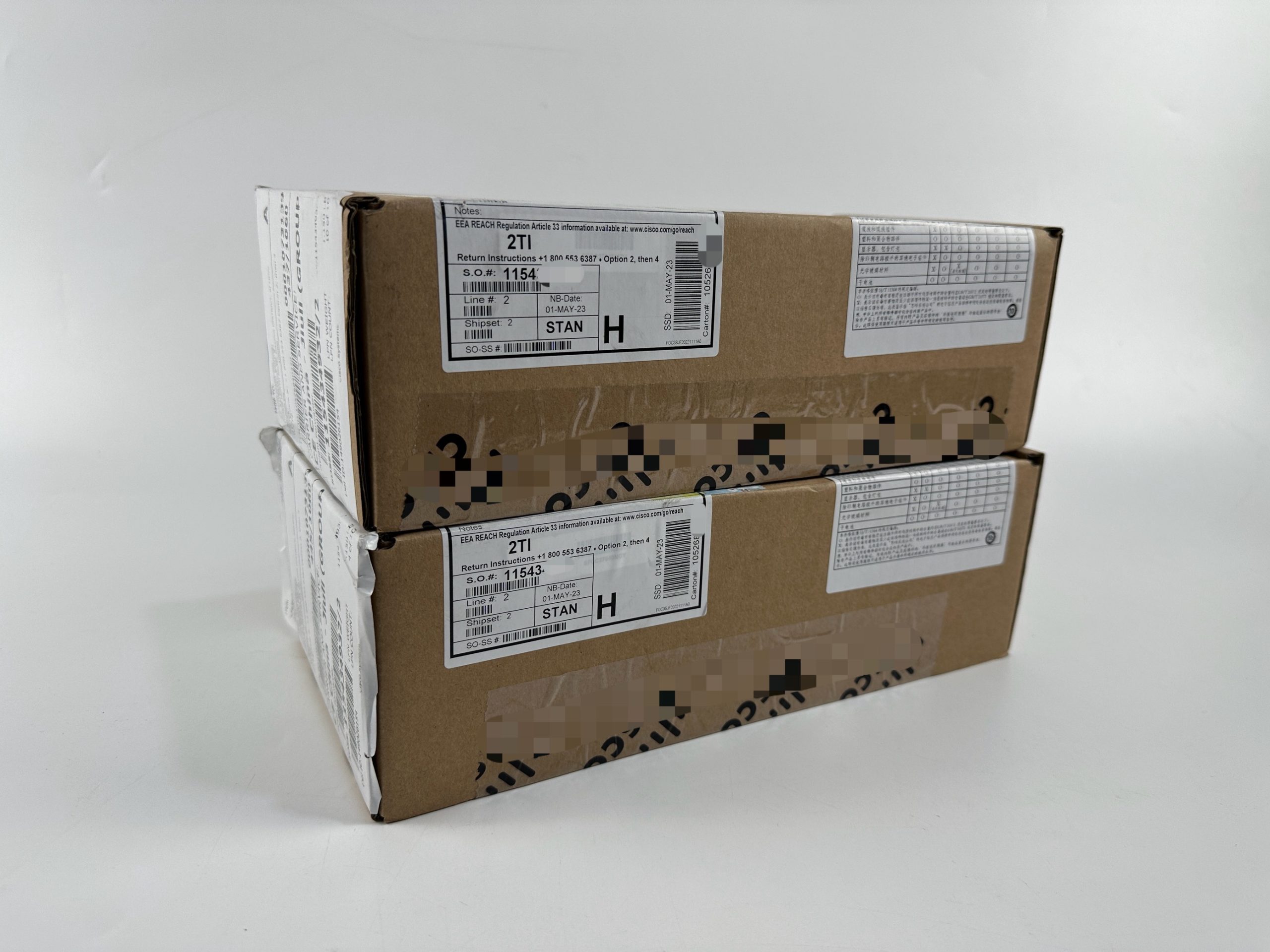
The C9300-NM-2Q= is the spare SKU of Cisco’s Type-1 40 G network module, adding two 40 Gigabit QSFP+ uplinks (80 Gbps full-duplex) to any Catalyst 9300 modular-uplink switch. Because it is purchase-as-spare (“=”), the module ships factory-sealed in its own box—ideal for field replacements or phased backbone upgrades without disturbing in-service hardware. Installation is tool-less and nondisruptive; slide it into the front bay, and IOS XE automatically recognizes the ports. The QSFP+ cages accept Cisco SR4, LR4 or BiDi optics, enabling long-reach campus aggregation or short-haul collapsed-core designs with the same module. Legacy Catalyst 3850 chassis share the same mechanical keying, simplifying depot stocking across generations.
Quick Specs
|
C9300-NM-2Q= |
Specification |
|---|---|
|
Port count |
2 × QSFP+ |
|
Speed per port |
40 Gbps |
|
Aggregate bandwidth |
80 Gbps full-duplex |
|
Module type |
Hot-swap Type-1, front bay |
|
Optic compatibility |
40G-SR4, 40G-LR4, 40G-BiDi |
|
Supported chassis |
Catalyst 9300 & 3850 modular-uplink models |
|
Field-replaceable |
Yes – no reboot |
Product Performance
|
Highlight |
Why it matters |
|---|---|
|
Instant 80 Gbps uplink boost |
Doubles a classic 10 G backbone with two 40 G links—no chassis swap needed. |
|
Spare packaging (=) |
Ships separately for rapid RMA or incremental roll-out; keeps production orders lean. |
|
Backward-compatible with 3850 |
Same Type-1 bay fits earlier Catalyst 3850, easing spares logistics. |
Model comparison
|
Parameter |
C9300-NM-2Q= |
C9300-NM-8X= | |
|---|---|---|---|
|
Ports & speed |
2 × 40 G QSFP+ |
8 × 10 G SFP+ |
2 × 25 G SFP28 |
|
Aggregate BW |
80 Gbps |
80 Gbps |
50 Gbps |
|
Typical use |
Core/agg 40 G |
Dense 10 G access |
25 G server edge |
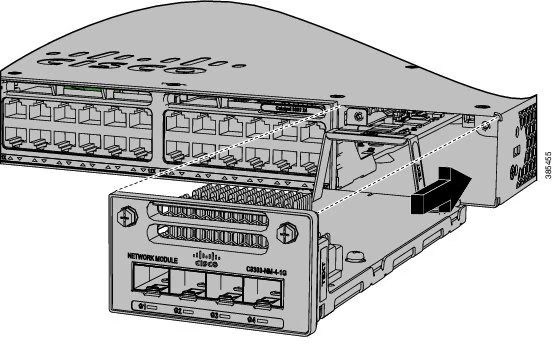
Installing C9300-NM-2Q= Network Module Procedure
Specifications
| Cisco C9300-NM-2Q= Detailed Specifications | |
|---|---|
| Product Number | C9300-NM-2Q= |
| Module Category | Type-1 Network Module (spare) |
| Port Count | 2 |
| Port Form Factor | QSFP+ |
| Line-Rate Speed | 40 Gbps per port |
| Total Uplink Bandwidth | 80 Gbps full-duplex |
| Hot-Swap Capability | Supported – no reboot |
| Host Compatibility | Catalyst 9300, 3850 modular-uplink models |
| Backward Support | Yes – shares mechanical keying with 3850 |
| Default Packaging | Ships stand-alone in ESD bag (spare) |
| Optics Supported | 40G-SR4, 40G-LR4, 40G-BiDi |
| Cabling Interface | MPO-12 (SR4), LC duplex (LR4/BiDi) |
| Maximum Cable Length | 100 m (OM4 SR4) / 10 km (LR4) |
| Operating Temperature | -5 °C to +45 °C (inherits chassis spec) |
| Storage Temperature | -40 °C to +70 °C |
| Regulatory | RoHS 5, FCC Class A |
| MTBF (projected) | > 1,200,000 hours |
| Typical Power Draw* | ≈ 84 W (module installed) |
| Warranty | Cisco Limited Lifetime (spares) |
| Use Case Examples | Collapsed core, 40 G WLAN aggregation, 8 K video back-haul |
Get More Information
Discover unbeatable prices and fast shipping for the C9300-NM-2Q= Access the detailed C9300-NM-2Q= datasheet and ensure you’re getting the best deal with our reliable delivery service. Need assistance? Our free live chat support is here to help. For more information about the product and pricing, contact us via Live chat or email us at [email protected]
Quality Certifications
Customer Reviews
Questions & Answers
-
What warranty coverage does the C9300-NM-2Q= typically include?
-
Can I stack multiple units of the C9300-NM-2Q= together, and what's the limit?
-
Can the C9300-NM-2Q= operate effectively in data center environments?
-
How easy is it to configure the C9300-NM-2Q= for IPv6 usage?
-
How do I perform a software update on the C9300-NM-2Q=?
-
What should I do if my C9300-NM-2Q= firmware update fails?
-
What steps should I take if the C9300-NM-2Q= experiences connectivity issues?
-
How loud is the C9300-NM-2Q= when operating at full capacity?
-
Does the C9300-NM-2Q= require specific environmental conditions for optimal operation?
-
What types of interfaces are provided by the C9300-NM-2Q=?
-
How energy-efficient is the C9300-NM-2Q= compared to similar devices?
-
Is there a recommended alternative if I can't find the C9300-NM-2Q=?
-
What are common hardware issues reported by users of the C9300-NM-2Q=?
-
Does the C9300-NM-2Q= support Power over Ethernet (PoE), and what standards does it comply with?
-
What diagnostic tools are available for troubleshooting the C9300-NM-2Q=?
-
What advanced security features does the C9300-NM-2Q= offer?
Warranty
100% Low Price Guarantee:
Layer23-switch.com provides high-quality products at low wholesale prices
100% Quality Assurance:
All items are ORIGINAL and GENUINE only.
Item conditions are "New Sealed" or "Used / Refurbished".
Used & refurbished items are fully tested with good conditions by Cisco-certified Engineers.
Free CCIE Technical Support:
Our FREE Cisco CCIE Expert Consultancy Support is over the phone, by chat, by email or by login remotely.
100% Money Back Guarantee:
You can contact our customer service team to exchange or return any product that you bought from us.
Standard Services
Personalized Service, Superior Product Maintenance for Ultimate Satisfaction.
- Projects and Technical Support
- Easy Purchasing Supply
- Product Lifecycle Protection
- Exclusive F3 Team Support
Customized Support for Your Needs with CCIE, HCIE, HPE ASE, etc.
Shipping
Resources Downloads
Product Tag
Related products
-

C9300-24T-A
Original price was: $4,000.00.$1,963.22Current price is: $1,963.22. Condition: New Factory Sealed -
C9300-48U-E
Original price was: $10,747.00.$2,664.37Current price is: $2,664.37. Condition: New Factory Sealed -

C9300-24U-A
Original price was: $6,200.00.$1,404.30Current price is: $1,404.30. Condition: New Factory Sealed -
C9300-24P-E
Original price was: $5,800.00.$1,825.07Current price is: $1,825.07. Condition: New Factory Sealed
Speedy delivery. Wings not included, but it flew here fast.
Spare part arrived quickly. Good service.
Kept as cold spare—tested fine in maintenance window.
Invoice correct. Order verified.
Ships with dust plugs and screws pre-installed.