Network Switch vs Splitter: Difference and Which to Use
In today’s networks, it’s common to need more Ethernet ports — whether for office computers, IP cameras, or smart devices. When expanding wired connections, many people confuse two similar-sounding tools: network switch vs splitter.
This guide explains the difference between a network switch and a splitter, compares performance, and helps you decide which device is best for your setup.

What Is a Network Switch?
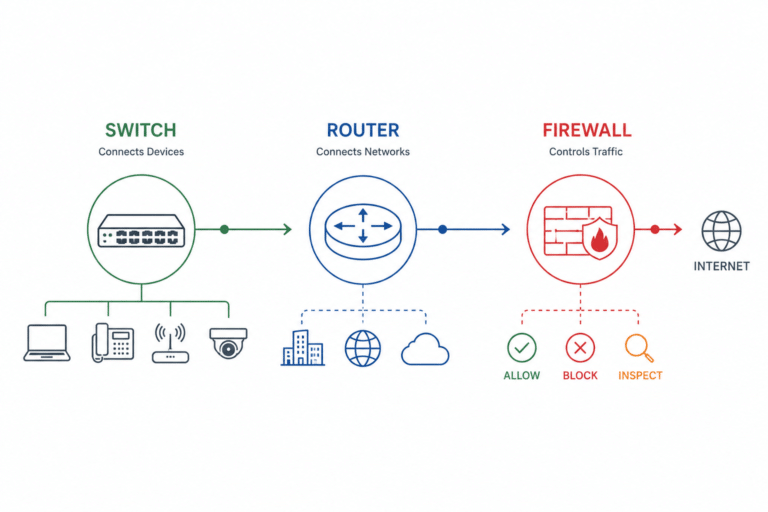
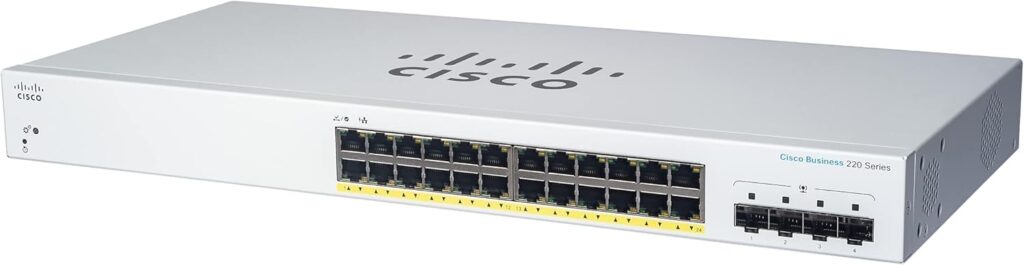
A network switch is an intelligent device that connects multiple network devices — such as computers, printers, access points, or IP cameras — allowing them to communicate efficiently.
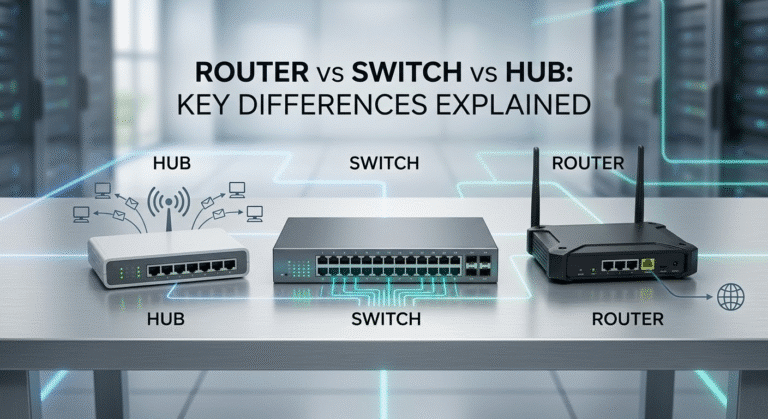
Unlike a hub or splitter, a switch learns MAC addresses and forwards packets only where needed, reducing unnecessary traffic. It operates at Layer 2 (Data Link) of the OSI model, and some advanced models work at Layer 3 (Network Layer) for routing.
How a Network Switch Works
When a device sends data, the switch checks its MAC address table and forwards that packet only to the correct port. This enables multiple devices to send and receive data simultaneously, without collisions or bandwidth sharing.
Managed vs Unmanaged Switches
- Unmanaged Switch: Plug-and-play operation; ideal for home and small businesses.
- Managed Switch: Offers advanced features like VLANs, QoS, link aggregation, SNMP monitoring, and network security control.
Key Advantages of Network Switches
- Port expansion: Connect many devices at once
- High speed: Supports 100 Mbps, 1 Gbps, 10 Gbps, or higher
- Full-duplex: Send and receive simultaneously
- Traffic isolation: Prevents unnecessary broadcast storms
- Future-proof: Compatible with Gigabit and beyond
What Is an Ethernet Splitter?

An Ethernet splitter is a simple, low-cost device that physically divides one Ethernet cable into two connectors. However, it does not increase total bandwidth or manage traffic intelligently.
Splitters are often used in older 10/100 Mbps networks that only used 4 of the 8 copper wires in a Cat5e cable. Modern Gigabit Ethernet (1000BASE-T) requires all eight wires — meaning passive splitters cannot support Gigabit speeds.
Passive vs Active Splitters
- Passive splitters: Simply re-arrange wire pairs. Require a matching splitter on both ends of the cable. Limited to 100 Mbps.
- Active splitters: Contain electronics that manage signals (and often power). At that point, they’re essentially mini network switches.
Disadvantages of Splitters
- Only suitable for 100 Mbps or less
- No signal processing or MAC learning
- Can’t operate full-duplex
- Usually cause collisions and slower speeds
- Require pairs of splitters (one at each end)
Network Switch vs Splitter: Side-by-Side Comparison
|
Feature |
Network Switch |
Ethernet Splitter |
|---|---|---|
|
Device Type |
Intelligent, Layer-2 forwarding |
Passive signal divider |
|
Speed Support |
100 Mbps → 10 Gbps+ |
Max 100 Mbps (for passive) |
|
Port Expansion |
Many ports (4–48+) |
Limited (usually 2 per input) |
|
Full Duplex |
Yes |
No |
|
Scalability |
High |
Very low |
|
Signal Processing |
MAC learning, packet switching |
None |
|
Power Required |
Yes |
No |
|
Use Case |
Homes, offices, data centers |
Legacy or low-speed runs |
Why a Switch Is the Better Choice
- Stable Performance: Handles simultaneous connections without bandwidth loss.
- Supports Modern Standards: Works with Gigabit and 10 Gigabit Ethernet.
- Reduces Collisions: Each device gets its own collision domain.
- Expandability: Add more ports easily by cascading switches.
- Security & Management: VLAN, QoS, port control (for managed models).
In short, a network switch gives you real scalability and reliability. An Ethernet splitter is just a physical workaround that limits network speed and flexibility.
When (If Ever) a Splitter Makes Sense
Splitters have a few niche use cases:
- Old 10/100 Mbps networks where rewiring isn’t possible
- Short-distance connections between two fixed devices
- Temporary or emergency setups
Even then, a small 5-port switch usually costs only a few dollars more — and delivers far better results.
Choosing the Right Device
- Count the ports you need. Switches scale easily; splitters do not.
- Check your bandwidth. If your plan exceeds 100 Mbps, avoid passive splitters.
- Plan for growth. Switches allow adding new devices later.
- Factor in cost vs reliability. Switches are a small investment for long-term stability.
Common Misconceptions About Splitters
- “A splitter doubles my internet speed.” — False. It divides one connection.
- “Two devices can use one port at once.” — Only with a switch, not a splitter.
- “Active splitters are just like switches.” — They act similar but are less efficient and less scalable.
- “Splitters support Gigabit.” — False. They break the 8-wire requirement of 1000BASE-T.
Related Reading (Internal Links)
FAQs About Network Switch vs Splitter
Conclusion
In almost all situations, the network switch is the clear winner. It’s intelligent, fast, scalable, and future-proof.
Ethernet splitters may look convenient, but they compromise speed and reliability.
If you’re expanding your wired network — at home, in an office, or in a data center — invest in a switch, not a splitter.