What Is a Crossover Cable? Pinout, Uses, and Wiring
A crossover cable — also called a cross network cable or crossover Ethernet cable — is an Ethernet cable wired with the T568A standard on one end and T568B on the other. That mismatch swaps the transmit and receive pairs, so two like devices (two PCs, or two switches) can talk directly without a switch in between. On modern equipment, Auto-MDIX does the same swap automatically, so a crossover cable is rarely needed today.
Quick Answer: What a Crossover Cable Does
- Purpose: connect two devices of the same type directly — PC-to-PC, switch-to-switch, router-to-router.
- How: one end is wired T568A, the other T568B, which crosses the transmit (TX) and receive (RX) pairs.
- Pins swapped: 1↔3 and 2↔6 (the 10/100 TX and RX pairs).
- Modern status: mostly obsolete — Auto-MDIX on current gear lets a normal straight-through cable do the job.
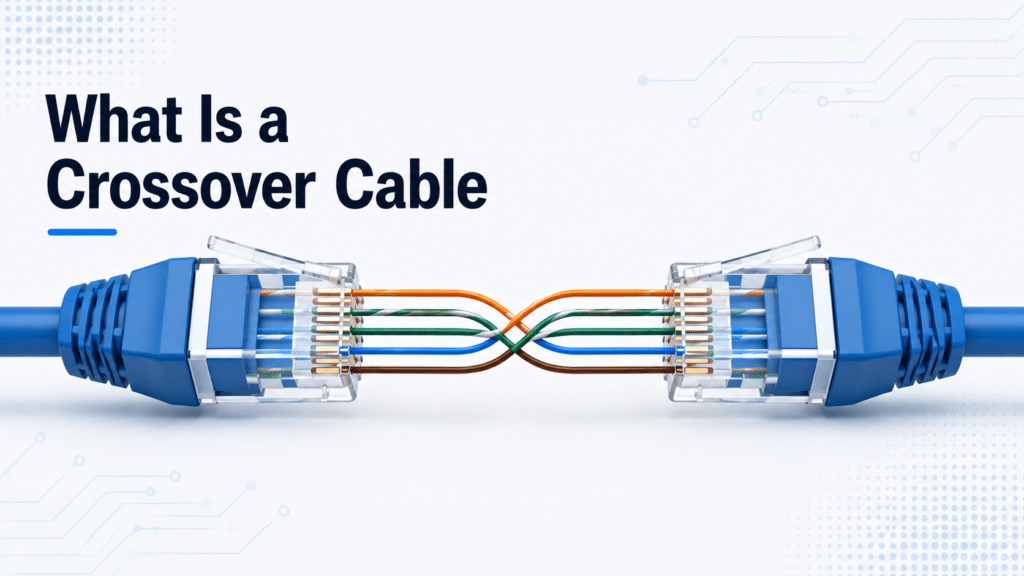
How a Crossover Cable Works (T568A on One End, T568B on the Other)
On 10BASE-T and 100BASE-TX networks, a device transmits on pins 1 and 2 and receives on pins 3 and 6. If you connect two like devices with a straight-through cable, both try to transmit on the same pins — transmit meets transmit, and nothing gets through.
A crossover cable fixes this by routing each device’s transmit pair to the other device’s receive pair:
- Pin 1 ↔ Pin 3
- Pin 2 ↔ Pin 6
- Pin 3 ↔ Pin 1
- Pin 6 ↔ Pin 2
- Pins 4, 5, 7, 8 pass straight through
The crossover happens because end A follows T568A and end B follows T568B, and those two standards place the orange and green pairs on opposite pins. The result: one device’s “talk” wires land on the other device’s “listen” wires.
Crossover Cable Pinout (T568A vs T568B)
To build a crossover cable, wire one connector to T568A and the other to T568B. The table below shows the color on each pin at both ends — pins 1, 2, 3, and 6 differ (the signal pairs), while 4, 5, 7, and 8 match.
| Pin | End A — T568A | End B — T568B | 10/100 role |
|---|---|---|---|
| 1 | White/Green | White/Orange | Crossed (TX↔RX) |
| 2 | Green | Orange | Crossed (TX↔RX) |
| 3 | White/Orange | White/Green | Crossed (RX↔TX) |
| 4 | Blue | Blue | Unchanged |
| 5 | White/Blue | White/Blue | Unchanged |
| 6 | Orange | Green | Crossed (RX↔TX) |
| 7 | White/Brown | White/Brown | Unchanged |
| 8 | Brown | Brown | Unchanged |
This is the “half-crossed” version used for 10/100 links. A fully crossed gigabit variant also swaps the other two pairs, but as explained below, gigabit links almost never need a crossover cable at all.
Fully Crossed Gigabit Crossover (All Four Pairs)
The T568A/T568B cable above crosses only the two pairs that 10/100 Ethernet uses. A true gigabit crossover swaps all four pairs, because 1000BASE-T carries data on every pair:
| End A pins | Connect to End B pins |
|---|---|
| 1, 2 | 3, 6 |
| 3, 6 | 1, 2 |
| 4, 5 | 7, 8 |
| 7, 8 | 4, 5 |
This fully crossed wiring is what the standard calls a gigabit crossover, but you will rarely build one — Auto-MDIX handles the crossover electronically on every gigabit port.
Crossover vs Straight-Through Wiring at a Glance
- Straight-through: both ends use the same standard (usually both T568B). Pin 1 → Pin 1, Pin 2 → Pin 2, and so on.
- Crossover: ends use different standards (T568A + T568B), swapping pins 1↔3 and 2↔6.
Crossover vs Straight-Through Cable: What Connects What
The two cable types are physically similar but solve opposite problems. Use this to pick the right one:
| Cable | Wiring | Connects | Example |
|---|---|---|---|
| Straight-through | Same standard both ends | Different device types | PC → switch, router → switch |
| Crossover | T568A + T568B | Same device types | PC ↔ PC, switch ↔ switch |
For the full breakdown of straight-through wiring, color codes, and uses, see our straight-through cable guide. The short rule: different devices → straight-through; like devices → crossover (on legacy gear).
When Do You Still Need a Crossover Cable?
On modern hardware, almost never — but a few situations still call for one:
- Legacy equipment without Auto-MDIX. Older PCs, hubs, and switches that lack auto-sensing need a physical crossover to link two like devices.
- Direct PC-to-PC connection on an older laptop or desktop for a quick file transfer with no switch available.
- Industrial and embedded systems. Some PLCs, controllers, and fixed-function devices still expect a specific cable type.
- Lab and test setups. Bench testing two switches or NICs back-to-back where you want to control the exact wiring.
If both devices are reasonably modern, you can skip the crossover cable entirely — the next section explains why.
Auto-MDIX: Why Crossover Cables Are Mostly Obsolete
Auto-MDIX (Automatic Medium-Dependent Interface Crossover) is the feature that made crossover cables a niche item. When enabled, a port automatically detects whether the device on the other end needs a crossover and swaps its own transmit and receive pairs internally. Connect any two modern devices with an ordinary straight-through cable and the ports negotiate a working link on their own — no special cable required.
Auto-MDIX is defined in the IEEE 802.3 standard and is implemented almost universally on equipment built in the gigabit era and later. That is why you can plug a patch cable between two current switches, or a laptop and a router, and it simply works.
MDI vs MDI-X: The Port Side of the Crossover
The crossover can happen in the cable or in the port. Every Ethernet port is wired one of two ways:
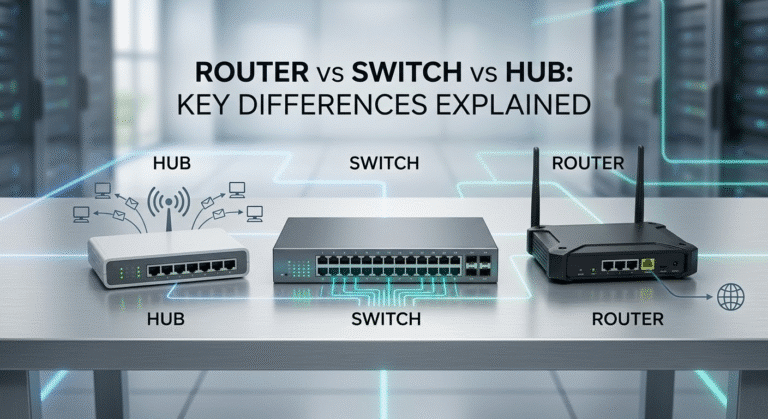
- MDI (Medium Dependent Interface): end devices — PCs, servers, routers — transmit on pins 1–2 and receive on 3–6.
- MDI-X (MDI Crossover): hubs and switches are internally crossed, transmitting on 3–6 and receiving on 1–2.
A straight-through cable works between an MDI and an MDI-X port (PC to switch) because the switch’s built-in crossover already lines transmit up with receive. Two MDI ports (PC to PC) or two MDI-X ports (switch to switch) put transmit against transmit — which is exactly why those links historically needed a crossover cable. Older switches even included a dedicated uplink port (or an MDI/MDI-X toggle button): a manually crossed port that let you chain switches with an ordinary straight-through cable. Auto-MDIX makes that switch automatic, so the port becomes MDI or MDI-X as needed.
Gigabit and Crossover: 1000BASE-T Uses All Four Pairs
Gigabit Ethernet (1000BASE-T) changes the picture completely. Instead of a dedicated transmit pair and a dedicated receive pair, it uses all four pairs simultaneously in both directions with echo cancellation, and it relies on auto-negotiation to set up the link. There are no fixed TX/RX pairs to cross, and Auto-MDIX is effectively always part of the link. A “gigabit crossover cable” exists in the wiring standard, but in practice it is unnecessary — a straight-through Cat5e or Cat6 cable is all a gigabit link needs.
Crossover vs Rollover Cable (and Patch Cables)
Three RJ45 cables look alike but do very different jobs:
- Straight-through (patch) cable: both ends same standard; connects different device types. This is the everyday Ethernet cable.
- Crossover cable: T568A + T568B; connects like devices on legacy gear.
- Rollover (console) cable: the wiring is fully reversed — pin 1↔8, 2↔7, 3↔6, 4↔5. It is not an Ethernet data cable. A rollover cable connects a computer to the console port of a Cisco switch or router for command-line management, usually through an RJ45-to-USB or RJ45-to-DB9 adapter.
Mixing these up is common: a rollover cable will not pass network traffic, and a crossover cable will not reach a console port. Cabling for cable categories and connector types is covered in our Cat5e vs Cat6 vs Cat6a guide.
How to Make a Crossover Cable
If you do need one, building a crossover cable is straightforward:
- Strip both ends of a Cat5e or Cat6 cable and fan out the eight wires.
- Arrange end A in T568A order and end B in T568B order (see the pinout table above).
- Trim the wires evenly, insert them fully into RJ45 plugs, and crimp.
- Test continuity with a cable tester — pins 1 and 2 at one end should map to pins 3 and 6 at the other.
- Label the cable “Xover” or “Crossover” so it is not mistaken for a patch cable.
Connecting Two Switches: Modern Cisco Reality
Linking two switches is the classic crossover use case — but only on older hardware. On any current managed switch, including modern Cisco Catalyst access switches, every copper port supports Auto-MDIX, so a straight-through cable connects two switches without issue. In enterprise networks, switch-to-switch uplinks are far more often run over fiber or direct-attach copper at 10G and above, where the crossover question does not apply at all. Keep a labeled crossover cable in the kit for legacy or industrial gear, but plan modern deployments around straight-through and fiber.
A few concrete cases make the boundary clear:
- Legacy switch pairs: two unmanaged 10/100 switches from the 2000s, with no Auto-MDIX and no uplink port, need a crossover cable between them.
- Industrial and OT networks: older PLCs, machine controllers, and fixed-function field switches sometimes still expect a specific cable type; current rugged industrial switches include Auto-MDIX, so new deployments do not.
- Back-to-back lab links: directly bench-testing two NICs or two switch ports is the one place engineers still reach for a labeled crossover cable by choice.
In short: legacy or fixed-function gear may need a crossover cable; anything built in the gigabit era does not.
Common Mistakes With Crossover Cables
- Assuming modern devices need one. Auto-MDIX has made the crossover cable optional on virtually all current gear.
- Confusing crossover with rollover. A rollover (console) cable does not carry Ethernet data.
- Using a crossover on a gigabit link “to be safe.” 1000BASE-T does not need it, and a straight-through cable is the right choice.
- Leaving it unlabeled. An unmarked crossover cable mixed into a patch-cable bin causes confusing link failures.
FAQ
What is a crossover cable used for?
Connecting two like devices directly — two computers, two switches, or two routers — on equipment that does not have Auto-MDIX.
Is a crossover cable the same as a regular Ethernet cable?
Physically similar, but wired differently. A regular (straight-through) cable uses the same standard on both ends; a crossover uses T568A on one end and T568B on the other.
Do I still need a crossover cable?
Rarely. Modern devices use Auto-MDIX, so a normal straight-through cable works even between two like devices. You only need a crossover for older gear without auto-sensing.
What is the crossover cable pinout?
One end is wired T568A and the other T568B, which swaps pins 1↔3 and 2↔6. Pins 4, 5, 7, and 8 pass straight through.
Does gigabit Ethernet need a crossover cable?
No. 1000BASE-T uses all four pairs in both directions and includes Auto-MDIX, so a straight-through Cat5e or Cat6 cable is all you need.
What is the difference between a crossover and a rollover cable?
A crossover cable carries Ethernet data between like devices. A rollover (console) cable has fully reversed wiring and is used to reach the console port of a Cisco switch or router for management — it does not carry network traffic.
How can I tell if a cable is a crossover?
Line up both RJ45 plugs the same way and compare the wire colors. If pin 1 and pin 2 colors differ between the ends (one is T568A, the other T568B), it is a crossover. Many are also printed with “Xover.”
Can I use a crossover cable as a normal Ethernet cable?
On a port with Auto-MDIX, yes — the port adapts automatically, so a crossover cable works like a straight-through one. On older ports without Auto-MDIX, it may not link to a different device type.
Crossover vs straight-through: which do I need?
Different device types (PC to switch) use a straight-through cable; like devices (switch to switch) on legacy gear use a crossover. See the straight-through cable guide for more.
References
- TIA-568 (ANSI/TIA-568) commercial building cabling standard — defines the T568A and T568B pin-and-pair assignments.
- IEEE 802.3 Ethernet standard — defines 10/100/1000BASE-T signaling and Automatic MDI/MDI-X (Auto-MDIX) crossover configuration.