
How to Check SFP Type and Find a Port by MAC Address on a Cisco Switch
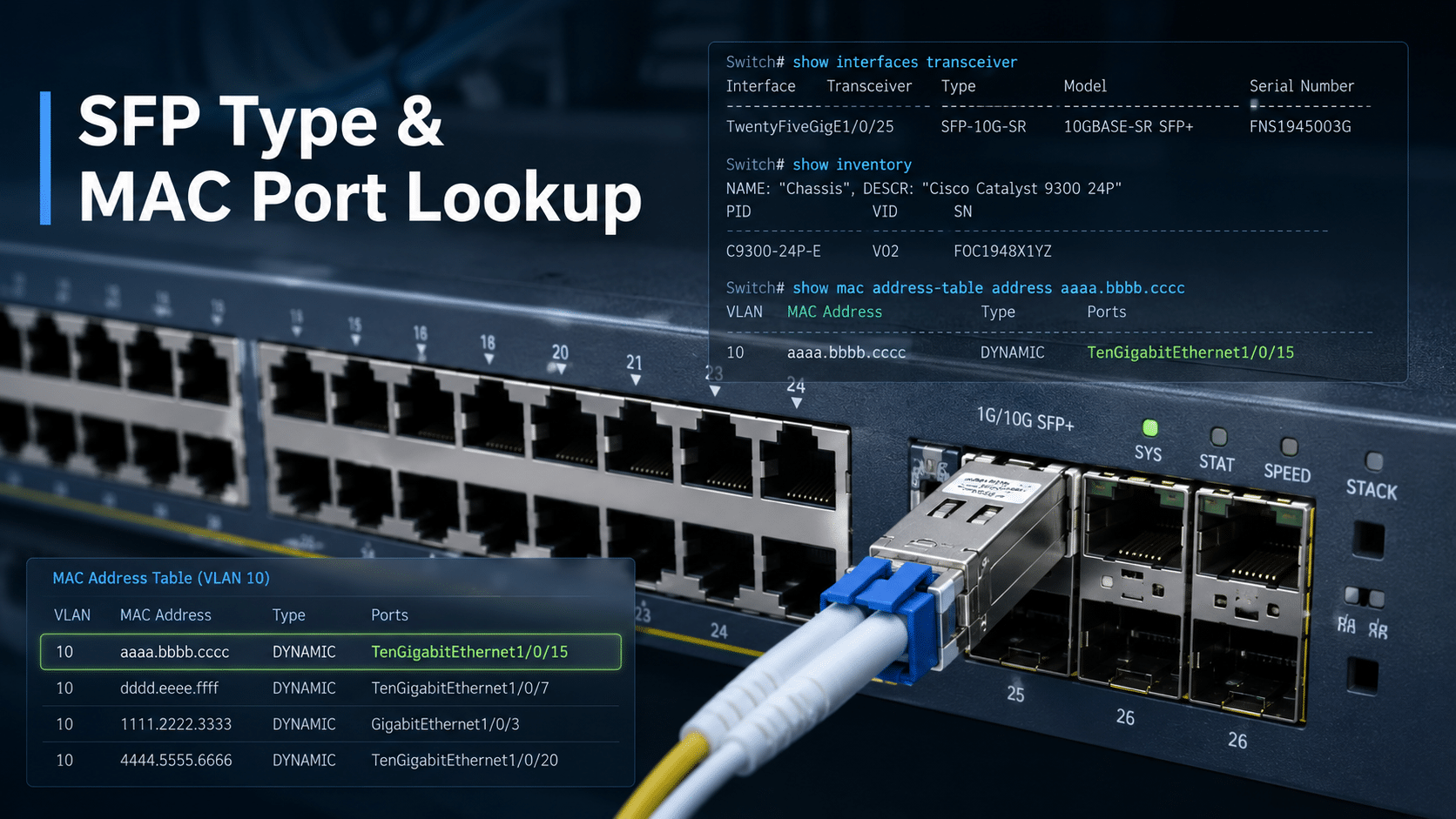
Use show inventory to identify the exact Cisco SFP PID and serial number, show interfaces transceiver or show interfaces transceiver detail to check optical diagnostics, and show mac address-table address xxxx.xxxx.xxxx to find the switch port where a MAC address is learned.
If you only know the IP address, check ARP first, then search the MAC address table. If the MAC appears on a trunk or port-channel, the endpoint is probably behind another switch, and you need to trace the next hop with CDP, LLDP, or EtherChannel commands.
Quick Answer: Cisco Commands You Need
| Task | Command |
|---|---|
| Check SFP detection and basic optical values | show interfaces transceiver |
| Check detailed SFP optical power | show interfaces transceiver detail |
| Check Cisco SFP PID and serial number | show inventory |
| Check port status and media type | show interfaces status |
| Find port by MAC address | show mac address-table address xxxx.xxxx.xxxx |
| Check MACs learned on one interface | show mac address-table interface Gi1/0/1 |
| Find MAC address by IP address | show ip arp | include x.x.x.x |
| Check trunk links | show interfaces trunk |
| Check port-channel links | show etherchannel summary |
| Trace a downstream switch | show cdp neighbors detail or show lldp neighbors detail |
On some older Cisco IOS platforms, the MAC table command may appear as show mac-address-table instead of show mac address-table.
Before You Run the Commands
These commands are commonly used on Cisco Catalyst switches running IOS or IOS XE. Nexus, Cisco Small Business, Meraki, and some older platforms may use different syntax or show different output fields.
Run the commands from privileged EXEC mode. If a command is unavailable, confirm the platform, software version, and interface type.
Also remember that not every SFP, SFP+, QSFP, or switch platform reports DOM/DDM optical diagnostics. A link may work normally even if detailed optical values are not shown.
Which Command Should You Use to Check an SFP?
Different commands answer different questions.
| What You Need to Know | Best Command |
|---|---|
| Is the switch detecting the transceiver? | show interfaces transceiver |
| What are the Tx and Rx optical levels? | show interfaces transceiver detail |
| What is the exact Cisco PID? | show inventory |
| What is the SFP serial number? | show inventory |
| Is the port connected, down, or err-disabled? | show interfaces status |
| Are there CRC errors or link flaps? | show interfaces Gi1/0/1 |
For replacement ordering, show inventory is usually the safest command because it shows the exact PID and serial number. For live link troubleshooting, show interfaces transceiver detail and show interfaces status are more useful.
How to Check SFP Type on a Cisco Switch
Start with:
show interfaces transceiver
Example output:
Switch# show interfaces transceiver

Port        Temperature  Voltage  Current  Tx Power  Rx Power
Gi1/0/1     34.2 C       3.29 V   6.8 mA   -2.1 dBm  -3.4 dBm
Gi1/0/2     35.1 C       3.31 V   7.0 mA   -2.3 dBm  -3.1 dBm
This command shows whether the switch can read the installed transceiver and its basic diagnostic values.
| Field | Meaning |
|---|---|
| Port | Interface where the optic is installed |
| Temperature | Module operating temperature |
| Voltage | Transceiver supply voltage |
| Current | Laser bias current |
| Tx Power | Optical transmit power |
| Rx Power | Optical receive power |
show interfaces transceiver is useful for confirming that the SFP is detected. It may not always show the exact product ID. For the Cisco PID and serial number, use show inventory.
How to Check Detailed SFP Optical Power Values
For deeper diagnostics, use:
show interfaces transceiver detail
Example output:
Switch# show interfaces transceiver detail

Transceiver monitoring is enabled for Gi1/0/1

               High Alarm  High Warn  Low Warn  Low Alarm
Temperature    90.0 C      85.0 C     -5.0 C    -10.0 C
Voltage        3.63 V      3.46 V      3.13 V     2.97 V
Tx Power       1.0 dBm     -1.0 dBm   -8.0 dBm  -10.0 dBm
Rx Power       1.0 dBm     -1.0 dBm  -16.0 dBm  -18.0 dBm

Current Value:
Temperature: 34.2 C
Voltage:     3.29 V
Tx Power:   -2.1 dBm
Rx Power:   -3.4 dBm
Use this output to decide whether the issue is likely optical, physical, or local to the module.
| Symptom | What to Check |
|---|---|
| Rx power is too low | Fiber patch cable, connector cleanliness, distance, patch panel, remote transmitter |
| Tx power is abnormal | Local SFP, local switch port, or module health |
| Temperature warning | Cabinet airflow, ambient temperature, or optic condition |
| Alarm threshold crossed | Treat as a real link risk, not just a cosmetic warning |
| No optical values shown | DOM/DDM may not be supported by the module or platform |
A fiber link can be physically connected and still have poor optical levels. Low Rx power is one of the most common causes of unstable fiber links.
How to Check Cisco SFP PID and SFP Serial Number
Use show inventory when you need the exact module identity.
show inventory
Example output:
Switch# show inventory

NAME: "GigabitEthernet1/0/1", DESCR: "1000BaseSX SFP"
PID: GLC-SX-MMD        , VID: V03  , SN: FNS21480ABC

NAME: "TenGigabitEthernet1/1/1", DESCR: "10Gbase-SR SFP Module"
PID: SFP-10G-SR , VID: V02 , SN: AVP19230XYZ| Field | Meaning |
|---|---|
| DESCR | Module or media description |
| PID | Cisco product ID |
| VID | Hardware version |
| SN | Serial number |
For troubleshooting, show interfaces transceiver tells you what the switch is reading operationally. For ordering a replacement, planning spares, or checking warranty details, show inventory is usually more important.
Should You Replace the SFP or Check the Interface First?
Do not replace the optic before checking the interface state. A link issue may come from shutdown state, VLAN configuration, err-disabled status, fiber polarity, remote-side settings, or port-channel configuration.
Useful commands:
show interfaces status
show interfaces status err-disabled
show interfaces Gi1/0/1
Example:
Switch# show interfaces status

Port      Name        Status       Vlan     Duplex  Speed  Type
Gi1/0/1               connected    trunk    full    1000   1000BaseSX SFP
Gi1/0/2               notconnect   10       auto    auto   1000BaseLX SFP
Gi1/0/3               err-disabled 20       auto    auto   10/100/1000BaseTX
| Field or Signal | What It Tells You |
|---|---|
connected | Link is up |
notconnect | No active link detected |
err-disabled | Port was disabled by a protection mechanism |
| Speed / duplex | Negotiation result |
| Type | Detected media type |
| CRC / input errors | Possible cable, optic, or remote-side issue |
| Link flaps | Intermittent optic, fiber, or remote port problem |
If the SFP is detected but the port is down, inspect the physical path and remote interface before assuming the module is bad.
Troubleshooting: SFP Detected but Link Is Down
| Symptom | What to Check |
|---|---|
| No SFP shown | Reseat module, check port, verify platform support |
| Unknown or unsupported module | Check optic compatibility and software support |
| Link down | Check fiber polarity, remote port, shutdown state |
| Low Rx power | Clean fiber, check distance, inspect patch panel |
| CRC errors | Check optics, cable quality, speed, duplex, remote side |
| Err-disabled port | Check port security, BPDU Guard, UDLD, storm control, or link-flap protection |
| Link flaps | Check fiber seating, patch panel, optic temperature, and remote interface |
Additional commands:
show logging | include TRANSCEIVER
show interfaces counters errors
show interfaces status err-disabled
show interfaces Gi1/0/1
If logs show transceiver warnings, compare the timestamps with link flaps or interface errors. That helps separate optic problems from configuration problems.
Cisco MAC Address Table Basics
Cisco switches learn MAC addresses dynamically from source frames. Each learned entry is associated with a VLAN and an interface.
Basic commands:
show mac address-table
show mac address-table dynamic
show mac address-table vlan 10
A typical entry looks like this:
Vlan    Mac Address       Type        Ports
----    -----------       --------    -----
10      aaaa.bbbb.cccc    DYNAMIC     Gi1/0/24
| Field | Meaning |
|---|---|
| VLAN | VLAN where the MAC was learned |
| MAC Address | Learned endpoint MAC address |
| Type | Dynamic, static, or secure |
| Ports | Interface where the MAC is currently learned |
MAC entries age out when no traffic is seen. If the endpoint is offline or silent, it may not appear in the table.
Cisco MAC Address Lookup Workflow
Use this workflow when tracing an endpoint.
| Starting Information | Next Command |
|---|---|
| You know the MAC address | show mac address-table address xxxx.xxxx.xxxx |
| You only know the IP address | show ip arp | include x.x.x.x |
| Output shows an access port | Check the connected endpoint |
| Output shows a trunk | Trace the next switch |
| Output shows a port-channel | Check the EtherChannel bundle |
| MAC is not found | Check VLAN, traffic activity, aging, or upstream device |
Cisco IOS commonly displays MAC addresses in dotted format:
aaaa.bbbb.cccc
If you have a MAC address in colon or hyphen format, convert it before searching.
AA:AA:BB:BB:CC:CC  ->  aaaa.bbbb.cccc
AA-AA-BB-BB-CC-CC  ->  aaaa.bbbb.cccc
How to Find a Port by MAC Address on a Cisco Switch
Use:
show mac address-table address aaaa.bbbb.cccc
Example:
Switch# show mac address-table address aaaa.bbbb.cccc

          Mac Address Table
-------------------------------------------

Vlan    Mac Address       Type        Ports
----    -----------       --------    -----
10      aaaa.bbbb.cccc    DYNAMIC     Gi1/0/24
In this example, the MAC address is currently learned through GigabitEthernet1/0/24 in VLAN 10.
If the port is an access port, you have probably found the endpoint port. If the port is a trunk, uplink, or port-channel, the device is likely behind another switch or downstream device.
What If the MAC Address Appears on a Trunk or Port-Channel?
If a MAC address appears on a trunk or port-channel, do not assume the endpoint is physically connected to that local port. It usually means the MAC is behind another device.
| Case | What It Usually Means |
|---|---|
| MAC appears on trunk | Device is probably behind another switch |
| MAC appears on port-channel | Device is behind an EtherChannel bundle |
| MAC not found | Device may be offline or the entry aged out |
| Multiple MACs on one port | AP, IP phone, VM host, trunk, or downstream switch |
| Stack interface format | Gi1/0/1, Gi2/0/1 show stack member numbers |
Useful commands:
show interfaces trunk
show etherchannel summary
show cdp neighbors detail
show lldp neighbors detail
If the MAC is learned on a trunk, use CDP or LLDP to identify the neighboring switch, then run the MAC lookup command on that next switch.
How to Check MAC Addresses Learned on One Interface
To see all MAC addresses learned on one interface, use:
show mac address-table interface GigabitEthernet1/0/24
Example:
Switch# show mac address-table interface GigabitEthernet1/0/24

Vlan    Mac Address       Type        Ports
----    -----------       --------    -----
10      aaaa.bbbb.cccc    DYNAMIC     Gi1/0/24
20      dddd.eeee.ffff    DYNAMIC     Gi1/0/24
This command is useful when checking:
- server ports
- access points
- IP phones with a PC behind them
- downstream switches
- virtualized hosts
- hypervisors
- trunk links
Multiple MAC addresses on one interface are not always a problem. The correct interpretation depends on what is connected to that port.
How to Find a Switch Port by IP Address
If you know the IP address but not the MAC address, check ARP first.
show ip arp | include 192.168.10.25
Example:
Switch# show ip arp | include 192.168.10.25
Internet  192.168.10.25  2  aaaa.bbbb.cccc  ARPA  Vlan10
Then search the MAC table:
show mac address-table address aaaa.bbbb.cccc
Example:
Switch# show mac address-table address aaaa.bbbb.cccc

Vlan    Mac Address       Type        Ports
----    -----------       --------    -----
10      aaaa.bbbb.cccc    DYNAMIC     Gi1/0/24
In this example, IP address 192.168.10.25 maps to MAC address aaaa.bbbb.cccc, and the MAC is learned on Gi1/0/24.
If the switch is Layer 2 only, it may not have the ARP entry. Check the default gateway, firewall, router, or Layer 3 switch that owns the SVI for that VLAN.
SFP Replacement and Compatibility Check
When replacing a Cisco SFP, match the form factor, speed, fiber type, wavelength, reach, and platform support. The PID from show inventory is the safest starting point because it identifies the exact installed module.
Before ordering a replacement optic, confirm:
- Cisco PID
- speed
- SFP / SFP+ / QSFP form factor
- multimode or single-mode fiber
- wavelength
- reach distance
- connector type
- platform support
- software compatibility
- required stock and lead time
For project spares or urgent replacement, Layer23-Switch can help verify Cisco SFP compatibility, stock availability, and exact module PID before shipment.
FAQ
What command checks SFP type on a Cisco switch?
Use show interfaces transceiver to check whether the switch detects the installed SFP or SFP+ module and to view basic diagnostic values. Use show inventory when you need the exact Cisco PID and serial number.
What command shows Cisco SFP optical power?
Use show interfaces transceiver detail to check Tx power, Rx power, temperature, voltage, and alarm or warning thresholds when supported by the module and platform.
How do I find a port by MAC address on a Cisco switch?
Use show mac address-table address xxxx.xxxx.xxxx. If the output shows an access port such as Gi1/0/24, that is where the MAC is currently learned. If it shows a trunk or port-channel, trace the next switch.
How do I find a switch port by IP address?
First use show ip arp | include x.x.x.x to find the MAC address, then use show mac address-table address xxxx.xxxx.xxxx to locate the port. If the switch is not the gateway, check ARP on the router, firewall, or Layer 3 switch.
Why is my Cisco SFP not detected?
Common causes include an improperly seated module, unsupported optic, platform compatibility issue, software support issue, faulty SFP, or bad switch port. Check show inventory, show interfaces transceiver, and switch logs.
Why does one Cisco switch port show multiple MAC addresses?
Multiple MAC addresses may appear on one port if the port connects to a downstream switch, access point, IP phone with a PC behind it, virtual server, hypervisor, or trunk.
Why can’t I find a MAC address in the Cisco MAC address table?
The endpoint may be offline, the MAC entry may have aged out, the device may be in another VLAN, or the MAC may be learned through an upstream or downstream switch. Generate traffic from the endpoint, confirm the VLAN, and trace trunks or port-channels if needed.






