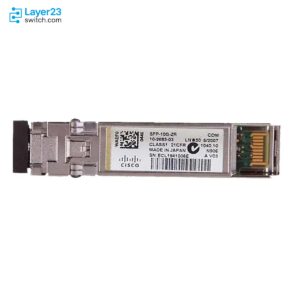
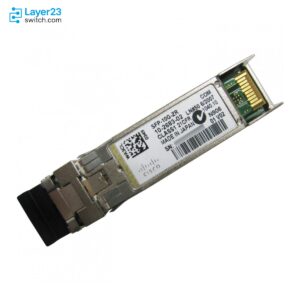
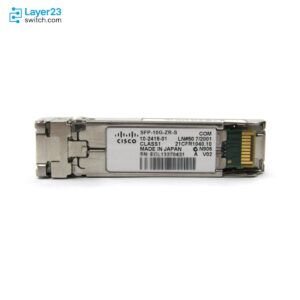
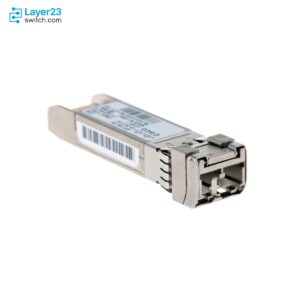
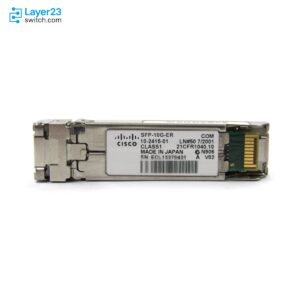
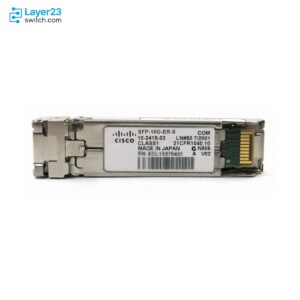
Cisco Nexus 93180YC-FX3 Transceiver Compatibility Guide (N9K-C93180YC-FX3)
A socket that accepts a module is not a switch that supports it. An optic earns its line in an N9K-C93180YC-FX3 bill of materials only after it passes four gates: Cisco’s Optics-to-Device Compatibility Matrix lists it against this exact PID, the switch runs the optic’s minimum NX-OS or ACI release, the port rules allow the placement, and the part is still orderable. Check all four before the purchase order goes out; every gate that follows is verified against Cisco’s matrix data and hardware documentation for this exact switch, current to July 2026.
What Transceivers Does the N9K-C93180YC-FX3 Support?
The Cisco Nexus 93180YC-FX3 supports more than 350 Cisco transceiver and cable listings in the Optics-to-Device Compatibility Matrix, split across two port groups:
- Ports 1–48 (SFP28 downlinks) — 25G SFP28 optics, 10G SFP+ optics, 1G SFP optics, 10/100/1000M copper SFPs, and 25G/10G DAC and AOC cables
- Ports 49–54 (QSFP28 uplinks) — 100G QSFP28 and 40G QSFP+ optics, 100G/40G DAC and AOC, and breakout cables that split one uplink into 4x25G, 4x10G, or 2x50G
The classic modules — QSFP-100G-SR4-S, SFP-25G-SR-S, SFP-10G-LR-S, GLC-TE — are supported from NX-OS 9.3(7), the same minimum release the switch itself requires; current switch pricing and stock sit on the N9K-C93180YC-FX3 product page. Newer modules carry higher software floors, up to NX-OS 10.5(1)F, and the SFP-10G-T-X copper module follows port-placement rules that no other module on this switch has.
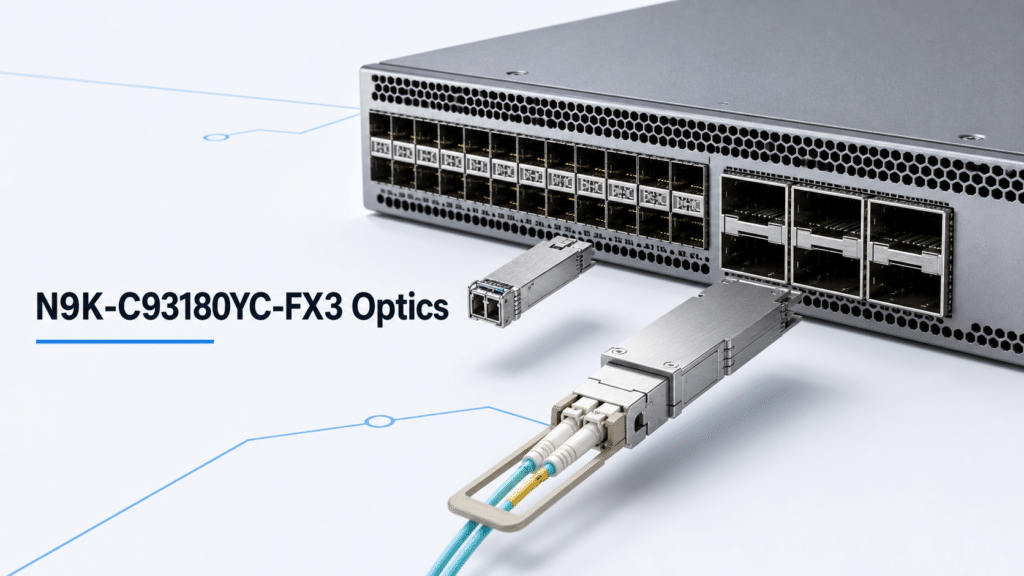
Cisco Nexus 93180YC-FX3 Port Architecture: 48 SFP28 + 6 QSFP28
The N9K-C93180YC-FX3 is a 1RU switch with 3.6 Tbps of bandwidth. Cisco’s hardware installation guide lists ports 1–48 as 100M/1/10/25-Gigabit SFP28 and ports 49–54 as 10/25/40/50/100-Gigabit QSFP28; the series data sheet rounds the downlinks to 1/10/25G because the extra rates arrive through specific modules — 100M through triple-rate copper SFPs at the low end, 10/25/50G through breakout on the uplinks.
| Port group | Ports | Speeds | Accepts |
|---|---|---|---|
| SFP28 downlinks | 1–48 | 100M / 1G / 10G / 25G | SFP, SFP+, SFP28 optics; 10G/25G DAC and AOC; copper SFPs |
| QSFP28 uplinks | 49–54 | 40G / 100G native; 10G / 25G / 50G via breakout | QSFP+, QSFP28 optics; 40G/100G DAC and AOC; breakout cables |
Port data per the Cisco Nexus 93180YC-FX3 hardware installation guide and the Cisco N9300-FX3 series data sheet.
One cabling caveat sits in the hardware guide: auto-negotiation is not supported at 10G on ports 1–48, nor on ports 49–52 through a QSA adapter. Set the speed explicitly on both ends of every 10G link.
25G SFP28 Optics for the N9K-C93180YC-FX3
25G is this switch’s design speed for server access, and the selection inside 25G is about reach and FEC rather than port position — all 48 downlinks accept any listed 25G module.
| PID | Type | Reach | Fiber / cable | Minimum NX-OS |
|---|---|---|---|---|
| SFP-25G-SR-S | 25G optic | 100 m | MMF, LC duplex | 9.3(7) |
| SFP-10/25G-CSR-S | Dual-rate 10/25G optic | 400 m | MMF, LC duplex | 9.3(7) |
| SFP-10/25G-LR-S | Dual-rate 10/25G optic | 10 km | SMF, LC duplex | 9.3(7) |
| SFP-25G-SL | 25G optic | 30 m | MMF, LC duplex | 10.4(3)F |
| SFP-H25G-CU1M … CU5M | Passive copper DAC | 1–5 m | Twinax | 9.3(7) |
| SFP-25G-AOC1M … AOC10M | Active optical cable | 1–10 m | Integrated fiber | 9.3(7) |
Entries and minimum releases from Cisco’s Optics-to-Device Compatibility Matrix for the N9K-C93180YC-FX3, July 2026. The DAC and AOC families include the intermediate lengths (1.5 m, 2 m, 2.5 m, 3 m, 4 m).
Every 25G link also carries a FEC decision. Per Cisco’s Nexus 9000 interfaces configuration guide, 1 m and 2 m passive DACs need no FEC; 3 m and 5 m DACs and 25G AOCs up to 10 m run FC-FEC, the CL74 default on Cisco switches; and 25G multimode optics such as the SFP-25G-SR-S require RS-FEC to reach 100 m. Decide the FEC mode when you pick the cable, and confirm the server NIC supports the same mode. Current pricing for the whole family is on the Cisco 25G optical modules page.
10G and 1G SFP Options on the N9K-C93180YC-FX3 Downlinks
The SFP28 downlinks run the full 10G SFP+ portfolio, which keeps existing 10G servers, firewalls, and storage on the same leaf during a 25G migration.
| PID | Speed | Reach | Fiber / cable | Minimum NX-OS |
|---|---|---|---|---|
| SFP-10G-SR-S | 10G | 400 m | MMF, LC duplex | 9.3(7) |
| SFP-10G-LR-S | 10G | 10 km | SMF, LC duplex | 9.3(7) |
| SFP-10G-ER-S | 10G | 40 km | SMF, LC duplex | 9.3(7) |
| SFP-10G-ZR-S | 10G | 80 km | SMF, LC duplex | 9.3(7) |
| SFP-10G-BXD-I + SFP-10G-BXU-I | 10G BiDi pair | 10 km | Single-strand SMF | 9.3(7) |
| SFP-H10GB-CU1M … CU5M | Passive copper DAC | 1–5 m | Twinax | 9.3(7) |
| SFP-10G-AOC1M … AOC10M | Active optical cable | 1–10 m | Integrated fiber | 9.3(7) |
Per Cisco’s Optics-to-Device Compatibility Matrix for the N9K-C93180YC-FX3, July 2026. The non-S variants (SFP-10G-SR, SFP-10G-LR) are listed as well.
For 1G, the matrix lists GLC-SX-MMD (1 km MMF), GLC-LH-SMD (10 km SMF), GLC-EX-SMD (40 km SMF), GLC-ZX-SMD (70 km SMF), and the GLC-BX-D/GLC-BX-U single-strand pair — all from NX-OS 9.3(7). The triple-rate GLC-TE copper SFP covers 10/100/1000M over Cat5e/6A up to 100 m and is the module behind the hardware guide’s 100M port rating, which makes it the standard answer for out-of-band gear, PDUs, and legacy appliances hanging off a data center leaf.
40G and 100G QSFP28 Uplink Optics for the N9K-C93180YC-FX3
All six uplinks run 40G and 100G natively, and this is where software floors spread the widest — five different NX-OS minimums inside one 100G table.
| PID | Reach | Fiber / connector | Minimum NX-OS |
|---|---|---|---|
| QSFP-100G-SR4-S | 100 m | MMF, MPO-12 | 9.3(7) |
| QSFP-40/100-SRBD (BiDi) | 150 m | MMF, LC duplex | 9.3(7) |
| QSFP-100G-SR1.2 (BiDi) | 150 m | MMF, LC duplex | 10.3(3) |
| QSFP-100G-PSM4-S | 500 m | SMF, MPO-12 APC | 9.3(7) |
| QSFP-100G-DR-S | 500 m | SMF, LC duplex | 10.1(2) |
| QSFP-100G-CWDM4-S | 2 km | SMF, LC duplex | 9.3(7) |
| QSFP-100G-FR-S | 2 km | SMF, LC duplex | 10.1(1) |
| QSFP-100G-LR4-S | 10 km | SMF, LC duplex | 9.3(7) |
| QSFP-100G-LR-S | 10 km | SMF, LC duplex | 10.4(3)F |
| QSFP-100G-ERL-S | 25 km | SMF, LC duplex | 10.4(1) |
| QSFP-100G-ZR4-S | 80 km | SMF, LC duplex | 10.4(1) |
| QSFP-100G-CU1M … CU5M | 1–5 m | Passive copper DAC | 9.3(7) |
| QSFP-100G-AOC1M … AOC30M | 1–30 m | Active optical cable | 9.3(7) |
Per Cisco’s Optics-to-Device Compatibility Matrix for the N9K-C93180YC-FX3, July 2026.
The pattern in the last column is worth reading before choosing: the QSFP-100G-SR4-S and the other first-generation modules run on the switch’s day-one software, while the newer single-lambda and long-reach modules (QSFP-100G-DR-S, FR-S, LR-S, ERL-S, ZR4-S) each need the specific later release shown. On the 40G side, QSFP-40G-SR4-S (150 m), QSFP-40G-CSR4 (400 m), QSFP-40G-SR-BD (150 m duplex), QSFP-40G-LR4-S (10 km), and QSFP-40G-ER4 (40 km) are all supported from NX-OS 9.3(7), together with QSFP-H40G DAC (1–5 m) and AOC (1–30 m) cables. The full 100G range with stock status is on the Cisco 100G optical modules page.
Cisco Nexus 93180YC-FX3 Breakout Cable Options
Cisco’s NX-OS 10.5(x) interfaces configuration guide lists exactly three breakout modes for the N9K-C93180YC-FX3: 4x10G, 4x25G, and 2x50G. Higher-order modes (2x100G, 4x50G, 4x100G) are marked unsupported on this platform.
| Breakout path | Cable PIDs | Minimum NX-OS |
|---|---|---|
| 40G uplink → 4x10G | QSFP-4SFP10G-CU1M … CU5M (DAC), QSFP-4X10G-AOC1M … AOC10M | 9.3(7) |
| 40G uplink → 4x10G over fiber | QSFP-4X10G-LR-S (10 km, parallel SMF) | 9.3(7) |
| 100G uplink → 4x25G | QSFP-4SFP25G-CU1M … CU5M (DAC) | 10.4(3)F |
Cable listings per Cisco’s Optics-to-Device Compatibility Matrix for the N9K-C93180YC-FX3; mode support per the Cisco Nexus 9000 NX-OS Interfaces Configuration Guide, Release 10.5(x).
The 4x25G floor is the one that bites: a QSFP-4SFP25G-CU3M is a fully supported cable that stays dark on any release before NX-OS 10.4(3)F, so it arrives before the software that can use it unless the upgrade is on the same order. Breakout is configured per port and the guide’s FEC rule applies to every lane:
switch# configure terminal
switch(config)# interface breakout module 1 port 49 map 25g-4x
Removing the breakout configuration restores the native port. Keep FEC identical on both ends of each lane — per the interfaces guide, a breakout link does not come up when the FEC modes differ.
SFP-10G-T-X on the N9K-C93180YC-FX3: Port Placement Rules
Yes, the SFP-10G-T-X 10GBASE-T copper module is supported on the N9K-C93180YC-FX3 — from NX-OS 10.2(2) or ACI 15.1(3), at 100M/1G/10G over Cat6A/7 up to 30 m — but it is the one module on this switch with placement rules, all documented in the hardware installation guide:
- The port must be configured for it:
media-type 10g-txin NX-OS, or the Link Level Policy physical-media setting in ACI. Without that configuration the port behaves as a normal SFP28 port. - Every neighboring port — left, right, above, below — must be either empty or carrying only a low-power passive copper DAC.
- Ports 17–36 are excluded outright: Cisco’s deployment scheme reserves them for regular 1/10/25G optics, everything except 10GBASE-T.
- The guide’s maximum-density figure places 14 modules, staggered one per column: ports 1, 5, 9, 13 and 4, 8, 12, 16 on the left block, ports 37, 41, 45 and 40, 44, 48 on the right. An active SFP-10G-T-X draws up to 2.5W versus 1.5W for a regular SFP28 optic, so the spacing exists to hold the thermal budget.
Around a dozen copper drops is therefore the ceiling per switch. If the design calls for a full rack of 10GBASE-T, that is not an optics problem — order the N9K-C93108TC-FX3 instead, whose 48 downlinks are native 100M/1/10G BASE-T and need no placement map at all.
N9K-C93180YC-FX3 Compatibility Matrix and Minimum NX-OS Releases
Cisco’s Optics-to-Device Compatibility Matrix carries 356 entries for the N9K-C93180YC-FX3 as of July 2026, and different lists for its siblings: 132 entries for the N9K-C93180YC-FX3S and 243 for the N9K-C93180YC-FX3H. The matrix column that decides a BOM is “Minimum Software Release,” and on this switch it takes eight distinct values:
| Optics group | Minimum NX-OS on the N9K-C93180YC-FX3 |
|---|---|
| Classic 1G / 10G / 25G / 40G / 100G optics, DAC, AOC | 9.3(7) |
| QSFP-100G-FR-S | 10.1(1) |
| QSFP-100G-DR-S | 10.1(2) |
| SFP-10G-T-X | 10.2(2) |
| QSFP-100G-SR1.2 | 10.3(3) |
| QSFP-100G-ERL-S, QSFP-100G-ZR4-S, QSFP-100G-SL4 | 10.4(1) |
| QSFP-100G-LR-S, SFP-25G-SL, QSFP-4SFP25G-CU1M … CU5M | 10.4(3)F |
| SFP-10/25G-BXD-I, SFP-10/25G-BXU-I | 10.5(1)F |
Per Cisco’s Optics-to-Device Compatibility Matrix, July 2026. In ACI mode the baseline is ACI 15.1(3), with its own later floors — the QSFP-100G-B20U4-I/B20D4-I BiDi pair, for example, is listed for ACI 16.1(3) only.
The switch’s own minimum release is NX-OS 9.3(7), which is why the classic optics feel floor-less: their floor is the switch’s floor. Every module Cisco released after the switch carries its own, later gate — so the running release, not the port type, decides whether a supported module actually links up.
Common Cisco Nexus 93180YC-FX3 Optics Deployment Issues
25G FEC Mismatch and Link Flapping
A 25G link that stays down or flaps with supported modules on both ends is usually a FEC mismatch: the switch defaults to FC-FEC while the server NIC runs RS-FEC, or the reverse. Configure the mode explicitly on both ends to what the cable requires, and read back what actually negotiated with show interface fec, which reports admin and operational FEC per interface.
End-of-Sale Optics Still Listed as Supported
The FX3 matrix still lists GLC-T, SFP-GE-T, CWDM-SFP10G-XXXX, and QSFP-40GE-LR4 — each flagged End of Sale. Supported and orderable are different lifecycle states: those entries exist so installed modules keep working, not so new BOMs include them. For 1000BASE-T the current module is the GLC-TE; for the retired CWDM and 40G LR4 parts, spec the current -S equivalents.
Checking the Wrong Variant: FX3, FX3S, FX3H
One letter changes the support list. A module verified against the N9K-C93180YC-FX3S can be absent from the N9K-C93180YC-FX3 list, and the reverse — the three variants differ by more than a hundred entries. Run the matrix lookup against the exact PID on the chassis label, never against “Nexus 93180” family results.
How to Verify Compatibility Before You Order
- Open Cisco’s Optics-to-Device Compatibility Matrix at tmgmatrix.cisco.com and filter the Network Device Product ID to your exact PID — N9K-C93180YC-FX3.
- Confirm each optic PID appears, and record its Minimum Software Release for your OS type (NX-OS or ACI).
- Compare that floor against the running release on the switch, and fold any required upgrade into the same project as the optics order.
- Check the End-of-Sale flag on every matrix entry before it goes on a purchase order.
- After installation, confirm what the switch actually sees:
show version
show interface transceiver
show interface status
show interface fec
One boundary worth knowing before the order: the matrix itself states that Cisco does not support third-party optics, under Section 6 of Cisco’s Non-Entitlement Policy. Third-party modules may link up, but a TAC case that traces to one ends there — genuine Cisco optics keep the support path clean.
Cisco Nexus 93180YC-FX3 Optics Selection Checklist
- Exact device PID confirmed in the matrix (FX3, not FX3S/FX3H)
- Every optic PID listed against that device, with its minimum NX-OS/ACI release recorded
- Running software release meets the highest floor in the BOM — or the upgrade is scheduled
- FEC mode planned per 25G cable type and matched to the server NICs
- SFP-10G-T-X count within the placement map, with
media-type 10g-txin the config plan - Breakout mode (4x10G / 4x25G / 2x50G) supported and cabled with the right PID family
- No End-of-Sale-flagged PIDs on the order
- Spares quoted as the same PIDs as the installed base
Frequently Asked Questions
Does the N9K-C93180YC-FX3 support 400G optics?
No. The six QSFP28 uplinks top out at 100G per port, per the Cisco N9300-FX3 series data sheet. A 400G fabric requires a different Nexus 9000 model with QSFP-DD ports.
What is the minimum software release for the N9K-C93180YC-FX3 itself?
NX-OS 9.3(7) or ACI 15.1(3), per the N9300-FX3 series data sheet. Optics released after the switch carry higher individual floors, listed in the compatibility matrix.
Will third-party optics work in the N9K-C93180YC-FX3?
Cisco does not support third-party optics, per Section 6 of its Non-Entitlement Policy, and the compatibility matrix only covers genuine Cisco modules. Whatever a third-party module does electrically, it sits outside the TAC support boundary.
What temperature ratings do the listed optics carry?
Most FX3-listed optics are commercial temperature (0 to 70°C). The GLC-TE, GLC-SX-MMD, GLC-LH-SMD, and SFP-10G-T-X are rated -5 to 85°C, and the SFP-10G-BXD-I/BXU-I and SFP-10/25G-BXD-I/BXU-I pairs are rated -40 to 85°C — relevant when the switch feeds outdoor cabinets or industrial floors.
Every PID in this guide was checked against Cisco’s compatibility matrix entry for the N9K-C93180YC-FX3 in July 2026; re-check the matrix at order time, since Cisco adds and retires entries between releases. Layer23-Switch stocks the N9K-C93180YC-FX3 and the matching brand-new original Cisco optics with a 3-year warranty and RMA support
if you are finalizing a BOM, request a quote and we can confirm compatible optics, software floors, and lead times against your port plan before you order.