
[Fixed] Cisco SMB Switch Reboot Loop: How to Resolve the DNS_CLIENT-F-SRCADDRFAIL Bug (2026 Update)
Is your network dropping every 5 to 10 minutes? Are your management sessions freezing, followed by your switches randomly reloading? If you haven’t touched the configuration but your Cisco switches suddenly started an infinite reboot loop, take a deep breath: your hardware is likely not broken.
Since early 2026, network administrators worldwide have been battling a critical firmware bug affecting multiple Cisco Small Business (SMB) and Catalyst series switches. This issue bypasses standard fail-safes, taking down VoIP phones, wireless access points, and critical business VLANs.
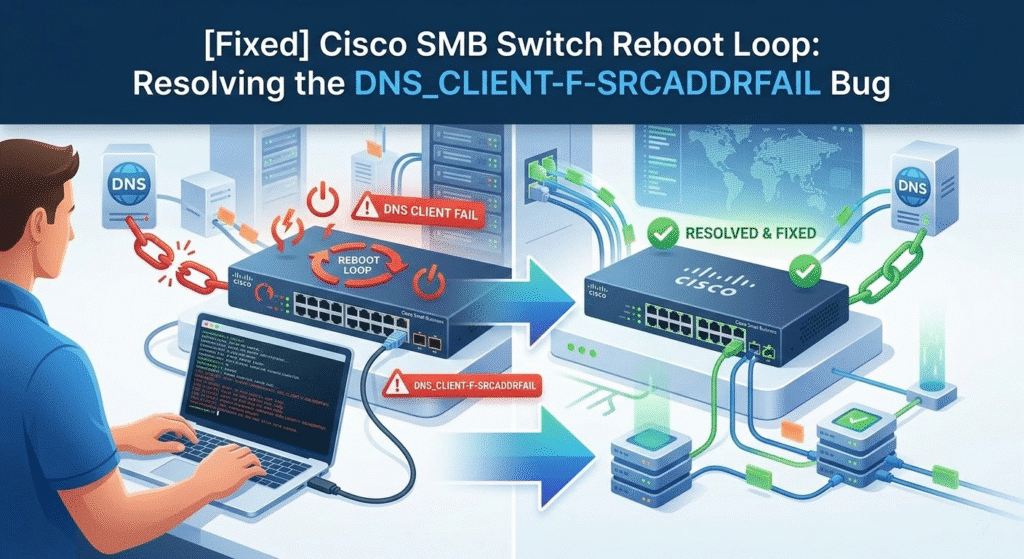
In this definitive guide, we will explain exactly why your Cisco switch keeps restarting, which models are affected, and the exact CLI commands to stop the reboots immediately.
1. Symptoms & The “Red Herring” Power Errors
Administrators typically observe sudden network outages. If you connect via Console or check a central Syslog server (if the switch stays up long enough to send logs), you will spot this fatal message:
Plaintext
%DNS_CLIENT-F-SRCADDRFAIL: Result is 2. Failed to identify address for specified name 'www.cisco.com.'
⚠️ WARNING: Do Not RMA Your Hardware Yet!
Many tutorials miss this critical detail: Right before the crash, the switch might throw terrifying power-related error logs, such as:
%ILPOWER-5-IEEE_DISCONNECTPower Controller reports power Imax error
Expert Insight: These are secondary symptoms (a “red herring”). The DNS subsystem crash causes the core operating system to panic, which in turn causes the PoE controllers to report a sudden power state failure. Your Power Supply Unit (PSU) and PoE controllers are perfectly fine. Do not waste time replacing cables or power supplies.
2. Affected Cisco Switch Models
Based on community reports (including major MSP forums and Reddit) and our engineering tests, this bug affects multiple platforms running specific firmware versions:
| Cisco Series | Popular Affected Models | Typical Symptom |
| Cisco Business (CBS) | CBS250, CBS350 Series | Random reboots every 2–5 minutes |
| Cisco Small Business (SG) | SG350, SG350X, SG550X | Management UI lockup followed by crash |
| Cisco Catalyst | Catalyst 1200, Catalyst 1300 | Sudden “Fatal Error” in DNSC task |
3. Root Cause: The DNS_CLIENT-F-SRCADDRFAIL Bug
Why did this start happening seemingly out of nowhere? The reboot loop is caused by a severe firmware-level DNS client defect.
By default, Cisco switches attempt to resolve hostnames for background management services like NTP (Time Synchronization) or Network Plug and Play (PnP). When the switch queries a hostname (like time-pnp.cisco.com) and the upstream DNS response times out, gets blocked, or returns an unexpected format, the switch’s DNS client process fails to handle the exception.
Instead of dropping the failed request, the process crashes. The switch’s watchdog timer detects the crash and reboots the switch “to protect the system.” Upon booting, it immediately tries to sync time again, triggering an infinite reboot loop.
4. Immediate Fix: 4 Steps to Stop the Reboot Loop
Until you can schedule a maintenance window to apply Cisco’s official firmware patch, disabling DNS-related services is the fastest and most reliable workaround.
Connect to your switch via Console cable or SSH, and apply the following configuration:
Step 1: Disable Global DNS Lookups
This stops the switch from trying to resolve any hostnames.
Bash
Switch# configure terminal
Switch(config)# no ip domain-lookup
Switch(config)# no ip name-server
(Note: If your switch rejects no ip name-server, you may need to specify the exact IP to remove it, e.g., no ip name-server 8.8.8.8)
Step 2: Remove Cisco PnP Default Hostnames
Kill the default time server queries that often trigger the crash.
Bash
Switch(config)# no sntp server time-pnp.cisco.com
Switch(config)# no ntp server time-pnp.cisco.com
Step 3: Save Your Configuration (CRITICAL)
Many guides forget this step. If you skip this, the switch will eventually reboot for another reason, load the old buggy config from NVRAM, and start crashing again!
Bash
Switch(config)# end
Switch# write memory
Step 4: Firewall Blocking (If CLI is Unreachable)
If the switch is rebooting too fast for you to log in, go to your perimeter firewall and block the switch’s management IP from accessing UDP Port 53 (DNS) and UDP Port 123 (NTP). This will starve the switch of DNS responses and temporarily stabilize it.
5. Business Impact & Permanent Resolution
While the workaround above restores stability, running unpatched firmware or relying on end-of-life (EoL) hardware like the SG350 series is a significant risk for enterprise networks. Unplanned reboots cause high diagnostic costs, VoIP drops, and SLA violations.
Strategic Next Steps:
- Firmware Upgrade: Check Cisco Software Central for a maintenance release (e.g., v3.4.x or newer for CBS series) and flash it during a planned downtime.
- Hardware Refresh: If you are running the legacy SG350 or SG550X series, they are nearing the end of their support lifecycle. Now is the perfect time to migrate to the next-generation Cisco Catalyst 1300 Series, which offers verified firmware and robust performance.
🛡️ Need Expert Help or Reliable Hardware?
Standardize your network with vendor-verified hardware. [Explore our in-stock Cisco Catalyst Switches] or contact our CCIE-certified team for an [Emergency Network Audit and Firmware Upgrade Service].
6. Frequently Asked Questions (FAQ)
1. Why does my Cisco switch keep rebooting randomly?
In most recent cases, it is caused by the DNS_CLIENT-F-SRCADDRFAIL firmware bug. When the switch fails to resolve a built-in Cisco hostname, the DNS process crashes the entire operating system.
2. Is it safe to disable DNS on Cisco SMB switches?
Yes. In SMB and enterprise environments, a switch does not need DNS to perform its primary job of switching Layer 2 or Layer 3 traffic. Disabling it only prevents the switch from resolving hostnames for its own management tasks.
3. Does NTP cause Cisco switch reboot issues?
Indirectly, yes. The NTP protocol itself is safe. However, if your NTP server is defined by a hostname (e.g., pool.ntp.org) rather than an IP address, it triggers the vulnerable DNS client, which then causes the reboot loop. Always configure NTP using static IP addresses.





