
How to Factory Reset a Cisco Switch: The Ultimate Guide
Whether you are troubleshooting a catastrophic network loop, decommissioning end-of-life hardware, or repurposing an inherited device with unknown credentials, executing a factory reset on a Cisco switch is a critical administrative task.
Because Cisco’s product ecosystem spans multiple operating systems and hardware architectures, there is no single universal reset command. This guide cuts through the fragmentation to provide exact, step-by-step instructions for resetting standard Cisco Catalyst switches via the command-line interface (CLI), bypassing lost passwords using physical hardware buttons, and performing cryptographic data sanitization for secure IT asset disposal (ITAD).
Quick Answer: How to Factory Reset a Cisco Switch
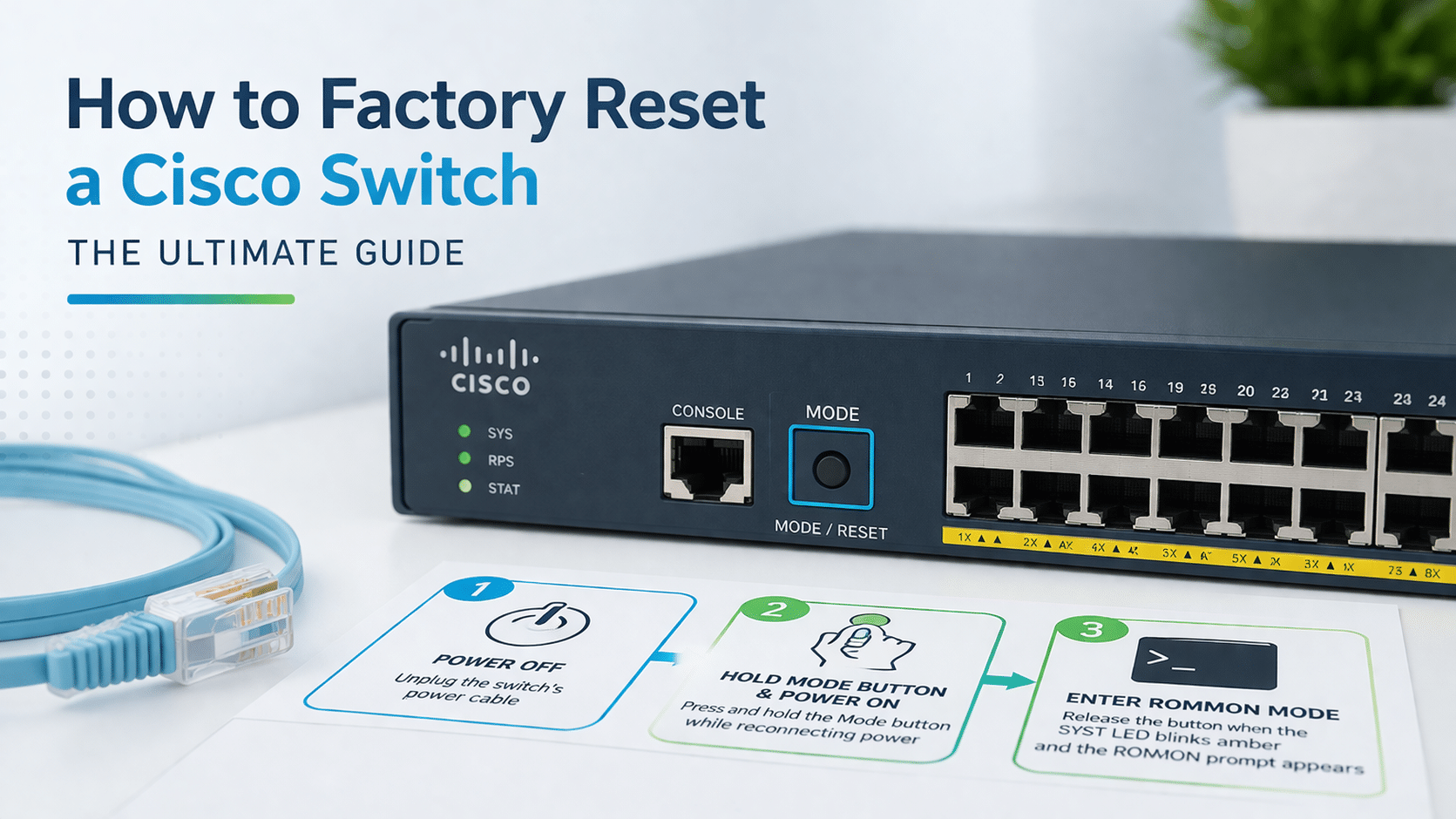
If you are locked out of your Cisco Catalyst switch and do not have the enable password, you must perform a physical hardware reset. Follow these exact steps:
- Disconnect the power cable from the switch.
- Press and hold the physical Mode button on the front panel.
- Reconnect the power cable while continuing to hold the Mode button.
- Release the button when the SYST (System) LED flashes amber and then turns solid green (approximately 15 to 20 seconds).
- In the terminal emulator, type
flash_initat theswitch:prompt to initialize the file system, then delete the configuration files.
If you already have administrative terminal access, use the table below to find the correct CLI syntax for your specific reset objective:
| Reset Objective / Desired Outcome | Required Cisco CLI Command Syntax |
| Basic Soft Reset (Legacy IOS) | write erase followed by reload |
| Comprehensive Wipe (Modern IOS-XE) | factory-reset |
| Delete VLAN Database | delete flash:vlan.dat |
| NIST-Compliant Secure Wipe | factory-reset all secure 3-pass |
The Universal Cisco Hardware Reset Matrix
Attempting to use a Catalyst IOS command on a Nexus data center switch will result in syntax errors and prolonged downtime. Identify your hardware family below and navigate directly to the appropriate methodology:
- Cisco Catalyst (IOS & IOS-XE): Proceed to Method 1 (if you have the password) or Method 2 (if you are locked out).
- Cisco Meraki (MS Series): Proceed to the Meraki MS Series section for cloud-managed hardware pinhole resets.
- Cisco Nexus (NX-OS): Proceed to the Nexus NX-OS section for data center hardware resets.
- Cisco Small Business (CBS / SG Series): Typically reset by holding the front-panel Reset pinhole for 15+ seconds while powered on.
Method 1: The Standard CLI Reset (Cisco IOS & IOS-XE)
This method is for network administrators who possess the enable password and have active console, SSH, or Telnet access to the switch.
write erase vs. factory-reset: Understanding the Difference
Historically, network engineers relied entirely on the write erase (or erase startup-config) command. It is vital to understand that this is a legacy command. It merely deletes the startup configuration text file stored in NVRAM. It does not touch log files, crash dumps, or ROMmon variables.
To address this, modern Cisco IOS-XE devices feature the factory-reset command. This is a highly comprehensive command that scrubs NVRAM, removes ROMmon variables, deletes user-uploaded files, and unmounts internal USB storage, returning the switch to a true out-of-the-box state.
Crucial Step: Deleting the VLAN Database (vlan.dat)
One of the most common mistakes engineers make is issuing write erase, reloading the switch, and discovering that their old VLANs are still active. This occurs because VLAN Trunking Protocol (VTP) information is not stored in the standard startup configuration. It is stored as a separate file in flash memory.
To completely factory reset a Catalyst switch, you must delete this file manually:
Plaintext
Switch# write erase
Switch# delete flash:vlan.dat
Delete filename [vlan.dat]? [Press Enter]
Delete flash:vlan.dat? [confirm] [Press Enter]
Switch# reload
Method 2: Physical Mode Button Reset (Lost Password / Locked Out)
If you purchased refurbished hardware or inherited a wiring closet without documentation, you will not have the enable password required for Method 1. You must bypass the operating system entirely and drop into ROMmon (ROM Monitor) mode.
Step-by-Step ROMmon Recovery
By interrupting the boot sequence using the front-panel Mode button (as detailed in the Quick Answer section), you force the switch into a low-level diagnostic prompt (switch:).
From here, you must initialize the flash memory and deal with the configuration files:
Plaintext
switch: flash_init
switch: rename flash:config.text flash:config.old
switch: rename flash:vlan.dat flash:vlan.old
switch: boot
Strategic Note: We highly recommend using the rename command rather than the del (delete) command. Renaming the files effectively hides them from the boot sequence, resulting in a blank factory-reset switch. However, it preserves the old configuration on the flash drive just in case you need to salvage a complex routing configuration later. (For a deeper dive into recovering access without losing data, see our dedicated Cisco Switch Password Recovery guide).
Enterprise Data Sanitization: Securely Wiping for ITAD and RMA
If a switch is being permanently decommissioned, returned for an RMA, or sent to an IT Asset Disposition (ITAD) facility, a standard write erase is dangerously insufficient.
NIST 800-88 PURGE Compliance and Cryptographic Wipes
Data remanence is a severe security vulnerability. Standard deletions leave proprietary network topologies, local user hashes, PKI certificates, and Secure Unique Device Identification (SUDI) certificates recoverable via forensic data carving.
Modern Cisco IOS-XE devices support cryptographic secure wiping that complies with the Department of Defense (DoD) and NIST 800-88 PURGE standards.
Plaintext
Switch# factory-reset all secure 3-pass
This command forcefully overwrites the entire storage media with zeroes, then ones, and finally a pass of random pseudorandom bits, rendering all previous corporate data mathematically unrecoverable.
Resetting Cisco Meraki and Nexus Data Center Switches
Cloud-managed and data center architectures require entirely different reset protocols.
Meraki MS Series: Physical Pinholes and Cloud Sync
Cisco Meraki MS switches do not utilize a traditional CLI. To factory reset a Meraki switch:
- Ensure the switch is powered on and connected to an active internet uplink.
- Locate the physical
Restorepinhole on the front panel. - Use a paperclip to press and hold the button for 10 to 15 seconds.
- Mandatory Wait: Once the switch reboots, you must wait 5 to 10 minutes. The switch must reach out to the Meraki Cloud Dashboard to download its latest firmware and verify whether it has been unclaimed from its previous network.
Nexus NX-OS: Secure Erase and Fabric Extenders
Cisco Nexus data center switches (like the Nexus 9000 series) utilize NX-OS. To perform a standard reset on a Top-of-Rack (ToR) Nexus switch, use the write erase command followed by reload.
If you are decommissioning a Nexus switch and require a secure data wipe, you must clear the boot variables:
Plaintext
switch# write erase boot
switch# reload
Additionally, if you are utilizing Cisco Nexus Fabric Extenders (FEX), resetting the parent switch does not automatically clear the FEX configurations. You must explicitly target the FEX module using the factory-reset fex [FEX-ID] command.
Post-Reset Protocol: “Day-One” Hardening and Reconnection
A successful factory reset is only half the battle. Once the switch reloads, all Switch Virtual Interfaces (SVIs) and IP addresses are destroyed, immediately severing all SSH and Telnet connections.
Restoring Serial Connectivity and SSH
You will be left with a blank terminal and must reconnect physically using a rollover console cable.
- Configure your terminal emulator (e.g., PuTTY, SecureCRT) with the industry-standard Cisco console settings: 9600 baud rate, 8 data bits, no parity, 1 stop bit, and no flow control.
- Upon logging in, the switch will prompt the Initial Configuration Dialog. Type
noto exit the wizard. - To restore secure remote access, you must set a new hostname, define an IP domain name, and generate new cryptographic keys for SSHv2:
Plaintext
Switch(config)# hostname Core-SW1
Core-SW1(config)# ip domain-name corporate.local
Core-SW1(config)# crypto key generate rsa modulus 2048
Core-SW1(config)# ip ssh version 2
From here, you can assign a new management IP address and safely reintegrate the switch into your production network environment.
FAQ
How do I reset a Cisco switch without the enable password?
If you are completely locked out of the operating system and cannot use standard terminal commands, you must perform a physical reset using ROMmon mode. This requires holding the switch’s physical mode button until a specific LED light sequence appears, followed by entering the flash_init and del flash:config.text commands in the terminal.
What is the fundamental difference between write erase and factory-reset?
The legacy write erase command simply clears the startup-config stored in the NVRAM. In contrast, the modern factory-reset command used on IOS-XE hardware comprehensively wipes ROMmon variables and removable SATA/USB storage, and it utilizes multi-pass cryptographic erasure for secure sanitization.
Why does my Cisco switch still have its VLAN database after a factory reset?
This is a common troubleshooting issue that occurs because Virtual Local Area Network (VLAN) databases are stored separately in flash memory, rather than in the standard NVRAM. Because the VLAN Trunking Protocol (VTP) utilizes its own separate file system, you must execute a crucial secondary step to manually delete the vlan.dat file.
How long do I hold the reset button on a Cisco Meraki MS switch?
To reset a cloud-managed Meraki MS switch, you must hold the physical reset pinhole for exactly 10 to 15 seconds. After releasing the button, there is a mandatory post-reset wait time of 5 to 10 minutes required for the switch to sync and download its latest configuration from the Meraki cloud dashboard.
How do I securely wipe a Cisco Nexus data center switch for an RMA?
Administrators utilizing the NX-OS architecture must use specific syntax for high-availability environments and peripheral hardware, such as the factory-reset fex commands. Users must adhere to specific guidelines and limitations regarding secure erasure depending on whether the hardware is in top-of-rack (TOR) or Fabric Extender (FEX) modes.
Why did I lose SSH or Telnet access to my switch after a factory reset?
A factory reset instantly destroys all virtual interfaces (SVIs), which completely severs network-based SSH or Telnet access. To re-establish a connection, you must use a direct serial console cable with your terminal emulator configured to a baud rate of 9600, 8 data bits, no parity, 1 stop bit, and no flow control. Furthermore, because Telnet and SSH default to disabled after a reset, you will need to manually generate new 2048-bit RSA keys to restore secure remote connectivity.






