
Cisco Wi-Fi 6 Indoor AP EOL Replacement Guide: What to Replace, When to Upgrade, and What to Choose Next
By CCIE Certified
Cisco Wi-Fi 6 indoor access points such as C9105, C9115, C9120, and C9130 are now in the end-of-life transition window, which means enterprises should stop planning new Wi-Fi 6 indoor deployments and shift replacement planning toward Wi-Fi 6E or Wi-Fi 7. Existing installations can remain in service, but new projects should be designed around longer lifecycle, 6 GHz readiness, and stronger wired-edge support.
Executive Summary
Cisco’s indoor Wi-Fi 6 EOL wave is not just a product lifecycle update. It is a forcing function for enterprise wireless architecture. The real decision is not whether your current APs still work, but whether buying or expanding Wi-Fi 6 in 2026 still makes sense when lifecycle runway, 6 GHz adoption, PoE requirements, and controller strategy are all moving forward. For most organizations, the right move is to phase out existing Wi-Fi 6 where appropriate, stop building new projects on it, and choose Wi-Fi 6E or Wi-Fi 7 based on density, refresh horizon, and infrastructure readiness.
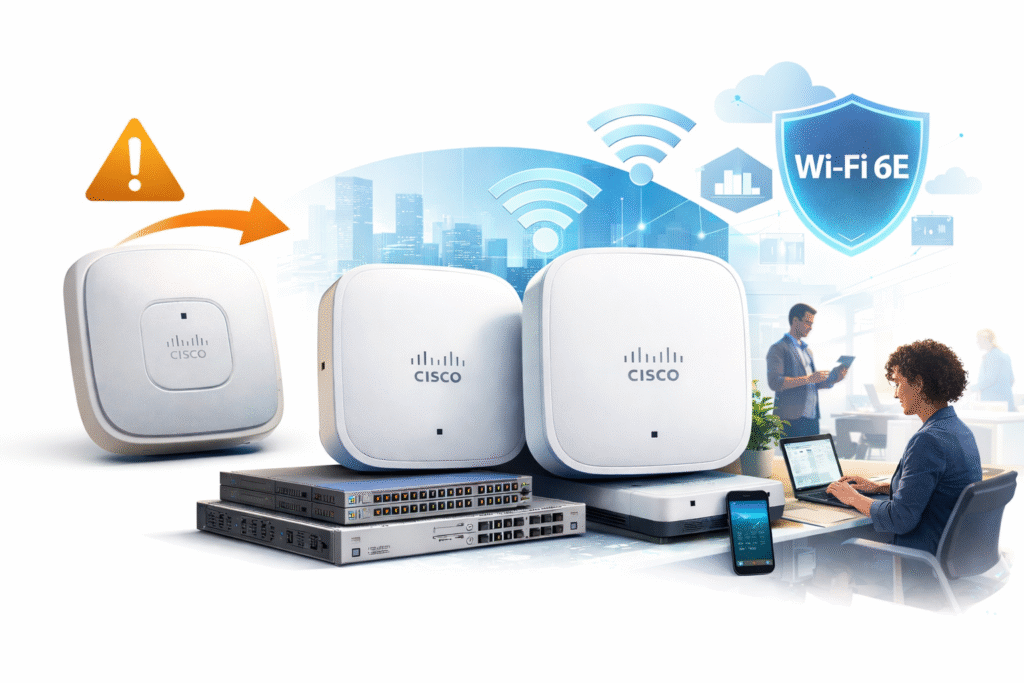
What Cisco Wi-Fi 6 Indoor AP EOL Actually Means
EOL does not mean your APs stop working tomorrow
One of the most common mistakes after an EOL notice is assuming the affected access points immediately become unusable. That is not how enterprise lifecycle policy works. Your existing Cisco Wi-Fi 6 indoor APs can continue operating, and many environments will run them for years during a phased migration. The more important issue is that the commercial and technical logic changes immediately. Once a platform enters the end-of-sale and end-of-support path, it stops being a smart foundation for new deployments.
For enterprise teams, that distinction matters more than the raw date. A campus may keep legacy APs online while it works through capital cycles, but the same campus should not keep expanding a shrinking lifecycle platform into new floors, new buildings, or new branches. That is how organizations accidentally create a second refresh project before the first one has even delivered full value.
The dates matter, but the lifecycle runway matters more
EOL milestones are important because procurement, support planning, and security policy all depend on them. But in practice, enterprise architects should care even more about lifecycle runway. If a platform has already entered its decline phase, the question is no longer “Can I still buy it?” The real question is “Should I still design around it?”
That is why Wi-Fi 6 indoor EOL is a strategic issue rather than a spreadsheet issue. A product can still be orderable for a short period and still be the wrong choice for a new enterprise deployment. In wireless architecture, buying late in the lifecycle usually creates hidden technical debt, not savings.
Why this EOL notice matters more for new projects than existing sites
For existing sites, the announcement means you should begin structured replacement planning. For new projects, it means the decision is already made: do not build new enterprise indoor wireless on Wi-Fi 6 if the intent is a normal multi-year lifecycle. New projects should be aligned with Wi-Fi 6E or Wi-Fi 7, because the value of a new wireless deployment is not just current performance. It is how long that design stays commercially rational.
That is the key shift many teams miss. Existing Wi-Fi 6 can remain operational. New Wi-Fi 6 usually should not be deployed.
Which Cisco Wi-Fi 6 Indoor AP Models Are Affected
Cisco Catalyst indoor models covered by this replacement discussion
This guide focuses on the main Cisco Catalyst indoor Wi-Fi 6 models most enterprise buyers and operators actually search for:
- C9105
- C9115
- C9120
- C9130
These models were not deployed for identical purposes. C9105 often served lighter access scenarios, while C9120 and C9130 were much more common in mainstream or higher-density enterprise designs. That matters because replacement should be role-based, not model-number-based.
Meraki indoor Wi-Fi 6 models in the same EOL wave
This lifecycle transition also affects key Meraki indoor Wi-Fi 6 models, especially:
- MR36
- MR44
- MR46
That broadens the commercial impact of the EOL wave. The market is not dealing with a narrow Catalyst-only update. It is a wider enterprise indoor Wi-Fi 6 transition.
What is not included in this indoor Wi-Fi 6 EOL wave
This point deserves its own section because many lower-quality pages get it wrong. Not every Wi-Fi 6 access point is covered by this indoor EOL announcement. Outdoor models such as C9124 and Meraki MR76, MR78, and MR86 are separate cases. Meraki MR28 is also an important exception. If you flatten all Wi-Fi 6 products into a single EOL story, you create confusion and poor buying decisions.
If you need to verify a specific lifecycle status before planning a replacement wave, use Cisco EOL & EOSL Lookup Tool.
Do You Need to Replace Cisco Wi-Fi 6 APs Right Now?
When replacement should start immediately
If you are designing a new office, refreshing a campus, expanding a high-density floor, or solving an already visible wireless bottleneck, the answer is yes. In those scenarios, delaying replacement is usually a budgeting illusion. You are not avoiding cost. You are postponing cost while preserving the risk of a second redesign later.
This is especially true in environments where wireless is no longer a convenience layer but a primary business layer. Once collaboration traffic, voice, video, dense client concurrency, and modern endpoint behavior are all riding on Wi-Fi, staying on a declining indoor Wi-Fi 6 platform stops being conservative. It becomes a capacity and lifecycle gamble.
When you can delay replacement
There are still environments where a phased approach is reasonable. Lower-density offices, temporary sites, cost-constrained branches, or networks with stable and modest performance demands do not always need immediate rip-and-replace execution. But even in those environments, the rule should remain disciplined: keep legacy Wi-Fi 6 where it already exists if the business case supports it, but do not keep extending it into new design templates.
That distinction is where mature wireless planning differs from reactive procurement. A phased migration is acceptable. A fresh investment in a declining platform usually is not.
The simplest enterprise rule
If the deployment already exists, it can often be phased out over time. If the deployment is new, it should not be built on Wi-Fi 6 indoor APs.
That one rule will prevent most of the lifecycle mistakes enterprises make after an EOL announcement.
What Should Replace Cisco Wi-Fi 6 Indoor APs?
Wi-Fi 6E is the practical transition platform
Wi-Fi 6E is the most logical upgrade path for many organizations because it solves a real and immediate problem: spectrum pressure. Adding 6 GHz expands usable wireless capacity in ways that matter immediately in modern offices and campuses. It is not just a spec-sheet improvement. It directly reduces congestion, improves channel availability, and gives enterprise wireless teams more design flexibility.
For that reason, Wi-Fi 6E is often the right answer for organizations that need a meaningful upgrade without forcing the cost profile of a full Wi-Fi 7 standardization. It is especially attractive in balanced enterprise environments where the goal is to modernize intelligently rather than to chase the most advanced platform in every location.
Wi-Fi 7 is the strategic long-term replacement
Wi-Fi 7 is not simply “more speed.” The more important architectural change is that it is designed for consistency under load. Multi-Link Operation allows client traffic to use multiple bands together instead of waiting on one path at a time. In dense enterprise conditions, that helps reduce latency spikes and improves traffic behavior during concurrency, not just in ideal lab benchmarks.
That is why Wi-Fi 7 should be understood as a lifecycle decision, not a luxury decision. If your organization is refreshing sites on a five-to-seven-year view, especially for high-density offices, large campuses, premium collaboration spaces, or ambitious digital workplace standards, Wi-Fi 7 is often the safer choice precisely because it reduces the risk of another wireless refresh too soon.
The real decision is not performance alone
Many teams ask the wrong question: “Is Wi-Fi 7 faster than Wi-Fi 6E?” Of course it is. But that is not the enterprise buying question. The better question is whether Wi-Fi 6E will still look like the right standard halfway through your next lifecycle. In many mainstream sites, the answer may still be yes. In higher-density or longer-horizon environments, the answer often becomes no.
That is why the best wireless upgrade decision is usually made through lifecycle logic first, not throughput marketing first.
High-Level Cisco Wi-Fi 6 AP Replacement Mapping
Why replacement is not one-to-one
One of the easiest ways to make a costly mistake is to assume every old AP should map to a direct next-generation equivalent. That is not how good replacement planning works. Wireless demand has changed, client behavior has changed, spectrum options have changed, and wired-edge expectations have changed. So while model mapping is useful, it should never override site role.
The right approach is to treat replacement as a design decision. Entry-tier legacy sites do not always need aggressive high-end successors. At the same time, higher-density C9130 environments should not be “value-engineered” into lower-tier replacements that quietly reduce performance.
High-level replacement direction
| Legacy Model | Typical Replacement Direction |
|---|---|
| C9105 | Entry Wi-Fi 6E or light Wi-Fi 7 path |
| C9115 | Mainstream Wi-Fi 6E or selective Wi-Fi 7 |
| C9120 | Strong crossover point between Wi-Fi 6E and Wi-Fi 7 |
| C9130 | Usually higher-end Wi-Fi 7 path |
This is intentionally a high-level table. The detailed execution logic belongs in the model-specific article, because C9105, C9115, C9120, and C9130 should not be replaced with the same economic assumptions or site-density assumptions.
For detailed model-by-model replacement logic, see C9105 / C9115 / C9120 / C9130 Replacement Guide.
The Most Expensive Mistake After Wi-Fi 6 EOL
Upgrading twice is worse than upgrading late
The most expensive mistake is not always waiting too long. Often it is moving too quickly into the wrong intermediate platform. Many organizations will be tempted to replace Wi-Fi 6 with Wi-Fi 6E simply because it feels safer, cheaper, and easier to justify. In some environments, that is exactly the right move. In others, it simply creates a second wireless refresh in a few years.
That is what makes lifecycle alignment so important. If your next refresh is meant to last, then a lower upfront number can still be the wrong economic answer. Buying the cheaper platform is not the same as making the cheaper decision.
Why this mistake happens
It usually happens because teams focus on hardware acquisition instead of architecture horizon. The replacement plan gets driven by immediate budget pressure, while the real network plan wants a five-to-seven-year standard. That gap is where double investment appears. The first project looks efficient. The second project makes the first one look shortsighted.
In enterprise infrastructure, the wrong upgrade is often more expensive than the delayed upgrade.
Infrastructure Changes Most Replacement Guides Undersell
Your wireless upgrade can be blocked by your switches
A newer AP does not automatically create a better wireless experience if the wired edge is still stuck at the old assumption set. Many modern AP deployments expose a new bottleneck at the access switch, especially when multigig support, uplink design, or switching capacity were not part of the original site standard.
Power matters more than many teams expect
PoE planning is one of the most common hidden failure points in AP refresh projects. Newer wireless generations often expect more power budget to unlock full operating capability. If the switch, power budget, or closet design is not validated early, organizations can end up deploying newer APs into an environment that limits the very features they paid to acquire.
This is why serious replacement planning must validate port speed and power headroom together. Throughput without power readiness is not a real upgrade.
Cabling should be checked, not assumed
Cabling is another area where teams often rely on hope instead of validation. Some sites will be fine. Others will discover that the cabling story they inherited is not the cabling story they assumed. That does not mean every AP project becomes a recabling project, but it does mean cabling should be audited as part of the refresh plan rather than ignored until post-deployment surprises appear.
Why Catalyst 9800 Matters in This Transition
The AP is visible, but the controller defines the future
Many upgrade conversations focus entirely on the access point because it is the physical device people see on the ceiling. But from an operational standpoint, the bigger long-term shift is often the controller and software architecture. Cisco’s move toward Catalyst 9800 as the standard control plane changes lifecycle planning because it aligns wireless operations with a more modern software foundation.
That affects automation, telemetry, version strategy, and the ability to support newer AP generations cleanly. So while the AP replacement is the visible event, the control-plane decision is what determines whether the new deployment is truly modernized or only partially refreshed.
Do not treat controller readiness as a last-minute check
A common project mistake is finalizing AP replacement logic before validating controller, code, and operational readiness. That creates unnecessary risk. Controller readiness should be part of the early design conversation, not a cleanup task at the end.
Common Mistakes in Cisco Wi-Fi 6 EOL Replacement
Replacing based on model numbers instead of deployment role
This is the most common error. A C9120 in a standard office and a C9120 in a high-growth premium site may look identical in inventory, but they do not deserve the same replacement decision. Good replacement planning starts with deployment role, density, growth expectation, and lifecycle horizon.
Buying the cheapest next-generation option
The cheapest next-generation AP can easily become the most expensive decision if it creates a hidden downgrade or shortens the useful life of the refresh. Lower acquisition cost is only one line in the total cost story.
Ignoring the wired edge
Wireless teams often discover too late that switch speed, power budget, uplinks, or closet standards were the real blockers. An AP project that ignores the wired edge is not an incomplete project. It is usually a project that will have to be revisited.
Choosing Wi-Fi 6E where Wi-Fi 7 was the rational move
Not every site needs Wi-Fi 7. But many organizations will make the opposite mistake and overuse Wi-Fi 6E because it feels financially safer. In long-horizon enterprise environments, that conservative decision can become the more expensive one.
FAQ
Which Cisco Wi-Fi 6 indoor APs are affected by EOL?
Affected indoor models include Cisco C9105, C9115, C9120, C9130 and Meraki MR36, MR44, and MR46. Outdoor APs and MR28 are not part of this indoor EOL group.
Can I still use Cisco Wi-Fi 6 APs after EOL?
Yes. Existing deployments can continue operating after EOL milestones, but long-term support, patching, and commercial viability decline over time.
Should I upgrade to Wi-Fi 6E or Wi-Fi 7?
Wi-Fi 6E is usually the practical upgrade for balanced environments. Wi-Fi 7 is often the better choice for higher-density deployments and longer refresh horizons.
Do I need new switches for Wi-Fi 6E or Wi-Fi 7?
In many cases, yes. Newer AP generations often require multigig support, higher uplink capacity, and stronger PoE planning to deliver full value.
Is it still worth buying Cisco Wi-Fi 6 APs before end of sale?
For most new enterprise deployments, no. Even if units are still orderable, the lifecycle runway is already shrinking, which makes Wi-Fi 6 a weak foundation for new projects.
What is the most expensive mistake after Wi-Fi 6 EOL?
The most expensive mistake is upgrading twice: replacing Wi-Fi 6 with a short-lived intermediate choice, then having to refresh again sooner than planned.
Conclusion
Cisco Wi-Fi 6 indoor AP EOL is not just a support announcement. It is a decision point for enterprise wireless strategy.
The wrong response is to treat it like a basic hardware refresh. The better response is to decide which sites can phase out legacy Wi-Fi 6 calmly, which sites need immediate architectural modernization, and whether the next standard should be Wi-Fi 6E or Wi-Fi 7 based on real business horizon.
For most enterprises, the strategic direction is clear. Keep legacy Wi-Fi 6 where it still makes operational sense. Stop extending it into new designs. Use this transition to modernize around 6 GHz, stronger wired-edge readiness, and a wireless platform that still makes sense years from now.





