How to Spot Fake Cisco Equipment: A Comprehensive Verification Guide
The global networking hardware market is flooded with unauthorized gear. While legitimate refurbished equipment is a great way to save costs, counterfeit (fake) Cisco equipment is a ticking time bomb for your network.
A fake switch might look identical to the real thing on the outside, but inside, it could be built with substandard components, unauthorized firmware, or even security backdoors.
So, how do you tell the difference? As a specialized Cisco supplier, we have inspected thousands of devices. In this guide, we will share 5 proven methods to identify counterfeit Cisco equipment using visual inspection and digital verification.
Why Should You Care? The Hidden Risks of Fakes
Before we dive into the “how-to,” you need to understand the “why.” Using counterfeit hardware isn’t just a warranty issue; it’s a security risk.
- Security Backdoors: Counterfeit devices may contain malware or hardware trojans designed to steal data.
- Network Instability: Low-quality capacitors and power supplies can lead to sudden failure, causing expensive downtime.
- No Support: Fake devices are not eligible for Cisco Smart Net or any official support.
Method 1: The 3D Holographic Security Label
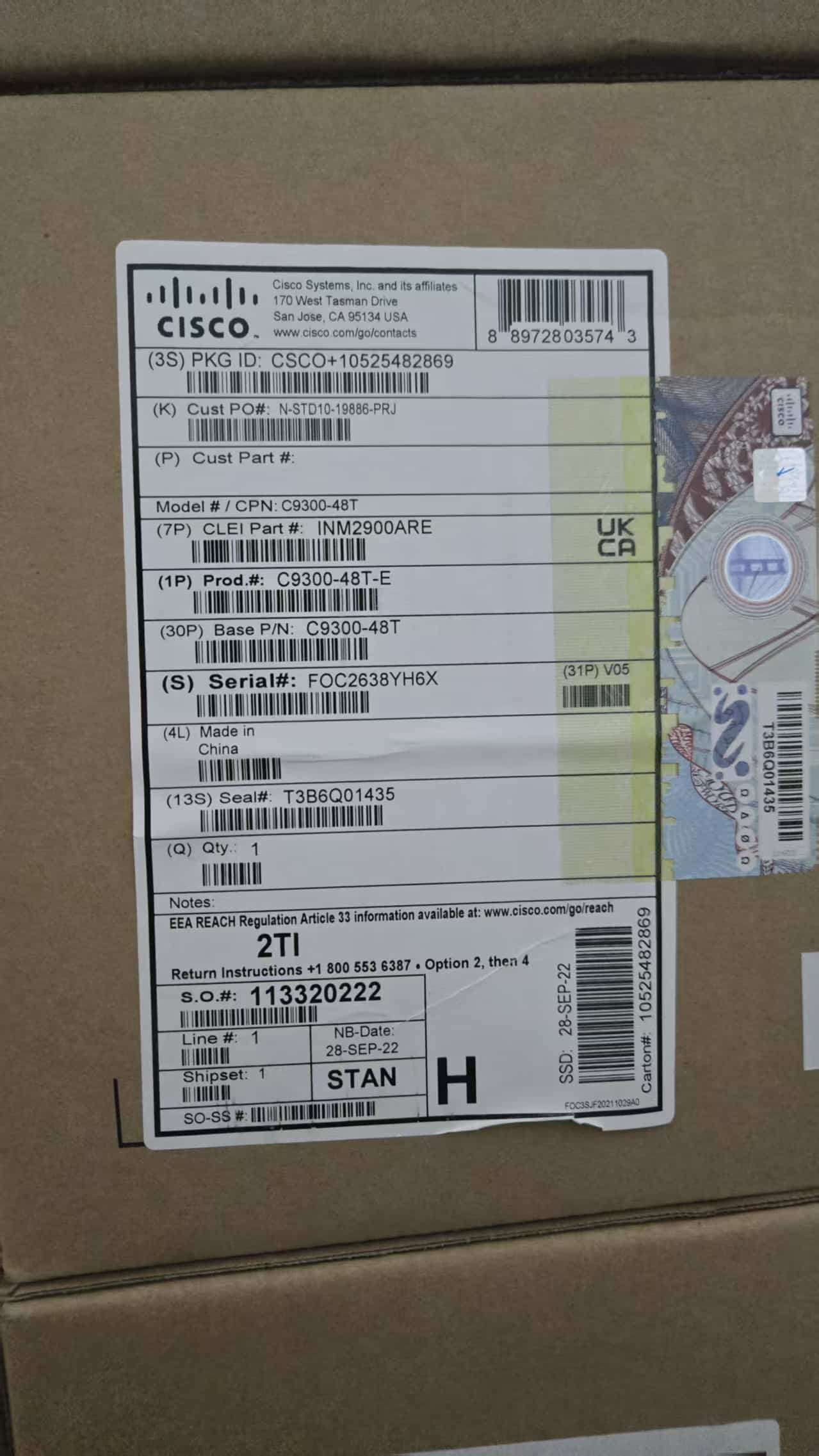
The first line of defense is the security label on the box or the chassis. Cisco uses sophisticated 3D holographic labels that are very difficult to clone perfectly.
What to look for:
- Real Cisco: The label should have multiple layers. When you tilt the box or device, the images and text on the hologram should shift and change perspective.
- Fake Cisco: Counterfeiters often use simple foil stickers. They might be shiny, but the image looks flat and static.
Method 2: Physical Build Quality (Ports & Screws)
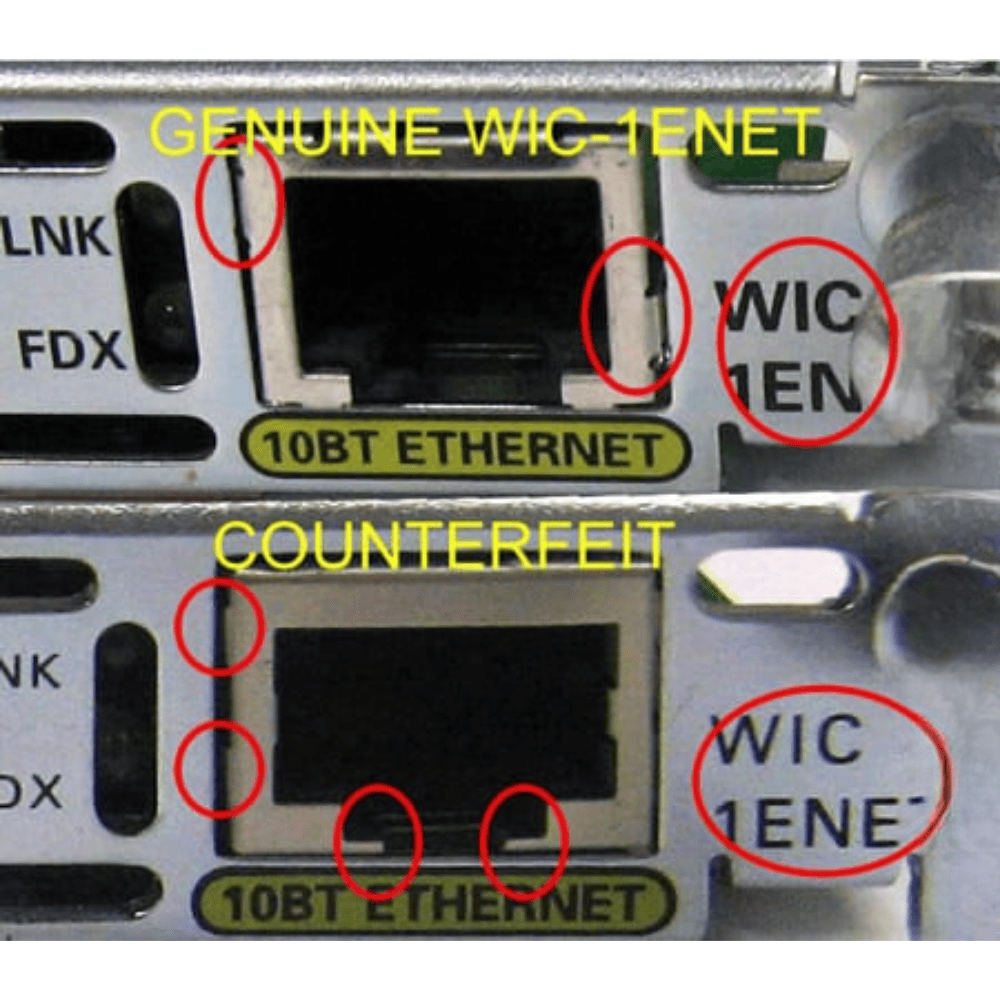
Cisco is known for its premium build quality. Counterfeiters, aiming to cut costs, often leave visible flaws in the hardware.
1. The RJ45 Ports
On a genuine Catalyst switch, the RJ45 ports are perfectly aligned and flush with the chassis. The metal contacts inside the port should be bright gold and uniform.
- Red Flag: Misaligned ports, uneven spacing, or dull/oxidized metal contacts.
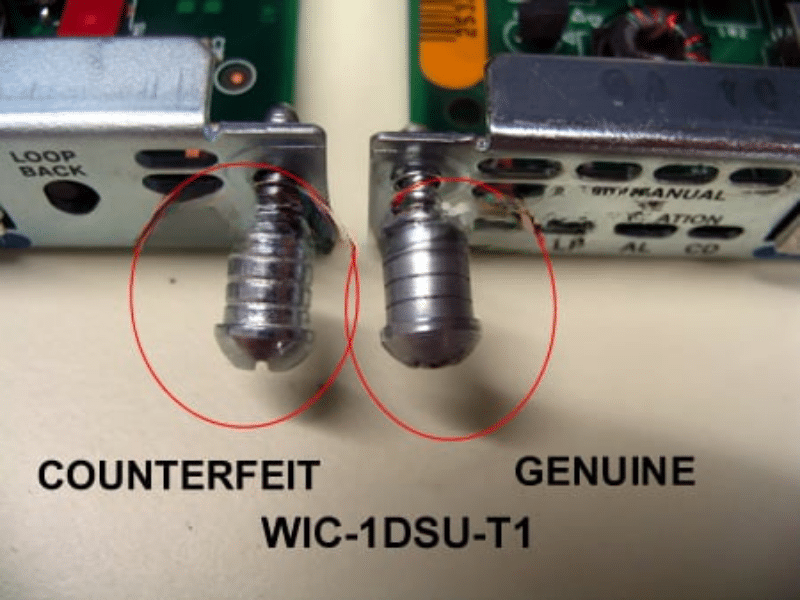
2. The Screws
It sounds minor, but it’s a dead giveaway.
- Real Cisco: Screws are typically consistent in color and sit perfectly flush with the casing.
- Fake Cisco: You might see shiny, cheap-looking screws, or screws that stick out slightly. Some fakes even strip the paint around the screw holes.
Method 3: The “Show Version” Consistency Test
If you have physical access to the device (console access), the software never lies—or at least, it exposes the lies.
Power up the switch and run the following command in the CLI:
Switch# show versionor
Switch# show inventoryThe Verification Step:
Compare the Serial Number (SN) displayed on your screen with the physical SN sticker on the back of the device.
- Match: Good sign.
- Mismatch: This is a huge red flag. It often means the internal board was swapped, or the chassis sticker was printed by a counterfeiter to mask a stolen or blacklisted unit.
Method 4: Packaging and Accessory Quality
If you are buying “New in Box” (NIB) equipment, pay attention to the packaging.
- The Box: Genuine Cisco cardboard is high-density and sturdy. The logo printing is sharp. Fakes often use flimsy cardboard with blurry or slightly off-color logos.
- The Accessories: Look at the console cable and rack-mount kit. Genuine cables feel rubbery and flexible. Fake cables often feel like hard, brittle plastic.
Method 5: The Ultimate Serial Number Check
Even the best visual inspection can be tricky because “Super Fakes” are getting better at copying the physical look. However, they cannot easily fake a valid entry in the global database.
This is the most reliable method. You need to verify if the Serial Number exists, what model it belongs to, and its warranty status.
How to check:
- Locate the Serial Number on the chassis (e.g.,
FGL191840JS). - Enter it into a verification tool.
- Analyze the result.
Does your SN return “Authentic Cisco Device” or “Not Found”?
If you bought a “New” switch but the database says the serial number doesn’t exist, you likely have a counterfeit unit.
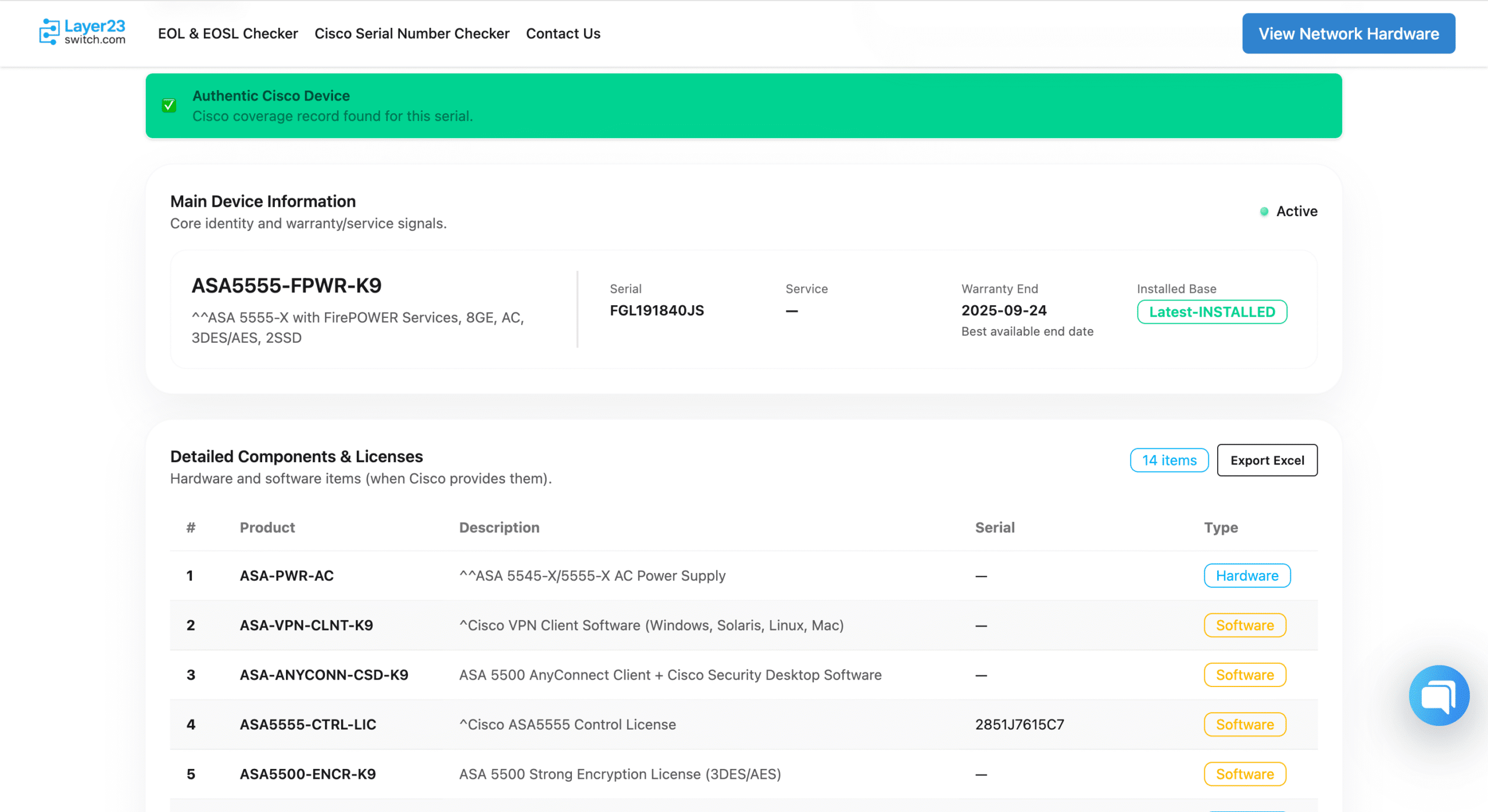
⚡ Fast & Free Verification:
Don’t want to log in to Cisco’s complex portal? Use our free tool to instantly validate your device format and status.
Conclusion: Don’t Gamble with Your Infrastructure
Spotting fake Cisco equipment requires a keen eye and the right tools. While “too good to be true” prices are tempting, the cost of network failure far outweighs the savings.
Recommendation:
- Always verify the Serial Number upon receipt.
- Buy from trusted suppliers who offer a warranty and guarantee authenticity.
Need 100% Genuine Cisco Gear?
We stock fully tested, certified genuine Cisco Catalyst switches and routers. Stop worrying about fakes and start building a reliable network.
👉 [Browse Our Certified Inventory] | [Read Our Full SN Lookup Guide]