Mbps vs Gbps: Internet Speeds, Conversions, and Which Is Better?
Gbps is bigger than Mbps. A gigabit per second (Gbps) equals 1,000 megabits per second (Mbps), so 1 Gbps is the faster, higher-capacity unit. Internet plans, switch ports, and network gear use both labels: Mbps for hundreds of megabits, Gbps once speeds reach a billion bits per second. For most households the real question is not which unit is bigger, but whether you actually need gigabit — covered below.
Quick Answer: Mbps vs Gbps
- Gbps is faster than Mbps. 1 Gbps = 1,000 Mbps.
- Mbps (megabits per second) measures most home and business plans: 100, 300, 500 Mbps.
- Gbps (gigabits per second) measures gigabit and multi-gigabit service: 1, 2, 5, 10 Gbps.
- To convert: Gbps = Mbps ÷ 1,000, and Mbps = Gbps × 1,000.
What Do Mbps and Gbps Mean?
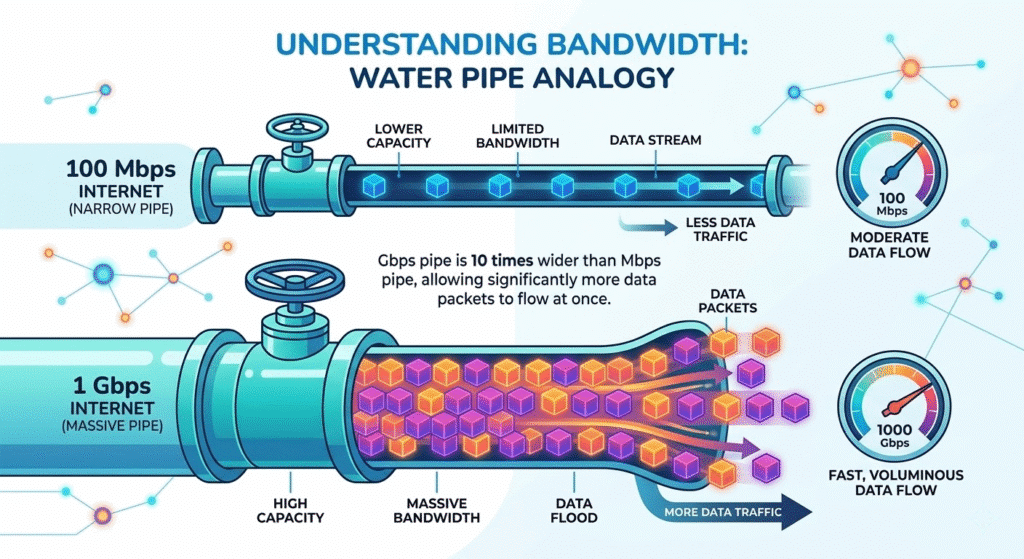
- Mbps — megabits per second. The standard unit for internet plans and Ethernet links up to gigabit. 100 Mbps means 100 million bits travel each second.
- Gbps — gigabits per second. Used once speed reaches a billion bits per second. 1 Gbps = 1,000 Mbps.
Both measure bandwidth — the rate at which data moves — using bits (lowercase b), not bytes. That distinction matters when you compare a plan’s speed to a file’s size, which is explained in the speed-versus-size section near the end.
Bits per Second: Kbps, Mbps, and Gbps
Network speed climbs the same way storage does — in steps of 1,000:
- 1 Kbps = 1,000 bits per second
- 1 Mbps = 1,000 Kbps
- 1 Gbps = 1,000 Mbps
So a gigabit connection is a thousand times faster than a megabit connection, and a million times faster than a kilobit connection.
Is 1 Gbps the Same as 1,000 Mbps?
Yes. 1 Gbps = 1,000 Mbps. A plan advertised as “1 Gig,” “1 Gbps,” or “1000 Mbps” describes the same link speed. The same is true for hardware: a network port labeled “1000 Mbps” is a 1 Gbps (Gigabit) port — the two numbers are identical.
Why a 1 Gbps Plan Tests at About 940 Mbps
A gigabit connection almost never shows a flat 1,000 Mbps on a speed test. A typical result is around 940 Mbps, and that is normal. The raw link carries 1,000 Mbps, but every transfer spends part of that capacity on protocol overhead — Ethernet frame headers, the interframe gap, and TCP/IP headers. On Gigabit Ethernet this overhead consumes roughly 6%, leaving about 940–943 Mbps of usable throughput. No fault, no throttling — just the difference between the line rate and real payload speed.
Mbps to Gbps Converter and Formula
Enter a value to convert between Kbps, Mbps, and Gbps.
Common Speed Comparisons: 1 Gbps vs 100–940 Mbps
People rarely search “Mbps vs Gbps” in the abstract — they compare two specific plans. Here is how 1 Gbps stacks up against common Mbps tiers, and against faster multi-gig service:
| Comparison | Faster option | How much faster |
|---|---|---|
| 1 Gbps vs 50 Mbps | 1 Gbps | 20× |
| 1 Gbps vs 100 Mbps | 1 Gbps | 10× |
| 1 Gbps vs 150 Mbps | 1 Gbps | ~6.7× |
| 1 Gbps vs 300 Mbps | 1 Gbps | ~3.3× |
| 1 Gbps vs 400 Mbps | 1 Gbps | 2.5× |
| 1 Gbps vs 500 Mbps | 1 Gbps | 2× |
| 1 Gbps vs 600 Mbps | 1 Gbps | ~1.7× |
| 1 Gbps vs 940 Mbps | Effectively equal | 940 Mbps is the real-world result of a 1 Gbps line |
| 1 Gbps vs 1,000 Mbps | Equal | 1 Gbps = 1,000 Mbps |
| 1 Gbps vs 2 Gbps | 2 Gbps | 2× |
| 1 Gbps vs 5 Gbps | 5 Gbps | 5× |
| 1 Gbps vs 10 Gbps | 10 Gbps | 10× |
The multiplier is just 1,000 ÷ the Mbps figure. A higher number is faster on paper, but past a point the extra speed only helps if your devices, cabling, and the server on the other end can keep up.
1 Gbps vs 500 Mbps: Which Plan Is Better?
For most users, 500 Mbps and 1 Gbps feel similar day to day because individual tasks rarely saturate either one. The difference shows up with many simultaneous users or large transfers.
When 500 Mbps Is Enough
A 500 Mbps plan comfortably handles a busy household: several 4K streams (about 25 Mbps each), video calls, gaming, and large downloads at roughly 62.5 MB/s. For most families and small offices, 500 Mbps is not a bottleneck.
When to Choose 1 Gbps
Step up to 1 Gbps when you regularly move very large files, run a home lab or server, have a dozen or more active devices, or upload large media. The headroom matters most when multiple heavy tasks overlap.
The Bottleneck Reality
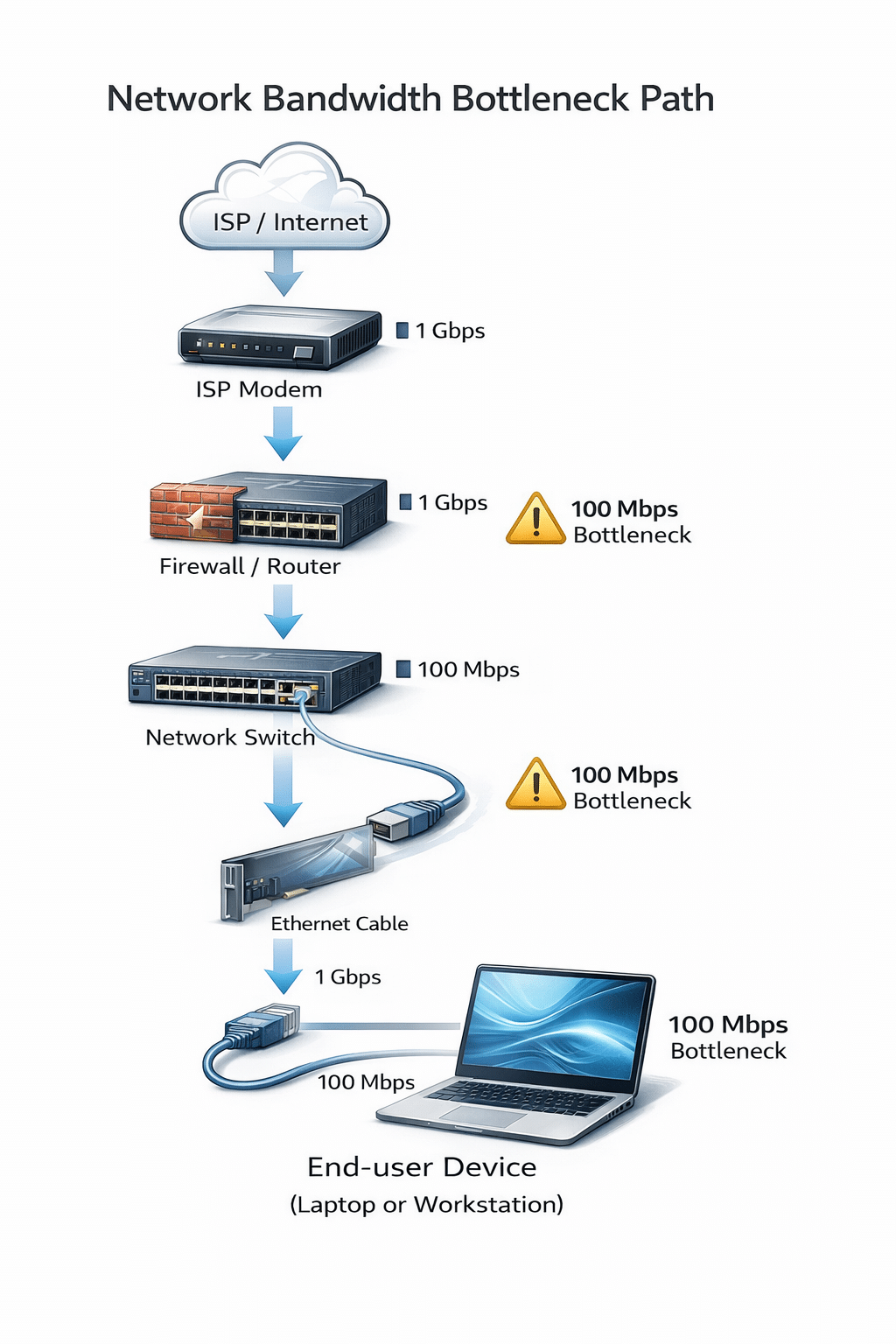
A faster plan only delivers if the rest of the chain keeps up. Single websites and servers often cap each connection well below 1 Gbps, older Wi-Fi tops out before gigabit, and a device’s own disk or processor can be the limit. Buying gigabit does not speed up a download that the source server is throttling.
Upload vs Download Speeds
Many plans are asymmetric — far more download speed than upload. A “1 Gbps” cable plan might offer 1,000 Mbps down but only 35 Mbps up. Symmetric fiber gives equal speeds both ways, which matters for video calls, cloud backups, large uploads, and hosting. When comparing plans, check the upload figure, not just the headline download number.

Hardware for Gbps Speeds: Cables, Ports, Switches, and Optics
Reaching gigabit or multi-gig speeds takes more than a fast plan — every link in the chain must support the rate.
Ethernet Cable: Cat5e for 1G, Cat6/6a for 10G
- Cat5e is rated for 1 Gbps (1000BASE-T) on runs up to 100 m, and often handles 2.5G on shorter runs.
- Cat6 supports 10 Gbps up to about 55 m.
- Cat6a supports 10 Gbps for the full 100 m.
An old Cat5 (non-e) cable can cap a gigabit port at 100 Mbps, so cabling is a common hidden bottleneck.
Switch Ports and LAN Ports
A port marked “10/100/1000 Mbps” is a Gigabit (1 Gbps) port — “1000 Mbps” and “1 Gbps” are the same. To go beyond gigabit you need multi-gig (2.5G/5G) or 10G ports, common on uplinks. When upgrading a network to gigabit or multi-gig, the access and aggregation switches set the ceiling for every device behind them.
Transceivers for 10G and Above
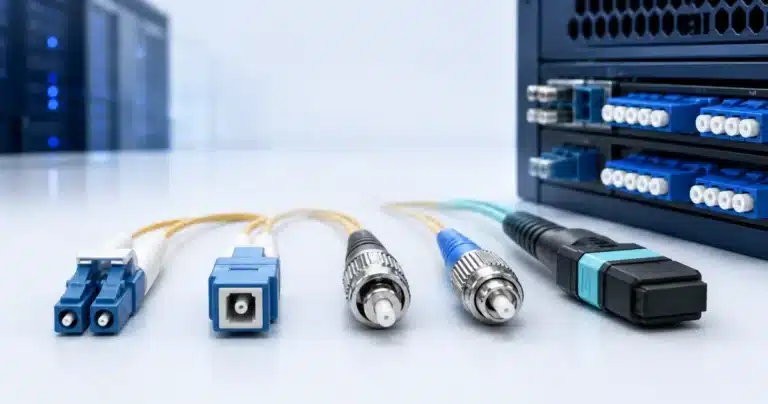
At 10G, 25G, 40G, and 100G, the link runs over fiber or direct-attach copper using pluggable transceivers (SFP+, SFP28, QSFP). The transceiver, the fiber type, and the switch port all have to match the target speed.
Mbps, Gbps, and MB/s: Speed vs File Size
Speed and size are different things measured in different units:
- Network speed uses bits per second: Mbps and Gbps. Because one byte is 8 bits, a connection’s real transfer speed in megabytes per second is the Mbps figure ÷ 8. For the full breakdown, see MB vs Mbps.
- File size and storage use bytes: KB, MB, GB, TB. For the size order and conversions, see our KB vs MB vs GB vs TB guide.
So a 1 Gbps link (1,000 Mbps) moves about 125 megabytes per second — fast, but eight times smaller than the headline number suggests once you switch from bits to bytes.
FAQ
Is Gbps faster than Mbps?
Yes. 1 Gbps equals 1,000 Mbps, so gigabit is the faster, higher-capacity unit.
How many Mbps are in a Gbps?
1,000. One gigabit per second equals 1,000 megabits per second.
Is 1 Gbps the same as 1000 Mbps?
Yes — they are identical. A “1 Gig,” “1 Gbps,” and “1000 Mbps” plan or port all describe the same speed.
Why does my 1 Gbps plan only reach about 940 Mbps?
Protocol overhead (Ethernet framing plus TCP/IP headers) uses roughly 6% of a gigabit link, leaving about 940 Mbps of usable throughput. This is normal, not a fault.
Is 1 Gbps internet fast, and do I need it?
1 Gbps is very fast and more than most households need. Choose it for many simultaneous users, frequent large transfers, a home server, or heavy uploads; otherwise 300–500 Mbps is usually enough.
Is 500 Mbps or 1 Gbps better?
1 Gbps is faster, but 500 Mbps handles most homes and small offices without strain. The gap mainly shows up with many users or very large transfers.
What is the difference between Gbps and GBps?
Gbps is gigabits per second (speed). GBps is gigabytes per second — eight times larger, since one byte is 8 bits. Network speeds use the lowercase-b Gbps.
Is 300 Mbps enough for two people?
Yes. 300 Mbps easily supports two people streaming 4K, video calling, gaming, and browsing at the same time.
Is USB 3.0 faster than Gigabit Ethernet?
In raw specification, yes — USB 3.0 runs at 5 Gbps versus Gigabit Ethernet’s 1 Gbps. Real-world throughput depends on the devices and the network beyond the cable.
References
- IEEE 802.3 Ethernet standards — network data rates are expressed in decimal bits per second (1 Gbps = 1,000 Mbps), and gigabit framing overhead yields about 940 Mbps of usable throughput.
- TIA/EIA-568 cabling standards — Category 5e, 6, and 6a performance and distance ratings.