
How to Choose a Cisco PoE Switch: The Enterprise Deployment Guide
Choosing a Cisco PoE switch requires a deployment-first methodology, not just a port count. Enterprise architects must select switches based on five core pillars: endpoint power load, total available PoE budget, required power standards, future port scalability, and the physical constraints of the wiring closet.
The enterprise access layer has evolved from providing simple data connections to serving as the primary power and security hub for the modern business. Procuring a switch based solely on a 24-port or 48-port requirement inevitably leads to severe operational problems. High-density wireless access points, smart building IoT devices, and advanced surveillance cameras now demand strict power and thermal planning. This guide walks IT buyers and network architects through a five-step enterprise selection framework. By aligning your hardware choice with actual deployment realities, you can prevent uplink bottlenecks, eliminate power starvation, and optimize long-term licensing costs.
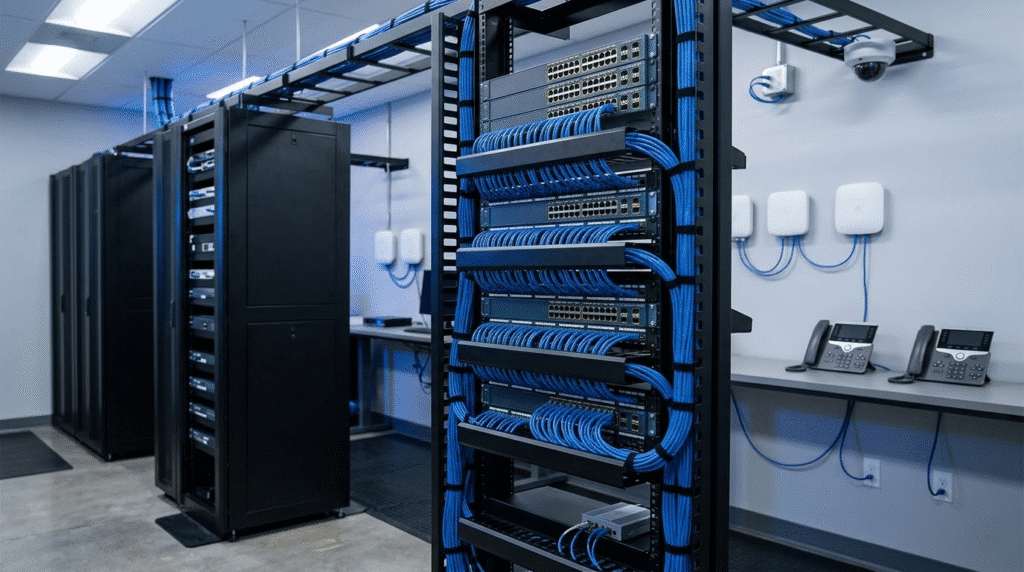
Step 1: Choose by Endpoint Load (The Edge-Inward Approach)
Powering High-Density Wireless (Wi-Fi 6E/7)
Modern access points draw significantly more power than older Wi-Fi 5 models. Under-powering a modern AP creates severe operational penalties. The access point may automatically disable specific radio bands, reduce MIMO capabilities, or shut down auxiliary USB ports. Switch selection must be driven by endpoint evolution to guarantee full wireless performance and protect your infrastructure ROI.
IP Surveillance, PTZ Cameras, and Collaboration Endpoints
Standard fixed-dome cameras operate comfortably on low-draw PoE. However, Pan-Tilt-Zoom (PTZ) cameras require high continuous power for internal blowers and heaters. Advanced collaboration endpoints and video conferencing screens also demand massive, uninterrupted power footprints. Selection must account for these continuous, high-draw requirements rather than relying on average baseline loads.
Smart Buildings and OT/IT Convergence
The convergence of Operational Technology (OT) and IT introduces PoE lighting, environmental sensors, and building access controls to the access switch. These smart building ecosystems change the switch selection logic entirely. Always-on power and operational continuity become far more critical than a simple port count, as a switch failure now means the lights go out and secure doors lock.
Table 1: Endpoint Power Load & Selection Impact
| Endpoint Category | Example Hardware | Typical / Maximum Power Draw | Infrastructure Implication | Risk of Under-Sizing |
| High-Density Wi-Fi | Wi-Fi 6E/7 Access Points | 30W / up to 45W+ | Requires UPOE/UPOE+ and Multigigabit uplinks | Disabled radios, reduced MIMO, poor roaming |
| Advanced Surveillance | PTZ / Heated Outdoor Cameras | 30W / up to 60W+ | Demands continuous, high-capacity power | Cameras drop offline during physical movement or cold weather |
| Collaboration | Webex Desk Pro / Video Endpoints | 60W / up to 90W | Mandates UPOE+ on designated meeting room ports | Devices fail to boot or limit display brightness |
| Smart Building / OT | PoE LED Lighting & Sensors | 45W / up to 90W | Requires Perpetual PoE and Fast PoE | Building lights go out during switch reboots |
Step 2: Choose by Total PoE Budget & Power Standard
Total Power Budget vs. “PoE Supported” Ports
A 48-port PoE switch does not automatically possess the internal power capacity to drive 48 high-draw devices simultaneously. A switch might support a specific power standard on every port but only feature a total power supply large enough to fully load half of them. Enterprise buyers must evaluate the total available switch power budget against concurrent endpoint demand. For the exact math and wattage formulas, refer to our dedicated PoE Budget Calculation Guide.
Matching the Right Standard: PoE+ vs. UPOE vs. UPOE+
Treat the power standard as a primary selection filter rather than a simple protocol lesson. Basic IP phones operate perfectly on standard PoE+ (up to 30W). Modern Wi-Fi 6E access points generally require Cisco UPOE (up to 60W). Daisy-chained LED lighting and high-end video endpoints push the limits, requiring UPOE+ (up to 90W). Map your heaviest endpoint class to the corresponding power tier. Read our PoE+ vs UPOE vs UPOE+ Selection Guide for a deep dive into these protocol differences.
The Necessity of Perpetual PoE and Fast PoE
In smart buildings and life-safety environments, routine switch reboots cannot interrupt edge power. Perpetual PoE ensures that endpoints like LED lights and security locks remain powered even while the switch operating system reboots. Fast PoE restores power within seconds of a cold boot, long before the switch OS fully loads. These are mandatory selection criteria for always-on edge environments, not just optional feature checkboxes.
Step 3: Choose by Wiring Closet and Environmental Constraints
Acoustic Constraints in Open Workspaces and Retail
Enterprise switches equipped with variable-speed fans generate significant noise under heavy PoE loads. Fan noise becomes a major disruption in open offices, hospitality desks, retail spaces, and conference rooms. In these environments, selecting a fanless or acoustically optimized compact switch is often more important than maximizing raw port density.
Thermal Output in High-Density Closets
High-power PoE switches are essentially heat generators. A switch delivering maximum UPOE+ across dozens of ports exhausts massive amounts of BTUs into the wiring closet. This thermal output dictates closet design, requiring active ventilation, dedicated room cooling, and strict airflow clearances. Ignoring the thermal load severely reduces the long-term reliability of the networking hardware.
Rack Depth and Space Footprint
Physical cabinet space frequently dictates switch selection. Deep modular chassis or enterprise access switches with dual heavy-duty power supplies may not fit inside shallow wall-mounted racks. Power cable bulk and high-density patch panels further constrain available space. Procurement teams must verify exact depth dimensions and front-to-back clearance before finalizing a model.
Table 2: Environmental Constraint Matrix
| Environmental Factor | Deployment Scenario | Hardware Recommendation | Key Constraint / Selection Impact |
| Acoustic Noise | Open offices, retail desks, conference rooms | Fanless compact switches | Limits maximum port density and total PoE budget per switch |
| High Thermal Output (BTU) | High-density wiring closets | Switches with variable fans and high thermal tolerance | Requires active room cooling and strict airflow clearance |
| Shallow Rack Space | Wall-mounted cabinets, branch offices | Fixed-configuration, short-depth switches | Restricts the use of deep modular chassis and large redundant PSUs |
Step 4: Choose by Port Growth, Uplinks, and Resilience
Preventing Uplink Bottlenecks in the Multigigabit Era
Dense PoE access ports become useless liabilities if the uplinks are undersized. Filling a 48-port switch with multigigabit Wi-Fi 6E access points will immediately choke a standard 1 Gigabit or 10 Gigabit uplink. Uplink planning is a core component of PoE switch selection. Architects must match the concurrent throughput of surveillance-heavy or AP-heavy floors with modular 25G or 40G uplink modules.
Scaling Through Modular vs. Fixed Ports
Fixed-port switches enforce a strict hardware lifecycle. When you run out of ports, you must buy and manage an entirely new switch. Modular and stackable switches shift the design logic toward seamless growth. They allow architects to add capacity to an existing logical switch, simplifying management and extending the overall hardware lifecycle as endpoint density increases.
Isolated Dual PSUs vs. Cisco StackPower
Basic redundant power supplies provide isolated box-level redundancy. If a switch loses one PSU, it relies on the second. Cisco StackPower fundamentally changes operational resilience by pooling power across an entire stack of switches. If one switch experiences a total AC failure, it can draw DC power from its neighbors. This shared power pooling is critical for endpoint continuity in mission-critical environments.
Step 5: Avoid Hidden Enterprise Procurement Traps
The Mandatory Software Subscription Trap
Hardware selection is permanently tied to software and licensing decisions. Modern Cisco switches require mandatory software subscriptions at the time of purchase. Advanced operational capabilities, deep telemetry, and advanced policy visibility depend heavily on the higher software tiers. Buyers must factor these recurring licensing costs into the initial hardware procurement strategy.
Navigating the Gray Market and Counterfeit Hardware
Sourcing refurbished or used gear introduces severe enterprise risks. Gray market hardware often fails serial number validation, rendering it ineligible for Cisco support or software updates. Furthermore, counterfeit power supplies are common in the secondary market. These fake power supplies rarely deliver their advertised PoE wattage and pose serious thermal and electrical hazards.
Final Selection Framework: Which Strategy Makes Sense?
Standard office access
The best fit is a fixed-port switch with standard PoE+ and moderate uplink capacity. The main reason is cost-efficiency; standard IP phones and basic workstations do not require massive power pools. Do not ignore acoustic limits if the switch sits in an open workspace.
Wireless-heavy campus floors
The best fit is a stackable switch with Cisco UPOE, StackPower, and modular multigigabit uplinks. The main reason is to support the heavy power draw and high throughput of next-generation APs. Do not ignore the total power budget and uplink bottlenecks during the planning phase.
Smart buildings and IoT-heavy deployments
The best fit is a high-capacity switch supporting UPOE+, Perpetual PoE, and Fast PoE. The main reason is life-safety and operational continuity for lighting and sensors. Do not ignore the massive thermal output these switches generate. If deploying in a harsh environment, see our Cisco Industrial Switch Guide for ruggedized PoE options.
Frequently Asked Questions
How do I calculate the PoE budget for a Cisco switch?
Identify the maximum power draw of every connected endpoint, sum these values together, and add a 15 to 20 percent buffer for future expansion. Compare this total against the switch’s advertised available PoE power, not just its per-port maximum.
Do I need UPOE for modern wireless access points?
Yes, in most cases. Modern Wi-Fi 6E and Wi-Fi 7 access points feature multiple high-performance radios and multigigabit interfaces that regularly exceed the 30W limit of standard PoE+, making UPOE a requirement for full functionality.
What is Perpetual PoE on a Cisco switch?
Perpetual PoE is a feature that maintains uninterrupted power delivery to connected endpoints even while the switch operating system is rebooting or undergoing a firmware upgrade.
How do I avoid uplink bottlenecks on a 48-port PoE switch?
Calculate the concurrent peak throughput of your heaviest endpoints, such as high-density access points or 4K cameras. Select a switch with modular uplink ports that support 10G, 25G, or 40G connections to safely aggregate that edge traffic.
A Cisco PoE switch should be selected based on deployment outcomes, future expansion, and operational resilience—not just port count or peak wattage. A structured selection process helps avoid underpowered access layers, uplink bottlenecks, and costly refreshes later. For more Cisco switch selection guides, model comparisons, and enterprise networking resources, explore Layer23-Switch.






