ASA to FTD Migration Guide: How to Upgrade Cisco ASA Firewalls to Next-Generation Firewall
If you are planning an ASA to FTD migration, the most useful starting point is this: treat it as both a migration project and a replacement decision. Cisco provides an official migration path through Secure Firewall Migration Tool, and the tool can automatically migrate supported ASA features and policies to supported Threat Defense platforms. But in real projects, the bigger question is often not only how to move the configuration, but which modern firewall class should replace the legacy ASA at that site.
Replacing a small branch ASA? Firepower 1000 is usually the first family to evaluate.
Refreshing an installed base with legacy standards? Some ASA projects still map into a continuity-focused path rather than a full redesign.
Upgrading a larger or growth-focused edge site? Secure Firewall 3100 or higher is often the more realistic long-term destination. Cisco’s own EOL notice for ASA 5508-X and 5516-X recommends Firepower 1000 Series as the migration solution, while Cisco positions Secure Firewall 3100 for use cases ranging from the internet edge to the data center and private cloud.
If you need broader context before deciding on a target platform, start with Cisco firewall comparison.
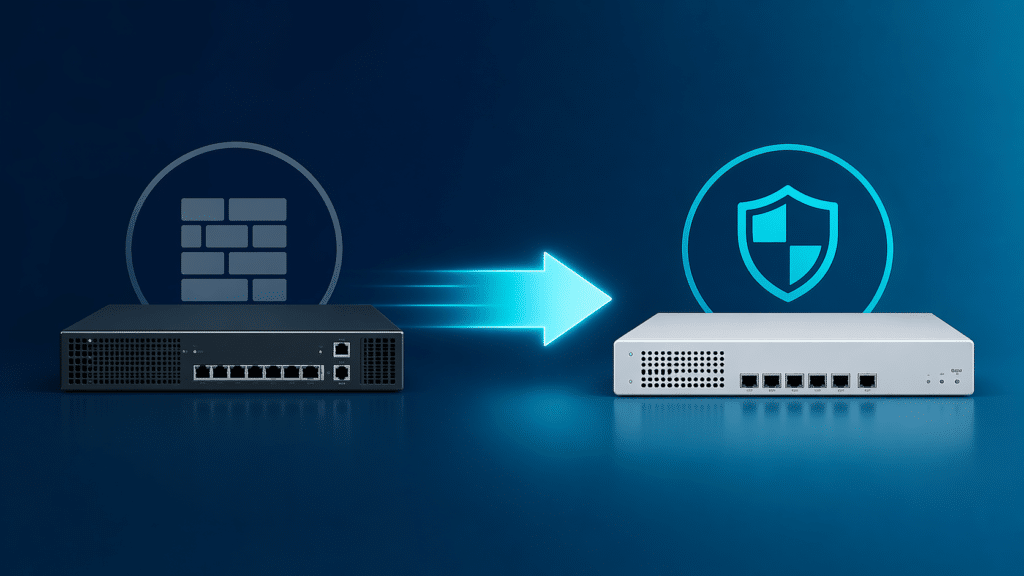
Quick answer: what does ASA to FTD migration actually mean?
ASA to FTD migration means moving from Cisco ASA software and often aging ASA hardware into Cisco Secure Firewall Threat Defense. Sometimes that is mainly a software-path transition. In many environments, it is also a hardware refresh because the original ASA platform is already end of sale, close to end of support, or no longer aligned with the site’s current role. Cisco’s official migration guide and compatibility documentation make clear that ASA-to-FTD is a supported migration path, not just an improvised rebuild exercise.
Why ASA to FTD migration matters now
The timing issue is no longer theoretical. Cisco has already published end-of-sale and end-of-life notices for several older ASA platforms, including ASA 5508-X and ASA 5516-X, and states that the last date of support for those products is August 31, 2026. In the same migration guidance, Cisco explicitly recommends customers upgrade to the Firepower 1000 Series.
At the same time, Cisco continues to maintain and update its Secure Firewall Migration Tool documentation. The official migration tool page says it enables customers to migrate firewall configurations to Secure Firewall Threat Defense, and the current migration guide includes an ASA-to-Threat Defense workflow, pre-migration reporting, interface mapping, and troubleshooting guidance.
So the real reason this topic matters now is simple: many ASA estates are no longer only discussing a software change. They are being pushed into a broader refresh decision by lifecycle deadlines, support boundaries, and the need to choose a modern platform that fits the site’s next role rather than its old one.
ASA to FTD migration workflow: the big picture
A strong ASA to FTD migration project usually follows five stages.
- First, assess the current ASA estate: models, site roles, VPN dependencies, NAT behavior, and policy complexity.
- Second, decide whether the site is mainly a software transition or a hardware refresh.
- Third, validate what the migration tool can support and review the pre-migration report.
- Fourth, map ASA interfaces and policy elements into Threat Defense.
- Fifth, review operations after migration, including management model, reporting, and policy maintenance.
Cisco’s own migration workflow explicitly includes review of the pre-migration report and interface mapping as major steps, which is a strong signal that successful migration is not just about exporting and importing configuration.
ASA to FTD upgrade mapping: which new firewall series replaces your legacy ASA?
This is where most migration decisions become real. The best replacement is not determined by old model number alone. It is determined by what the firewall is protecting now.
| Legacy ASA model | Typical role in old deployments | Most likely FTD-era upgrade path | Why this is the usual direction |
|---|---|---|---|
| ASA 5506-X / 5508-X / 5516-X | Small branch, small office, lighter edge | Firepower 1000 Series | Cisco’s own EOL guidance for 5508-X and 5516-X recommends Firepower 1000 Series. |
| ASA 5512-X / 5515-X / 5525-X | Older branch, mid-edge, smaller regional role | Depends on current site role | Smaller branch roles may still fit the lower modern path; heavier growth roles may justify 3100. |
| ASA 5545-X / 5555-X and larger edge roles | Regional edge, heavier perimeter, larger VPN/security role | Secure Firewall 3100 or higher | Larger legacy edge roles often need a stronger long-term platform than branch-class replacement. |
This mapping is not arbitrary. Cisco’s Firepower 1000 data sheet says the series addresses use cases from small offices to remote branches, and the ordering guide states that the 1000 family is for branch, distributed enterprise, and internet edge deployments. Cisco’s Secure Firewall 3100 data sheet, by contrast, says the family addresses use cases from the internet edge to the data center and private cloud and supports clustering for increased scale as organizations grow.
an ASA replacement should be chosen by present site role, not just by historical model family.
If your shortlist is already forming around smaller and mid-tier physical platforms, continue with Cisco Firepower 1000 vs 2100 vs 3100.
ASA to FTD feature mapping: what carries over, what changes, and what needs review
The migration tool matters, but so does its scope. Cisco’s documentation says the Secure Firewall Migration Tool automatically migrates supported ASA features and policies to supported Threat Defense platforms. That wording is important. It does not promise universal one-to-one migration of every configuration element.
In practical terms, many common firewall objects, interfaces, access rules, and NAT-related configurations can often be migrated through the supported workflow. Cisco’s migration guide also makes it clear that teams must review the pre-migration report and map ASA configurations to Threat Defense interfaces. That tells you two things: migration support is real, and post-migration review is mandatory.
“Migrated” does not mean “operationally identical.” After an ASA to FTD move, teams still need to validate interface logic, policy behavior, NAT interpretation, VPN expectations, unsupported items, and the new management workflow. A successful import is only the start of a successful migration.
If your project is still deciding whether the bigger issue is software mode rather than hardware class, read Cisco ASA vs FTD Differences.
When ASA to FTD migration is mostly a software transition
Not every migration starts with an urgent hardware refresh. Some projects are primarily driven by the need to move away from legacy ASA software workflows, modernize inspection capability, or standardize on Threat Defense operations. In those cases, the technical center of gravity is policy behavior, feature compatibility, and post-migration management rather than box-for-box replacement. Cisco’s migration materials support this kind of workflow, especially where supported ASA platforms and supported target devices already line up.
These projects still need discipline. But the main question is not “what hardware should replace this old ASA?” It is “what changes when this site moves to the Threat Defense operating model?”
When ASA to FTD migration is really a hardware refresh decision
This is the more common case for aging estates.
A small branch firewall replacement often maps naturally into Firepower 1000, especially where the site is still clearly branch-sized and Cisco’s own guidance already points in that direction for legacy appliances like 5508-X and 5516-X.
A growth-focused branch or regional edge site is different. If the old ASA now protects more users, more VPN sessions, more segmented traffic, or a more strategic site than it did originally, then the replacement decision is not really about copying an old hardware tier. It is about selecting a platform with enough runway for the site’s next lifecycle. That is where Secure Firewall 3100 becomes more realistic. Cisco explicitly positions 3100 for internet edge, private cloud, hybrid work, and scalable clustering.
A larger enterprise edge or data-center-facing role pushes even further in that direction. In those environments, treating migration as a simple policy move is usually the wrong mental model. The real problem is that the old firewall estate was built for an earlier era of site requirements.
What should you upgrade to after Cisco ASA EOL?
The answer depends on the current deployment shape.
| If your environment looks like this | Most likely direction |
|---|---|
| Small branch / small edge | Firepower 1000 path |
| Legacy mid-tier firewall refresh | Depends on continuity vs modernization |
| Growing branch / regional edge | Secure Firewall 3100 path |
| Large edge / higher-scale security role | 3100 or higher path |
This framing works better than trying to force every old ASA into one universal replacement family. Cisco’s current product materials support that distinction: Firepower 1000 is still clearly a branch and distributed-edge family, while Secure Firewall 3100 is a stronger fit for environments that are already pushing toward larger-scale edge or private-cloud use cases.
The most common migration mistakes to avoid
- The first mistake is treating migration as only a config import task. Cisco’s own workflow includes review, mapping, and troubleshooting for a reason. The tool helps, but it does not eliminate design judgment.
- The second mistake is choosing replacement hardware by old model number alone. The better replacement is based on what the site is now, not what it was when the ASA was first installed.
- The third mistake is assuming every legacy ASA should land on the same modern platform class. Smaller branch replacements and larger regional-edge refreshes should not be solved with one universal answer.
- The fourth mistake is ignoring feature review after migration. The migration tool supports supported policies and features, not every configuration possibility with perfect behavioral parity.
- The fifth mistake is delaying the management-model decision. A migrated firewall still has to be operated, monitored, and maintained under a modern policy workflow.
Management matters after migration: FDM, FMC, and operating model
Migration does not end when the policy moves. After the device is replaced or converted, the operating model becomes just as important as the migration itself.
Cisco’s current platform documentation shows that management choice is built into the design path. Secure Firewall platforms can be managed through on-box or centralized options depending on appliance family and deployment pattern, and Cisco’s support pages for 3100 include current getting-started documents for both Firewall Device Manager and Firewall Management Center workflows.
That means a small standalone site may still be fine with a simpler local model, while a multi-site enterprise environment may need centralized operations from the start. If that decision is part of your project, continue with Cisco FDM vs FMC.
Our recommendation
If your ASA migration is branch-led, first decide whether the site is still truly small enough for a Firepower 1000-class replacement or whether it has already outgrown that role.
If your project is mainly an installed-base refresh, continuity may still matter, but lifecycle and software runway need to be checked honestly. That is especially true for 2100-era decisions and older branch-to-midrange paths. Cisco’s support and release documentation makes it clear that some older platforms now sit on a narrower forward path.
If the site is growth-oriented or strategically important, it is often better to move directly into a stronger modern platform path instead of repeating a just-good-enough firewall decision.
Use Cisco’s migration workflow as the foundation, but do not let the migration tool decide the platform strategy for you. The tool moves supported configuration. It does not decide what the site should run for the next five years.
For broader platform context, read Cisco firewall comparison. For software-path context, read Cisco ASA vs FTD Differences. For platform shortlist planning, read Cisco Firepower 1000 vs 2100 vs 3100. For licensing context, review Cisco Firewall Licenses.
FAQ
What is ASA to FTD migration?
It is the process of moving from legacy Cisco ASA software and often legacy ASA hardware to Cisco Secure Firewall Threat Defense. Cisco provides an official migration workflow and migration tool for supported environments.
Can Cisco ASA be migrated to FTD?
Yes. Cisco documents an official ASA-to-Threat Defense migration path through Secure Firewall Migration Tool and related workflow documentation.
Is ASA to FTD migration only a software change?
No. In many real projects, it is also a hardware refresh and platform-selection decision, especially when the old ASA is already end of sale or no longer fits the site’s current role.
What replaces ASA 5508-X and 5516-X after EOL?
Cisco’s own EOL guidance recommends Firepower 1000 Series as the migration solution for ASA 5508-X and 5516-X.
Does every legacy ASA migrate to Firepower 1000?
No. Smaller branch-focused replacements often do, but larger or more growth-sensitive environments may fit Secure Firewall 3100 or higher instead. Cisco positions those families for different use cases.
What changes after ASA to FTD migration?
Common changes include policy interpretation, interface mapping, NAT review, feature handling, post-migration cleanup, and management workflow. Cisco’s migration process explicitly includes review and interface mapping steps.
Should I pick the new firewall before using the migration tool?
Yes. Choose the target platform direction first. The migration tool supports the transition, but it should not be the thing that decides the long-term replacement strategy.