Cisco Catalyst Switch Comparison: Which Series Fits Your Campus?
For most enterprise campus projects, Cisco Catalyst 9200 and 9300 are the main fixed access choices. Catalyst 9400 fits modular access and distribution. Catalyst 9500 fits fixed distribution and core. Catalyst 9600 fits modular campus core and large aggregation designs.
A campus switch decision should start with network role, site size, fixed versus modular design, PoE demand, uplink speed, redundancy model, software requirements, growth horizon, and procurement risk. A lower-cost switch that fits the port count can still be the wrong purchase if it fails the license, optics, power, software, or lifecycle checks in the project BOM.
Cisco Catalyst Switch Comparison: Quick Decision Table
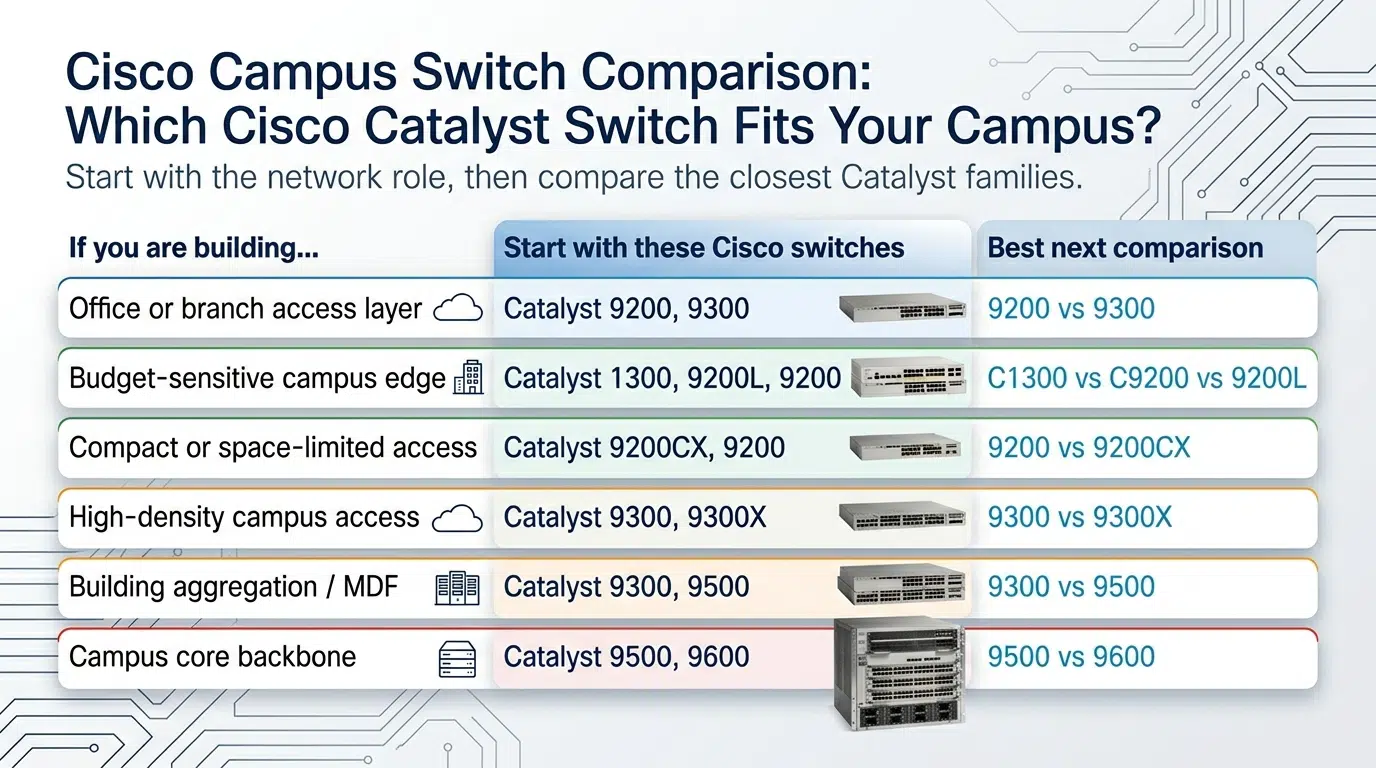
Map each series to the role it is expected to carry. Catalyst 9200 and 9300 cover most fixed enterprise access requirements. Catalyst 9400 adds chassis-based access or distribution. Catalyst 9500 handles fixed aggregation and core. Catalyst 9600 is the modular core option for larger campuses. Catalyst 1300 is included only as a small-site boundary because it belongs outside the main Catalyst 9000 campus decision.
| Cisco Catalyst series | Primary campus role | Best fit | Avoid when | Detailed comparison |
|---|---|---|---|---|
| Catalyst 1300 / 1300X | Small-site access, branch access, lightweight managed edge | Small office, lab, retail, branch, or simple edge closet | The design requires Catalyst 9000 campus feature depth, IOS XE feature alignment, Catalyst Center standards, or high-scale enterprise access | C1300 vs C9200CX vs 9200L |
| Catalyst 9200 / 9200L / 9200CX | Standard enterprise access | Controlled-cost access closets with common PoE, VLAN, endpoint, and uplink requirements | The closet needs stronger uplink, stacking, PoE, mGig, or campus feature headroom | C9200 vs C9300, 9200 vs 9200CX |
| Catalyst 9300 / 9300L / 9300X | High-capability fixed access, small distribution, collapsed designs | Access closets needing more growth headroom, uplink flexibility, resiliency, PoE, or mGig options | The design needs chassis-based line-card flexibility, modular supervisors, or a larger aggregation role | C9300 vs C9400, C9300 vs C9500 |
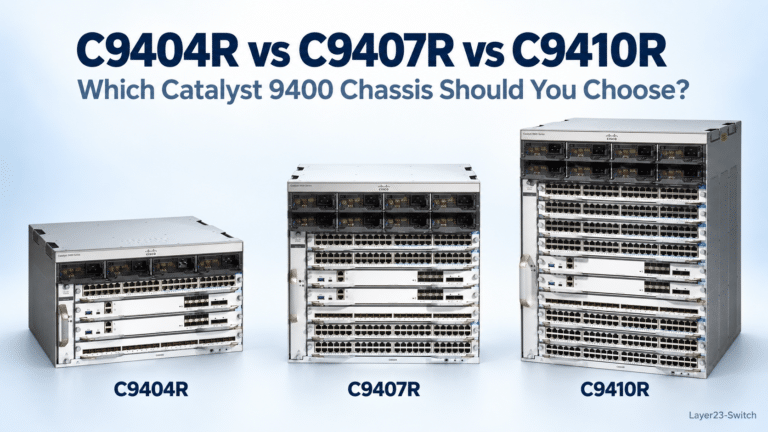
| Catalyst 9400 | Modular access or distribution | Large wiring closets, building aggregation, high port density, or long-life modular access | A fixed switch provides enough ports, uplinks, resiliency, and replacement simplicity | C9300 vs C9400, C9400 vs C9600 |
| Catalyst 9500 | Fixed distribution or core | High-speed fixed aggregation, distribution, or core without chassis complexity | The core needs modular line-card growth, chassis expansion, or a longer backbone upgrade runway | C9300 vs C9500, C9500 vs C9600 |
| Catalyst 9600 | Large campus core or major aggregation | Modular core, chassis resiliency, supervisor planning, and long-term backbone expansion | A fixed core platform satisfies the design with simpler ordering and replacement | C9500 vs C9600, C9400 vs C9600 |
Once you have narrowed the shortlist to two to four exact Product IDs, use the Cisco switch comparison tool to compare ports, PoE, uplinks, stacking, performance, software tier, and power side by side.
How Cisco Catalyst Switches Fit Campus Roles
Campus designs are easier to validate when each switch is tied to a role. Before comparing exact SKUs, confirm where the switch will sit and which failure or growth risk it must absorb.
| Campus role | What it connects | Main buying risk |
|---|---|---|
| Access | Users, phones, cameras, APs, printers, door controllers, local endpoints | Understated PoE load, mGig demand, uplink speed, or closet growth |
| Distribution | Access closets, building blocks, policy boundaries, routed aggregation | Insufficient routing scale, redundancy model, uplink mix, or modular growth |
| Core | Buildings, distribution blocks, data center edge, WAN edge, large campus zones | Limited backbone growth, disruptive upgrades, or weak resiliency planning |
| Collapsed core | Smaller campuses combining distribution and core functions | Treating a small design as simple when routing, redundancy, and uplinks still need validation |
An access switch with the right port count can still be undersized if the AP refresh moves from 1G to mGig or if cameras and access points push PoE budgets beyond the original assumption. Document port density, PoE budget, uplink path, endpoint mix, and spare capacity before selecting the family.
Distribution and core decisions should be judged by aggregation scale, maintenance windows, routing requirements, optics plan, and future upgrade path. The question is not only whether the switch can pass traffic on day one; it is whether the design can grow without forcing an early replacement.
Cisco Catalyst Access Switch Comparison
Access switching is where most Catalyst projects begin because it touches users, phones, cameras, wireless access points, printers, door controllers, and local devices. The access decision is not simply 24 ports versus 48 ports.
Confirm these items before choosing an access family:
- Port count and spare capacity
- PoE class, total PoE budget, and reserve margin
- 1G, mGig, or higher-speed endpoint requirements
- Uplink speed and fiber distance
- Stacking or standalone operation
- License tier and management model
- Rack depth, power supply, airflow, and spare-unit policy
| Access choice | Use it when | Watch for |
|---|---|---|
| Catalyst 9200 | The closet needs standard enterprise access, predictable uplinks, common PoE requirements, and controlled cost | Growth beyond the original port, PoE, or uplink plan |
| Catalyst 9300 | The closet needs stronger uplinks, more resiliency, richer PoE or mGig options, or a longer standardization cycle | Using it as the default answer when a lower access family already satisfies the requirement |
| Catalyst 9400 | The building access layer benefits from modular line cards, centralized power planning, longer chassis life, or high port density | Treating chassis access as a simple fixed-switch upgrade |
| Compact access | The site has wall-mount, shallow-rack, classroom, retail, or space-constrained requirements | Quoting a rack-mount switch before confirming physical installation limits |
Cisco Catalyst Distribution Switch Comparison
Distribution switching starts where access closets need to be aggregated, routed, segmented, or connected into the larger campus. The decision normally sits between Catalyst 9300, Catalyst 9400, and Catalyst 9500.
| Distribution choice | Use it when | Watch for |
|---|---|---|
| Catalyst 9300 | The design is small enough for fixed aggregation and benefits from access-family standardization | Pushing a fixed access platform beyond its routing, uplink, or resiliency boundary |
| Catalyst 9400 | Building aggregation needs modular line-card growth, high port density, or chassis-based lifecycle planning | Missing chassis components in the BOM, including supervisors, line cards, power supplies, fan trays, and support |
| Catalyst 9500 | The project needs high-speed fixed distribution or aggregation without chassis complexity | Selecting a fixed platform when the growth plan requires modular expansion |
For procurement teams, the distribution decision should be tied to uplink speed, routing requirements, redundant topology, rack space, optics, and maintenance expectations. A fixed platform is usually easier to quote and replace; a modular platform may reduce future migration risk when growth is expected.
Cisco Catalyst Core Switch Comparison
Campus core selection is usually a Catalyst 9500 versus Catalyst 9600 decision. The right choice depends on whether the core should remain a fixed high-speed layer or become a modular backbone with chassis-level growth.
| Core choice | Use it when | Watch for |
|---|---|---|
| Catalyst 9500 | The campus needs fixed core or aggregation with high-speed switching and simpler replacement | Future growth that may require line-card flexibility or chassis-level expansion |
| Catalyst 9600 | The campus needs modular core growth, supervisor planning, chassis resiliency, and a longer backbone runway | Chassis BOM complexity, lead time, support coverage, and higher replacement planning effort |
Do not select the core only by present-day port count. Buyers should evaluate future backbone speed, uplink fan-in, redundant topology, maintenance windows, optics plan, software release, support coverage, and the disruption caused by a future capacity upgrade.
Fixed vs Modular Cisco Catalyst Switches
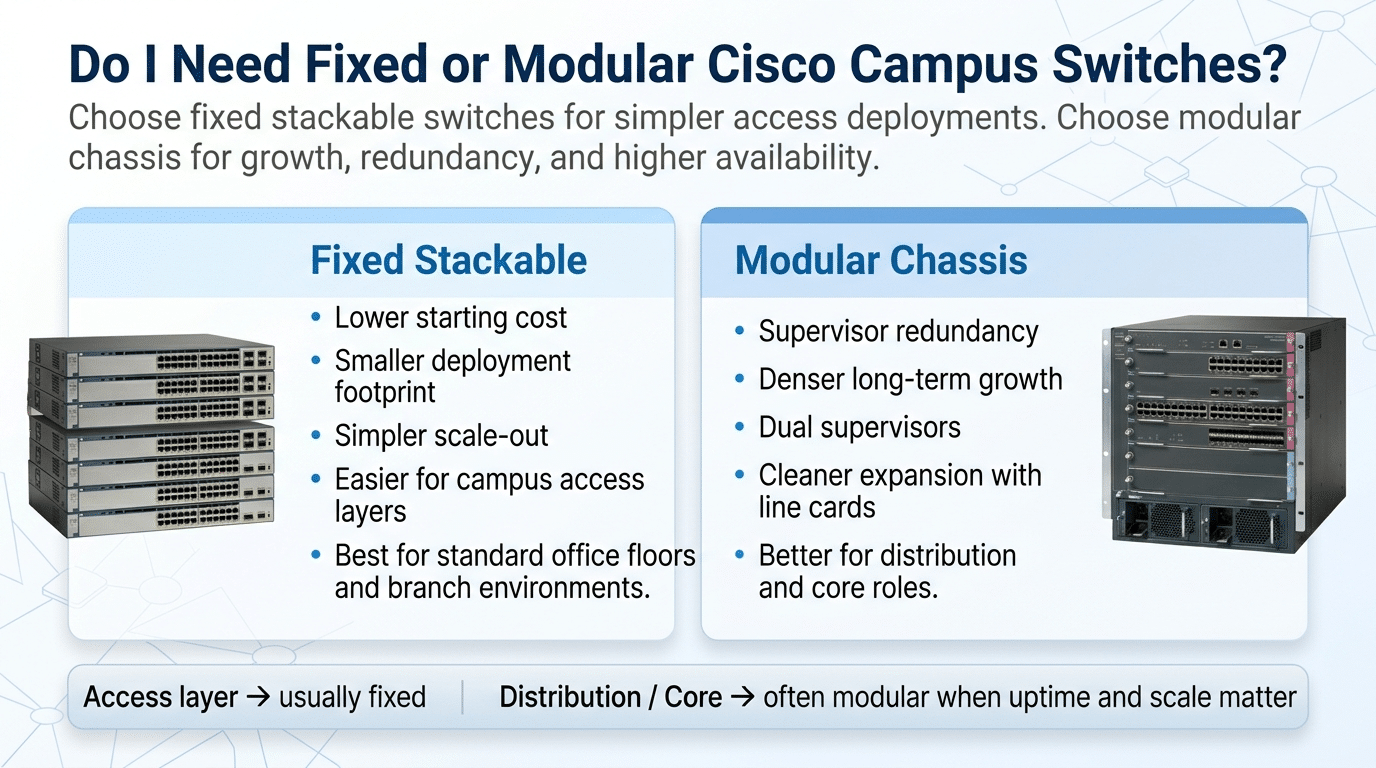
Fixed and modular platforms solve different buying problems. Fixed switches are easier to standardize, quote, ship, rack, replace, and keep as spares. Modular switches are better when the design benefits from line-card flexibility, centralized chassis planning, supervisor options, power design, and a longer expansion runway.
| Decision point | Fixed Catalyst switch | Modular Catalyst chassis |
|---|---|---|
| Ordering | Fewer hardware components in the BOM | Chassis, supervisors, line cards, power supplies, fan trays, optics, software, and support must all be validated |
| Replacement | Usually replaced as a complete unit | Replacement may involve chassis parts, line cards, supervisors, or power components |
| Growth | Best when port and uplink needs are predictable | Stronger when line-card changes or long-term expansion are expected |
| Operations | Easier to standardize across many closets | Better for centralized large-closet or backbone planning |
Modular should not be treated as an automatic upgrade. A chassis can be the right decision for a building or core that will grow over several refresh cycles. It can also add unnecessary cost and complexity if a fixed switch already satisfies the role, uplink plan, redundancy requirement, and replacement policy.
Cisco Catalyst Selection by Deployment Scenario
The same switch can be reasonable in one campus and poor in another. Match the platform to the site pattern before comparing exact SKUs.

| Deployment scenario | Better starting point | Why it fits |
|---|---|---|
| Small office, retail site, lab, or lightweight branch | Catalyst 1300 / 1300X | Lower-complexity managed access where full Catalyst 9000 campus standardization is not required |
| Standard enterprise access closet | Catalyst 9200 | Balanced access choice for controlled budgets and common endpoint requirements |
| Higher-density access with stronger growth requirements | Catalyst 9300 | More headroom for demanding access, uplinks, resiliency, and standardization |
| Compact or space-limited access | Catalyst 9200CX or another compact access choice | Better fit where rack depth, mounting, or physical footprint is a constraint |
| Large building access closet | Catalyst 9300 or 9400 | Fixed access works when requirements are defined; modular access helps when line-card growth matters |
| Building distribution | Catalyst 9400 or 9500 | Choose modular distribution for chassis growth; choose fixed distribution for simpler aggregation |
| Small collapsed core | Catalyst 9300 or 9500 | Depends on routing scale, uplink speed, redundancy, and future growth |
| Midsize campus core | Catalyst 9500 | Fixed high-speed core without chassis complexity |
| Large campus core | Catalyst 9600 | Modular core for long-term backbone growth and chassis-level planning |
When the project is still comparing the wider Catalyst 9000 family, use the Cisco Catalyst 9000 Series comparison to validate family boundaries before narrowing down to a specific 9200, 9300, 9400, 9500, or 9600 decision.
Procurement and Bid Checklist for Cisco Catalyst Switches
A Catalyst comparison becomes quote-ready only when the project team can describe the required role, feature set, and complete bill of materials. Series names are not enough for a bid. A request that says “Catalyst 9300 or equivalent” can still be ambiguous if it omits port speed, PoE class, uplinks, license tier, optics, power, airflow, support, and delivery deadline.
Confirm these items before requesting pricing or approving a substitution:
- Campus role: access, distribution, core, collapsed core, branch access, or small-site edge.
- Switch family and exact SKU, including compact, fixed, modular, PoE, mGig, uplink, and license variants.
- Required software behavior, management model, and standard image requirements.
- License tier and subscription requirements for the features in the design.
- Port count, port speed, copper versus fiber, and expected day-one utilization.
- PoE, PoE+, UPOE, or higher-power endpoint load with reserve margin.
- Uplink speed, transceiver type, fiber distance, and spare optics plan.
- Stacking, chassis redundancy, supervisor, line-card, or dual-homing requirements.
- Power supplies, fan modules, airflow direction, rack depth, and power-feed design.
- Software release, feature compatibility, and any integration with monitoring or automation tools.
- Warranty, Smart Net or support coverage, replacement SLA, and spare-unit policy.
- Stock status, lead time, shipping destination, acceptable substitutions, and project delivery date.
Layer23-Switch can help procurement teams check stock, compare compatible alternatives, validate optics and power supplies, review license requirements, and prepare a cleaner quote request before a Catalyst BOM is locked for purchase.
Common Cisco Catalyst Switch Selection Mistakes
| Mistake | Why it matters | Safer check |
|---|---|---|
| Buying by port count alone | A 48-port switch can still fail the uplink, PoE, mGig, or management requirement | Validate port type, PoE budget, uplink path, license tier, and endpoint growth |
| Making Catalyst 9300 the default answer | A strong access switch does not replace modular access, distribution, or core platforms | Confirm whether the role is access, distribution, core, or collapsed core before quoting |
| Treating modular as automatically better | Chassis systems add BOM, support, and replacement complexity | Use modular only when line-card growth, chassis resiliency, or long refresh cycles justify it |
| Substituting small-site switches into campus standards | A lower hardware price can create management or feature gaps later | Require engineering approval before using small-site access gear in an enterprise access standard |
| Leaving substitutions vague in bids | Similar-looking switches may not match software, optics, license, or support requirements | Define acceptable substitutes by role, port type, PoE budget, uplink speed, software behavior, support, and delivery window |
FAQ: Cisco Catalyst Switch Comparison
Which Cisco Catalyst series is best for campus access?
Catalyst 9200 is usually the starting point for standard enterprise access. Catalyst 9300 is the stronger choice when the access closet needs more uplink headroom, PoE capacity, mGig options, resiliency, or long-term campus standardization.
How should buyers separate Catalyst access families?
Use Catalyst 9200 for standard enterprise access when cost control and common closet requirements matter. Use Catalyst 9300 when the access layer needs more headroom for uplinks, stacking, PoE, mGig, resiliency, or a longer campus standardization cycle.
Is Catalyst 9400 an access switch or a distribution switch?
Catalyst 9400 can be used for modular access or distribution, depending on the campus design. It is a stronger fit when the site benefits from chassis-based line-card flexibility, centralized closet design, and a longer growth cycle than a fixed switch can provide.
Which Catalyst series fits fixed distribution or core?
Catalyst 9500 is the usual fixed platform for distribution, aggregation, or core roles when the design needs high-speed switching without chassis complexity. Smaller collapsed designs may use a fixed access-family switch only after routing scale, uplinks, and resiliency have been validated.
When does a campus core need a modular Catalyst switch?
A campus core needs a modular Catalyst switch when chassis growth, supervisor planning, line-card flexibility, and a longer backbone expansion runway matter more than ordering simplicity. If a fixed high-speed core satisfies the design, a modular chassis may add unnecessary cost and operational complexity.
Which Cisco Catalyst switches are modular?
Catalyst 9400 and Catalyst 9600 are the main modular chassis platforms in this campus comparison. Catalyst 9400 is commonly evaluated for modular access and distribution, while Catalyst 9600 is evaluated for modular core and large campus aggregation.
What should procurement check before ordering Cisco Catalyst switches?
Procurement should confirm the exact SKU, license tier, port type, PoE budget, uplink modules, optics, power supplies, fan or airflow requirements, support coverage, software release, lead time, and acceptable substitutions. A Catalyst series name alone is not enough for a reliable quote or bid response.
Final Buying Takeaway
Use the series boundary before the SKU boundary:
- Choose Catalyst 9200 for standard enterprise access.
- Choose Catalyst 9300 for higher-capability fixed access and selected small aggregation roles.
- Choose Catalyst 9400 for modular access or distribution.
- Choose Catalyst 9500 for fixed distribution and core.
- Choose Catalyst 9600 for modular campus core and large aggregation designs.
- Keep small-site access decisions separate unless engineering has approved the platform boundary.
The safest buying process is to identify the campus role first, then decide fixed versus modular, then validate the exact SKU, license, optics, power, software, support, stock, and lead time. That sequence prevents a similar-looking Catalyst switch from entering the BOM as an unsuitable substitute.