
Cisco C9200L vs C9200CX: Compact vs Rack Access Switch Comparison
Choose Cisco Catalyst C9200L when the site needs a standard 24/48-port rack access switch, fixed uplinks, StackWise-80 stacking, and a conventional branch or office wiring-closet BOM. Choose Cisco Catalyst C9200CX when the site needs compact, fanless IOS XE access for a wall cabinet, classroom, clinic, retail back room, AP/camera edge, or other space-limited location.
The practical Cisco 9200 vs 9200CX decision is not a simple port-count comparison. C9200L and C9200CX belong to the same Catalyst 9200 family, but they solve different deployment problems. C9200L is the fixed-uplink closet access platform. C9200CX is the compact fanless access platform. Treating one as a direct substitute for the other can create wrong mounting hardware, wrong power assumptions, missing stack accessories, or a switch that does not fit the cabinet.
For broader Catalyst family positioning across access, distribution, and core platforms, use the Cisco Catalyst switch comparison. This comparison stays within the C9200L vs C9200CX access-layer boundary.
Cisco 9200 vs 9200CX: Quick Answer
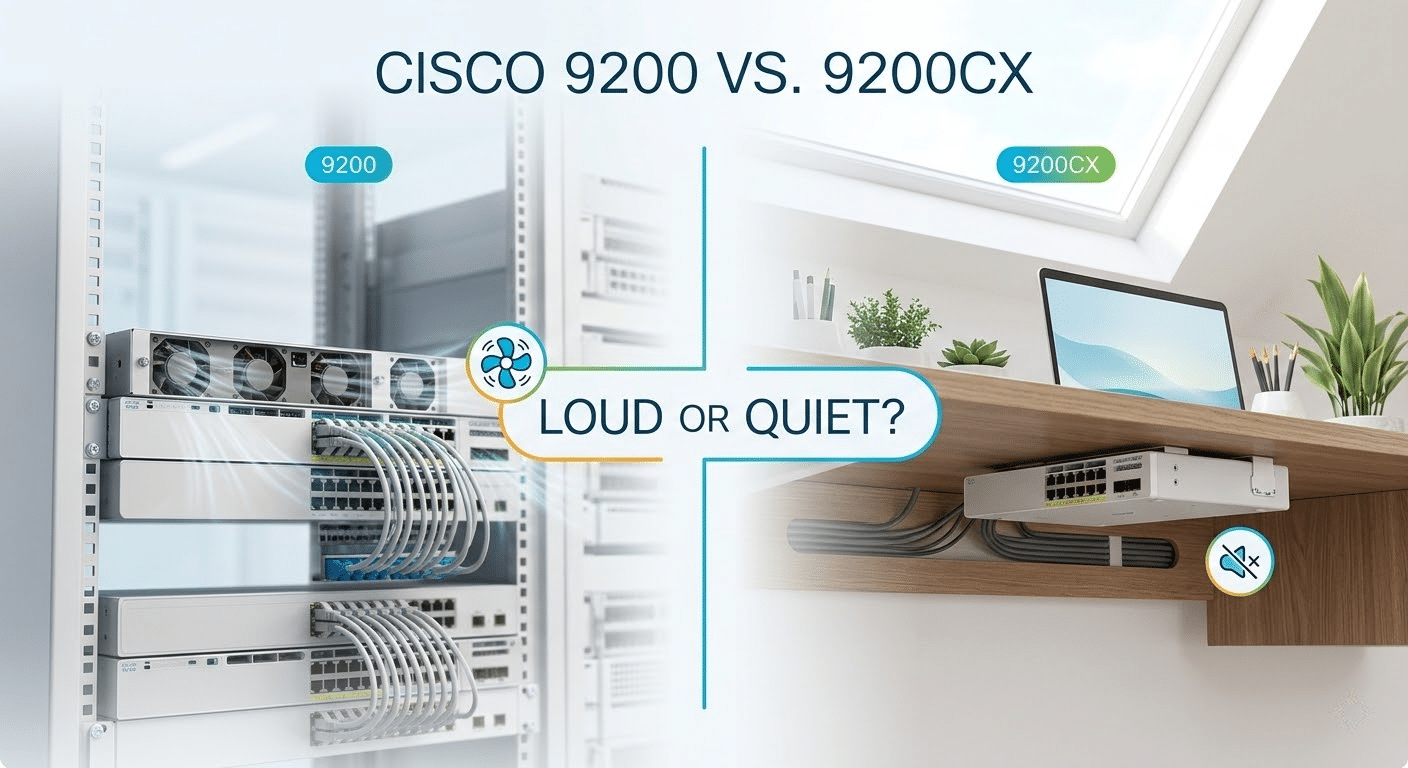
C9200L is the better fit for standard access closets. C9200CX is the better fit for compact fanless access. If the project requires 24/48 ports, rack installation, or StackWise-80, start with C9200L. If the project requires quiet operation, shallow mounting, wall placement, or a small local PoE edge, start with C9200CX.
| Requirement | Choose C9200L | Choose C9200CX |
|---|---|---|
| 24 or 48 access ports | Yes | No |
| 8 or 12 compact access ports | No | Yes |
| StackWise-80 access stack | Yes | No |
| Fanless operation | No | Yes |
| Standard branch wiring closet | Yes | Sometimes |
| Wall cabinet or shallow space | Usually no | Yes |
| AP, camera, or door-access edge | Sometimes | Yes |
| Large endpoint growth | Yes | Limited by compact port count |
| Simple rack-based spare standard | Yes | Only for compact deployments |
The first buying question should be the installation environment. A rack closet usually points to C9200L. A wall cabinet, quiet office, or small local edge usually points to C9200CX. Port count, PoE budget, uplinks, and license suffix should be validated after that physical boundary is clear.
C9200L vs C9200CX: Key Differences at a Glance
Cisco identifies the Catalyst 9200 family as including modular C9200, fixed C9200L, and compact C9200CX models. The C9200L and C9200CX share the IOS XE access-switch operating model, but Cisco lists different hardware boundaries for stacking, fan design, power design, and installation.
| Decision point | Cisco C9200L | Cisco C9200CX | Buying impact |
|---|---|---|---|
| Access role | Fixed-uplink rack access | Compact fanless access | Select by site type before comparing price |
| Typical port density | 24 or 48 access ports | 8 or 12 access ports on common PoE models | C9200CX is not a 24/48-port closet substitute |
| Uplink design | Fixed uplinks by SKU, commonly 4G or 4X | Fixed uplinks by SKU, such as 2X2G, 2XGH, or 2G depending on model | The uplink profile must be selected in the base PID |
| Stacking | StackWise-80 | Not available | Stack requirements usually move the decision to C9200L |
| Fan design | Fixed fans | Fanless | C9200CX fits quiet and occupied spaces better |
| Power design | C9200L power-supply family, model dependent | Internal supply, HVDC, external adapter, or PD-powered options depending on SKU | Power input must be checked by exact model |
| Mounting | Rack access closet | Desk, shelf, wall, DIN rail, magnet tray, or compact rack options depending on accessories | Mounting hardware should be included in the BOM |
| Best fit | Branch closet, office floor, structured cabling, access stack | Wall cabinet, small room, AP/camera edge, compact smart-building zone | Do not substitute without checking installation and growth |
The “CX” suffix is not just a smaller chassis label. It changes the deployment pattern. C9200CX should be evaluated as a compact edge access switch, while C9200L should be evaluated as a fixed-uplink access closet switch.
Popular C9200L and C9200CX Models Compared
Model-level comparison belongs near the top because many C9200L vs C9200CX decisions begin with a quote request or a short BOM review. Use this table after the deployment boundary is clear: C9200L belongs to rack access closets, while C9200CX belongs to compact fanless access. The PoE column refers to endpoint power output; compact data-only models that can be powered from an upstream switch still need separate source-power validation. Every line still needs validation against license suffix, optics, mounting, power supply, support coverage, stock, and acceptable substitutions.
|
Model |
Port and uplink profile |
Stack support |
Fan / form factor |
Default PoE output budget |
Switching / forwarding |
|---|---|---|---|---|---|
|
12 x 1G data; 2 x 10G SFP+; 2 x 1G copper uplinks; PD-powered option |
No StackWise |
Fanless compact |
None |
70 Gbps / 52.08 Mpps | |
|
8 x 1G PoE+; 2 x 10G SFP+; 2 x 1G copper uplinks; HVDC model |
No StackWise |
Fanless compact |
240W |
60 Gbps / 44.64 Mpps | |
|
12 x 1G PoE+; 2 x 10G SFP+; 2 x 1G uplinks |
No StackWise |
Fanless compact |
240W |
68 Gbps / 50.59 Mpps | |
|
24 x 1G data; 4 x 1G fixed uplinks |
StackWise-80 |
Rack access switch |
None |
56 Gbps / 41.67 Mpps standalone | |
|
24 x 1G data; 4 x 10G fixed uplinks |
StackWise-80 |
Rack access switch |
None |
128 Gbps / 95.23 Mpps standalone | |
|
48 x 1G data; 4 x 10G fixed uplinks |
StackWise-80 |
Rack access switch |
None |
176 Gbps / 130.95 Mpps standalone | |
|
24 x 1G PoE+; 4 x 10G fixed uplinks |
StackWise-80 |
Rack access switch |
370W |
128 Gbps / 95.23 Mpps standalone | |
|
48 x 1G PoE+; 4 x 10G fixed uplinks |
StackWise-80 |
Rack access switch |
740W |
176 Gbps / 130.95 Mpps standalone |
Use the Cisco switch model comparison tool to review the recorded specifications of your shortlisted C9200L and C9200CX models.
Layer23-Switch can help buyers check stock, validate the license suffix, confirm optics and mounting accessories, review PoE headroom, and compare acceptable substitutions before the quote is finalized.
Where Cisco C9200L Fits in Enterprise Access
C9200L fits branch and office wiring closets where the access design is already built around 24 or 48 ports, structured cabling, rack space, fixed uplinks, and possible StackWise-80. It is usually the cleaner choice when the site has desks, phones, printers, APs, cameras, and other endpoints landing in a central closet.
The procurement advantage is standardization. A team can build repeatable C9200L access BOMs around 24-port or 48-port models, fixed 10G uplinks, power supplies, stack kits, optics, support coverage, and spare-unit strategy. That is harder to do with a compact switch if the site is expected to grow.
Use C9200L when the project includes:
- 24 or 48 access ports in one closet.
- A standard rack, patch panels, and structured cabling.
- A StackWise-80 access stack requirement.
- Predictable PoE+ demand across many endpoints.
- A branch or office standard that favors repeatable rack access.
- A spare strategy that depends on common 24/48-port switch models.
Common C9200L starting points include C9200L-24P-4X-E for 24-port PoE+ access with four 10G fixed uplinks and C9200L-48P-4X-E for 48-port PoE+ closets. Buyers can also review the broader Cisco Catalyst 9200 switch category before narrowing the BOM.
Where Cisco C9200CX Fits in Compact Access
C9200CX fits places where a normal rack switch is physically or acoustically wrong. It is fanless, compact, and designed for local access use in small spaces. Typical locations include wall cabinets, classrooms, clinics, retail back rooms, security cabinets, smart-building areas, AP/camera edges, and small office technology zones.
The procurement advantage is placement flexibility. A C9200CX can put IOS XE access closer to a small group of endpoints without forcing a full rack closet. That matters when a site needs corporate switch behavior in a quiet or space-limited location.
Use C9200CX when the project includes:
- A small number of endpoints near the switch.
- A fanless requirement in an occupied or quiet area.
- Wall, shelf, DIN rail, magnet tray, or shallow-space mounting.
- APs, cameras, door access, badge readers, or local office devices.
- A corporate IOS XE operating model in a compact site.
- No requirement for StackWise-80 closet stacking.
Representative C9200CX models include C9200CX-8P-2XGH-E and C9200CX-12P-2X2G-E. Confirm the exact power input, uplink mix, PoE budget, and mounting accessories before ordering, because the C9200CX family includes AC, HVDC, external-adapter, and PD-powered design differences depending on the PID.
Port Density and Uplink Planning
Port density usually decides whether the conversation stays with C9200CX or moves to C9200L. A compact switch is useful only when the endpoint count is genuinely compact. If the room already has enough devices to justify a patch panel and a rack, C9200L is usually the better starting point.
| Buying question | C9200L direction | C9200CX direction |
|---|---|---|
| Does the site need 24 or 48 access ports? | Strong fit | Poor fit |
| Does the site need 8 or 12 local access ports? | Usually excessive | Strong fit |
| Is the switch going into a standard rack closet? | Strong fit | Only if compact rack mounting is intentional |
| Is the switch going into a wall cabinet or room edge? | Usually poor fit | Strong fit |
| Does the uplink need 4 x 10G SFP+? | Use the correct 4X C9200L SKU | Check exact C9200CX uplink profile |
| Can the uplink profile change later? | No, C9200L uplinks are fixed by SKU | No, C9200CX uplinks are fixed by SKU |
C9200L and C9200CX are both fixed-uplink hardware paths. The uplink decision is made when the base switch is selected. A 4G model, 4X model, 2X2G model, 2XGH model, or 2G model should not be treated as a small accessory difference. It affects optics, distribution handoff, copper uplinks, spare units, and acceptable substitutions.
StackWise and Redundancy: The Hard Boundary
Stacking is the clearest line between C9200L and C9200CX. C9200L supports StackWise-80, while C9200CX does not provide stacking. If the project specification says “access stack,” “StackWise-80,” “single management plane for the closet,” or requires stack kit accessories, the decision should move to C9200L.
| Requirement | Recommended platform | Reason |
|---|---|---|
| StackWise-80 access stack | C9200L | C9200L is the fixed-uplink 9200 stack family |
| Compact standalone access | C9200CX | C9200CX is a fanless compact platform, not a stack member |
| Multiple switches managed as one closet stack | C9200L | Stack kit and cable planning belong here |
| Redundant uplinks from a compact edge switch | C9200CX, if topology supports it | Validate the exact design instead of assuming StackWise |
| Spare standard for many rack closets | C9200L | Easier to standardize across 24/48-port access closets |
Do not quote C9200CX as a substitute for a C9200L stack member. The switch may run the same general operating system family, but the hardware role is different. Stack kit, cable length, member count, and license level should be checked before a C9200L stack order is released.
PoE, UPOE, mGig, and Endpoint Planning
PoE planning should happen before price comparison. A compact switch with enough ports can still be wrong if the APs, cameras, or door controllers exceed the available power budget. A 48-port rack switch can also be wrong if the site only needs a few local endpoints and has no place for a rack.
C9200L is the safer starting point when the closet powers many phones, APs, cameras, badge readers, and desk endpoints. For example, Cisco lists C9200L-24P-4X with a 370W default PoE budget using the listed 600W supply and C9200L-48P-4X with a 740W default PoE budget using the listed 1KW supply. Power-supply changes can alter the available budget, so the final BOM should be reviewed against the actual endpoint load.
C9200CX is a strong fit for a smaller group of powered devices. Cisco lists common 8P and 12P compact models with fanless designs and 240W PoE budgets, while selected C9200CX UPOE/mGig models support higher-powered endpoint use cases. Do not generalize UPOE or mGig across every C9200CX PID; confirm the exact model before quoting.
For AP and camera projects, verify:
- Number of powered devices.
- Per-port PoE class.
- Total PoE budget and reserve margin.
- Wi-Fi 6, Wi-Fi 6E, or Wi-Fi 7 refresh expectations.
- mGig requirement on AP ports.
- Uplink speed back to the access or distribution layer.
- Whether the switch is centrally located or placed at the local edge.
Physical Installation: Rack Switch vs Fanless Compact Switch
The physical site often decides the platform faster than the feature list. C9200L belongs in a standard rack environment with structured cabling and enough space for service access. C9200CX belongs where a rack switch would create noise, depth, airflow, or mounting problems.
| Installation factor | C9200L | C9200CX |
|---|---|---|
| Standard 19-inch rack closet | Strong fit | Possible only with compact rack accessories |
| Wall cabinet | Usually poor fit | Strong fit |
| Desk, shelf, DIN rail, or magnet tray | Not the normal path | Supported with the correct accessories |
| Quiet occupied room | Check acoustic expectations | Strong fit because models are fanless |
| Cable bend radius and shallow depth | More space required | Better starting point |
| Central patch-panel environment | Strong fit | Usually too small |
Cisco’s C9200CX installation guide lists several optional mounting accessories, including compact rack brackets, desk mount, DIN rail mount, magnet tray, wall tray, power adapter bracket, and cable guide. Procurement should not assume these accessories are included by default; confirm the exact mounting kit on the quote.
C9200L vs C9200CX Selection Matrix
The right choice depends on the site pattern. Start with the location and endpoint count, then validate power, uplinks, and accessories.
| Deployment scenario | Recommended platform | Reason |
|---|---|---|
| 24/48-port branch wiring closet | C9200L | Better port density, rack fit, and StackWise-80 planning |
| Wall cabinet with APs or cameras | C9200CX | Compact fanless hardware fits local edge access |
| Quiet classroom, clinic, or occupied room | C9200CX | Fanless design avoids switch-noise problems |
| Standard office floor access | C9200L | Cleaner closet BOM and higher endpoint capacity |
| Small smart-building zone | C9200CX | Local PoE access without a full rack switch |
| Multi-switch access stack | C9200L | C9200CX does not provide StackWise stacking |
| Few endpoints under a corporate IOS XE standard | C9200CX | Compact Catalyst access without leaving the corporate operating model |
| Rapid endpoint growth expected | C9200L | More ports and easier rack-based expansion |
If the project is comparing C9200L against the 9300 family for larger access closets, use the Cisco C9200 vs C9300 comparison. If the project still includes small-site C1300 as an option, keep that decision separate from this C9200L vs C9200CX comparison.
Procurement and BOM Checklist
A correct C9200L vs C9200CX decision should end in a quote-ready bill of materials. The phrase “Cisco 9200 compact switch” is not precise enough for ordering, and “C9200L or equivalent” can create a bad substitution if the physical installation or stacking requirement is missing.
Confirm these items before placing the order:
- Exact switch SKU and license suffix.
- Required access role: rack closet or compact local edge.
- Port count and expected endpoint growth.
- PoE class, total PoE budget, and reserve margin.
- Uplink speed, optics, copper uplink needs, and fiber distance.
- StackWise-80 requirement and stack accessory plan.
- Mounting method: rack, wall, shelf, desk, DIN rail, or magnet tray.
- Power input: AC, HVDC, external adapter, PD-powered option, or PSU plan.
- Fanless or acoustic requirement.
- Cabinet depth, airflow clearance, and cable bend radius.
- IOS XE release and support policy.
- Warranty, stock, lead time, destination, and approved substitutions.
The most common ordering mistakes are avoidable: buying C9200CX for a closet that needs 24/48 ports, buying C9200L for a location that needs fanless compact installation, omitting the C9200L stack kit, forgetting the C9200CX mounting accessory, or assuming a PoE budget without checking the exact PID.
FAQ: Cisco C9200L vs C9200CX
What is the main difference between Cisco C9200L and C9200CX?
C9200L is a fixed-uplink rack access switch for standard 24/48-port closets and StackWise-80 planning. C9200CX is a compact fanless access switch for small local edge deployments, wall cabinets, quiet rooms, AP/camera areas, and other space-limited locations.
Is C9200CX a replacement for C9200L?
No. C9200CX can replace a small local access requirement, but it should not be treated as a direct replacement for C9200L when the project needs 24/48 ports, StackWise-80, rack deployment, or a standardized branch closet BOM.
Should I choose C9200L or C9200CX?
Choose C9200L for branch wiring closets, office floors, rack access, 24/48 ports, and access stacking. Choose C9200CX for compact fanless access in wall cabinets, classrooms, clinics, retail back rooms, AP/camera edges, or small office technology areas.
Does Cisco C9200CX support stacking?
No. C9200CX does not support StackWise stacking. If the project requires StackWise-80, stack kits, or a multi-switch access stack, evaluate C9200L instead.
Is Cisco C9200CX fanless?
Yes. Cisco lists C9200CX compact models as fanless. That makes the platform useful in quiet rooms, occupied spaces, shallow cabinets, and local edge deployments where a normal rack access switch may create noise or installation problems.
Which is better for a branch wiring closet, C9200L or C9200CX?
C9200L is usually better for a branch wiring closet because it offers 24/48-port access models, StackWise-80, and a conventional rack-based BOM. C9200CX fits smaller local edge areas inside a branch, not the main closet when port density is high.
Which is better for APs, cameras, and wall cabinets?
C9200CX is usually better when a few APs, cameras, door controllers, or local endpoints need a compact fanless switch near the devices. C9200L is better when those endpoints land in a central rack closet with many other access ports.
Does C9200CX support PoE, UPOE, or mGig?
C9200CX includes PoE+ models, and selected C9200CX models support UPOE or mGig. The feature should be confirmed by exact PID before ordering because C9200CX power input, uplink mix, and endpoint-port capabilities vary by model.
Do C9200L and C9200CX use the same operating model?
Both are part of the Catalyst 9200 family and run Cisco IOS XE, so they can fit a Catalyst access operating model. The hardware roles are different, so stacking, mounting, power, port density, and accessory requirements must still be reviewed separately.
What should procurement check before ordering C9200L or C9200CX?
Procurement should confirm the exact SKU, license suffix, port count, PoE budget, uplinks, optics, StackWise requirement, mounting method, power input, fanless requirement, support coverage, stock, lead time, and acceptable substitutions before placing the order.
Final Buying Takeaway
Choose C9200L when the site looks like a normal access closet: rack space, structured cabling, 24 or 48 ports, fixed uplinks, and possible StackWise-80. Choose C9200CX when the site looks like a compact access edge: fanless operation, limited endpoint count, wall or shelf mounting, AP/camera devices, and no stack requirement.
The safest buying process is to define the physical installation first, then confirm endpoint count, PoE budget, uplinks, stacking, mounting hardware, license suffix, optics, support coverage, stock, and lead time. That sequence prevents a compact switch from being quoted into a full closet role, and prevents a rack access switch from being forced into a space where it does not belong.






