How to Select a Cisco Switch for Enterprise Networks
To select a Cisco switch, define its network role, count the connections it must support, and calculate the required power and uplink capacity. Then compare models that meet those requirements, including the software, redundancy and accessories needed to operate them.
A product name alone is an incomplete purchasing decision. Two 48-port PoE switches can provide different power budgets, require different uplink components, and support different operating arrangements. The useful comparison is between the configurations you would actually install.
This guide covers enterprise offices, branches and campus networks. It follows the decision from a site requirement to a model choice, with worked access and aggregation examples. Data center fabrics and industrial installations need a separate review of their traffic, environmental and platform requirements.
Define the Network Role and Deployment Requirements
Establish what the switch connects before choosing a series. At the access layer, it connects endpoints such as computers, phones, access points and cameras. At distribution, it brings access blocks together and may provide their routing and policy boundaries. A core connects distribution blocks and major network resources.
These are functions within the network. A small campus can combine distribution and core in one system; several buildings may benefit from separate distribution blocks joined by a core. Employee count alone cannot determine which architecture is appropriate.
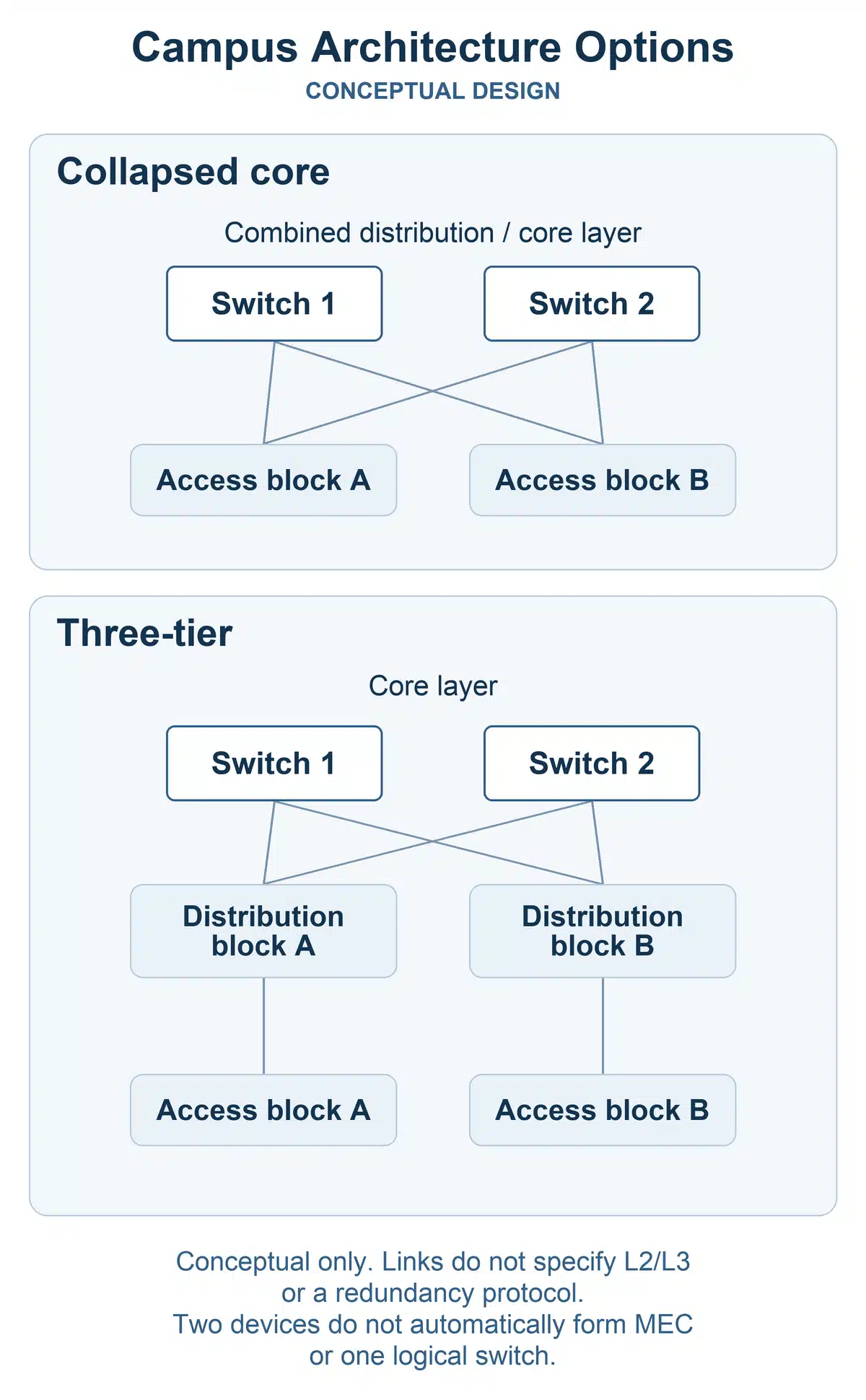
If the architecture is still undecided, resolve the collapsed-core versus three-tier design before counting backbone interfaces. Otherwise, a later topology change can invalidate the hardware shortlist.
For a replacement project, identify the limitation you are fixing. Running out of powered ports in one closet is different from congestion on a path shared by several buildings. The guide to prioritizing access and core upgrades helps separate those investments.
Establish the operating requirements alongside the topology. Record the configuration and monitoring tools, required authentication services, permitted maintenance windows, and any existing stacking standard. A branch with few employees may still need the same management and security capabilities as headquarters.
The first deliverable is a requirement for each location: its role, connections, essential services, expected additions and acceptable interruption. Mark requirements as mandatory or preferred. Mandatory items eliminate unsuitable models; preferences decide between models that already fit.
Determine Port Density, PoE Budget, and Uplink Capacity
Count physical connections and required speeds
For an access closet, use:
Required ports = current connections + committed additions + planned spare ports.
Count wired attachments, not just people. An AP consumes a switch connection while serving many wireless clients. Cameras, printers and building systems can add connections without adding employees. Count a phone and a computer according to their actual cabling arrangement.
Separate the inventory by copper or fiber, speed and power requirement. If eight APs need multigigabit connections, that does not automatically create a requirement for 48 multigigabit ports. Specify the endpoint interfaces and expected traffic, then confirm the installed cabling supports the intended speed and reach.
Spare capacity should have a reason. For example, four reserved ports for a planned room expansion are more useful to a buyer than an unexplained percentage. Keep those reservations visible so they are not counted again later.
At distribution or core, count access-facing, service, peer and upstream connections separately by speed. Reserve any inter-switch links before declaring the remaining ports available. The access switch selection guide develops the closet and endpoint planning in more detail.
Calculate power at the switch
PoE has two independent limits: what each port can supply and what the configured switch can supply in total. A high total budget does not compensate for an individual port that cannot power a required device.
Build the budget from the endpoint models and operating modes. Use allocations at the switch’s power sourcing equipment, or PSE, rather than mixing them with device-side consumption measurements. A wireless generation or camera category is not a power specification, and an idle power reading may understate the allocation needed for full operation.
Required PoE budget = the sum of the planned PSE allocations.
The access example below applies this calculation to APs and cameras. For a larger mixed inventory, use the PoE budget planning guide to organize the calculation.
Compare the result with the budget of the installed power supplies. A platform’s maximum supported budget may require an additional or larger supply. If powered devices must remain supported after a supply fails, calculate the remaining budget as well; the combined rating of two supplies does not answer that question.
Size the traffic paths that leave the switch
Uplink demand depends on traffic crossing the uplink. For an existing site, review busy-period utilization, bursts and drops. For a new site, estimate concurrent traffic from applications and endpoint behavior. Summing every downlink’s line rate produces a theoretical ceiling, not a forecast of normal demand.
Consider an illustrative access block with 8 Gbps of expected upstream traffic and two active 10G uplinks in a supported aggregation design. One surviving 10G link clears the basic capacity check, although bursts, protocol overhead and growth still need allowance. If the required traffic is 12 Gbps, the same design fails that check after a link loss. Faster uplinks or a different path arrangement are then justified.
Link aggregation distributes traffic across links; it does not normally turn a single flow into a 20G flow across two 10G members. A single application stream and many concurrent streams can therefore require different choices.
For routed aggregation, include route, neighbor and policy scale in the performance requirement. The largest switching-capacity figure is not a useful ranking when the constraint is an exhausted interface type, a policy limit or congestion on one path.
Choose the Right Cisco Switch Series and Form Factor
With the role and capacity defined, narrow the comparison to relevant families. The following table is a starting map for enterprise campus projects; individual variants differ within each series.
| Project requirement | Family to evaluate | Reason to consider another option |
|---|---|---|
| Fixed access for office or branch endpoints | Catalyst 9200 variants | The selected variant lacks required interfaces, power, services, scale or operating compatibility |
| Access with more demanding interface or service requirements | Catalyst 9300 variants | Another access configuration meets the same requirements with a better fit for the installed standard and cost |
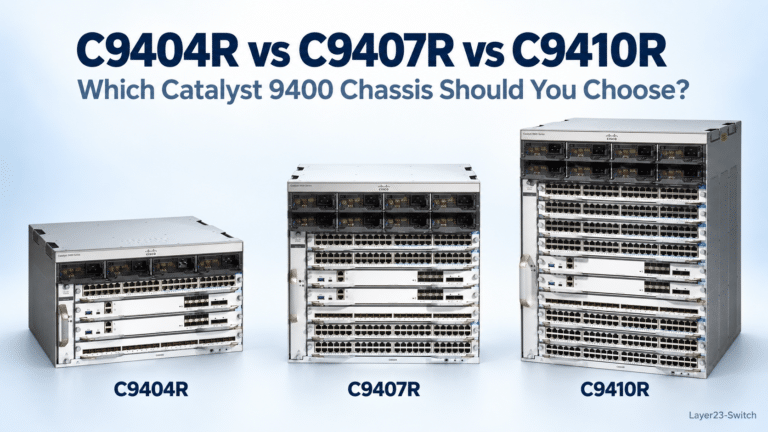
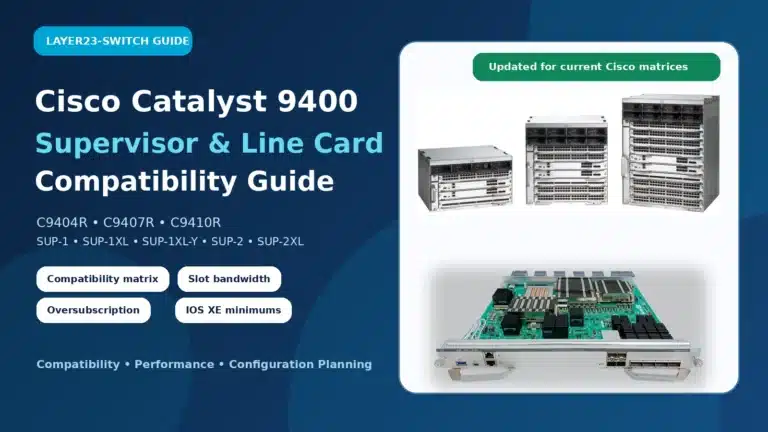
| Access with planned line-card expansion | Catalyst 9400 | Separate fixed switches better match the physical locations and expansion schedule |
| Fixed distribution or campus core | Catalyst 9500 variants | The connection plan or required resources exceed the appropriate fixed configuration |
| Modular campus core | Catalyst 9600 | A fixed system covers the defined capacity and maintenance needs without unused chassis expansion |
Current-platform evaluations should also include C9350 for access, C9550 for fixed aggregation/core, and C9610 for modular core where their capabilities fit. Their presence does not require an existing deployment to change series. For a broader comparison of the alternatives, see the Catalyst campus series guide.
Choose flexibility that the project will use
Fixed uplinks suit a deployment whose uplink requirements are established for its service period. Modular uplinks are valuable when a supported module change can accommodate a credible upgrade. Include the module needed on day one when comparing prices.
A modular chassis is useful when line-card expansion, component redundancy and maintenance arrangements justify it. It is less compelling when a bounded requirement already fits fixed hardware. Neither a particular employee count nor a fixed number of switches makes a chassis compulsory.
Within a family, compare the exact variants. Multigigabit capability, for example, is not exclusive to one series. Use the Catalyst 9000 port and power comparison when interface requirements are driving that distinction.
You can now enter one role’s port, speed, uplink and PoE requirements into the Cisco Switch Selector. Use its matches to build a shortlist, then compare the complete configurations in the following steps. Keep access and core requirements separate so the result remains relevant to one purchasing decision.
Evaluate Switching Features, Security, and Software Licensing
A hardware match still needs to support the intended network services. Specify where each service operates: an access switch forwarding VLAN traffic to upstream gateways has different routing needs from a switch hosting those gateways.
| Required behavior | What to establish before selecting the configuration |
|---|---|
| Forward VLAN traffic to upstream gateways | Required VLAN, spanning-tree and link-aggregation behavior; local routing may not be necessary |
| Provide gateways or routed uplinks | Routing protocols, route and neighbor scale, segmentation, and the relevant license tier |
| Authenticate and control endpoint access | Required 802.1X behavior, policy capacity, and integration with the identity system |
| Prioritize voice, video or other sensitive traffic | QoS classification, queuing and the expected congestion conditions |
| Distribute multicast applications | Required snooping or routing functions and multicast scale |
Choose a higher feature tier when a required capability or scale calls for it. Basic connectivity alone is not a reason to buy every available software feature. Conversely, a license upgrade cannot add a missing physical port or remove a hardware limit.
Management compatibility belongs in this review. On supported platforms, local, centralized and cloud arrangements can differ in configuration ownership and feature availability. Confirm how the team will configure, back up, upgrade and recover the selected model. Dashboard visibility alone does not establish that the required configuration work is available through that dashboard.
Identify the licensing offer used in the quote. Current eligible offers include Cisco Switching Essentials and Advantage through Cisco Networking Subscription; other applicable orders use Network and Cisco DNA terminology. The Network versus DNA licensing guide explains the latter structure. Evaluate the actual platform, offer and term together instead of treating all Cisco licenses as interchangeable.
Plan High Availability, Stacking, and Software Upgrades
Translate availability into specific failures the network must tolerate. This avoids purchasing a redundancy feature that protects the wrong part of the service.
| Required protection | Configuration implication | Remaining limitation |
|---|---|---|
| Loss of one power supply | Supported second supply and sufficient remaining power; independent feeds if feed failure is in scope | The local chassis and its ports can still fail |
| Loss of an uplink or upstream device | An alternate usable path with enough surviving capacity | Routing, gateway or aggregation behavior must support that path |
| Loss of a local switch | Appropriate alternative endpoint attachment or an accepted recovery procedure | A single-connected endpoint loses service with its local switch |
| Planned software maintenance | A supported upgrade path that fits the maintenance window | A feature name such as ISSU does not establish the interruption for every release change |
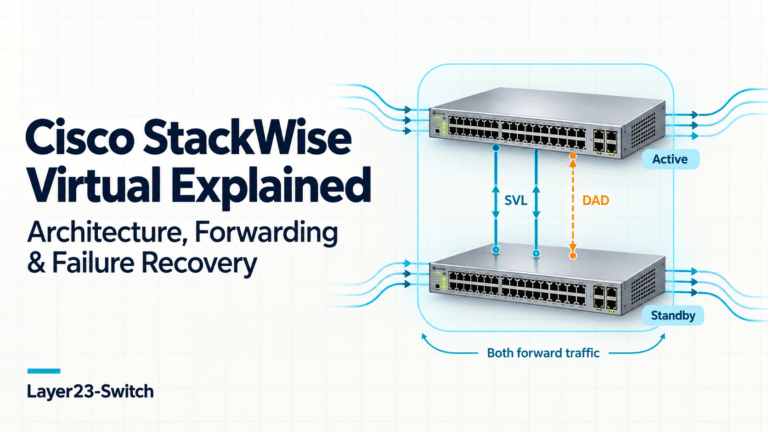
StackWise can suit access deployments that benefit from shared management and supported functions across members. StackWise Virtual can suit designs that need a logical system across two supported devices. Both introduce compatibility and interconnect requirements; neither makes every connected endpoint resilient to every device failure.
Independent devices can be appropriate when separate operating domains and the routing design meet the requirement. Two independent switches do not automatically support one multichassis EtherChannel. The design must provide that capability explicitly.
Use the StackWise versus StackWise Virtual comparison when choosing between those arrangements. Budget stack components or virtual-pair interconnects and detection links before finalizing usable interfaces.
The maintenance plan can resolve a close hardware decision. A site with an accepted reload window may not benefit from the same architecture as a critical backbone with tightly constrained interruption. Compare the supported procedure and service impact for the intended upgrade, along with the hardware cost.
Compare Switch Configurations: Access and Distribution Examples
The following examples use stated project assumptions and documented hardware specifications. They illustrate selection decisions, not measured customer deployments. Exact software, optics and the final commercial offer complete each configuration.
Office access: 48 ports with a 545W PoE requirement
An office already operates a Catalyst 9200 standard and needs a new standalone access switch. It has 40 current connections: 12 APs, 12 cameras and 16 unpowered endpoints. Four committed unpowered additions and four spare ports bring the total to 48. All endpoints use 1G. The design requires four 10G optical uplink interfaces, with two populated initially.
Assume each AP requires a 30W PSE allocation and each camera requires 15.4W. These are the example’s requirements, not universal device ratings:
(12 × 30W) + (12 × 15.4W) = 544.8W.
Round up to 545W for a whole-watt filter. This adds no growth allowance; the planned additions in this example are unpowered. The entire load must fit after either power supply is lost. VLANs, 802.1X, QoS and local IOS XE management are required; higher-speed downlinks are not.
| Configuration | Candidate A | Candidate B |
|---|---|---|
| Switch | C9200-48P-E | C9300L-48PF-4X-E |
| Four 10G uplink interfaces | C9200-NM-4X module | Fixed uplinks |
| Installed power supplies, total | 2 × PWR-C6-1KWAC | 2 × PWR-C1-1100WAC-P |
| Documented single-supply PoE budget | 740W | 890W |
| Documented combined PoE budget | 1440W | 1440W |
| Budget with one identical supply remaining | 740W, above 545W | 890W, above 545W |
Choose Candidate A for this project. It covers the specified ports, power and services while retaining the existing operating standard. Candidate B also passes these hardware checks, but the project does not require its additional available power. It becomes a stronger choice where an established C9300L standard or the fixed-uplink arrangement has greater operational value.
The similar C9300L-48P-4X-E illustrates why the suffix and supplied components matter. Its default 715W power supply provides a documented 505W PoE budget, below this requirement. Adding a larger secondary supply while keeping the smaller primary does not solve the stated failure case: losing the larger supply would leave only 505W.
Compare both complete quotes before making a cost claim. Candidate A needs its uplink module; both need the specified supply configuration and suitable optics. Two supplies means two installed in total, including any supplied with the base unit. The remaining-power figures establish a capacity condition, not a tested guarantee of uninterrupted PoE.
Campus aggregation: 24 or 48 lower-speed interfaces
A separate project retains an existing Catalyst 9500 standard and uses two independently routed aggregation devices. Its approved connection plan requires the following on each device:
- Eight 10G access-facing connections.
- Four 25G service connections.
- Four 25G connections reserved for committed growth.
- Two native 100G upstream or peer connections.
The requirement is therefore 16 usable 1/10/25G interfaces plus two native 100G interfaces per device. The four growth connections are already included in the 16.
| Interface allocation | C9500-24Y4C | C9500-48Y4C |
|---|---|---|
| Native 1/10/25G interfaces | 24 | 48 |
| Native 40/100G interfaces | 4 | 4 |
| Lower-speed interfaces left after the planned allocation | 8 | 32 |
| Native 40/100G interfaces left | 2 | 2 |
Choose the C9500-24Y4C hardware for this interface requirement. It accommodates the current links, committed growth and eight further lower-speed connections per device. The 48-port sibling adds density this plan does not use. It does not add more native 100G interfaces.
Choose the 48-port model if the approved plan needs that additional 1/10/25G density. If the constraint is more native 100G ports, a different feature or greater resource scale, compare a platform that addresses that requirement. A higher port count alone does not establish a suitable upgrade.
This example uses native optical interfaces, without breakout or StackWise Virtual. Routing and policy scale, software entitlement, transceiver compatibility and capacity after an upstream failure must also fit the design. Those conditions determine the final configuration; the arithmetic here resolves the interface-density choice.
For either example, use the Cisco comparison tool to examine the shortlisted models side by side. Record the required accessories alongside the chassis so a bare-switch price is not mistaken for the price of the design.
Evaluate Total Cost and Finalize the Bill of Materials
Compare quotes over the same operating period and scope. Separate the initial equipment cost from subscriptions, support renewals and planned expansion. A lower chassis price can be offset by an uplink module, power upgrade or different support arrangement.
A more capable model is worth paying for when it avoids a defined limitation or a credible replacement during the project period. If both configurations meet the requirements, weigh their complete cost, operational fit and expansion path. Unspecified future growth is a weak reason to buy unused capability today.
Turn the selected configuration into a bill of materials, or BOM:
| Quote item | Specify |
|---|---|
| Switch or chassis | Exact Product ID, quantity, location and approved alternatives |
| Expansion | Required uplink modules, supervisors or line cards |
| Power | Supply models and total quantities, power cords, feeds and surviving PoE requirement |
| Connections | Optics or supported cables at both ends, media, reach and spare quantities |
| Redundancy | Required stack components, interconnects and detection links |
| Software and service | Feature tier, management offer, subscription term and hardware replacement coverage |
| Delivery and installation | Required date, rack space, airflow, power capacity and migration work |
Hardware replacement coverage deserves an explicit line. Cisco Networking Subscription’s stated support excludes RMA benefits, so a subscription that includes support does not by itself specify the required replacement service. Apply the terms of the actual quoted offer.
Check lifecycle against the exact model and planned service period. The switch EOL migration guide can help identify replacement directions; it does not replace checking the selected equipment’s applicable dates. Use the overlooked selection parameters checklist to close any remaining installation or accessory gaps.
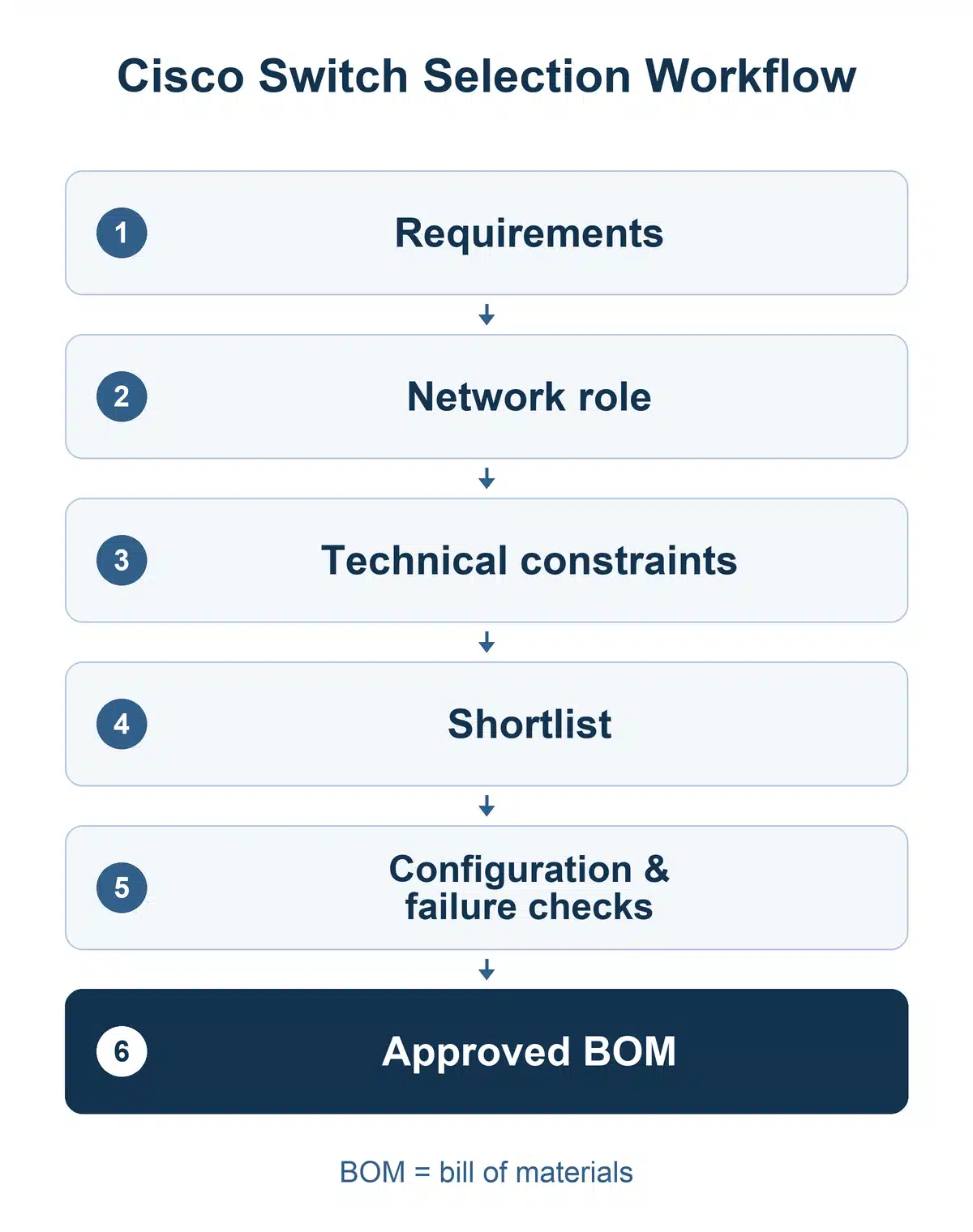
The recommendation sent for approval should name the configuration, show that it meets the mandatory requirements, and explain the deciding tradeoff. Include the change in requirements that would justify another model. Procurement can then compare equivalent quotes, and engineering can evaluate a proposed substitution without restarting the selection process.
Cisco Switch Selection FAQs
How do I choose a Cisco switch for a small branch?
Start with the branch’s connections, power needs and required network services. Its employee count does not determine the platform. A small branch integrated into a larger enterprise may need the organization’s management, authentication and support standard. An independently operated office may have a different set of requirements.
Can different series operate in the same network?
Yes. Different series can connect through supported Ethernet interfaces and network protocols. Membership in the same physical stack is a separate compatibility question: it requires an explicitly supported model combination, software and stacking hardware.
Should every access closet use the same model?
A small set of approved configurations can simplify operations without giving every closet identical capacity. Define separate profiles where loads differ materially, such as a standard office floor and a floor with many powered APs. Keep common management and service requirements consistent where practical.
Can existing optics and stacking cables be reused?
Reuse them when the exact component is supported by the new platform and intended configuration. Check transceiver type, speed, reach and software support for optical links. Evaluate stacking hardware separately; compatibility of an Ethernet optic says nothing about compatibility of a stack cable.
Is a 48-port switch better than two 24-port switches?
One 48-port unit can simplify a single-location deployment. Two 24-port units can serve separate locations or reduce the number of endpoints affected by one device failure, but require their own power and uplink planning. Neither arrangement keeps a single-connected endpoint online when its local switch fails. Compare the placement and failure requirements before choosing by port total.