Cisco Firepower License Guide: Essentials, Threat (IPS), Malware, and URL Filtering
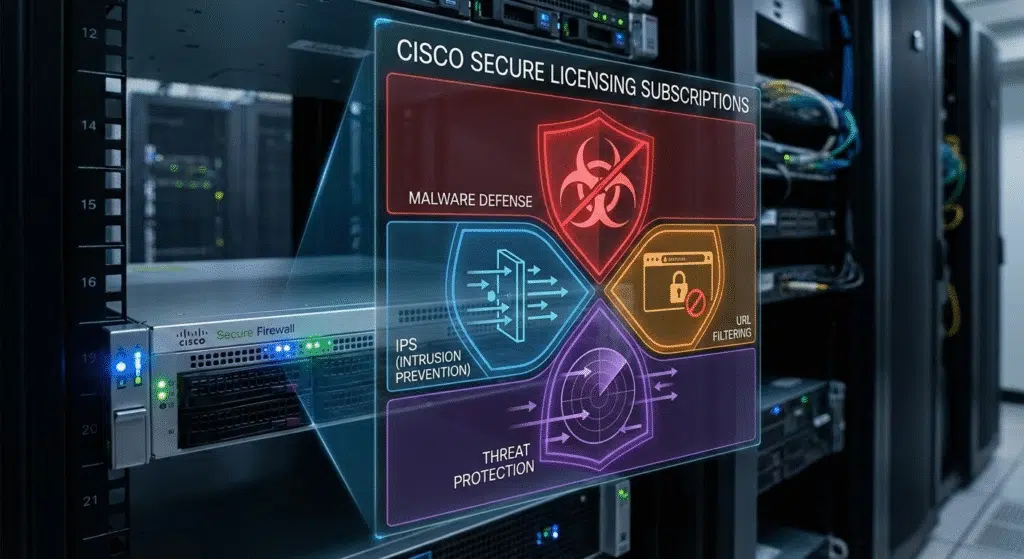
Cisco Firepower and Secure Firewall appliances running Firewall Threat Defense (FTD) software are licensed in two layers. The Essentials license, sold as Base, comes with the hardware and covers stateful firewalling, application control, routing, NAT, and site-to-site VPN. Threat (IPS), Malware, and URL Filtering are add-on 1-, 3-, or 5-year subscriptions sold as T, TC, TM, or TMC bundles, and every bundle includes Threat because the other two require it. Remote access VPN needs a separate Cisco Secure Client license.
This guide is for IT and procurement teams reviewing a firewall quote or planning a renewal. License names and part numbers follow Cisco’s Network Security Ordering Guide (July 2026) and the release 7.x documentation for Firewall Management Center and Firewall Device Manager.
Cisco Firepower License Types
Cisco Commerce uses the original license names. Since release 7.3, Firewall Management Center (FMC) and Firewall Device Manager (FDM) display newer names for the same licenses, and Cisco’s ordering guide notes that only the names changed. Part descriptions for newer models, such as the Secure Firewall 1200 and 200 Series, already use the IPS and Malware Defense names.
| Name in Cisco Commerce | Name in FMC and FDM 7.3+ | What it enables | Term |
|---|---|---|---|
| Base | Essentials | Stateful firewall, application and user control, routing, NAT, site-to-site VPN, high availability | Perpetual, included with the appliance |
| Threat (T) | IPS | Intrusion prevention, file-type blocking, Security Intelligence | 1, 3, or 5 years |
| Malware (M) | Malware Defense | Malware lookups and blocking for files crossing the firewall | 1, 3, or 5 years; requires Threat |
| URL Filtering (C) | URL or URL Filtering | Web filtering by category and reputation | 1, 3, or 5 years; requires Threat |
| Secure Client Advantage, Premier, or VPN Only | Same | Remote access VPN | Term or perpetual, depending on tier |
| Carrier | Carrier | GTP/GPRS, Diameter, and SCTP inspection for mobile networks | Optional add-on, not offered on every model |
Two rules settle most quotes: Essentials is already paid for with the hardware, and Threat is the entry point for Malware and URL Filtering.
One exception changes the whole table. Firepower and Secure Firewall hardware ships with either Threat Defense or ASA software, and the product ID tells you which: FPR3105-NGFW-K9 runs Threat Defense, while FPR3105-ASA-K9 runs ASA. On the newer Secure Firewall 1200 and 200 Series, Threat Defense PIDs end in -TD-K9 instead, such as CSF1210CE-TD-K9.
ASA software uses its own licenses: a free Base license, a free strong-encryption license, and paid add-ons for extra security contexts and Carrier inspection. T, M, and C subscriptions do not apply to it. If you are still choosing the software image, our ASA vs FTD comparison covers the trade-offs.
Essentials (Base) License Features Without a Subscription
Every Threat Defense appliance comes with a perpetual Essentials license. Cisco defines its scope as every feature the optional licenses do not cover, which includes:
- Stateful access control by IP address, port, protocol, and zone
- Application visibility and control, such as blocking a peer-to-peer file-sharing application whatever port it uses
- User-based rules, when the firewall receives user identity from a source such as Cisco ISE
- Static routing, OSPF, and BGP, plus NAT
- Site-to-site IPsec VPN
- High availability pairs and, on models that support it, clustering
- Vulnerability database (VDB) and geolocation database updates
Essentials does not include intrusion prevention, file blocking, Security Intelligence feeds, malware checks, URL category filtering, or remote access VPN.
Remote access VPN is the line most easily missed on a quote. It needs a Cisco Secure Client license (Advantage, Premier, or VPN Only, formerly AnyConnect Plus, Apex, and VPN Only), which is separate from both Essentials and the T, M, and C subscriptions.
Threat Defense Virtual is licensed differently. Since release 7.0, it uses performance-tiered licensing with six tiers, and its Essentials license is a subscription.
Threat, Malware, and URL Filtering Subscriptions (T, M, C)
Cisco’s part numbers abbreviate the three subscriptions as T, M, and C. Each one adds inspection that Essentials does not perform.
Threat License (T): IPS, File Control, and Security Intelligence
The Threat license turns on intrusion prevention (IPS). The firewall’s Snort engine compares traffic with intrusion rules written by Cisco Talos and drops packets that match a known attack, such as an exploit aimed at an unpatched web server. The same license includes two other controls. File control blocks files by type, such as every .exe download. Security Intelligence blocks IP addresses, domains, and URLs on Talos threat feeds, which the firewall refreshes automatically.
Cisco makes Threat a prerequisite for both the Malware and URL Filtering licenses, which is why every bundle starts with T.
Malware License (M): Network File Scanning for Known Malware
The Malware license checks files as they cross the firewall, including web downloads, email attachments, FTP transfers, and Windows file shares (SMB). The firewall calculates each file’s SHA-256 hash, and the hash is checked against Cisco’s AMP cloud, which records whether a file is clean or malicious. Files already identified as malware, such as known ransomware, are blocked before they reach the user. Eligible files can also be sent to Cisco Secure Malware Analytics for sandbox analysis.
This protection has a limit worth knowing before you buy. A file Cisco has never seen can get through the first time; if Cisco later classifies it as malware, FMC raises a retrospective alert so you can trace which hosts received it.
URL Filtering License (C): Talos Web Categories and Reputation Scores
Without this license, the firewall can still block URLs you list yourself, and the Threat license’s Security Intelligence feeds can already block known-malicious sites. What URL Filtering adds is Cisco Talos categories and reputation scores. One rule that blocks the Gambling and Adult categories then covers every site in them, including new domains once Talos classifies them. You can also block by risk, for example every site rated Questionable or Untrusted.
HTTPS Decryption and T, M, C Coverage
Encryption limits intrusion prevention and malware inspection. Without a decryption policy, the firewall can allow or block HTTPS sessions but cannot inspect their encrypted payload, so intrusion rules and malware checks see only unencrypted traffic. URL Filtering keeps working on HTTPS, because the firewall matches the domain name in the server’s certificate.
Decryption also belongs in the sizing. Cisco’s Secure Firewall 3100 Series data sheet (September 2024) lists 10 Gbps for firewall, application control, and IPS on the 3105, and 3.2 Gbps in its TLS test, which decrypts a 50% TLS 1.2 traffic mix.
T vs TC vs TM vs TMC: Firepower Bundle Selection
For most appliance series, Cisco’s ordering guide lists a subscription as a required part of a new Threat Defense order, so the practical decision is which bundle to buy.
| Bundle | Subscriptions | Typical fit |
|---|---|---|
| TMC | Threat, Malware, URL Filtering | Internet-edge firewall that decrypts web traffic and has no separate web security service |
| TC | Threat, URL Filtering | Web category control on a network that will not decrypt HTTPS |
| TM | Threat, Malware | URL filtering already handled by a cloud service such as Cisco Umbrella or Zscaler |
| T | Threat only | Data center or internal segmentation firewall that carries little user web traffic |
The expensive mistake is paying for a subscription the firewall cannot use. TMC on an internal firewall between server zones renews URL Filtering every term for traffic that never includes a browser session. Buying less is easier to fix: Cisco sells Malware (AMP) and URL as standalone subscriptions, so a firewall that starts with T or TC can add the missing piece later.
Endpoint security changes the Malware decision without settling it. An EDR agent such as CrowdStrike Falcon or SentinelOne scans files on the laptops and servers it is installed on. Malware on the firewall also checks files headed to devices that cannot run an agent, such as printers, IP cameras, and guest devices.
Cisco Firepower License SKU Format and Term Lengths
Firepower subscription part numbers follow one pattern. Take L-FPR3105T-TMC-3Y, a TMC subscription for the Secure Firewall 3105:
| SKU segment | Meaning |
|---|---|
| L- | À-la-carte license part number, also used for renewals |
| FPR3105 | Appliance model the subscription is built for |
| T | Threat Defense software |
| TMC | Bundle: Threat, Malware, and URL Filtering |
| 3Y | Term: 3 years (1Y and 5Y are also available) |
The same format runs across the Firepower 1000 and 4100 and the Secure Firewall 3100 and 4200 lines, for example L-FPR1120T-TMC-1Y. On some models, the same subscription ordered together with a new appliance appears without the L- prefix, such as FPR4215T-TMC, and the newer 1200 and 200 Series use a CSF prefix, such as CSF1210CET-TMC. In Cisco Commerce you select the subscription package first and then the term, which produces the -1Y, -3Y, or -5Y line.
Term length is mostly a budgeting decision. Cisco’s ordering guide says multi-year terms are discounted, and for most series it names the 5-year term as the one with the largest discount, so the cost per year falls as the term gets longer. A shorter term makes sense when budget rules cap commitments or the appliance will be replaced first, because each subscription is built for one model: a 3105 subscription is a different part number from a 3110 subscription.
Current firewall license part numbers are listed on our Cisco firewall licenses page.
Firepower High Availability Licensing
Each firewall in a high-availability pair needs its own subscription. Cisco’s licensing FAQ says every device should be licensed for every feature it uses, whether or not it belongs to an HA pair, and the ordering guide requires two subscriptions for an active/standby pair. Quoting one TMC subscription for two firewalls leaves the Smart Account short of entitlements, which shows as out of compliance once both units register.
HA bundles reduce the cost of the second unit. A bundle such as FPR3100-FTD-HA-BUN orders two identical appliances and two identical subscriptions, and Cisco applies a 50% discount to the second subscription, including at renewal. Cisco lists equivalent bundles for the Firepower 1000, 4100, and 9300 and the Secure Firewall 4200 and 6100 Series, and our Secure Firewall 3100 Series page lists the individual 3100 models.
Firewall Management Licensing: FDM, FMC, and Cloud-Delivered FMC
The management platform is licensed separately from the firewall’s features.
| Management option | What it manages | License required |
|---|---|---|
| Firewall Device Manager (FDM) | One firewall, from its own web interface | None |
| FMC hardware appliance (1700, 1800, 2700, 2800, 4700, 4800) | Multiple firewalls | None beyond the appliance |
| FMC Virtual (FMCv) | 2, 10, 25, or 300 firewalls, by license | One FMCv license sized to the device count |
| Cloud-delivered FMC in Cisco Security Cloud Control | Firewalls, from Cisco’s cloud | A Firewall Management subscription for each firewall |
FDM is included with Threat Defense on the Firepower 1000, 4100, and 9300 and the Secure Firewall 200, 1200, and 3100 Series. FMCv licenses do not stack: managing four firewalls requires the 10-device license, because Cisco does not accept two 2-device licenses for that job. An FMCv high-availability pair needs a second identical license, and the 2-device version does not support HA. Whichever option you choose, each managed firewall still needs its own Essentials license and subscriptions. For help choosing a manager, see our FDM vs FMC comparison.
Smart Licensing Registration and Air-Gapped Options
Threat Defense uses Cisco Smart Licensing. A new firewall runs in evaluation mode for up to 90 days before it is registered. On FDM, evaluation mode is treated like an account without export compliance, so remote access VPN and strong encryption stay unavailable until the firewall is registered to an account that allows export-controlled functionality.
To register, generate a product instance registration token in your Cisco Smart Account. Strong encryption depends on export-controlled functionality: if your account qualifies, Cisco must authorize it before you generate the token, and you must select the option when you create the token. Our Cisco Smart Licensing guide walks through Smart Accounts and tokens.
Registration also has to stay current. An FDM-managed firewall must reach Cisco, directly or through an HTTP proxy, at least every 90 days. An FMC that cannot reach Cisco Smart Software Manager for a year becomes unregistered and cannot deploy configuration changes for licensed features.
Networks without internet access need a different path. FMC-managed deployments can use Smart Software Manager On-Prem (formerly Satellite) or Specific License Reservation (SLR), and FDM-managed firewalls can use Permanent License Reservation (PLR). SLR licenses are term-based, and when a required license is missing or expired, device registration and policy deployment are blocked.
Firepower License Expiration and Out-of-Compliance Behavior
An expired subscription does not take the firewall offline. Cisco’s Secure Firewall licensing FAQ, updated in September 2026, says an expired service subscription shows as out of compliance in FMC and in the Smart Account, and Cisco sends renewal notices; the FAQ lists no other impact. The FMC administration guide adds that device operation is not affected in the out-of-compliance state.
The same FMC guide answers the usual worry about rule updates. It lists intrusion rule downloads (SRU and LSP) as an Essentials capability, while deploying policies that contain intrusion rules requires the IPS license to be enabled.
What lapses is the entitlement. The firewall keeps running features you no longer hold a license for, which is a compliance exposure. The software support that Cisco’s ordering guide bundles with each subscription, covering TAC access and software updates, also ends with the term; hardware coverage under Smart Net Total Care is a separate contract.
Disabling the license is what actually stops features. Cisco documents that a disabled Malware license stops cloud lookups and that policies using a disabled license’s features cannot be redeployed. A lapsed registration has a narrower effect: an unregistered FMC cannot deploy configuration changes for licensed features. If a renewal is running late, leave the expired license enabled and renew it rather than disabling it to clear the warning.
Cisco Firepower License FAQ
Does a Cisco Firepower firewall work without a subscription?
Yes. The perpetual Essentials license included with Threat Defense hardware covers stateful firewalling, application control, routing, NAT, site-to-site VPN, and high availability. Intrusion prevention, malware checks, and URL category filtering need the Threat, Malware, and URL Filtering subscriptions. For most series, Cisco’s ordering guide still lists a subscription as part of a new appliance order.
What does TMC mean in a Cisco Firepower license?
TMC is the bundle of all three subscriptions: T for Threat (IPS and Security Intelligence), M for Malware, and C for URL Filtering. A part number such as L-FPR3105T-TMC-3Y is a TMC subscription for the Secure Firewall 3105 with a 3-year term.
Can I buy the Malware or URL Filtering license without Threat?
Cisco sells Malware (AMP) and URL as standalone subscriptions so they can be added later, but both require the Threat license on the same firewall. That is why every bundle, whether T, TC, TM, or TMC, includes Threat.
Do both firewalls in a high-availability pair need licenses?
Yes. Cisco requires a subscription for each unit in an active/standby pair. HA bundles such as FPR3100-FTD-HA-BUN include two identical subscriptions with a 50% discount on the second, and the discount also applies at renewal.
Is remote access VPN included in the Firepower Essentials license?
No. Remote access VPN needs a Cisco Secure Client license (Advantage, Premier, or VPN Only), bought separately from Essentials and the T, M, and C subscriptions. Site-to-site VPN is included in Essentials.
What happens when a Firepower Threat (IPS) license expires?
Traffic keeps flowing and configured features keep running. Cisco marks the Smart Account and FMC out of compliance and sends renewal notices, and its licensing FAQ lists no other impact. The TAC access and software updates included with the subscription end with the term.
Does Firewall Management Center need its own license?
Physical FMC appliances need no separate management license. FMC Virtual is licensed by device count (2, 10, 25, or 300), and cloud-delivered FMC uses a per-firewall subscription. Managed firewalls still need their own feature licenses.