
Cisco Multimode vs Single-Mode Fiber: Cost, Distance, Optics, and Deployment Guide
Cisco multimode fiber (MMF) is typically deployed for short-distance links using SR (Short Reach) optics within data centers and campus wiring closets. Single-mode fiber (SMF) is the preferred choice for longer distances, inter-building campus links, and future high-speed upgrades. The correct architectural choice depends heavily on your existing cable plant, optics compatibility, total cost of ownership (TCO), and long-term scalability requirements.
Executive Summary
Choosing between multimode and single-mode fiber is no longer a rudimentary decision based solely on distance. In modern Cisco networks, infrastructure planners and data center architects must evaluate multi-million-dollar investments by comparing optics compatibility, existing legacy fiber plants, and the 5-to-10-year TCO. The historical assumption that multimode is universally cheaper is increasingly inaccurate. While multimode retains practical value in short-reach, high-density environments utilizing existing OM3 or OM4 infrastructure, standardizing on OS2 single-mode fiber is now the premier strategy to support 100G, 400G, AI data fabrics, and long-life campus backbones without future physical cabling replacements.
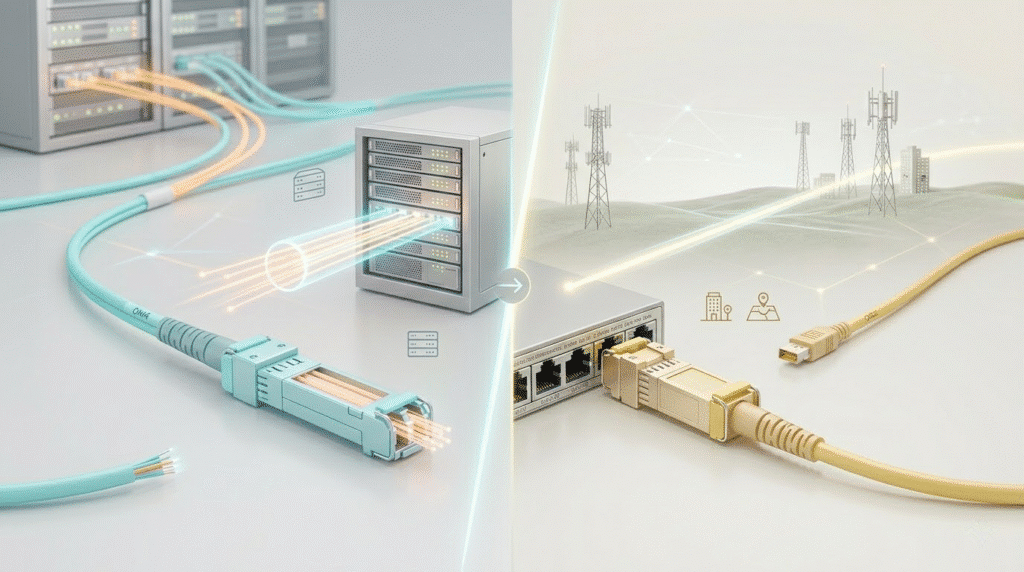
Quick Decision: Which Fiber Plant Do You Already Have?
Network architecture decisions should be driven by the physical reality of your current deployment. Use this quick triage matrix to guide your immediate procurement strategy:
- If you already have OM3/OM4: Keep utilizing multimode fiber and SR optics for short-reach, Top-of-Rack (ToR) connections if your bandwidth upgrade horizon is limited to 10G or short-distance 40G/100G.
- If you already have OS2: Standardize entirely on single-mode fiber and LR/DR optics where possible to unify your inventory and maximize bandwidth potential.
- If you are building a new backbone or inter-building link: Default strictly to OS2 single-mode fiber. It provides theoretically unlimited bandwidth and ensures the physical glass buried in conduits will never become the network bottleneck.
Cisco Multimode vs Single-Mode Fiber: Key Differences at a Glance
To facilitate rapid architectural decisions, refer to this definitive comparison matrix outlining the core technical and financial parameters.
| Technical Parameter | Multimode Fiber (OM3/OM4/OM5) | Single-Mode Fiber (OS2) |
| Core Size | 50 µm or 62.5 µm | 8 to 10 µm (Standard: 9 µm) |
| Typical Wavelength | 850 nm / 1300 nm | 1310 nm / 1550 nm |
| Typical Cisco Optics | SFP-10G-SR, QSFP-100G-SR4 | SFP-10G-LR, QSFP-100G-DR |
| Max Practical Reach (10G) | 300m to 400m | 10 km to 200+ km |
| Cable Cost Trend | Higher (Complex graded-index core) | Lower (Simple step-index core) |
| Optics Cost Trend | Historically Lower (Simple VCSELs) | Higher but rapidly dropping |
| Future Scalability | Limited (Modal dispersion constraints) | Theoretically Unlimited |
| Best-Fit Deployment | Intra-rack, short data center rows | Campus backbones, AI clusters, MANs |
What Is the Difference Between Multimode and Single-Mode Fiber?
Both fiber variants utilize total internal reflection to transmit data, consisting of a highly pure glass core surrounded by a glass cladding. The fundamental physical divergence lies strictly in their geometric dimensions.
- Single-Mode Fiber (SMF): Manufactured with a microscopic 9 µm core, SMF permits only a single spatial mode of light to propagate down the waveguide. Because light travels in a direct, unreflected path, SMF experiences negligible modal dispersion, granting it limitless bandwidth potential over vast distances.
- Multimode Fiber (MMF): Manufactured with a wider 50 µm or 62.5 µm core, MMF allows multiple distinct light rays (spatial modes) to propagate simultaneously at varying angles. This introduces a severe physical limitation known as modal dispersion.
- The Marathon Analogy: Think of modal dispersion like a marathon race. The light pulses start tightly grouped. Over a long distance, the “runners” spread out due to varying paths. When they reach the receiver, they overlap, creating intersymbol interference where the transceiver cannot distinguish a digital “1” from a “0”. This is why MMF distances are strictly capped.
OM1, OM2, OM3, OM4, OM5 vs OS1 and OS2 Explained
Enterprise networks frequently contain a hybrid mix of legacy cabling and modern high-speed backbones. Understanding ISO/IEC 11801 specifications is crucial for evaluating upgrade paths.
| Fiber Standard | Core/Cladding | Standard Jacket Color | Common Use Case | 10G Maximum Reach | Status in Modern Deployments |
| OM1 | 62.5/125 µm | Orange | Legacy LANs | 33 meters | Entirely Obsolete |
| OM2 | 50/125 µm | Orange | Legacy LANs | 82 meters | Entirely Obsolete |
| OM3 | 50/125 µm | Aqua | Short DC Rows | 300 meters | Functional but aging |
| OM4 | 50/125 µm | Aqua / Erika Violet | Dense ToR / Spine-Leaf | 400 meters | Dominant MMF Standard |
| OM5 | 50/125 µm | Lime Green | SWDM / BiDi Optics | 400 meters | Niche / BiDi specific |
| OS1 | 9/125 µm | Yellow | Indoor tight-buffered | 2 to 10 km | Replaced largely by OS2 |
| OS2 | 9/125 µm | Yellow | Outdoor / Modern DC | 10 to 200+ km | The Definitive Standard |
Note: OM1 and OM2 possess severe modal dispersion and are practically useless for modern switch-to-switch interconnects.
Distance and Bandwidth: Which Fiber Type Supports What?
The choice between MMF and SMF dictates where they are deployed within a Cisco architecture.
- Short Intra-Row / Rack-to-Rack: For distances under 10 meters linking servers to Top-of-Rack (ToR) switches, Direct Attach Copper (DAC) or Active Optical Cables (AOC) are almost exclusively deployed due to extreme cost efficiency.
- Data Center Row-to-Row: For links spanning 30 to 150 meters, OM4 multimode remains heavily utilized due to raw connection density.
- Campus Riser & Building-to-Building: Any fiber traversing between floors or running underground between buildings must exclusively utilize OS2 single-mode fiber. Unpredictable campus conduit paths can quickly stretch beyond 500 meters, instantly breaking OM4 bandwidth limits.
Cisco Optics Compatibility: SR, LR, LRM, BiDi, DAC, and AOC
The transceiver’s laser wavelength must perfectly match the deployed fiber plant. Mismatching results in immediate physical layer link failure.
- SR (Short Reach): Utilizes 850nm VCSEL lasers and pairs exclusively with OM3, OM4, or OM5 multimode cable plants.
- LR (Long Reach): Operates at 1310nm utilizing DFB lasers, designed strictly for OS1/OS2 single-mode fiber to drive traffic up to 10 kilometers.
- LRM (Long Reach Multimode): A legacy bridge technology operating at 1310nm. It pushes 10G over old OM1/OM2 up to 220 meters but explicitly requires a specialized Mode Conditioning Patch (MCP) cord to mitigate differential mode delay.
- BiDi (Bi-Directional) & SWDM: These specialized optics utilize Wavelength Division Multiplexing to transmit and receive data simultaneously over a single strand of fiber or duplex pair, invaluable for brownfield capacity upgrades.
- DAC/AOC: Fused transceiver assemblies providing “plug-and-play” connectivity for ultra-short distances, eliminating the need to maintain separate optical and patch cord inventories.
Single-Mode vs Multimode Cost in 2026: Cable Price, Optics Cost, and 5–10 Year TCO
The historical networking axiom was simple: single-mode fiber is vastly more expensive, and multimode is highly cost-effective. In 2026, this paradigm has fundamentally shifted.
- Cable Plant Cost: Single-mode OS2 fiber features a simple step-index core, costing approximately $0.06 to $0.10 per meter. OM4/OM5 multimode fiber requires a complex graded-index core, driving manufacturing costs up to $0.25 to $0.32 per meter—a 60% to 70% premium over single-mode glass.
- Optics Cost: Historically, 850nm VCSELs used in multimode SR optics were incredibly cheap to mass-produce, giving MMF its cost advantage. However, the immense purchasing power of hyperscale cloud providers has driven massive economies of scale for single-mode silicon photonics, causing the costs of single-mode transceivers to plummet.
- 5-10 Year TCO Outlook: Over a decade, single-mode fiber overwhelmingly prevails. If you deploy OM4 today, upgrading to 400G or 800G will require a complete replacement of the cable infrastructure. Standardizing on OS2 guarantees that the physical glass buried in conduits will never become the network bottleneck. Scaling an OS2 link from 10G to 800G requires only a hardware transceiver swap.
Why AI, Spine-Leaf, and 400G+ Networks Push Enterprises Toward OS2
The explosion of Artificial Intelligence workloads exposes the severe limitations of traditional multimode architectures.
Training frontier AI models requires synchronizing massive Graphics Processing Unit (GPU) clusters. Cisco’s advanced silicon photonics rely heavily on single-mode multi-rail open line systems to achieve 800G, 1.6T, and 3.2T optical throughputs. The ultra-low-latency, zero-loss requirements of AI data fabrics mandate the exclusive use of OS2 single-mode fiber.
The modal dispersion inherent in multimode fiber introduces unacceptable jitter and latency into a parallel processing environment, leading to massive financial losses due to GPU inactivity. For greenfield AI deployments, single-mode fiber is an architectural prerequisite.
Cisco Campus and Building Links: When Single-Mode Should Be Mandatory
For sprawling enterprise campus environments, the distribution and core layers represent the 24/7 fault-tolerant backbone.
- Inter-Building & Buried Plant: Mandatory OS2.
- Long Campus Risers: Strongly Preferred OS2.
Standardizing on OS2 single-mode fiber and utilizing 10GBASE-LR or 25GBASE-LR transceivers eliminates all distance anxieties and ensures the buried outside plant will comfortably outlast multiple generations of Cisco Catalyst hardware.
When Multimode Still Makes Sense in Modern Cisco Networks
While OS2 is the future, OM3 and OM4 possess undeniable operational value in specific scenarios:
- Existing OM3/OM4 Infrastructure: If your facility is fully cabled with OM4, leveraging existing glass with highly cost-effective 10G-SR or 25G-SR optics maximizes Capital Expenditure (CapEx) ROI.
- Dense Data Center Rows: For highly dense, short-reach intra-hall fabrics under 100 meters, multimode fiber still yields a 30% to 50% lower initial CapEx strictly due to current transceiver savings.
OEM vs Third-Party Cisco Optics: Cost, Support, and Operational Trade-Offs
Cisco original optics command exorbitant premiums; a branded 10G-LR transceiver can list between $1,00 and $3,00. Consequently, a massive market for third-party optical vendors has emerged, offering fully functional optics at fractions of the OEM cost.
- Cost Savings: A third-party 100GBASE-CWDM4 single-mode transceiver may cost $129, saving millions of dollars in massive scale deployments.
- Support Implications: Deploying non-OEM optics does not inherently void Cisco SmartNet hardware warranties. However, Cisco Technical Assistance Center (TAC) engineers will generally refuse to troubleshoot physical layer faults until the third-party optic is physically replaced with a verified OEM model. Operations teams must maintain a robust stock of OEM “spares” specifically for troubleshooting purposes.
- Compliance: Federal or highly regulated environments must adhere strictly to Trade Agreements Act (TAA) compliance, often forcing reliance on OEM suppliers.
Common Fiber Mistakes: Wrong Optics, Wrong Polarity, Dirty Connectors, and Legacy Cable Issues
The vast majority of fiber-related network outages stem from fundamental human errors.
- Mismatched Transceivers and Cores: Connecting a single-mode transceiver to a multimode cable plant is catastrophic. The 9-micron laser beam from an LR optic scatters wildly inside a 50-micron multimode core, causing severe data corruption. Conversely, plugging a multimode SR optic into a single-mode cable results in immediate link failure, as the wide 50-micron beam cannot penetrate the narrow 9-micron core and reflects off the cladding.
- Polarity and Rolling the Fiber: Optical links possess strict directional constraints (a dedicated transmit and receive strand). If a link fails to establish, the most frequent remedy is “rolling” the fiber—physically swapping the A and B strands within the plastic clip to align lasers with receivers.
- Contamination: A single speck of dust or oil from a fingerprint on an LC connector faceplate can cause massive insertion loss. Contamination often presents intermittently as slowly increasing Cyclic Redundancy Check (CRC) errors. Utilizing a one-click fiber cleaning pen prior to every insertion is a mandatory best practice.
How to Troubleshoot Cisco Fiber Links with DOM and CLI
Relying solely on physical LED port status indicators is insufficient. Network engineers must proactively leverage Cisco’s Digital Optical Monitoring (DOM) capabilities via the CLI.
Executing the command show interfaces transceiver detail grants profound, real-time visibility into internal temperature, voltage, laser bias current, optical transmit power (Tx dBm), and optical receive power (Rx dBm).
| Diagnostic Symptom | Likely Cause | DOM Telemetry Clue | Next Action |
| Link Down / No Light | Severed cable, extreme bend, or dirty connector. | Rx power falls drastically below the specified lower threshold (e.g., drops to -14 dBm). | Clean LC connectors; inspect patch cord bend radius and splices. |
| High Rx Alarm (Saturation) | LR or ER single-mode optic used on a very short lab/patch run. | Rx power registers far too high (e.g., -1.0 dBm), triggering a high alarm. | Introduce fixed optical attenuators immediately to protect the hardware. |
| Optic Unrecognized | Third-party EEPROM block or wrong technology inserted. | show idprom interface detail reveals incorrect nominal laser wavelength (e.g., 850nm vs 1310nm). | Confirm optic provisioning or use unsupported transceiver commands if permitted. |
Which One Should You Choose: Multimode or Single-Mode Fiber?
Make definitive engineering mandates based on modern standards.
- Choose Multimode (OM4) if: You are deploying highly cost-sensitive, short-reach (under 100 meters) dense data center rows where initial CapEx is the primary constraint and you are willing to accept future physical cabling replacements for massive speed upgrades.
- Choose Single-Mode (OS2) if: You are building inter-building links, campus backbones, or deploying AI/GPU clusters requiring absolute zero-loss, ultra-low-latency 400G+ data fabrics.
- Default to OS2 if: You are burying outside plant fiber or installing conduit runs that must remain viable and untouched for the next 10 to 20 years. As the industry consensus dictates: “OS2 is forever”.
FAQs About Cisco Multimode vs Single-Mode Fiber
What is the difference between multimode and single-mode fiber?
Single-mode fiber features a narrow 9-micron core that permits only a single path of light, eliminating modal dispersion and allowing for theoretically unlimited bandwidth over massive distances. Multimode fiber features a wider 50 or 62.5-micron core that allows multiple light paths, which introduces modal dispersion and strictly caps transmission distances.
Is single-mode cheaper than multimode in 2026?
Yes, at the physical cable layer. OS2 single-mode fiber is less complex to manufacture than OM4 multimode fiber, making the glass itself cheaper per meter. While single-mode transceivers historically carried a heavy premium, hyperscale demand has drastically reduced their cost, making OS2 the premier long-term Total Cost of Ownership choice.
Does Cisco SR use multimode fiber?
Yes. Cisco SR (Short Reach) transceivers utilize 850nm VCSEL lasers and are engineered exclusively for deployment over OM3, OM4, and OM5 multimode fiber plants.
Can I use LR optics on multimode fiber?
No. Connecting a 1310nm single-mode LR transceiver to a wide multimode core scatters the concentrated light wildly, drastically reducing effective range and causing severe signal distortion and catastrophic data corruption.
What is the difference between OM4 and OS2?
OM4 is a Laser-Optimized Multimode Fiber utilizing an aqua jacket, designed to support 10G traffic up to 400 meters. OS2 is a Single-Mode Fiber utilizing a yellow jacket, designed for outdoor, long-haul, and modern hyper-scale environments, effortlessly supporting traffic up to 200 kilometers and beyond.
Should I standardize on OS2 for future upgrades?
Absolutely. Standardizing on OS2 single-mode fiber guarantees that the physical glass buried in conduits will never become the network bottleneck. Upgrading an OS2 link from 10G to 400G or 800G requires only a hardware transceiver swap at the endpoints, entirely avoiding costly cable replacements.
Whether you are building a greenfield data center or maintaining a legacy campus link, selecting the right optic is critical for uptime. If you need further assistance with hardware compatibility, contact the specialists at Layer23-Switch for professional networking solutions.






