
FPR3120-NGFW-K9 – 8x1G RJ45 + 8×1/10G SFP+ Ports – 1x 1/10G Network Module Slot – NGFW Firewall








Shop Expert-Recommended Accessories for the FPR3120-NGFW-K9
Explore optics, stacking accessories, modules, and power supplies—all verified by our engineers for use with this model.-

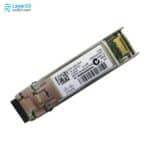
SFP-10G-SR-S
10GBASE-SR SFP+ - S-Class - 400m OM4 MMFOriginal price was: $853.95.$52.00Current price is: $52.00. -
SFP-10G-LR-S
10GBASE-LR SFP+ - S-Class - 10km SMFOriginal price was: $2,439.88.$150.00Current price is: $150.00. -
GLC-LH-SMD
1000BASE-LX/LH SFP - 10km SMF / 550m MMF - DOMOriginal price was: $1,260.58.$95.80Current price is: $95.80. -
GLC-TE
1000BASE-T SFP - RJ-45 Cat5 Copper - 100m ReachOriginal price was: $570.10.$70.00Current price is: $70.00. -
GLC-SX-MMD
1000BASE-SX SFP - MMF 850nm - DOMOriginal price was: $633.46.$59.00Current price is: $59.00.

Why Layer23-Switch
Stocked, Shipped and Supported by One Team
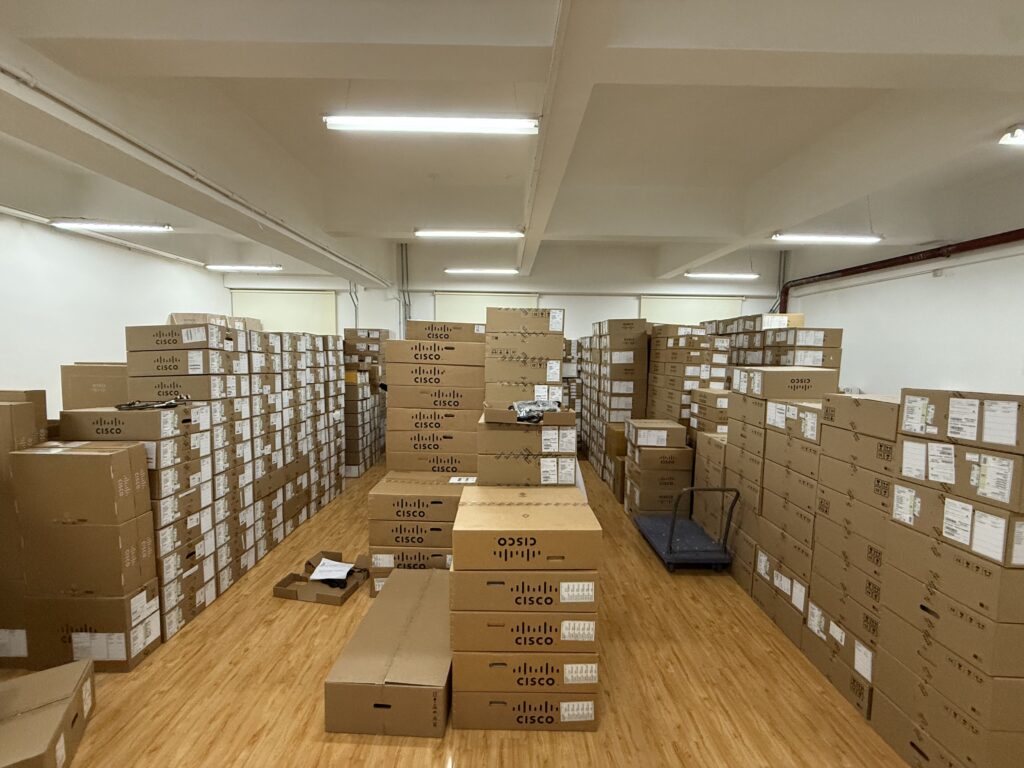
Ships in 1 Business Day
In-stock orders leave our Hong Kong or U.S. warehouse within 1 business day after payment, with tracking by email.
LSCare Warranty
3years on enterprise equipment
Free CCIE Support
Certified engineers help before and after you buy. Reply within 1 business day by email or live chat.
Verify Before You Pay
100%factory-sealed
Get label and serial photos before shipment, and check every serial number with Cisco.
FPR3120-NGFW-K9 Description
The FPR3120-NGFW-K9 is a Cisco Secure Firewall 3120 next-generation firewall appliance with Threat Defense software for internet-edge and data center security. The 1RU appliance is rated at 21.0 Gbps of firewall, application visibility and IPS throughput on 1024B packets, with 4 million concurrent sessions with AVC, 10 Gbps of IPsec VPN throughput and 7,000 VPN peers across 8 RJ-45 and 8 1/10G SFP+ ports. The single network module slot recognizes only 1G and 10G modules, so 25G, 40G and 100G modules are not usable even though they fit physically.
Quick Specs
|
Parameter |
Specification |
|---|---|
|
Software image |
Cisco Secure Firewall Threat Defense |
|
Form factor |
1RU |
|
Fixed data ports |
8 x 10M/100M/1GBASE-T RJ-45, 8 x 1/10G SFP+ |
|
Network module slot |
1 slot for 1/10G modules; up to 24 Ethernet ports in total |
|
Throughput: FW + AVC + IPS (1024B) |
21.0 Gbps |
|
TLS throughput |
6.7 Gbps |
|
IPsec VPN throughput (1024B TCP, fastpath) |
10 Gbps |
|
Maximum concurrent sessions, with AVC |
4 million |
|
Maximum new connections per second, with AVC |
170,000 |
|
Maximum VPN peers |
7,000 |
|
Default power supply |
FPR3K-PWR-AC-400, 400W AC (one of two bays filled) |
|
Storage |
1 x 900 GB NVMe SSD, second slot for RAID1 |
|
Supported Threat Defense releases |
7.1 and later, except 7.4.0 |
Product Performance
Key Features
The appliance runs Threat Defense, and IPS, malware defense and URL filtering are licensed through L-FPR3120T subscriptions, each offered as a 1-, 3- or 5-year term.
Adding IPS does not lower the published figure: firewall with application visibility and the full FW + AVC + IPS profile are both rated at 21.0 Gbps on 1024B packets. Real results still move with the enabled features, the protocol mix and the packet sizes on the link.
Decryption is the tighter limit on this model. TLS throughput is 6.7 Gbps, measured with half the traffic as TLS 1.2 using AES256-SHA and 2048-bit RSA keys, and a policy that decrypts a large share of sessions should be sized from that number.
IPsec VPN is rated at 10 Gbps for 1024B TCP traffic over Fastpath, with up to 7,000 VPN peers per appliance. With VPN offload on Threat Defense 7.2, the projected figure rises to 13.5 Gbps.
A single network module slot takes the 16 fixed ports to as many as 24. The slot accepts the 8-port FPR3K-XNM-8X10G and the 1G and 10G hardware-bypass modules, while FPR3K-XNM-8X25G, FPR3K-XNM-4X40G and the 2-port 100G module are not recognized by the software.
One of the two power supply bays is filled with a 400W AC supply. Redundancy starts when a second supply is added for 1+1 operation, and 400W DC supplies can replace the AC units, though AC and DC supplies cannot share a chassis.
Application Scenarios
At the internet edge of a headquarters or campus network, the firewall sits between the core and the service provider links and applies access control, IPS and URL filtering to traffic in both directions.
Branch offices build their site-to-site IPsec tunnels to the appliance at a central site, which puts branch traffic and internet traffic under one Threat Defense policy.
Inside a data center or private cloud, the appliance can run as a dedicated inline IPS between server segments, and a hardware-bypass network module keeps paired ports forwarding traffic if the appliance itself fails.
Product Comparison
|
Parameter |
FPR3120-NGFW-K9 | |||
|---|---|---|---|---|
|
Software image |
Threat Defense |
ASA |
Threat Defense |
Threat Defense |
|
Stateful inspection firewall throughput (1500B UDP) |
Not applicable |
22.0 Gbps |
Not applicable |
Not applicable |
|
Throughput: FW + AVC + IPS (1024B) |
21.0 Gbps |
Not applicable |
17.0 Gbps |
38.0 Gbps |
|
Concurrent sessions |
4 million with AVC |
4 million firewall connections |
2 million with AVC |
6 million with AVC |
|
Maximum VPN peers |
7,000 |
7,000 |
3,000 |
15,000 |
|
Integrated I/O |
8 x RJ-45 and 8 x 1/10G SFP |
8 x RJ-45 and 8 x 1/10G SFP |
8 x RJ-45 and 8 x 1/10G SFP |
8 x RJ-45 and 8 x 1/10/25G SFP |
|
Network modules |
8 x 1/10G Options |
8 x 1/10G Options |
8 x 1/10G Options |
1G, 10G, 25G, 40G and 100G options |
|
Local on-device management |
Firewall Device Manager |
ASDM |
Firewall Device Manager |
Firewall Device Manager |
|
Add-on licensing |
L-FPR3120T Threat Defense licenses and subscriptions |
L-FPR3K-ENC-K9= encryption and L-FPR3K-ASASC security context licenses |
L-FPR3110T Threat Defense licenses and subscriptions |
L-FPR3130T Threat Defense licenses and subscriptions |
FPR3120-NGFW-K9 runs Threat Defense with Firewall Device Manager and L-FPR3120T subscriptions, while FPR3120-ASA-K9 is the same 3120 hardware on ASA with ASDM and the L-FPR3K-ENC-K9= and L-FPR3K-ASASC licenses; its 22.0 Gbps figure is 1500B UDP stateful inspection and does not compare directly with 21.0 Gbps of FW + AVC + IPS at 1024B. Sites that standardize on ASA order FPR3120-ASA-K9. Inspected load under 17.0 Gbps and 2 million sessions fits FPR3110-NGFW-K9, which also lowers VPN peers from 7,000 to 3,000. Links at 25G, or loads up to 38.0 Gbps with 6 million sessions, need FPR3130-NGFW-K9, whose fixed SFP ports run 1/10/25G while the other three stop at 1/10G.
Ordering Checklist
- Threat Defense subscription: Order a term PID such as L-FPR3120T-TMC-5Y; T, TM, TC, TMC, URL and AMP each come in -1Y, -3Y and -5Y terms. Threat (T) is the prerequisite for Malware (M) and URL (C), so a URL-only or AMP-only line leaves those features unusable.
- Smart Licensing account: Set up the end customer’s Smart Licensing account in Smart Software Manager before the Threat Defense order. All ordered licenses are deposited into that account, so a missing account leaves them with nowhere to land.
- Threat Defense release: Run Threat Defense 7.1 or later, not 7.4.0; multi-instance mode needs 7.4.1 or later. 7.4.0 is not supported on this chassis, and container instances are unavailable on earlier releases.
- Network module: Choose FPR3K-XNM-8X10G, FPR3K-XNM-6X1SXF, FPR3K-XNM-6X10SRF, FPR3K-XNM-6X10LRF or FPR3K-XNM-8X1GF, not FPR3K-XNM-8X25G or FPR3K-XNM-4X40G. The 25G, 40G and 100G modules are not recognized by the software on this chassis, and a different module type needs a reboot.
- Second power supply: Add a second FPR3K-PWR-AC-400= for 1+1 redundancy, and never mix AC with DC supplies in one chassis. The default is one 400W AC supply.
- Second SSD: Add FPR3K-SSD900= for SSD slot 2, which is reserved for software RAID1. The chassis ships with one 900 GB SSD, and an SSD from another firewall series cannot be used.
- Rack kit: Put FPR3K-SLIDE-RAILS= or FPR3K-BRKT= on the order; slide rails are recommended. Slide rails and rack-mount brackets are in the package only if ordered.
Optional Add-ons
|
Model |
Description |
|---|---|
|
400W AC power supply for the empty bay, giving 1+1 redundancy | |
|
400W DC power supply for DC sites; replaces AC supplies rather than mixing with them | |
|
900 GB NVMe SSD for slot 2 software RAID1 | |
|
FPR3K-XNM-8X10G= |
8-port 1/10G SFP+ network module |
|
FPR3K-XNM-6X10SRF= |
6-port 10G SR multimode hardware-bypass network module |
|
FPR3K-XNM-6X10LRF= |
6-port 10G LR single-mode hardware-bypass network module |
|
FPR3K-XNM-6X1SXF= |
6-port 1G SX multimode hardware-bypass network module |
|
FPR3K-XNM-8X1GF= |
8-port 10/100/1000Base-T hardware-bypass network module |
|
10G SFP+ optic on the supported list for the fixed SFP+, management and FPR3K-XNM-8X10G ports | |
|
10G SFP+ optic on the supported list for the fixed SFP+, management and FPR3K-XNM-8X10G ports | |
|
1G SFP on the supported list for the fixed SFP+, management and FPR3K-XNM-8X10G ports | |
|
FPR3K-FAN= |
Spare dual fan module |
|
FPR3K-SLIDE-RAILS= |
Slide rail kit for 4-post racks |
|
FPR3K-BRKT= |
Rack-mount brackets for 2-post mounting |
|
FPR3K-CBL-MGMT= |
Cable management brackets |
|
FPR3K-FIPS-KIT= |
FIPS opacity shield kit |
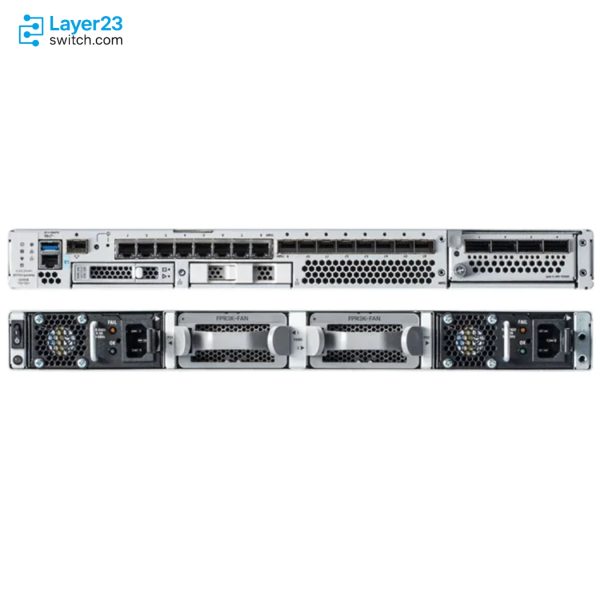
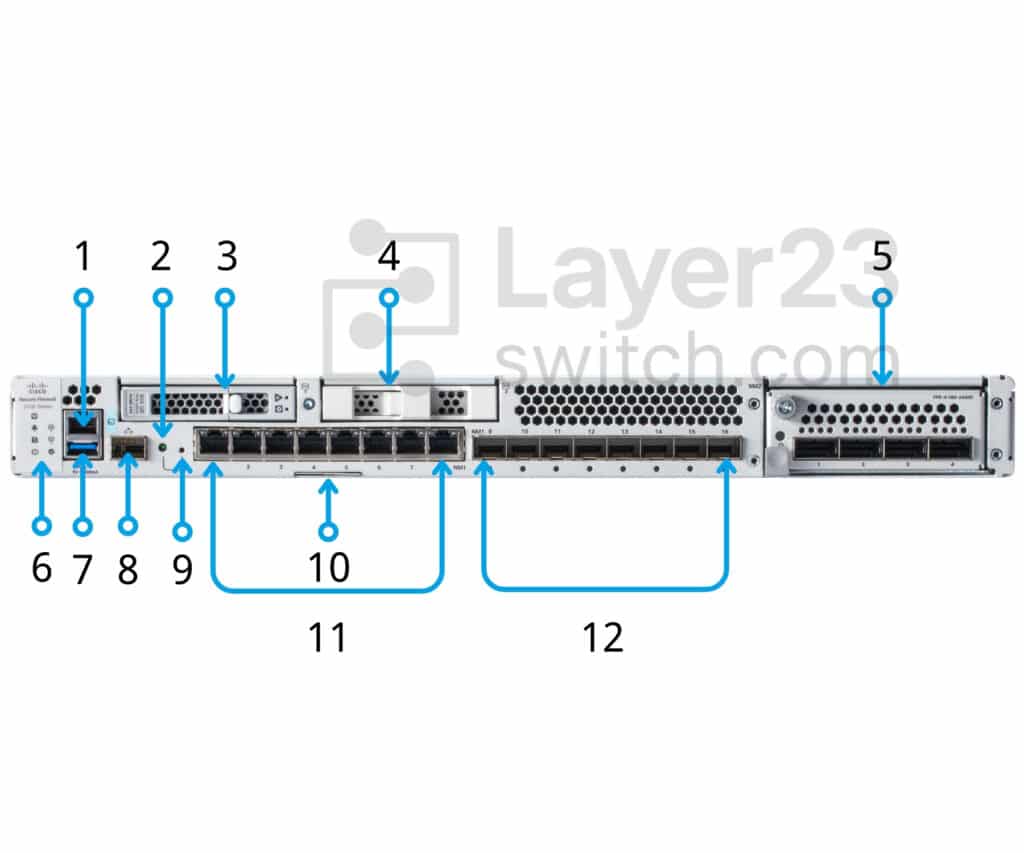
Front View
|
1 |
RJ-45 console port |
2 |
Recessed factory reset button |
|
3 |
SSD-1 |
4 |
SSD-2 |
|
5 |
Network module (NM-2) |
6 |
System LEDs |
|
7 |
Type A USB 3.1 port |
8 |
Gigabit Ethernet management port:Secure Firewall Threat Defense—Management 0 (also referred to as Management 1/1 and Diagnostic 1/1)ASA—Management 1/1 |
|
9 |
Reset button LED |
10 |
Pullout asset card with chassis serial number, getting started guide QR code, and LTP QR code |
|
11 |
Eight fixed RJ-45 ports (NM-1)RJ-45 ports named Ethernet 1/1 through 1/8 left to right; for a list of supported SFPs. |
12 |
Eight fixed SFP+ ports (NM-1)SFP+ ports named Ethernet 1/9 through 1/16 left to right; for a list of supported SFPs. |
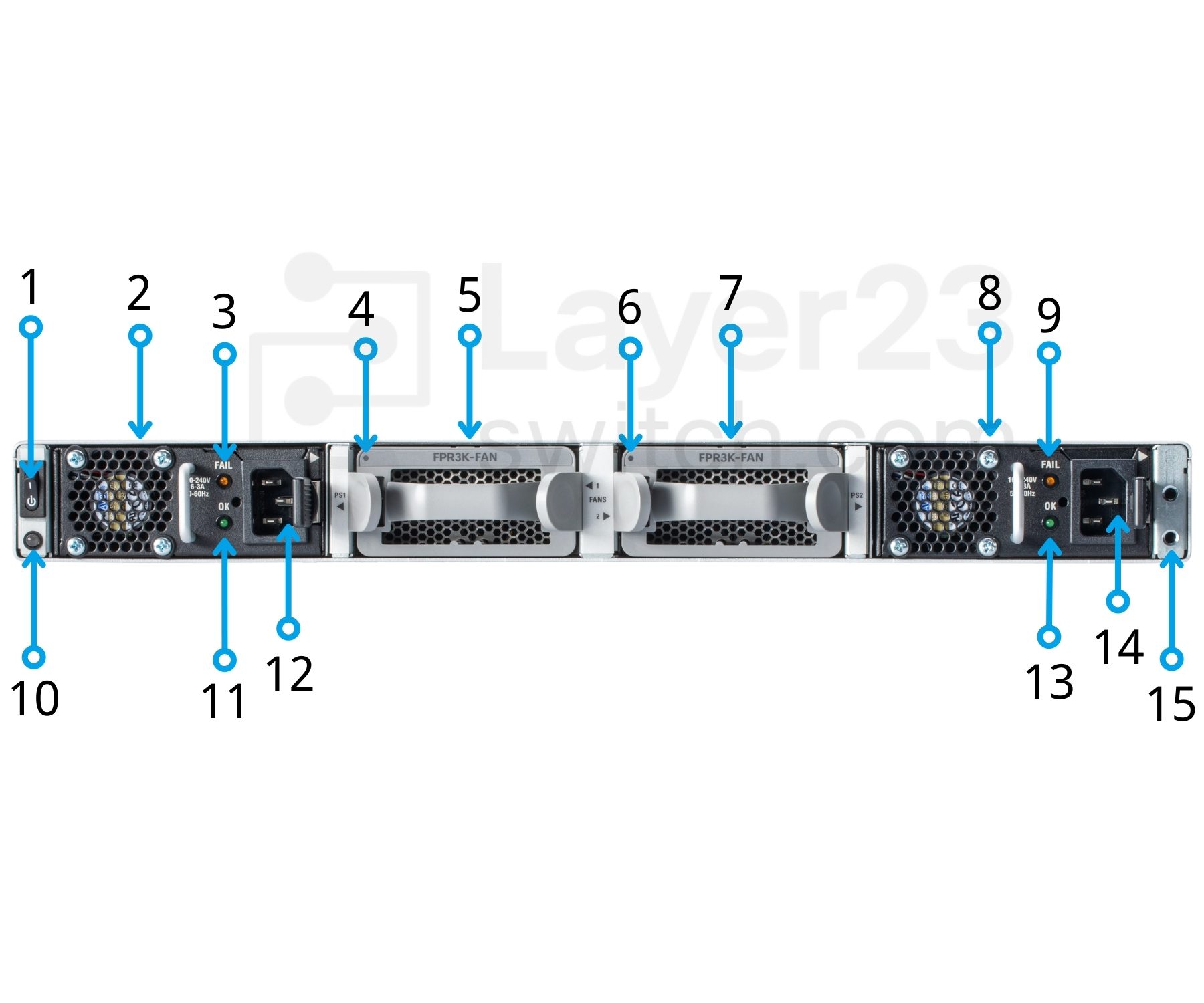
Rear View
|
1 |
Power on/off switch |
2 |
Power supply module (PSU-1) |
|
3 |
Power supply module FAIL LED (PSU-1) |
4 |
Fan module LED (FAN-1) |
|
5 |
Fan module (FAN-1) |
6 |
Fan module LED (FAN-2) |
|
7 |
Fan module (FAN-2) |
8 |
Power supply module (PSU-2) |
|
9 |
Power supply module FAIL LED (PSU-2) |
10 |
Chassis power LEDNote This power LED has the same behavior as the front panel LED. See Front Panel LEDs for more information. |
|
11 |
Power supply module OK LED (PSU-1) |
12 |
Power supply module connector (PSU-1) |
|
13 |
Power supply module OK LED (PSU-2) |
14 |
Power supply module connector (PSU-2) |
|
15 |
Two-post grounding padNote The two-post grounding lug and two screws are included in the accessory kit. |
— |
Specifications
| Parameter | Specification | Parameter | Specification |
|---|---|---|---|
| Product ID | FPR3120-NGFW-K9 | Cisco ordering description | Cisco Secure Firewall 3120 Appliance with Threat Defense software |
| Software image | Cisco Secure Firewall Threat Defense | Supported Threat Defense releases | 7.1, 7.2, 7.3, 7.4.1–7.4.x, 7.6, 7.7 and 10.x (7.4.0 not supported) |
| Multi-instance mode | Threat Defense 7.4.1 and later | Local on-device management | Firewall Device Manager, included with the Threat Defense image |
| Centralized management | Firewall Management Center or Cisco Security Cloud Control | Form factor (rack units) | 1RU |
| Integrated I/O | 8 x 10M/100M/1GBASE-T Ethernet interfaces (RJ-45), 8 x 1/10 Gigabit (SFP) Ethernet interfaces | Network module slots | 1 |
| Network modules | 8 x 1/10G options: FPR3K-XNM-8X10G, FPR3K-XNM-6X1SXF, FPR3K-XNM-6X10SRF, FPR3K-XNM-6X10LRF, FPR3K-XNM-8X1GF | Maximum number of interfaces | Up to 24 total Ethernet ports (8x1G RJ-45, 8×1/10G SFP, and network module) |
| Integrated network management ports | 1 x 1/10G SFP | Serial port | 1 x RJ-45 console |
| USB | 1 x USB Type-A (900 mA) | SSD storage | 1x 900 GB NVMe SSD, 1x spare slot for software RAID1 |
| DRAM | 128 GB | Throughput: FW + AVC (1024B) | 21.0 Gbps |
| Throughput: FW + AVC + IPS (1024B) | 21.0 Gbps | Throughput: NGIPS (1024B) | 21.0 Gbps |
| Maximum concurrent sessions, with AVC | 4 million | Maximum new connections per second, with AVC | 170,000 |
| TLS throughput | 6.7 Gbps (50% TLS 1.2 traffic, AES256-SHA, RSA 2048B keys) | IPSec VPN throughput (1024B TCP w/Fastpath) | 10 Gbps |
| Projected IPSec VPN throughput with VPN offload (FTD 7.2) | 13.5 Gbps | Maximum VPN peers | 7,000 |
| High availability | Active/active, active/standby | Clustering | Up to 8 chassis |
| Application visibility (AVC) | Standard, more than 4000 applications, geolocations, users, and websites | Cisco security intelligence | Standard, with IP, URL, and DNS threat intelligence |
| URL Filtering: number of categories | More than 80 | URL Filtering: number of URLs categorized | More than 280 million |
| Deployment modes | Firewall or dedicated IPS | Q-in-Q (stacked VLAN) | Up to two 802.1Q headers per packet on inline sets and passive interfaces |
| Cisco trust anchor technologies | Included | Power supply configuration | Single 400W AC; dual 400W AC optional; single or dual 400W DC optional |
| Default power supply | FPR3K-PWR-AC-400, 400W AC (one installed) | AC input voltage | 100 to 240V AC |
| AC maximum input current | < 6A at 100V | AC maximum output power | 400W |
| AC input frequency | 50 to 60 Hz | DC input voltage | -48V to -60VDC |
| DC maximum output power | 400W | DC efficiency | >88% at 50% load |
| Power redundancy | 1+1 AC or DC with dual supplies; AC and DC supplies cannot be mixed | Fan modules | 2 hot-swappable fan modules (2 fans each), 3+1 redundancy |
| Airflow | Front to rear (I/O side to non-I/O side), cold aisle to hot aisle | Noise | 65 dBA at 25°C, 74 dBA maximum |
| Sound power | 72 dB typical, 80 dB maximum | Dimensions (H x W x D) | 1.75 x 17 x 20 in. (4.4 x 43.3 x 50.8 cm) |
| Weight | 10.5 kg (23 lb) with 1 power supply, 1 network module, fan modules, 1 SSD | Mounting | 19-inch 4-post EIA-310-D rack; 2-post fixed mount brackets optional |
| Temperature: operating | 0°C to 40°C (32°F to 104°F) | Temperature: nonoperating | -20°C to 65°C (-4°F to 149°F) |
| Altitude: operating | 10,000 ft (max) | Altitude: nonoperating | 40,000 ft (max) |
| Safety certifications | UL 62368-1, CAN/CSA-C22.2 No. 62368-1, EN 62368-1, IEC 62368-1, IEC 60950-1, AS/NZS 62368-1, GB4943 | EMC: emissions | FCC 47CFR15 Class A, AS/NZS CISPR 32 Class A, EN55032/CISPR 32 Class A, ICES-003 Class A, VCCI Class A, KS C 9832 Class A, CNS-13438 Class A, EN61000-3-2, EN61000-3-3 |
| EMC: immunity | IEC/EN61000-4-2, IEC/EN61000-4-3, IEC/EN61000-4-4, IEC/EN61000-4-5, IEC/EN61000-4-6, IEC/EN61000-4-11, KS C 9835 | EMC: ETSI/EN | EN 300 386, EN55032/CISPR 35, EN55024/CISPR 24, EN55035/CISPR 35, EN61000-6-1 |
| Regulatory compliance | CE markings |
Quality Certifications
Customer Reviews
Questions & Answers
-
What throughput does FPR3120-NGFW-K9 reach with firewall, AVC and IPS enabled?
-
Do IPS, malware defense and URL filtering on FPR3120-NGFW-K9 need a subscription?
-
What does FPR3100-FTD-HA-BUN order for a FPR3120-NGFW-K9 high-availability pair?
-
Which Threat Defense releases support FPR3120-NGFW-K9, and which one does not?
-
Which legacy network module PIDs does FPR3120-NGFW-K9 not recognize?
-
How many SSD, power supply and fan module bays does FPR3120-NGFW-K9 have, and how many are populated?
Warranty
Layer23-Switch.com offers genuine, high-quality ICT products at competitive wholesale prices—ensuring exceptional value without compromising quality.
All items are brand new, original, and factory-sealed.
Upon request, each unit can be fully tested and verified by a Cisco CCIE-certified engineer to ensure perfect working condition before shipment.
Our Cisco CCIE-certified experts provide free professional support via phone, email, online chat, or remote login—helping you deploy and troubleshoot with confidence.
If you are not satisfied with your purchase, you may request an exchange or full refund. Our customer service team will guide you through the return process quickly and smoothly. Visit Return Policy page for more information.
We support multiple secure payment and logistics options, backed by industry-leading verification:












Visit How to Pay page for more information
Extended, Worry-Free Warranty Coverage Factory New Sealed Enterprise Hardware:
· 3 Years Factory New Sealed
Visit Warranty Policy page for more information
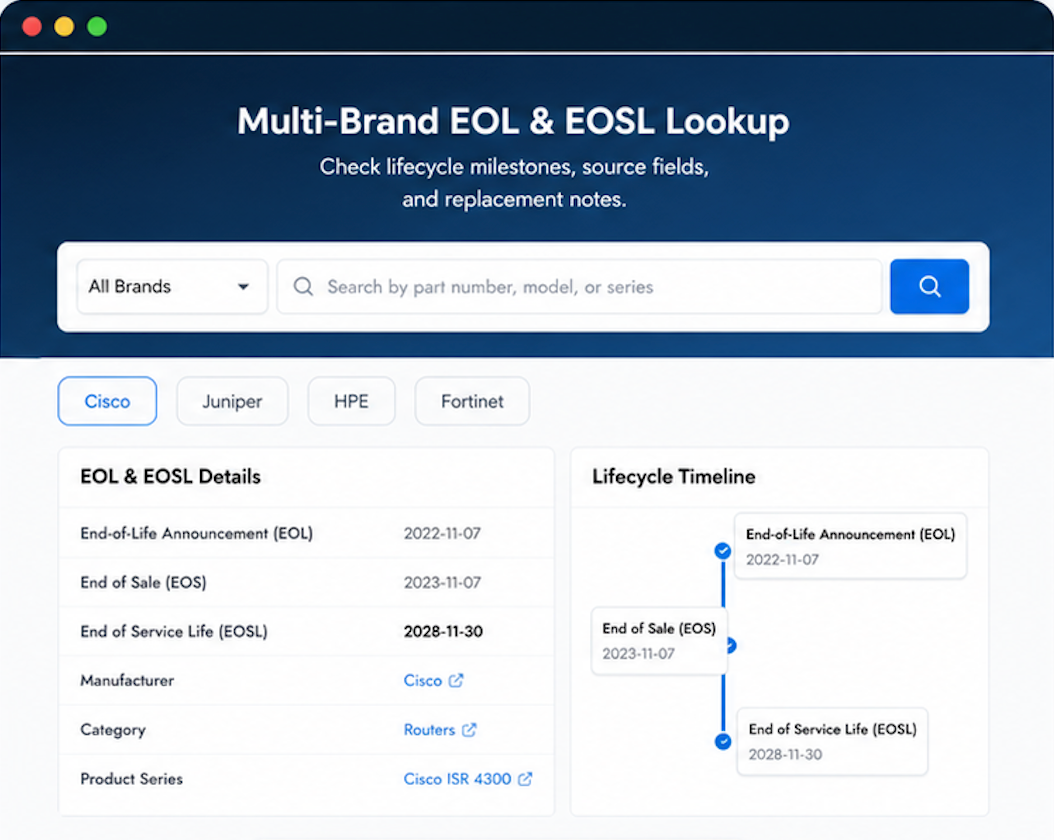
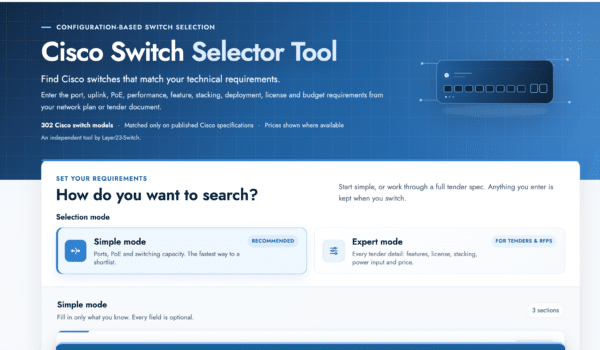
Verify, plan, and comparewith confidence
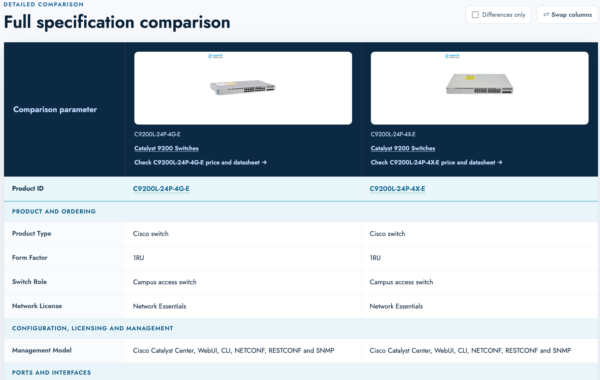
Use practical tools to check device details, review lifecyclemilestones, and compare hardware before you buy.

Great experience from order to delivery.
Layer23 has earned the right to be our preferred supplier.
We ran the verification before powering on. Everything legitimate.
Balance in the network. Threats are neutralized. Authentic equipment.
Needed higher throughput for our datacenter edge. The 3120 handles full packet inspection comfortably.