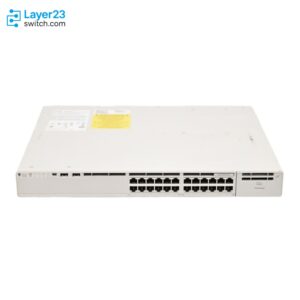
Catalyst 9300 Password Recovery Guide: Recover Without Losing Config
Recovering a Catalyst 9300 password is usually a configuration-preserving IOS XE procedure, not a factory reset. Connect through the console, interrupt the boot process, set SWITCH_IGNORE_STARTUP_CFG=1 at the bootloader prompt, boot IOS XE, copy the saved startup configuration into the running configuration, set new credentials, clear the ignore-startup setting, and save the configuration.
This process can preserve the existing configuration when password recovery is enabled. If password recovery has been disabled, the recovery prompt can lead to a default-configuration reset that deletes the configuration file and VLAN database. Do not approve that prompt unless the backup, outage window, and rebuild plan are already confirmed.

Catalyst 9300 Password Recovery Steps at a Glance
For a standalone Catalyst 9300 with normal password recovery enabled, the core sequence is:
switch: set
switch: SWITCH_IGNORE_STARTUP_CFG=1
switch: boot

Switch> enable
Switch# copy startup-config running-config
Switch# configure terminal
Switch(config)# enable secret <NEW_ENABLE_SECRET>
Switch(config)# username admin privilege 15 secret <NEW_ADMIN_SECRET>
Switch(config)# no system ignore startupconfig switch all
Switch(config)# end
Switch# copy running-config startup-config
Switch# show romvar
The sequence has one critical rule: copy startup-config into running-config before saving. Reversing the copy direction can overwrite the saved production configuration with an empty or partial running configuration.
Which Catalyst 9300 Recovery Path Should You Use?
Choose the recovery path based on what access was lost and whether the switch is standalone or stacked.
| Situation | Correct action | Configuration risk |
|---|---|---|
| Standalone Catalyst 9300, password recovery enabled | Use bootloader recovery with SWITCH_IGNORE_STARTUP_CFG=1 | Existing startup configuration can be preserved if the procedure is completed correctly |
| Catalyst 9300 StackWise stack | Power off all members, recover only the active switch, save, then power on the remaining members | Existing stack configuration can be preserved if standby members are not allowed to interfere during recovery |
| Password recovery disabled | Stop and confirm backup or rebuild approval before accepting a reset prompt | Configuration file and vlan.dat can be deleted |
| Privilege 15 local user still works | Change the enable secret, local user, or AAA settings from IOS XE | No bootloader recovery required |
| TACACS or RADIUS login fails but local access works | Repair AAA server reachability or method lists | No bootloader recovery required |
| Unknown used switch, RMA replacement, or lab device | Decide whether to recover, wipe, or rebuild based on ownership and configuration value | Preserving the existing configuration may not be the right goal |
For production access closets, keep the recovery decision separate from replacement planning. If a recovered switch later needs replacement, validate the exact Cisco Catalyst 9300 switch, license level, uplink module, power supplies, stack cables, StackPower accessories, optics, and software image before ordering a substitute.
What This Procedure Covers
This procedure applies to Catalyst 9300-family switches running Cisco IOS XE in standalone or StackWise deployments. It is not a Nexus recovery procedure, an ASA or Firepower procedure, or a factory reset guide.
The recovery method uses Catalyst 9000 IOS XE bootloader behavior. Older Catalyst habits, such as renaming config.text as the first action, should not be used on a Catalyst 9300 unless the exact procedure for that platform and software release requires it.
The recovery also does not automatically fix every management-login problem. If the problem is TACACS, RADIUS, console line authentication, VTY method lists, or an unreachable management VLAN, a new local user may not restore SSH access until those settings are corrected.
Before Starting a Catalyst 9300 Password Recovery
Password recovery requires physical console access or a reliable out-of-band console path. It normally requires a reload, so plan the work inside an approved maintenance window.
Confirm these items before rebooting the switch:
| Pre-check | Why it matters |
|---|---|
| Console access | The recovery starts from the bootloader prompt, not from a normal SSH session |
| Terminal settings | Use the expected serial settings, commonly 9600 baud, 8 data bits, no parity, 1 stop bit, and no flow control |
| Standalone or stack | StackWise recovery has a different power-on sequence |
| Active stack member | In a stack, recover through the active switch before allowing other members to boot |
| Configuration backup | Required if password recovery is disabled or the process turns into a rebuild |
| AAA design | Local credentials may not control SSH if AAA points only to TACACS or RADIUS |
| Startup configuration value | The saved startup configuration must be merged back into running configuration after boot |
| VLAN database importance | vlan.dat can matter in environments using VTP or VLAN database behavior |
| Post-recovery checks | Management access, VLANs, trunks, uplinks, PoE, logging, and stack state should be verified before service is returned |
If a privilege 15 account still works, avoid bootloader recovery. Change the credentials or AAA configuration directly from IOS XE and save the configuration.
Standalone Catalyst 9300 Password Recovery Procedure
Use this procedure when the Catalyst 9300 is standalone and password recovery has not been disabled.
Step 1: Connect to the Console
Connect to the switch console port with a terminal emulator. Record the switch model, the IOS XE release if it is visible, and any unusual boot messages shown on the console.
If the switch is in production, confirm that the outage window has started before reloading or power-cycling it.
Step 2: Interrupt the Boot Process
Reload or power-cycle the switch. When the boot prompt appears, interrupt the boot process.
Common interruption methods are:
Press Ctrl-C when the boot prompt appears
or:
Press the Mode button repeatedly until the switch: prompt appears
The target prompt is:
switch:
If the switch boots normally, repeat the attempt and watch the early console output. The interruption window can be short.
Step 3: Review Bootloader Variables
At the switch: prompt, display the current bootloader variables:
switch: set
Look for SWITCH_IGNORE_STARTUP_CFG. If it already shows 1, the switch may have been left in startup-config ignore mode from a previous recovery attempt. That must be cleared later from IOS XE and saved.
Step 4: Set the Startup-Config Ignore Variable
Set the recovery variable:
switch: SWITCH_IGNORE_STARTUP_CFG=1
This tells the switch to boot IOS XE without applying the saved startup configuration. The saved configuration should still remain in flash so it can be copied into the running configuration after the switch boots.
Step 5: Boot IOS XE
Boot the switch:
switch: boot
If the switch requires an explicit packages file, use the local packages file path:
switch: boot flash:packages.conf
If the initial configuration dialog appears, answer no:
Would you like to enter the initial configuration dialog? [yes/no]: no
Step 6: Enter Privileged EXEC Mode
After IOS XE starts, enter privileged EXEC mode:
Switch> enable
Switch#
Because the switch booted without applying the startup configuration, it should not ask for the old enable secret at this point.
Step 7: Copy Startup Configuration into Running Configuration
Restore the saved configuration into the active session:
Switch# copy startup-config running-config
Destination filename [running-config]?
Press Enter at the destination prompt.
This is the configuration-preserving step. It brings back interface settings, VLAN-related configuration saved in the startup file, routing, AAA, SNMP, management IP, line configuration, access lists, QoS, and other saved IOS XE settings.
Step 8: Set the New Enable Secret and Local User
Enter configuration mode:
Switch# configure terminal
Set a new enable secret if the site uses enable authentication:
Switch(config)# enable secret <NEW_ENABLE_SECRET>
Set or replace a local privilege 15 user:
Switch(config)# username admin privilege 15 secret <NEW_ADMIN_SECRET>
If the site uses a named admin account, use the approved local username rather than creating an unmanaged account.
Step 9: Check AAA and Line Authentication
Before assuming SSH will work, check the AAA and line configuration:
Switch(config)# do show running-config | section aaa
Switch(config)# do show running-config | section line con
Switch(config)# do show running-config | section line vty
If VTY lines use a TACACS or RADIUS-only method list, a new local user may not restore remote access. Add or restore the correct local fallback only if it matches the site security policy.
Step 10: Clear the Startup-Config Ignore Setting
Clear the ignore-startup behavior:
Switch(config)# no system ignore startupconfig switch all
Switch(config)# end
This step is mandatory. If it is skipped, the switch may boot again without applying the saved configuration.
Step 11: Save the Configuration
Save the recovered running configuration:
Switch# copy running-config startup-config
or:
Switch# write memory
The saved configuration should now contain the restored production configuration, the new credentials, and the cleared startup-ignore setting.
Step 12: Verify the Boot Variable
Check the ROMMON variables:
Switch# show romvar
Confirm that SWITCH_IGNORE_STARTUP_CFG is no longer set to 1. If it still appears enabled, return to configuration mode, run no system ignore startupconfig switch all, save again, and verify a second time.
Step 13: Reload and Confirm Access
If the maintenance plan requires a reload test, reload the switch before closing the window:
Switch# reload
After the switch comes back, test console login first. Then test SSH, management reachability, and the intended AAA behavior.
Catalyst 9300 StackWise Password Recovery Procedure
For a Catalyst 9300 StackWise stack, recover the active switch first with the other members powered off. After the active switch is recovered, the ignore-startup setting is cleared, and the configuration is saved, power on the remaining members and allow the stack to synchronize.
Use this sequence:
- Identify the active switch if possible before the outage.
- Power off every stack member.
- Power on only the active switch.
- Interrupt boot on the active switch and enter the
switch:prompt. - Set
SWITCH_IGNORE_STARTUP_CFG=1. - Boot the active switch.
- Enter privileged EXEC mode.
- Run
copy startup-config running-config. - Replace the enable secret, local admin password, or approved local user.
- Run
no system ignore startupconfig switch all. - Save with
copy running-config startup-config. - Verify with
show romvar. - Power on the remaining stack members only after the recovered configuration is saved.
Do not power the whole stack back up before the active switch is recovered and saved. Standby members can interfere with a clean recovery if they remain running during the process.
After all members return, verify stack health:
show switch
show switch stack-ports
show version
show redundancy
show platform
Check that the active member, stack priority, software version, and stack ports match the site design.
If Password Recovery Is Disabled on Catalyst 9300
If password recovery is disabled, the switch can block normal bootloader recovery unless the operator agrees to reset the system back to default configuration. Accepting that path can delete the configuration file, often shown as config.text, and the VLAN database file, vlan.dat.
Treat this as a rebuild or restore event, not a normal password recovery.
| Condition | Recommended decision |
|---|---|
| Current configuration and VLAN database are backed up | Proceed only if the reset and restore window is approved |
| No backup and production traffic depends on the switch | Stop and escalate before accepting the reset prompt |
| Lab switch or spare unit | Reset may be acceptable if the old configuration has no operational value |
| Unknown used switch | Wipe and rebuild may be safer than preserving an untrusted configuration |
If the reset path is approved, rebuild management access, VLANs, trunks, EtherChannels, routing, STP settings, PoE policies, AAA, SNMP, logging, NTP, access lists, DHCP snooping, device tracking, and monitoring before the switch returns to service.
AAA, Enable Secret, and Local User Recovery
Catalyst 9300 password recovery is often described as “resetting the password,” but the correct fix depends on which authentication layer failed.
| Lost access | What to change |
|---|---|
| Enable secret lost | Set a new enable secret after copying startup configuration into running configuration |
| Local admin password lost | Replace or create an approved username <name> privilege 15 secret <secret> entry |
| SSH login fails because AAA points to TACACS/RADIUS | Fix AAA method lists, server reachability, or local fallback |
| Console login works but SSH fails | Check VTY lines, management VRF, ACLs, SSH keys, AAA, and routing |
| Device reachable but no privilege 15 account works | Use the bootloader recovery path if password recovery is enabled |
For access closets with PoE endpoints, credential recovery should be followed by a service check. The Cisco switch PoE troubleshooting guide is useful when access points, phones, or cameras do not come back as expected after a reload.
Post-Recovery Validation Commands
Before closing the maintenance window, confirm that the switch can survive the next reload and that management access behaves as intended.
| Area | Commands or checks |
|---|---|
| Boot variable | show romvar |
| Saved credentials | `show running-config |
| AAA behavior | `show running-config |
| Console line | `show running-config |
| VTY lines | `show running-config |
| Stack state | show switch, show switch stack-ports |
| Management reachability | show ip interface brief, ping from the management network |
| VLANs | show vlan brief |
| Uplinks and trunks | show interfaces status, show interfaces trunk |
| EtherChannels | show etherchannel summary |
| PoE endpoints | show power inline |
| Logs | show logging |
| Final save | copy running-config startup-config |
If the switch is part of a wider access refresh, compare the recovered unit against the current design. The Cisco C9200 vs C9300 comparison helps separate standard access closets from higher-headroom Catalyst 9300 deployments. For broader family placement, use the Cisco Catalyst 9000 Series comparison.
Common Catalyst 9300 Password Recovery Mistakes
The most serious mistake is saving too early. Do not run copy running-config startup-config until the saved startup configuration has been copied into the running configuration and the new credentials have been added.
The second mistake is leaving SWITCH_IGNORE_STARTUP_CFG active. If the ignore variable is not cleared and saved, the switch can appear recovered during the session but boot without its configuration later.
The third mistake is treating a StackWise stack like a standalone switch. Recover the active switch first with other members powered off, then bring the stack back after the active configuration is saved.
The fourth mistake is treating AAA failure as a local-password problem. If VTY lines depend only on TACACS or RADIUS, local credentials may not restore SSH access.
The fifth mistake is accepting a disabled-recovery reset prompt without a backup. That is a configuration-loss decision, not a normal recovery step.
When Recovery Should Turn Into Replacement or Rebuild
Password recovery is not always the best operational choice. Rebuild or replacement is often cleaner when the switch came from an unknown source, password recovery is disabled and no backup exists, the configuration is not trusted, the hardware is failing, or the site is already scheduled for refresh.
Replacement review should not stop at the model name. Confirm the exact switch SKU, Network Essentials or Network Advantage license level, uplink module, optics, power supplies, stack cables, StackPower accessories where used, software release, support coverage, stock, and delivery timing.
Layer23-Switch can help validate a Catalyst 9300 replacement BOM when a recovery incident exposes missing spares, failed hardware, wrong power supplies, unsupported optics, or urgent lead-time risk.
FAQ
Can Catalyst 9300 password recovery preserve the existing configuration?
Yes, if password recovery is enabled and the process is completed correctly. The switch boots while ignoring startup configuration, then the saved startup configuration is copied back into the running configuration before the new credentials are saved.
What command bypasses the startup configuration on Catalyst 9300?
At the bootloader prompt, use SWITCH_IGNORE_STARTUP_CFG=1. After recovery, clear the behavior in IOS XE with no system ignore startupconfig switch all, then save the configuration.
Why does the switch boot with no configuration after password recovery?
The usual cause is that SWITCH_IGNORE_STARTUP_CFG was not cleared or the recovered configuration was not saved. Run no system ignore startupconfig switch all, save the configuration, and verify with show romvar.
Does Catalyst 9300 password recovery erase the configuration?
Normal password recovery should preserve the configuration when password recovery is enabled. If password recovery has been disabled, the recovery path can require a default-configuration reset that deletes the configuration file and VLAN database.
How do I recover a Catalyst 9300 stack password?
Power off all stack members, power on only the active switch, perform the bootloader recovery on that unit, copy startup configuration to running configuration, change credentials, clear the startup-ignore variable, save the configuration, and then power on the remaining members.
Can Catalyst 9300 password recovery be done remotely?
Not through a normal SSH session. The usual method requires console access and boot interruption through Ctrl-C or the Mode button, so plan for physical access, remote hands, or an out-of-band console server.
Is Catalyst 9300 password recovery the same as factory reset?
No. Password recovery is intended to regain access while preserving the saved configuration. Factory reset or disabled-recovery reset is a destructive workflow and should be used only when configuration loss is intended or accepted.
Should I rename config.text on a Catalyst 9300?
Do not start with older config.text rename habits unless the exact platform procedure requires it. The Catalyst 9000 IOS XE recovery path normally uses SWITCH_IGNORE_STARTUP_CFG=1, followed by copying startup configuration into running configuration.