C9300 Switch Reset to Factory: Keep IOS and Clear Config
For most C9300 switch reset-to-factory jobs, use write erase, delete flash:vlan.dat when VLAN database cleanup is required, and reload without saving the current running configuration. This clears the startup configuration while keeping the IOS XE software image in place.
Use factory-reset all only when the goal is a full wipe for RMA, asset disposal, lab rebuild, or a security-controlled redeployment. On Catalyst 9300 switches, a full factory reset can delete IOS XE images and leave the device in ROMMON, so the engineer must be ready to reload software through USB, TFTP, or another approved recovery method.

C9300 Factory Reset Method Comparison
The safest reset method depends on what must be removed. A configuration cleanup and a full factory wipe are not the same operation.
| Reset goal | Recommended method | IOS XE image retained? | Main risk |
|---|---|---|---|
| Clear startup configuration only | write erase or erase startup-config | Yes | VLAN database may remain |
| Clear configuration and VLAN database | write erase, delete flash:vlan.dat, then reload | Yes | Saving before reload restores the old running configuration |
| Use IOS XE factory-reset framework for configuration cleanup | factory-reset config where supported | Yes | Confirm command support on the installed release |
| Full wipe for RMA, disposal, or compromised device | factory-reset all | No | Switch may boot to ROMMON and require IOS XE reinstallation |
| Secure sanitization | factory-reset all secure or factory-reset all secure 3-pass where supported | Confirm release behavior and boot source | Longer wipe time; verify whether the booted image is retained on the installed release |
| Stack reset | Apply the reset method to the intended member or the full stack | Depends on option | Wrong scope can leave stack members inconsistent |
If the switch only needs a clean configuration for reuse, do not start with factory-reset all. That command is stronger than a normal redeployment reset.
Before Resetting a Catalyst 9300
Resetting a C9300 should be planned as a maintenance task, even in a lab. The wrong reset method can erase the boot image, remove VLAN data, or break a StackWise deployment.
Record these items first:
| Pre-reset check | Command or action |
|---|---|
| Current configuration | show running-config, show startup-config |
| Software and boot path | show version, show boot |
| Stack state | show switch, show switch stack-ports |
| VLAN database | show vlan brief |
| Uplinks and trunks | show interfaces trunk, show etherchannel summary |
| PoE state | show power inline |
| License state | show license status or the site’s standard license check |
| Recovery path | Confirm console access and USB/TFTP software recovery if using full wipe |
If the switch is part of a production stack, identify the active member and decide whether the reset applies to one member or the whole stack. Do not treat a StackWise system like a single standalone switch unless that is the intended scope.
Method 1: Clear C9300 Configuration and Keep IOS XE
Use this method when the switch is being redeployed, moved to a lab, removed from an old site, or prepared for a new configuration while keeping the installed IOS XE image.
Switch# write erase
Erasing the nvram filesystem will remove all configuration files! Continue? [confirm]

Switch# delete flash:vlan.dat
Delete filename [vlan.dat]?
Delete flash:vlan.dat? [confirm]

Switch# reload
System configuration has been modified. Save? [yes/no]: no
The important answer is no at the reload prompt. If you save the running configuration after write erase, the existing running configuration can be written back to startup configuration and the reset will not behave as expected.
Deleting flash:vlan.dat is relevant when the switch has VLAN database information that should not carry into the next deployment. If the file does not exist, continue with the reload after confirming the startup configuration has been erased.
After reload, the switch should start without the previous startup configuration. If the initial configuration dialog appears, the reset worked at the configuration level.
Method 2: Use factory-reset config on C9300
factory-reset config is the configuration-focused factory reset option on supported IOS XE releases. It is useful when the engineer wants to use the Catalyst 9000 factory-reset command family without deleting the software image.
Switch# factory-reset config
Use this option only after confirming that the installed IOS XE release supports it and that the reset behavior matches the maintenance plan. It should be treated as a configuration cleanup method, not as an asset-disposal wipe.
After the reset, confirm the startup configuration, VLAN state, boot variables, and management access before reconnecting the switch to production.
Method 3: Use factory-reset all for a Full Wipe
Use factory-reset all when the requirement is to remove configuration, user data, logs, boot variables, and software images from the switch. This is the right direction for RMA preparation, decommissioning, lab sanitization, or a security incident where retaining device data is not acceptable.
Switch# factory-reset all
For secure sanitization, use the supported secure option only when the project requires it and the recovery plan is ready:
Switch# factory-reset all secure
Where 3-pass overwrite is supported and required, the command can include the 3-pass option:
Switch# factory-reset all secure 3-pass
The operational risk is significant: after non-secure factory-reset all, the switch may not have an IOS XE image available to boot. Cisco documentation notes different behavior for secure sanitization, including cases where the booted image is retained when booted from flash. Do not run any full wipe or sanitization command from a remote session unless console access, release-specific behavior, and recovery media are already confirmed.
Use this decision rule: if the site only needs to clear configuration, use Method 1 or Method 2. If the site needs to sanitize the device, use factory-reset all and prepare for software recovery.
C9300 StackWise Factory Reset Notes
For a Catalyst 9300 StackWise deployment, confirm whether the reset applies to one member or the whole stack. Resetting one replacement member is different from wiping an entire production stack.
| Stack scenario | Recommended direction |
|---|---|
| Reset one replacement member | Target the intended switch member and verify the member number after reload |
| Reset the full stack for redeployment | Reset the stack in a controlled outage and verify all members after reload |
| Remove old stack identity | Check switch number, stack priority, provisioning, and boot variables |
| Rebuild stack from blank state | Reset members, form the stack, then verify active/standby roles |
After the reset, check:
show switch
show switch stack-ports
show version
show boot
Do not reconnect a reset member to a production stack until its software version, boot path, stack role, and intended member number are understood.
After Reset: Checks Before Reuse
After the C9300 reset, verify the device state before applying a new template or reconnecting uplinks.
| Check | Command |
|---|---|
| Startup configuration | show startup-config |
| Running configuration | show running-config |
| Boot image | show version, show boot |
| VLAN database | show vlan brief |
| Stack state | show switch |
| Interfaces | show interfaces status |
| Trunks | show interfaces trunk |
| Port channels | show etherchannel summary |
| PoE endpoints | show power inline |
| License state | show license status |
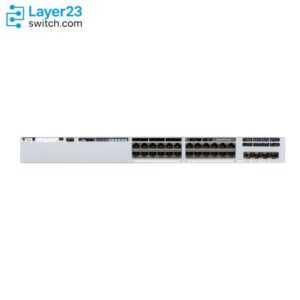
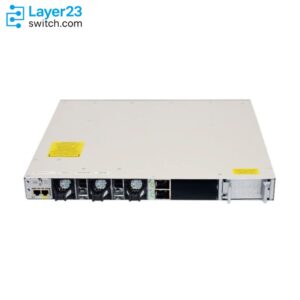
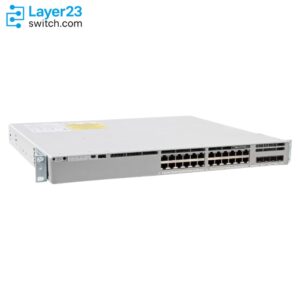
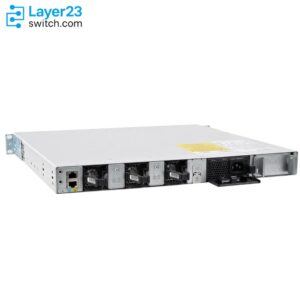
If the reset was part of a refresh project, compare the recovered or rebuilt unit against the current BOM. Confirm the exact switch model, license level, network module, optics, power supplies, stack cables, software image, and delivery timing before selecting a replacement from the Cisco Catalyst 9300 switch.
When Not to Use Factory Reset
Do not factory reset a C9300 when the real task is password recovery and the existing configuration must be preserved. Use the Cisco C9300 switch password recovery guide instead.
Do not use factory-reset all when a normal configuration cleanup is enough. write erase plus VLAN database cleanup is usually the safer path for redeployment because it keeps the IOS XE image in place.
Do not run a full wipe without console access, an approved outage window, and software recovery media. If the switch is remote and loses its boot image, recovery becomes a hands-on task.
FAQ
Does write erase factory reset a C9300 switch?
write erase clears the startup configuration, but it does not necessarily remove the VLAN database. For a cleaner redeployment reset, delete flash:vlan.dat as well and reload without saving the running configuration.
Do I need to delete vlan.dat on a C9300?
Delete flash:vlan.dat when the switch should not retain VLAN database information from the previous deployment. If the file is absent, continue with the startup configuration reset and reload process.
Does factory-reset all delete the IOS XE image?
Yes. On Catalyst 9300 switches, non-secure factory-reset all is a full wipe option that removes IOS XE images. Secure sanitization options can have different image-retention behavior, so confirm the installed release and boot source before using them.
Why did my C9300 boot into ROMMON after factory reset?
The switch may boot into ROMMON after a full factory reset because the IOS XE image was removed. Load a supported IOS XE image through the site’s approved recovery process before returning the switch to service.
Should I use factory reset for password recovery?
No, not if the goal is to regain access while keeping the configuration. Use password recovery instead. Factory reset is a configuration removal or device sanitization workflow.