
C8235-G2 – 2×1/10GE SFP+ – 8×2.5GE mGig – 120W PoE Budget – 1x PIM Slot










Why Layer23-Switch
Stocked, Shipped and Supported by One Team
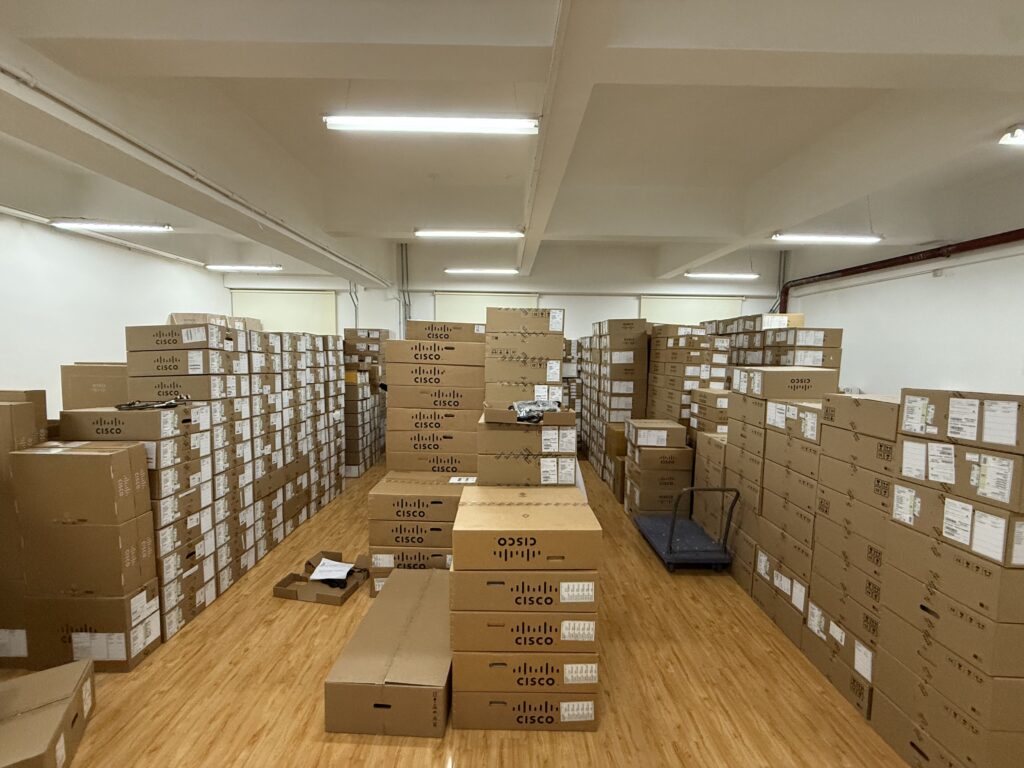
Ships in 1 Business Day
In-stock orders leave our Hong Kong or U.S. warehouse within 1 business day after payment, with tracking by email.
LSCare Warranty
3years on enterprise equipment
Free CCIE Support
Certified engineers help before and after you buy. Reply within 1 business day by email or live chat.
Verify Before You Pay
100%factory-sealed
Get label and serial photos before shipment, and check every serial number with Cisco.
C8235-G2 Description
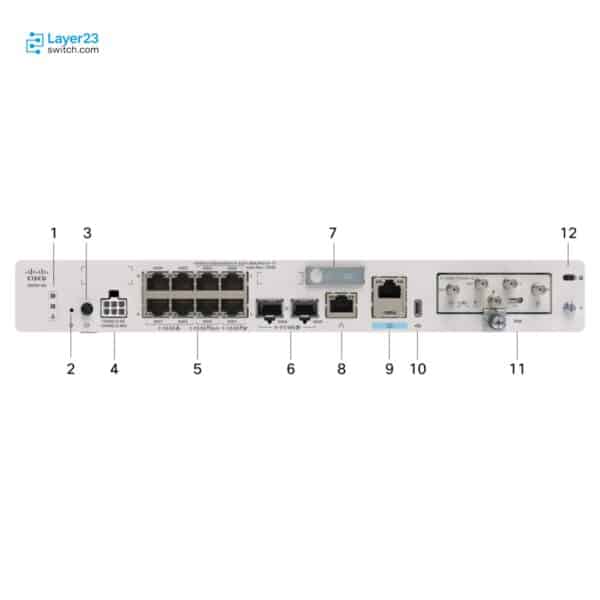
The C8235-G2 is a Cisco 8200 Series desktop secure router for branch sites that terminate multigigabit access points and a cellular backup link on the router itself. The router has 2x 1/10 GE SFP+ ports and eight 2.5 GE mGig RJ-45 ports, 19 Gbps of forwarding, 2.4 Gbps of Threat protection, 16 GB of DRAM and one PIM slot. The default 66W AC adapter carries no PoE, and the 230W AC for PoE adapter provides a 120W budget.
Quick Specs
|
Parameter |
Specification |
|---|---|
|
Product ID |
C8235-G2 |
|
Platform type |
Desktop form factor |
|
WAN ports |
2x 1/10 GE SFP+ and 2x 2.5 GE mGig RJ-45 with 2x UPOE+ |
|
Flex ports |
2x 2.5 GE mGig RJ-45 with 2x PoE+ |
|
LAN ports |
4x 2.5 GE mGig RJ-45 |
|
Cellular slot |
1 x PIM |
|
Default power supply model |
66 W AC external adapter; no PoE on the default supply |
|
Maximum PoE budget with the 230 W AC for PoE adapter |
120W |
|
Forwarding throughput |
19 Gbps at 512 bytes |
|
Threat protection throughput |
2.4 Gbps at EMIX |
|
DRAM |
16 GB |
|
Weight |
7 lbs (3.17 kg) |
|
Minimum software release |
Cisco IOS XE Release 17.18.1 |
Product Performance
Key Features
Two WAN, two Flex and four LAN ports all run at 2.5 GE, so Wi-Fi 6 and Wi-Fi 7 access points connect at their native rate.
The PIM slot takes four pluggables: one 5G Sub-6 GHz global module and CAT7 LTE Advanced modules for North America, EMEA/APAC/LATAM and Japan. The chassis has no NIM bay.
The two WAN mGig ports provide UPOE+ and the two Flex mGig ports provide PoE+. The 120W budget exists only on the 230W AC for PoE adapter, since the default 66W AC adapter carries no PoE.
The 2.4 Gbps figure is measured with NAT, NGFW, IPS, URL filtering and malware protection enabled, with 5 Gbps of IPsec and 4 Gbps of SD-WAN on the same hardware.
The chassis is 1.65 x 8.9 x 12.7 in. and weighs 7 lbs. A tray that holds the power supply makes the racked footprint 2.835 x 12 x 17.56 in.
The router requires Cisco IOS XE Release 17.18.1 or later, and Cisco Catalyst SD-WAN Release 20.18.1 or later for SD-WAN mode.
Application Scenarios
In an office branch, Wi-Fi access points and cameras connect straight to the router’s 2.5 GE LAN and Flex ports, so no separate access switch sits between them and the WAN edge.
At a retail or temporary site without rack space, the router carries a 5G or CAT7 LTE pluggable in its PIM slot as a backup or primary path next to the wired WAN ports.
In a small branch, access points, phones and cameras draw UPOE+ or PoE+ from the router’s four powered ports within the 120W budget of the 230W AC for PoE adapter.
Product Comparison
|
Parameter |
C8235-G2 | ||
|---|---|---|---|
|
WAN ports |
2x 1/10 GE SFP+, 2x 2.5 GE mGig RJ-45 (2x UPOE+) |
2x 1/10 GE SFP+, 2x 2.5 GE mGig RJ-45 (1x PoE+) |
2x 1/10 GE SFP+, 2x 2.5 GE mGig RJ-45 (2x UPOE+) |
|
Flex ports |
2x 2.5 GE mGig RJ-45 (2x PoE+) |
2x 2.5 GE mGig RJ-45 |
Not applicable |
|
LAN ports |
4x 2.5 GE mGig RJ-45 |
4x 1 GE RJ-45 |
Not applicable |
|
Expansion slots |
Not applicable |
Not applicable |
1 x NIM |
|
Cellular slot |
1 x PIM |
Not applicable |
1 x PIM |
|
Default PoE budget |
None; 66W AC external adapter |
None; 66W AC external adapter |
None; 140W AC internal supply |
|
PoE budget (upgrade supply) |
120W with 230W AC for PoE |
30W with 115W AC for PoE |
120W with 150W AC for PoE |
|
Forwarding (512B) |
19 Gbps |
19 Gbps |
19 Gbps |
|
Threat protection (EMIX) |
2.4 Gbps |
1 Gbps |
2.4 Gbps |
|
DRAM |
16 GB |
8 GB |
16 GB |
C8235-G2 and C8231-G2 are both desktop units with no NIM bay and 19 Gbps of forwarding, but C8235-G2 runs all eight copper ports at 2.5 GE with two UPOE+ ports, a 120W PoE ceiling, a PIM cellular slot, 16 GB of DRAM and 2.4 Gbps of Threat protection, where C8231-G2 has four 1 GE LAN ports, one PoE+ port, 30W, no cellular slot, 8 GB and 1 Gbps. Branches with access points above 1 Gbps, more than 30W of powered endpoints or inspection above 1 Gbps need C8235-G2. A NIM slot requires C8235-E-G2, a 1 RU modular unit with the same 16 GB, 2.4 Gbps and 120W that drops the Flex and LAN ports.
PoE Power Planning
|
Planning Item |
Value or Check |
|---|---|
|
PoE on the default supply |
None; the 66 W AC external adapter carries no PoE budget |
|
PoE budget with the upgrade adapter |
120W with the 230 W AC for PoE external adapter |
|
UPOE+ capable ports |
2 of the 2.5 GE mGig RJ-45 WAN ports |
|
PoE+ capable ports |
2 of the 2.5 GE mGig RJ-45 Flex ports |
|
Device count check |
Confirm total endpoint draw across the four powered ports against the 120W budget |
|
Power supply line item |
Confirm the 230 W AC for PoE adapter is on the order whenever any port must deliver power |
Ordering Checklist
- PoE adapter: Add the 230 W AC for PoE external adapter, which carries the 120W PoE budget. The default 66 W AC external adapter has no PoE budget.
- Cellular PIM: Select P-5GS6-R16SA-GL, P-LTEA7-NA, P-LTEA7-EAL or P-LTEA7-JP by region. The single PIM slot takes these four pluggables.
- Rack-mount tray: Add the tray that holds the power supply for racked installs, giving 2.835 x 12 x 17.56 in. The racked dimensions apply only with the tray; the bare chassis is a desktop unit.
Optional Add-ons
|
Add-on |
Description |
|---|---|
|
230 W AC for PoE adapter |
External adapter that adds the 120W PoE budget. |
|
P-5GS6-R16SA-GL |
5G Sub-6 GHz pluggable, 5G SA Global, for the PIM slot. |
|
P-LTEA7-NA |
CAT7 LTE Advanced pluggable, North America. |
|
P-LTEA7-EAL |
CAT7 LTE Advanced pluggable, EMEA, APAC and LATAM. |
|
P-LTEA7-JP |
CAT7 LTE Advanced pluggable, Japan. |
Specifications
| Parameter | Specification | Parameter | Specification |
|---|---|---|---|
| Product ID | C8235-G2 | Series | Cisco 8200 Series Secure Routers |
| Product type | Desktop form factor | WAN ports | 2x 1/10 GE SFP+ and 2x 2.5 GE mGig RJ-45 with 2x UPOE+ |
| Flex ports | 2x 2.5 GE mGig RJ-45 with 2x PoE+ | LAN ports | 4x 2.5 GE mGig RJ-45 |
| Cellular slot | 1 x PIM | Expansion slots | None; only the -E models in this series carry a NIM slot |
| Management port | 1x RJ-45 out-of-band management | Console port | 1x RJ-45 and 1x micro-USB |
| DRAM | 16 GB | Storage | 16 GB |
| Default power supply model | 66 W AC external adapter | Alternative power supplies | 230 W AC for PoE external adapter, which carries the 120W PoE budget |
| Typical power consumption | 27.11 W | AC input voltage | AC: 85 to 264 VAC |
| Forwarding (512B) | 19 Gbps | IPsec (512B) | 5 Gbps |
| SD-WAN (512B) | 4 Gbps | Threat protection (EMIX) | 2.4 Gbps |
| SD-WAN measurement basis | IPsec, Quality of Service, deep packet inspection and Flexible NetFlow enabled | Threat protection measurement basis | 100% Direct Internet Access NAT, NGFW, Intrusion Prevention System, URL Filtering and Advanced Malware Protection enabled |
| IPv4/IPv6 routes | 1.5M | IPsec tunnels | 700 |
| IPv4 ACLs | 3000 | IPv4 ACEs | 15,000 |
| NAT sessions | 1.5M | VRF instances | 4000 |
| Dimensions (H x W x D) | 1.65 x 8.9 x 12.7 in. (4.19 x 22.60 x 32.26 cm) | Rack units | Desktop |
| Dimensions with rack-mount tray | 2.835 x 12 x 17.56 in. (7.20 x 30.48 x 44.60 cm) with the tray holding the power supply | Weight | 7 lbs (3.17 kg) |
| Operating temperature | 0 to 40°C at sea level | Storage temperature | -40 to 70°C |
| Relative humidity | 5 to 85 percent operating; 5 to 95 percent non-operating and storage | Minimum software release | Cisco IOS XE Release 17.18.1 and later |
| Minimum SD-WAN manager release | Cisco Catalyst SD-WAN Release 20.18.1 and later | Default PoE budget | None; the 66 W AC external adapter carries no PoE |
| Maximum PoE budget with the 230 W AC for PoE adapter | 120W |
Quality Certifications
Customer Reviews
Questions & Answers
-
What throughput does C8235-G2 provide with security services enabled?
-
Which PID provides the 120W PoE budget on C8235-G2?
-
Which mounting kit PIDs are listed for C8235-G2?
-
Which software image options can I select for C8235-G2?
-
Which licence tags does C8235-G2 use in autonomous and SD-WAN controller modes?
-
Which blank PID covers the unused PIM slot on C8235-G2?
Warranty
Layer23-Switch.com offers genuine, high-quality ICT products at competitive wholesale prices—ensuring exceptional value without compromising quality.
All items are brand new, original, and factory-sealed.
Upon request, each unit can be fully tested and verified by a Cisco CCIE-certified engineer to ensure perfect working condition before shipment.
Our Cisco CCIE-certified experts provide free professional support via phone, email, online chat, or remote login—helping you deploy and troubleshoot with confidence.
If you are not satisfied with your purchase, you may request an exchange or full refund. Our customer service team will guide you through the return process quickly and smoothly. Visit Return Policy page for more information.
We support multiple secure payment and logistics options, backed by industry-leading verification:












Visit How to Pay page for more information
Extended, Worry-Free Warranty Coverage Factory New Sealed Enterprise Hardware:
· 3 Years Factory New Sealed
Visit Warranty Policy page for more information
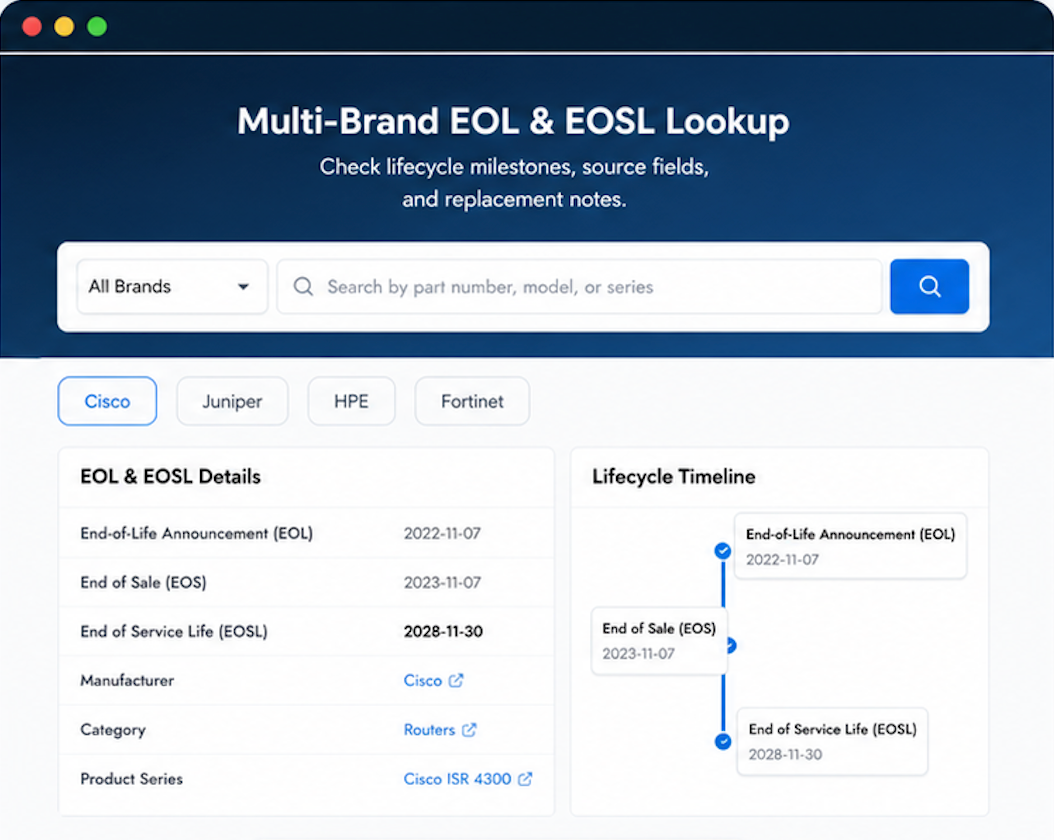
Verify, plan, and comparewith confidence
Use practical tools to check device details, review lifecyclemilestones, and compare hardware before you buy.

Will return
quick service, good vendor
Our finance team was happy. affordable parts for older gear.