
Cisco IE3300 Switch Buying Guide: Models and BOM Checklist
Cisco IE3300 selection starts with the cabinet role. Use IE-3300-8T2S for non-PoE industrial access with 1G SFP uplinks, IE-3300-8P2S for PoE/PoE+ access with 1G SFP uplinks, IE-3300-8T2X for non-PoE access with 10G SFP+ uplinks, and IE-3300-8U2X when the same cabinet needs UPOE and 10G SFP+ uplinks.
The IE3300 fits rugged DIN-rail access, modular port expansion, PoE endpoint support, and repeatable cabinet rollouts. It is not the correct substitute when the project requires PRP, HSR, DLR, Cisco TrustSec SGT, or SGACL; those requirements move the decision toward IE3400 or another supported industrial platform.
For model availability and quote requests, start from the Cisco IE3300 rugged switches category once the base model, expansion module, power supply, optics, and license tier are clear.
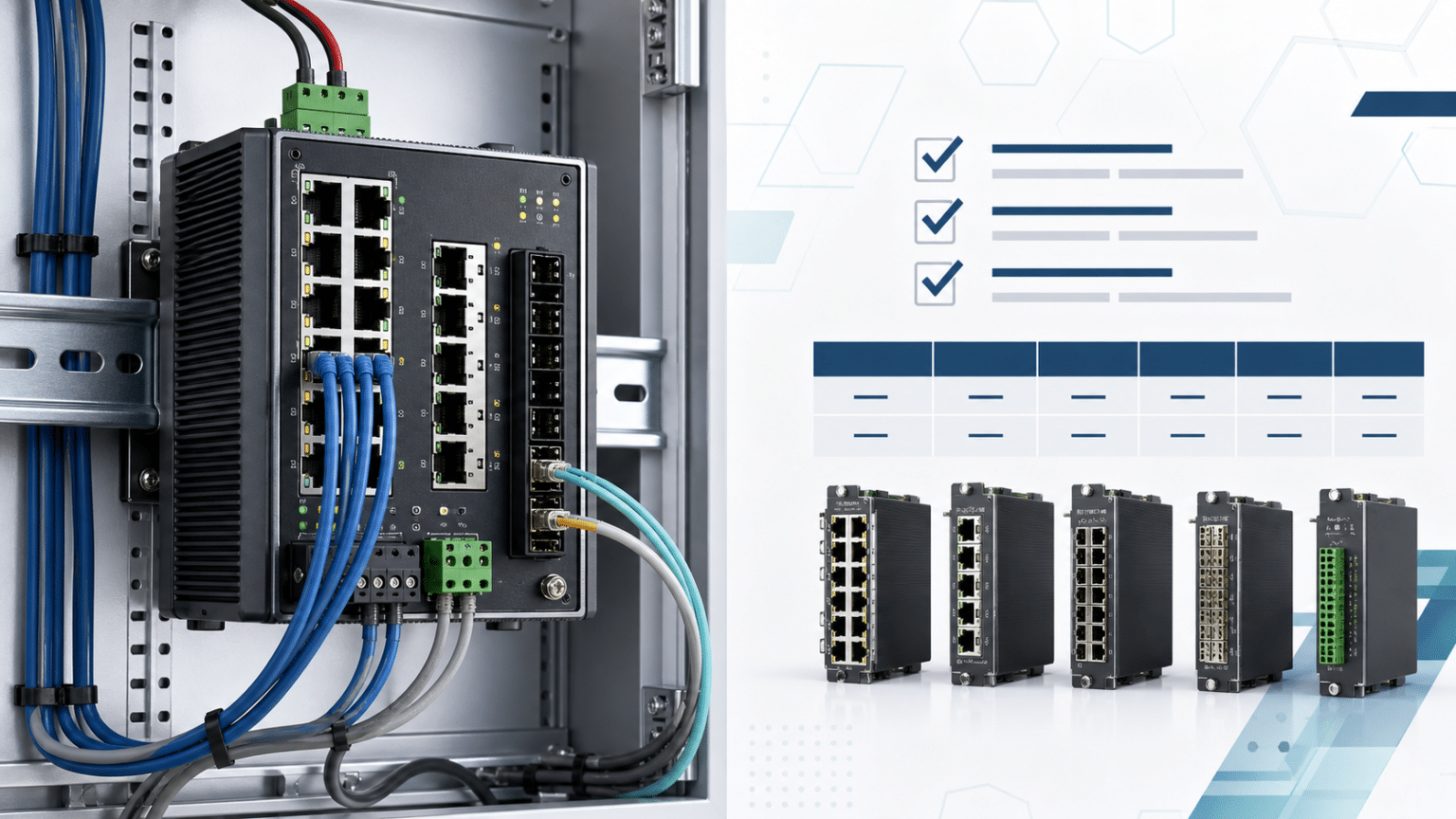
Cisco IE3300 Model Selection by Cabinet Requirement
The base switch should be chosen before accessories are added to the BOM. It defines the downlink type, uplink speed, default license suffix, and whether a PoE expansion path is valid.
| Project requirement | Recommended IE3300 model group | Why it fits |
|---|---|---|
| Non-PoE industrial access with 1G fiber uplinks | IE-3300-8T2S-E/A | 8 GE copper ports and 2 GE SFP uplinks for PLCs, HMIs, controllers, and industrial computers |
| PoE/PoE+ access with 1G fiber uplinks | IE-3300-8P2S-E/A | 8 GE PoE/PoE+ copper ports for cameras, access points, phones, sensors, and badge readers |
| Non-PoE access with 10G uplinks | IE-3300-8T2X-E/A | 8 GE copper ports and 2 10G SFP+ uplinks for cabinets feeding higher-speed aggregation |
| UPOE access with 10G uplinks | IE-3300-8U2X-E/A | 8 4PPoE Type 3 copper ports and 2 10G SFP+ uplinks for higher-power endpoints and faster backhaul |
| More copper, PoE, or fiber ports later | Add IEM-3300 expansion modules | IE3300 systems can expand up to 26 ports depending on base switch and module choice |
| PRP, HSR, DLR, SGT, or SGACL | Move to IE3400-class evaluation | These requirements should not be handled as IE3300 substitutions |
If the design only lists “Cisco IE3300” without a full PID, the quote is still incomplete. Procurement should request the exact base model, license suffix, expansion module, power supply, and optics before approving the order.
Cisco IE3300 Model Comparison: 8T2S vs 8P2S vs 8T2X vs 8U2X
Cisco IE3300 model comparison needs the full part number. A one-letter difference in the SKU can change PoE capability, uplink speed, and default license tier.
|
Model group |
Downlink ports |
Uplink ports |
PoE budget |
Default license |
Best-fit buying scenario |
|---|---|---|---|---|---|
|
IE-3300-8T2S-A |
8 x GE copper |
2 x 100/1000 SFP |
Not applicable |
Essentials / Advantage |
Standard industrial access without powered endpoints |
|
IE-3300-8P2S-A |
8 x GE PoE/PoE+ copper |
2 x 100/1000 SFP |
240W base / 360W with module |
Essentials / Advantage |
PoE access for cameras, wireless APs, phones, sensors, and readers |
|
IE-3300-8T2X-A |
8 x GE copper |
2 x 1G/10G SFP+ |
Not applicable |
Essentials / Advantage |
Non-PoE cabinet with 10G uplink requirement |
|
IE-3300-8U2X-A |
8 x 4PPoE Type 3 copper |
2 x 1G/10G SFP+ |
Up to 480W |
Essentials / Advantage |
UPOE endpoint cabinet with 10G uplinks |
The -E suffix indicates Network Essentials as the default license. The -A suffix indicates Network Advantage as the default license. This suffix does not change the physical ports, PoE class, or uplink hardware.
Cisco IE3300 Part Numbers Explained: 8T, 8P, 8U, 2S, 2X, E and A
Cisco IE3300 part numbers combine the platform, port layout, uplink type, and default software tier. Keep the full model visible in the quote; a shorthand description such as “8-port IE3300 PoE switch” is not enough for BOM approval.
| Part-number element | Meaning | Buying impact |
|---|---|---|
IE-3300 | Cisco Catalyst IE3300 rugged switch family | Confirms the industrial DIN-rail platform |
8T | 8 copper data ports | Non-PoE access endpoints |
8P | 8 PoE/PoE+ copper ports | Powered endpoints with 1G SFP uplinks |
8U | 8 UPOE / 4PPoE Type 3 copper ports | Higher-power endpoints with 10G SFP+ uplinks |
2S | 2 SFP uplinks | 100/1000 SFP uplink planning |
2X | 2 SFP+ uplinks | 1G/10G SFP+ uplink planning |
-E | Network Essentials default license | Standard software tier |
-A | Network Advantage default license | Higher software tier ordered with the hardware |
Licensing can change software entitlement, but it cannot add PoE ports, UPOE capability, or 10G uplinks to a model that was not built with them. Decide the hardware fit before deciding the license tier.
Cisco IE3300 Selection Matrix for Industrial Cabinets
IE3300 deployments are often cabinet-level purchases, which makes model discipline important. A wrong base model can force a different power supply, a different optics plan, a different expansion module, or a failed acceptance check during commissioning.
| Deployment scenario | Better IE3300 direction | What to verify before ordering |
|---|---|---|
| PLC, HMI, controller, or industrial PC cabinet | IE-3300-8T2S-E/A | Copper endpoint count, fiber uplink distance, industrial SFP temperature rating |
| Camera or access point cabinet with moderate load | IE-3300-8P2S-E/A | Endpoint watts, 48V/54V input, PoE reserve, expansion module plan |
| Machine vision or industrial wireless aggregation | IE-3300-8T2X-E/A | 10G SFP+ optics, uplink path, cabinet power, software release |
| High-power endpoint cabinet | IE-3300-8U2X-E/A | Per-port power class, total 480W budget, power supply sizing, heat margin |
| Cabinet expected to grow beyond 10 ports | Base model plus IEM-3300 module | Cabinet width, module compatibility, PoE base requirement, spare module availability |
| Large spare-unit strategy | Standardize on the smallest valid model group | Confirm approved substitutes before a site outage occurs |
For wider family placement, the Cisco industrial switch selection guide can help decide whether the project belongs in IE3300, IE3400, IE9300, or another industrial platform.
Cisco IE3300 PoE Budget: 240W, 360W and 480W Planning
PoE planning on the IE3300 is a power-system decision, not just a switch SKU decision. The IE-3300-8P2S model provides a 240W base PoE budget and 360W with module support. The IE-3300-8U2X provides up to 480W for higher-power endpoint designs.
The power supply must cover the switch and the powered-device load. Cisco identifies input-voltage requirements for PoE and PoE+ operation, including 48VDC for PoE and 54VDC for PoE+ or 4PPoE on relevant models. A PoE cabinet quote that omits the power supply should not be treated as a complete BOM.
Use this buying check:
| PoE requirement | What to check |
|---|---|
| Basic PoE endpoints | Endpoint count, per-port wattage, 48VDC input, reserve margin |
| PoE+ cameras or APs | 54VDC requirement, total watts, cable length, thermal conditions |
| UPOE / 4PPoE endpoint load | IE-3300-8U2X fit, 480W budget, power supply sizing |
| PoE expansion module | Confirm the base switch is a PoE base model and verify total system power |
| Redundant power design | Input feed plan, power supply wattage, cabinet wiring, maintenance access |
For deeper BOM planning, review the Cisco IE3300 and IE3400 power supply module guide before finalizing the quote.
Cisco IE3300 10G Uplink Models: IE-3300-8T2X and IE-3300-8U2X
Choose IE-3300-8T2X or IE-3300-8U2X when the cabinet requires 10G SFP+ uplinks. The 8T2S and 8P2S models are 1G SFP uplink designs, so they should not be accepted for a project that specifies 10G backhaul.
10G uplinks make sense when the cabinet aggregates video, machine vision, wireless backhaul, multiple high-traffic endpoints, or a fiber run into a higher-speed distribution layer. They can also reduce early replacement risk when a site is standardizing on 10G aggregation while keeping rugged access switches at the edge.
Check optics carefully. Industrial SFP and SFP+ selection should account for fiber distance, connector type, operating temperature, and any derating conditions for non-industrial optics.
Cisco IE3300 Expansion Modules: IEM-3300 Port Growth Options
IE3300 expansion modules are useful when the cabinet needs more copper, fiber, PoE, or mixed ports after the base switch is selected. The base model still matters: PoE modules require a PoE-capable base switch, and the power budget must be validated before powered expansion is approved.
| Expansion module | Adds | Buying note |
|---|---|---|
| IEM-3300-8T | 8 GE copper ports | Standard copper expansion for non-PoE endpoints |
| IEM-3300-16T | 16 GE copper ports | Higher-density copper expansion |
| IEM-3300-8S | 8 GE SFP ports | Fiber expansion for cabinets with more optical runs |
| IEM-3300-6T2S | 6 GE copper + 2 GE SFP | Mixed copper/fiber expansion |
| IEM-3300-14T2S | 14 GE copper + 2 GE SFP | Higher-density mixed expansion |
| IEM-3300-8P | 8 GE PoE/PoE+ copper ports | Requires PoE base planning and power budget check |
| IEM-3300-16P | 16 GE PoE/PoE+ copper ports | Higher-density PoE expansion; power supply sizing is critical |
| IEM-3300-4MU | 4 x 2.5GE 4PPoE copper ports | High-power and multigigabit expansion; confirm endpoint class and total PoE budget |
Expansion also affects physical layout. Single-wide and double-wide modules change the installed width of the system, so cabinet space should be checked before the BOM is released.
Cisco IE3300 Network Essentials vs Network Advantage for Industrial Orders
For IE3300 procurement, Network Essentials and Network Advantage are software-tier and ordering decisions. Network Advantage includes the Network Essentials feature set, but the -A suffix does not change the physical ports or PoE hardware.
Choose Network Essentials for standard industrial access, Layer 2 switching, basic management, and typical access-layer security. Choose Network Advantage when the project standard requires the higher tier, when routing scale or advanced software features are part of the design, or when the customer specification names Network Advantage explicitly.
If the preferred
-Ahardware PID has longer lead time, procurement can evaluate the matching-Emodel plus the required Network Advantage license.
Cisco IE3300 Limitations: PRP, HSR, DLR, SGT and SGACL
The IE3300 is a strong fit for rugged access, modular growth, 10G uplink options, and PoE/UPOE cabinet designs. It is not a substitute for IE3400-class industrial redundancy and segmentation requirements.
| Requirement in the specification | Better direction |
|---|---|
| PRP or HSR | Evaluate IE3400, IE3400H, IE9300, or another supported platform |
| DLR | Check IE3400-class support and software requirements |
| Cisco TrustSec, SGT, or SGACL | Validate the IE3400 path and expansion module compatibility |
| IEC 62439-3 zero-loss redundancy | Do not substitute IE3300 without engineering approval |
| Generic office access switching | Consider Catalyst campus access switches instead of an industrial IE model |
For cross-platform decisions, use the Cisco IE3300 vs IE3400 comparison rather than forcing those requirements into an IE3300 model table.
Cisco IE3300 BOM Checklist for Quotes, Stock and Lead Time
Use this checklist before requesting price, stock, or lead time:
- Full base switch PID, including
-Eor-Asuffix. - Required endpoint type: non-PoE, PoE/PoE+, UPOE, or 2.5GE 4PPoE expansion.
- Required uplink type: 100/1000 SFP or 1G/10G SFP+.
- Endpoint wattage, total PoE load, and reserve margin.
- Power supply wattage, input voltage, redundant feed plan, and cabinet wiring.
- Expansion module model and cabinet width.
- Network Essentials or Network Advantage requirement.
- Optics, fiber distance, connector type, and temperature range.
- Optional SD card or USB-related deployment requirement.
- Software image, Smart Account handling, warranty expectation, delivery deadline, and acceptable substitutes.
Layer23-Switch can validate the switch, expansion module, power supply, optics, license, and lead-time assumptions before the final quote is issued.
Cisco IE3300 Model Comparison FAQ
Which Cisco IE3300 model should I buy for industrial access?
Choose IE-3300-8T2S for non-PoE access with 1G SFP uplinks, IE-3300-8P2S for PoE/PoE+ access with 1G SFP uplinks, IE-3300-8T2X for non-PoE access with 10G SFP+ uplinks, and IE-3300-8U2X for UPOE access with 10G SFP+ uplinks.
What is the difference between IE-3300-8T2S-E and IE-3300-8P2S-E?
IE-3300-8T2S-E is the non-PoE model with 8 GE copper ports and 2 GE SFP uplinks. IE-3300-8P2S-E adds PoE/PoE+ support on the 8 copper access ports while keeping the same 2 GE SFP uplink layout. Use 8P2S-E for powered endpoints such as cameras, wireless APs, phones, sensors, and access-control devices.
IE-3300-8P2S-E vs IE-3300-8U2X-E: what is the difference?
IE-3300-8P2S-E is the PoE/PoE+ model with 2 x 100/1000 SFP uplinks and a 240W base / 360W with module PoE budget. IE-3300-8U2X-E adds UPOE / 4PPoE Type 3 capability and 2 x 1G/10G SFP+ uplinks, with up to 480W PoE budget.
Does Cisco IE3300 support 10G SFP+ uplinks?
Yes, but only on the 10G uplink model groups. IE-3300-8T2X and IE-3300-8U2X provide 1G/10G SFP+ uplinks. IE-3300-8T2S and IE-3300-8P2S are 100/1000 SFP uplink models.
What is the Cisco IE3300 PoE budget?
IE-3300-8P2S provides 240W base PoE budget and 360W with module support. IE-3300-8U2X supports up to 480W. The final usable budget depends on the power supply, endpoint load, input voltage, and expansion module plan.
Can Cisco IE3300 expansion modules be used with IE3400?
IE3300 expansion modules can be physically used with IE3400 base switches, but Cisco notes that this combination can prevent support for advanced security features such as SGT and SGACL on the IE3400 base. For IE3400 TrustSec projects, validate module compatibility before ordering.
Is Network Advantage required for Cisco IE3300 switches?
Not always. Network Essentials is enough for many standard industrial access deployments. Select Network Advantage when the project specification, routing scale, software feature requirement, or customer standard requires it.






