
Cisco IE3300 vs IE3400: Differences, Features, and Which to Buy
Cisco IE3300 and IE3400 switches are both rugged Cisco Catalyst industrial Ethernet platforms, but they are usually selected for different project requirements. IE3300 is the better fit for modular access, 10G uplink variants, UPOE options, and cost-controlled cabinet rollouts. IE3400 is the better fit when the design requires FPGA-backed industrial features such as PRP, HSR, DLR, Cisco TrustSec, SGT, or SGACL.
The main difference is hardware. The IE3400 adds an FPGA in the data path, which is the platform boundary behind PRP, HSR, and Cisco TrustSec capabilities. A Network Advantage license on an IE3300 does not add that FPGA, so an IE-3300-8P2S-A should not be treated as a lower-cost replacement for an IE3400 project that requires PRP, HSR, DLR, SGT, or SGACL.
Both platforms run Cisco IOS XE, use a compact DIN-rail industrial form factor, support modular expansion, and offer common 8-port copper models with 2 SFP uplinks. That overlap is useful for procurement teams, but it also creates substitution risk. A switch that matches the port count can still fail the project if the redundancy protocol, security feature, uplink speed, expansion module, power supply, or software release is wrong.
For a broader view across Cisco rugged switching families, start with the Cisco industrial switch selection guide.
What Is the Difference Between Cisco IE3300 and IE3400?
The Cisco IE3400 supports FPGA-assisted industrial features that the Cisco IE3300 does not support. In practical terms, IE3400 is the platform to evaluate for PRP, HSR, DLR, Cisco TrustSec, SGT, and SGACL. IE3300 is the platform to evaluate for rugged access switching, 10G SFP+ uplinks, UPOE edge requirements, and large numbers of standard industrial cabinets.
Both families share several project-level characteristics:
- DIN-rail industrial hardware for cabinet deployment
- Cisco IOS XE software
- 8 copper Gigabit Ethernet access ports on common base models
- 2 SFP uplinks on standard 8T2S and 8P2S base models
- Modular expansion with IEM modules
- Network Essentials and Network Advantage ordering variants
- Industrial use in manufacturing, utilities, transportation, energy, outdoor enterprise, warehouses, and distribution sites
The IE3300 adds 10G uplink variants that are not present in common IE3400 Rugged base models. The IE3400 adds the FPGA-backed feature set needed for advanced OT redundancy and segmentation. The correct platform is decided by the engineering requirement, not by which model number appears newer or higher.
What Is FPGA in the Cisco IE3400 Series?
The Cisco Catalyst IE3400 includes an additional FPGA in the data path, which is one of the main hardware differences from the IE3300. FPGA means Field-Programmable Gate Array, a programmable hardware chip used to support specialized packet-processing functions. In the IE3400, this hardware capability helps enable advanced industrial features such as HSR, PRP, Cisco TrustSec, and DLR-related redundancy functions. For industrial buyers, the FPGA is not an external module, but a built-in hardware advantage that makes the IE3400 better suited for redundancy-sensitive OT networks.
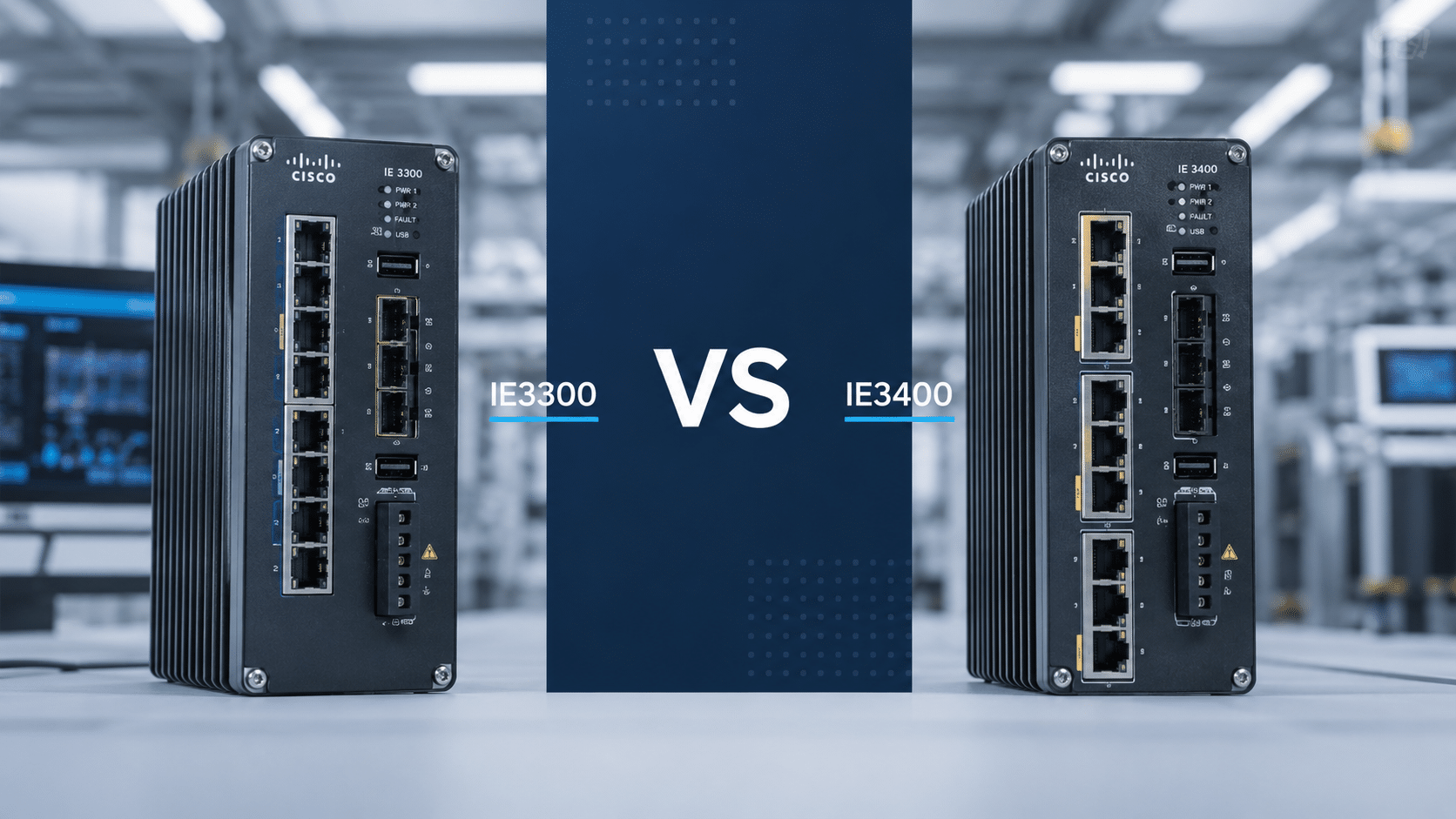
Cisco IE3300 vs IE3400 Model Comparison
Most IE3300 and IE3400 comparisons start with the 8-port base models. 8T2S means 8 copper ports and 2 SFP uplinks. 8P2S means 8 PoE/PoE+ copper ports and 2 SFP uplinks. 8T2X means 8 copper ports and 2 10G SFP+ uplinks. 8U2X means 8 UPOE copper ports and 2 10G SFP+ uplinks. -E indicates Network Essentials, while -A indicates Network Advantage.
| Model | Ports and Uplinks | Default License | PoE Budget | FPGA |
|---|---|---|---|---|
| IE-3300-8T2S-E | 8 x 1G RJ45, 2 x 1G SFP | Network Essentials | None | No |
| IE-3300-8T2S-A | 8 x 1G RJ45, 2 x 1G SFP | Network Advantage | None | No |
| IE-3300-8P2S-E | 8 x 1G PoE/PoE+ RJ45, 2 x 1G SFP | Network Essentials | 240W base / 360W with module | No |
| IE-3300-8P2S-A | 8 x 1G PoE/PoE+ RJ45, 2 x 1G SFP | Network Advantage | 240W base / 360W with module | No |
| IE-3300-8T2X-A | 8 x 1G RJ45, 2 x 10G SFP+ | Network Advantage variant available | None | No |
| IE-3300-8U2X-A | 8 x UPOE RJ45, 2 x 10G SFP+ | Network Advantage variant available | Up to 480W | No |
| IE-3400-8T2S-E | 8 x 1G RJ45, 2 x 1G SFP | Network Essentials | None | Yes |
| IE-3400-8T2S-A | 8 x 1G RJ45, 2 x 1G SFP | Network Advantage | None | Yes |
| IE-3400-8P2S-E | 8 x 1G PoE/PoE+ RJ45, 2 x 1G SFP | Network Essentials | 240W base / 480W with expansion | Yes |
| IE-3400-8P2S-A | 8 x 1G PoE/PoE+ RJ45, 2 x 1G SFP | Network Advantage | 240W base / 480W with expansion | Yes |
A -A suffix means Network Advantage. It does not change the physical switch family. A Network Advantage IE3300 remains IE3300 hardware and does not gain the IE3400 FPGA.
Does Cisco IE3300 Support PRP, HSR, or DLR?
Cisco IE3300 should not be quoted for PRP or HSR requirements. Cisco PRP documentation states that PRP is not supported on IE3200 or IE3300 series switches, while supported platforms include IE3400, IE3400H, and IE9300. HSR also belongs on the IE3400 or IE3400H side of the comparison, not on IE3300.
DLR belongs in the same procurement check because it sits with the same FPGA-assisted industrial feature set as PRP, HSR, and Cisco TrustSec. FPGA Profiles are supported only on IE3400 and IE3400H in this product set. If a project specification names DLR, validate the exact IE3400 or IE3400H platform, software release, and FPGA profile before ordering.
If the specification includes PRP, HSR, HSR-SAN, HSR-PRP, DLR, IEC 62439-3, or a redundancy requirement tied to zero-loss recovery, the IE3300 should not be treated as an equivalent substitute. The platform decision should move to IE3400, IE3400H, IE9300, or another supported platform based on the design.
Does Cisco IE3400 Support 10G Uplinks?
Common Cisco IE3400 Rugged base models use 1G SFP uplinks. The IE3400 Rugged lineup does not provide a common base-model equivalent to the IE3300 10G SFP+ variants.
The IE3300 family includes 10G uplink models for industrial edge cabinets:
- IE-3300-8T2X: 8 x 1G copper ports and 2 x 10G SFP+ uplinks
- IE-3300-8U2X: 8 x 1G UPOE copper ports and 2 x 10G SFP+ uplinks
For machine vision aggregation, Wi-Fi 6 access point aggregation, high-resolution camera networks, industrial wireless cabinets, or plant-floor zones feeding a high-speed distribution layer, IE3300 10G variants can be the better technical fit. Do not trade away a required 10G uplink only because an IE3400 appears to be the higher platform.
What FPGA Features Does Cisco IE3400 Support?
Cisco IE3400 and IE3400H support FPGA Profiles for feature combinations that rely on FPGA resources. PRP, HSR, DLR, and Cisco TrustSec should be planned as FPGA-assisted feature choices, not as ordinary software toggles.
FPGA Profile planning matters because only one profile is active at a time, and changing the profile requires a reload. If the configured profile does not match the intended feature set, the switch may reject related configuration after boot. For critical OT cabinets, that is a commissioning risk, not a minor configuration detail.
Several IE3400 details should be checked before ordering or commissioning:
- PRP is available on select IE3400 base switch ports only, identified by Cisco as Gig1/1 through Gig1/4.
- Only one PRP instance is supported on the IE3400 base switch.
- SGT and SGACL support depends on the correct IE3400 base and IEM-3400 expansion module choice.
- IEM-3300-4MU does not support PTP.
- HSR-PRP Dual RedBox mode has platform and software-release requirements that should be checked against the project standard.
These details are easy to miss when the quote only lists a base switch SKU. For PRP, HSR, DLR, TrustSec, or PTP projects, the BOM should include the switch model, license tier, expansion module, software release, port role, and profile assumptions.
When Should You Buy Cisco IE3300?
Buy Cisco IE3300 when the project requires rugged industrial access switching without FPGA-backed protocols. It is the stronger commercial choice when a site needs many standard cabinets, predictable spares, 10G uplinks at the industrial edge, or UPOE for higher-power endpoints.
IE3300 is often the right platform for:
- Factory zone cabinets without PRP, HSR, DLR, or TrustSec requirements
- Outdoor enterprise access deployments
- Warehouse and distribution center networks
- 8-port PoE/PoE+ cabinets for cameras, access points, phones, or sensors
- Industrial wireless aggregation cabinets requiring 10G uplinks
- High-bandwidth edge cabinets using IE-3300-8T2X or IE-3300-8U2X
- UPOE deployments using IE-3300-8U2X for higher-power endpoints
- Standardized spare-unit strategies across large access deployments
- Machine networks using REP, MRP, STP, or ordinary ring recovery instead of PRP, HSR, or DLR
The IE-3300-8P2S-E is a practical starting point for an 8-port industrial PoE cabinet. The IE-3300-8T2X and IE-3300-8U2X should be reviewed when the cabinet needs 10G fiber uplinks or a higher-power PoE edge.
When Should You Buy Cisco IE3400?
Buy Cisco IE3400 when the project specification requires PRP, HSR, DLR, Cisco TrustSec, SGT, SGACL, or another feature tied to the IE3400 FPGA hardware. In these projects, the switch is selected for the industrial protocol and segmentation requirement, not only for the number of copper ports.
IE3400 is often the right platform for:
- Utility substation networks that specify PRP or IEC 62439-3 redundancy
- Rail and transportation systems requiring HSR
- Energy sites with deterministic redundancy requirements
- Manufacturing zones using TrustSec, SGT, or SGACL for OT segmentation
- Industrial automation networks using DLR
- Critical OT edge cabinets where the specification names PRP, HSR, or DLR
- HSR-PRP Dual RedBox deployments where Cisco platform and release requirements are met
- Projects where SGT/SGACL support must remain active across the base switch and expansion module
The IE-3400-8P2S-E and IE-3400-8P2S-A are common starting points for PoE-enabled OT cabinets. The IE-3400-8T2S-A is a common starting point for non-PoE critical OT access with the higher software tier.
What Is the PoE Budget for IE3300 and IE3400?
Cisco IE3300 8P2S models provide a 240W base PoE budget and up to 360W with module. Cisco IE3400 8P2S models provide a 240W base PoE budget and up to 480W with expansion. Cisco IE3300 8U2X models provide up to 480W total PoE budget for high-power industrial edge designs.
The maximum budget is not automatic. It depends on the correct power supply sizing and the switch system configuration. A quote that lists only an 8P2S switch without the power supply, endpoint wattage, reserve margin, and expansion module is not a complete PoE BOM.
Before choosing a PoE model, count every powered endpoint: fixed cameras, PTZ cameras, industrial wireless APs, phones, badge readers, sensors, and edge devices. Then confirm total watts, per-port demand, reserve margin, DC input plan, and cabinet temperature conditions.
For broader PoE planning, compare the Cisco industrial PoE switch guide and the Cisco industrial switch power supply selection guide.
Can IE3300 Expansion Modules Be Used With IE3400?
Yes. IE3300 expansion modules can be plugged into IE3400 base switches. That physical compatibility does not make the modules feature-equivalent for every IE3400 design.
Cisco documentation notes that using IE3300 expansion modules with an IE3400 base can prevent advanced security features such as SGT and SGACL on the IE3400 base switch. SGT/SGACL support on IE3400 should be planned around the base switch and IEM-3400 expansion modules. For TrustSec projects, expansion modules must be approved by feature impact, not only by port count.
Common IE3300 expansion modules include IEM-3300-8T, IEM-3300-8S, and IEM-3300-16P. These can be appropriate for many access expansions, but an IE3400 TrustSec project should check whether IEM-3400 modules are required. If the design includes PTP, exclude IEM-3300-4MU unless the feature limitation has been accepted.
Network Essentials vs Network Advantage on IE3300 and IE3400 Industrial Switches
For Cisco IE3300 and IE3400 industrial switches, Network Essentials and Network Advantage define the default software tier shipped with the switch. `-E` part numbers ship with Network Essentials as the default license. `-A` part numbers ship with Network Advantage as the default license.
In this IE3300 vs IE3400 comparison, the important ordering rule is that licensing does not replace hardware. Network Advantage on IE3300 does not enable PRP, HSR, DLR, or IE3400 TrustSec behavior because those features depend on the IE3400 FPGA implementation and related platform support.
On IE3400 industrial projects involving TrustSec, SGT, or SGACL, check the license tier, FPGA profile, expansion module, and software release together. Treat the license as one part of the feature chain, not as the entire answer.
Cisco IE3300 vs IE3400 Decision Summary
| Project Requirement | Recommended Platform |
|---|---|
| Standard rugged access, 8 copper ports and 2 SFP uplinks, no advanced OT protocols | IE3300 |
| 8-port PoE cabinet with moderate endpoint load | IE3300 8P2S |
| 10G SFP+ uplinks required at DIN-rail edge | IE3300 8T2X or 8U2X |
| UPOE or higher-power edge endpoints | IE3300 8U2X |
| Large-scale standardized access spares | IE3300 |
| Parallel Redundancy Protocol (PRP) | IE3400, IE3400H, or another supported platform |
| High-Availability Seamless Redundancy (HSR) | IE3400 or IE3400H |
| HSR-PRP Dual RedBox | IE3400 or IE3400H with the required software release |
| Device Level Ring (DLR) | IE3400 or IE3400H after platform and profile validation |
| Cisco TrustSec, SGT, SGACL | IE3400 with correct license, module, release, and FPGA profile |
| IEC 61850 substation networking with PRP | IE3400, IE3400H, IE9300, or another supported design |
| Higher PoE budget on 8P2S form factor | IE3400 8P2S |
| IE3400 specified but no advanced feature listed | Review the RFQ before paying for unused capability |
Four Pre-Order Checks for IE3300 and IE3400
Redundancy Protocol Check
Confirm which redundancy protocol the design requires. REP, MRP, and STP-based recovery are different from PRP and HSR. If the specification includes IEC 62439-3, PRP, HSR, HSR-SAN, HSR-PRP, or DLR, validate the platform, software release, ports, and profile before accepting a substitute.
Uplink Speed Check
Confirm whether the cabinet requires 1G SFP or 10G SFP+ uplinks. Standard IE3300 and IE3400 8T2S or 8P2S models use 1G SFP uplinks. IE3300 8T2X and 8U2X models provide 10G SFP+ uplinks for high-bandwidth industrial edge designs.
PoE and Power Supply Check
Confirm endpoint count, total watts, per-port load, reserve margin, power supply, and DC input plan. IE3300 8P2S provides 240W base and up to 360W with module. IE3400 8P2S provides 240W base and up to 480W with expansion. IE3300 8U2X provides up to 480W for higher-power edge deployments.
Expansion Module and Feature Compatibility Check
Confirm the expansion module before approving the quote. IE3300 modules may be physically compatible with IE3400, but SGT and SGACL support can be affected. TrustSec projects should use the correct IE3400 module plan, and PTP projects should account for the IEM-3300-4MU limitation.
Quote Checklist for Cisco IE3300 and IE3400 Orders
Confirm these items before requesting price and lead time:
- Base switch SKU and license suffix.
- Required redundancy protocol: REP, MRP, PRP, HSR, DLR, STP, or another method.
- Required security features: TrustSec, SGT, SGACL, MACsec, 802.1X, ACLs, or segmentation policy.
- Uplink speed: 1G SFP or 10G SFP+.
- PoE endpoint count, total watts, per-port load, and reserve margin.
- Power supply voltage, wattage, redundant feed plan, and cabinet power budget.
- Expansion module model and feature impact.
- Cisco IOS XE software release and FPGA profile requirements.
- Optics, fiber distance, copper endpoint requirements, and spare-unit policy.
- Delivery deadline, destination, warranty expectation, and acceptable substitutions.
For full family-level model lists, see the IE3300 model list and the IE3400 model list. Layer23-Switch can also help verify stock, check compatible power supplies and optics, review expansion-module fit, and compare replacement options before a project BOM is locked.
FAQ: Cisco IE3300 vs IE3400
Is Cisco IE3400 always better than IE3300?
No. Cisco IE3400 is better when the project requires FPGA-backed features such as PRP, HSR, DLR, Cisco TrustSec, SGT, or SGACL. Cisco IE3300 is often the better choice for standard rugged access, 10G uplink requirements, UPOE edge designs, ordinary PoE cabinets, and large access deployments.
Can Cisco IE3300 replace IE3400 for an 8-port PoE cabinet?
Yes, if the cabinet only requires rugged 8-port PoE/PoE+ access with 2 x 1G SFP uplinks and does not require PRP, HSR, DLR, TrustSec, SGT, or SGACL. In that case, IE-3300-8P2S-E or IE-3300-8P2S-A is often the cleaner alternative.
Does Cisco IE3300 support PRP?
No. PRP is not supported on IE3200 or IE3300 series switches. PRP projects should evaluate IE3400, IE3400H, IE9300, or another supported platform.
Does Cisco IE3400 support 10G uplinks?
Common Cisco IE3400 Rugged base models use 1G SFP uplinks. For 10G SFP+ uplinks at the industrial edge, evaluate Cisco IE3300 10G models such as IE-3300-8T2X and IE-3300-8U2X.
What is the PoE budget of Cisco IE-3400-8P2S?
Cisco IE-3400-8P2S models provide a 240W base PoE budget and up to 480W with expansion, subject to correct power supply sizing and system configuration.
What is the PoE budget of Cisco IE-3300-8P2S?
Cisco IE-3300-8P2S models provide a 240W base PoE budget and up to 360W with module, subject to correct power supply sizing and endpoint load planning.
What is the difference between IE-3300-8P2S-E and IE-3400-8P2S-E?
Both are 8-port PoE/PoE+ models with 2 x 1G SFP uplinks and Network Essentials licensing. IE-3300-8P2S-E uses IE3300 hardware without the IE3400 FPGA and provides 240W base / 360W with module PoE budget. IE-3400-8P2S-E uses IE3400 hardware and provides 240W base / 480W with expansion PoE budget, with advanced feature use still dependent on license, module, software release, and profile validation.
What does the -A suffix mean on Cisco IE3300 and IE3400?
The -A suffix indicates Network Advantage. The -E suffix indicates Network Essentials. Network Advantage adds a higher software feature tier, but it does not change the physical switch family or add IE3400 FPGA hardware to an IE3300 switch.
Can IE3300 expansion modules be used with IE3400?
Yes, physically. IE3300 expansion modules can be installed in IE3400 base switches, but this combination can affect SGT and SGACL support. TrustSec projects should validate whether IEM-3400 expansion modules are required.
Which Cisco industrial switch supports HSR-PRP?
HSR-PRP Dual RedBox belongs on IE3400 or IE3400H when the required software release is in place. IE3300 does not support HSR or PRP and cannot be used for HSR-PRP deployments.
Which Cisco IE switch should be used for IEC 61850 substations?
If the IEC 61850 substation design requires PRP, evaluate IE3400, IE3400H, IE9300, or another supported PRP platform. IE3300 should not be used when PRP is a required part of the substation redundancy design.
Which Cisco IE switch should be used for DLR?
For DLR deployments, evaluate IE3400 or IE3400H and confirm the software release and FPGA profile. DLR belongs with the FPGA-assisted feature set, which puts it outside normal IE3300 substitution logic.
Should Cisco IE3300 or IE3400 be stocked as a spare?
Stock IE3300 spares for standard rugged access cabinets without PRP, HSR, DLR, or TrustSec requirements. Stock IE3400 spares for cabinets that depend on PRP, HSR, DLR, TrustSec, SGT, or SGACL. The two families are not universal substitutes.
Final Buying Position
Choose Cisco IE3300 for rugged industrial access switching, 10G uplink requirements, UPOE edge designs, moderate PoE deployments, and standardized access rollouts. Choose Cisco IE3400 for PRP, HSR, DLR, Cisco TrustSec, SGT, SGACL, IEC 62439-3 redundancy, and OT segmentation projects that depend on the IE3400 FPGA feature set.
The safest buying sequence is to verify protocol and security requirements first, then uplink speed, PoE budget, expansion-module compatibility, license tier, software release, and stock availability. If the specification contains IE3400-class features, use IE3400 or another supported platform as the baseline. If it does not, IE3300 is often the more efficient industrial switch to buy.






