
Data Center Switch Buying Guide: From Server Count to a Complete Cisco Nexus Order
Buying data center switches starts with the servers, not the switch catalog. Count the server ports and their speed, then split them across a pair of leaf switches in each rack. Decide how much uplink bandwidth each leaf needs, and the leaf and spine models follow from that arithmetic. The order is complete only when it also covers power supplies and fans with matching airflow, an optic or cable for every port, and the software license.
This data center switch buying guide works through that sequence for an enterprise or colocation data center built on Cisco Nexus 9000 leaf and spine switches. One example runs from start to finish: 8 racks, 20 servers per rack, and two 25G ports per server. GPU training clusters have different back-end requirements and are covered in Selecting Cisco Switches for AI Workloads.
How to choose a data center switch, in seven steps:
- Count the server ports and their speed.
- Size the leaves, uplinks, and spines, and calculate oversubscription.
- Check the four specifications that change the model: port type, line rate, buffers, and table scale.
- Pair the leaves with vPC and add the peer-link ports and management switch.
- Match the airflow direction of every power supply and fan, and budget rack power.
- Count an optic or cable for every port.
- Choose NX-OS or ACI and a license tier with Layer 3 routing, then build the bill of materials.
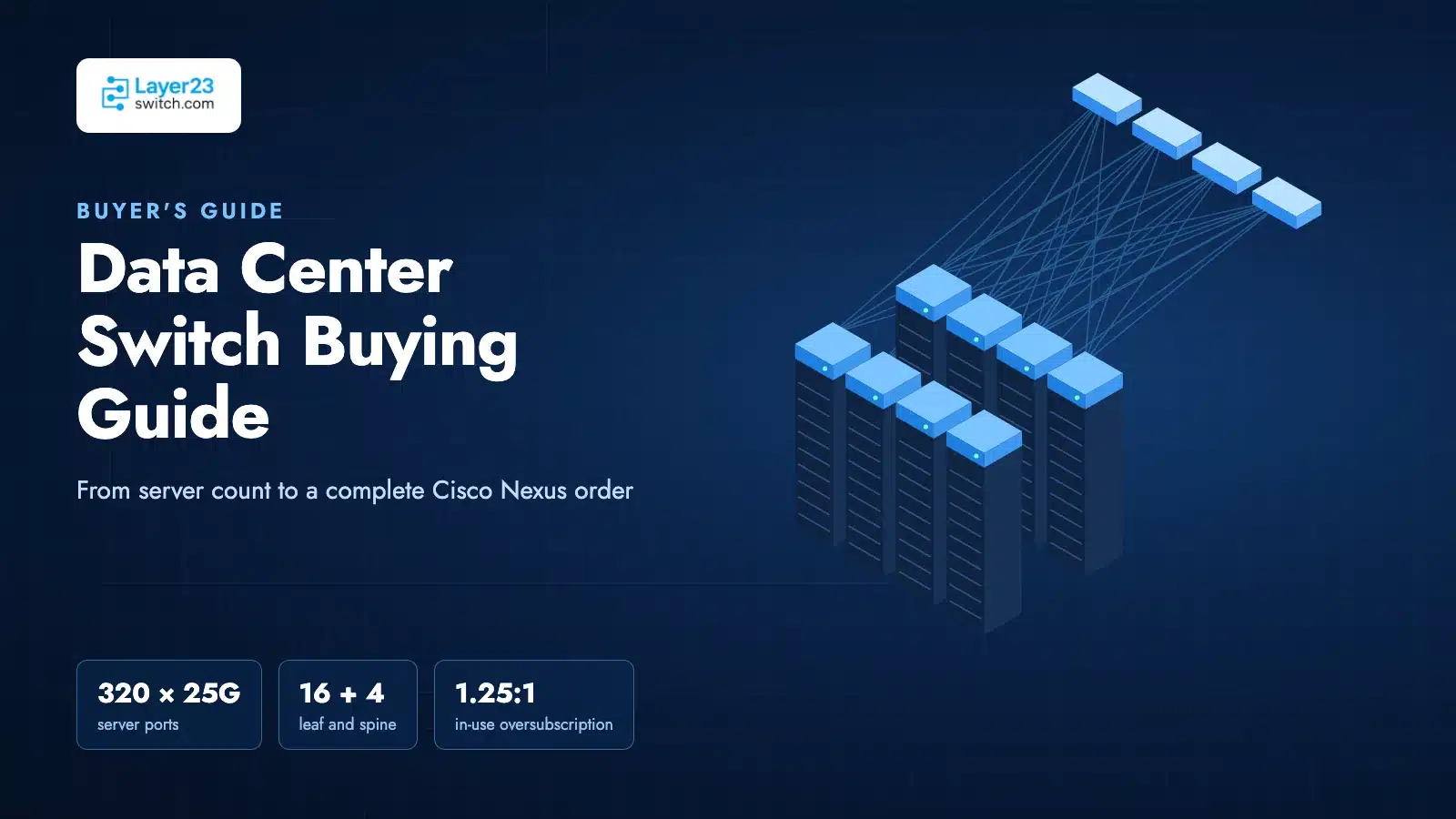
Sizing Leaf and Spine Ports from the Server Count
A leaf-spine fabric puts one or two leaf switches at the top of each rack and connects every leaf to every spine, so any two servers are at most two switch hops apart. Sizing it takes five steps.
1. Count server ports. 8 racks × 20 servers × 2 ports = 320 ports at 25 Gbps. Each server connects one port to each leaf of a pair, so every rack gets two leaves, and each leaf carries 20 server ports.
2. Pick a leaf with enough downlinks. The Cisco Nexus 93180YC-FX3 has 48 × 1/10/25G SFP28 downlinks and 6 × 40/100G QSFP28 uplinks in one rack unit (Cisco N9300-FX3 Series data sheet, updated October 9, 2026). The example uses 20 of the 48 downlinks, which leaves 28 per leaf for more servers, storage arrays, or firewalls.
3. Reserve ports for the vPC peer link. The two leaves in a rack are joined by a vPC peer link. Cisco recommends at least two ports in the peer-link port channel, at 10 Gbps or faster (Cisco Nexus 9000 NX-OS Interfaces Configuration Guide, Release 10.1(x)). Using two of the six 100G ports leaves four 100G uplinks, or 400 Gbps per leaf toward the spines.
4. Calculate oversubscription two ways. The ratio of downlink to uplink bandwidth has two useful values:
- At full port count: 48 × 25G = 1,200 Gbps down against 400 Gbps up, or 3:1.
- At today’s load: 20 × 25G = 500 Gbps down against 400 Gbps up, or 1.25:1.
The in-use ratio describes performance today. The full-port ratio shows how far the rack can grow before the uplinks become the limit. In this example, each leaf can take 12 more dual-homed servers before the in-use ratio reaches 2:1 (32 × 25G = 800 Gbps against 400 Gbps).
5. Size the spine layer. Each leaf uplink goes to a spine. Four uplinks per leaf allow two layouts, both using the Cisco Nexus 9332D-GX2B as the spine. It has 32 QSFP-DD ports that accept 100G QSFP28 optics natively (Cisco N9300 GX2 Series data sheet, last updated July 16, 2026).
| Layout | Spines | Links from each leaf to each spine | Spine ports used by 16 leaves | Free ports per spine | Uplink capacity lost if one spine fails |
|---|---|---|---|---|---|
| A | 2 | 2 × 100G | 32 of 32 | 0 | 50% |
| B | 4 | 1 × 100G | 16 of 32 | 16 | 25% |
Layout A fills every spine port on day one, so the ninth rack means new spines. Layout B costs two more switches but grows to 16 racks on the same spines and loses less capacity when a spine fails. The rest of this guide uses Layout B.
The example now has its quantities:
| Item | Quantity |
|---|---|
| Leaf switches (2 per rack) | 16 |
| Spine switches | 4 |
| Server connections (25G) | 320 |
| vPC peer links (2 × 100G per rack) | 16 |
| Leaf-to-spine links (100G) | 64 |
Data Center Switch Specifications That Change the Choice
Datasheets list dozens of figures. Four of them decide whether a model fits.
Server-port type. The leaf’s downlinks must match the server NICs. For 25G SFP28 NICs, the 93180YC-FX3 fits. For servers with 10GBASE-T copper NICs, the Nexus 93108TC-FX3 has 48 copper ports at 100 Mbps to 10 Gbps.
Running 10GBASE-T through SFP modules on an SFP28 leaf is not a substitute. On the 93180YC-FX3, any SFP optic that draws more than 1.5 W, including the SFP-10G-T-X copper module, must be installed in a checkerboard pattern (Cisco 93180YC-FX3 hardware installation guide, read October 2026). The ports next to it accept only low-power passive DAC cables or stay empty, which cuts usable 10GBASE-T density roughly in half.
Line rate. Add up the port speeds and double the total for full duplex. For the 93180YC-FX3: (48 × 25G + 6 × 100G) × 2 = 3.6 Tbps, which matches Cisco’s rated bandwidth, so every port can run at full speed at the same time. The 9332D-GX2B checks out the same way: 32 × 400G × 2 = 25.6 Tbps. A switch whose rated bandwidth is lower than this sum is oversubscribed inside the box, before any uplink math.
Buffers. The 93180YC-FX3 has a 40 MB system buffer and the 9332D-GX2B has 120 MB. Switch buffers absorb microbursts. In an enterprise data center, microbursts come from two patterns: a speed change, where 100G uplinks feed 25G server ports, and many-to-one TCP traffic such as storage replication, backup, and distributed databases.
Cisco’s FX3 data sheet describes intelligent buffer management that separates short “mice” flows from long “elephant” flows into different queues. If storage or backup traffic dominates, compare buffer sizes between candidate leaves. Port-to-port latency figures rarely decide an enterprise purchase: a routed leaf-spine fabric with speed changes buffers packets before forwarding them anyway.
Table scale. The 9332D-GX2B holds up to 2 million IPv4 routes and 1 million MAC addresses, twice the figures for the larger GX2A models (GX2 data sheet). These limits matter for multi-tenant fabrics and large routing tables; a single-tenant fabric of 16 racks stays far below them.
Choosing among Nexus families and port configurations is covered in Cisco Nexus 9000 Series Selection Guide.
Redundancy with vPC Pairs Instead of Stacking
Data center leaves are deployed in vPC pairs rather than stacks. Each server bonds its two ports with LACP, one port to each leaf. The two leaves keep separate control planes and present themselves to the server as one switch. One leaf can reload or be upgraded while the other keeps forwarding, and the FX3 data sheet lists in-service software upgrades as a supported feature. A stack merges its members into one control plane, which suits campus closets rather than a data center fabric.
A vPC pair adds three items to the order:
- Peer-link ports and cables. Two 100G ports per leaf, already counted in the sizing above.
- A peer-keepalive path. When the management ports carry the vPC peer-keepalive link, Cisco requires a management switch connected to the management ports of both vPC peers (same NX-OS interfaces guide). One out-of-band management switch per row covers the keepalive links and the management network.
- Both power supply slots filled. The 93180YC-FX3 takes up to two power supplies. The 9332D-GX2B uses two in a 1+1 arrangement, plus six fan modules. If more than one fan rotor fails, the switch warns and powers down after 2 minutes (Cisco 9332D-GX2B hardware installation guide, read October 2026). Feed each supply from a separate PDU.
Airflow, Power, and Rack Placement
Airflow direction on a Nexus switch is set by the part numbers of its power supplies and fans, and a mismatched order is easy to place. Port-side intake units draw cold air in at the port side; port-side exhaust units blow hot air out at the port side. If the switch ports face the cold aisle, order intake. If they face the hot aisle, order exhaust.
Cisco’s installation guides state that all fan modules and power supplies in a switch must have the same airflow direction, or the switch can overheat and shut down. The modules are color-coded: burgundy or red for intake, blue for exhaust.
The PID suffix carries the direction:
| Switch | Port-side intake | Port-side exhaust |
|---|---|---|
| N9K-C93180YC-FX3 power supply | NXA-PAC-650W-PI (AC), NXA-PDC-930W-PI (DC) | NXA-PAC-650W-PE (AC), NXA-PDC-930W-PE (DC) |
| N9K-C93180YC-FX3 fan (4 per switch) | NXA-FAN-35CFM-PI | NXA-FAN-35CFM-PE |
| N9K-C9332D-GX2B power supply | NXA-PAC-1500W-PI (AC), NXA-PDC-1100W-PI (DC) | NXA-PAC-1500W-PE (AC) |
| N9K-C9332D-GX2B fan (6 per switch) | NXA-SFAN-35CFM-PI | NXA-SFAN-35CFM-PE |
Sources: Cisco N9300-FX3 data sheet (October 9, 2026) and the 93180YC-FX3 and 9332D-GX2B hardware installation guides. The FX3 also accepts N9K-PUV-1200W, an HVAC/HVDC supply with dual-direction airflow.
Two placement limits come with these choices:
- Exhaust units need cooler air. With port-side exhaust power supplies and fans, the 9332D-GX2B is rated for an ambient temperature of 28°C or lower. With port-side intake, the limit is 40°C.
- Some models come in one direction only. The larger GX2A spines, N9K-C9364D-GX2A and N9K-C9348D-GX2A, are port-side intake only. If the spine rack has its ports in the hot aisle, those models do not fit.
For power, Cisco lists 325 W typical and 600 W maximum for the 93180YC-FX3, and 638 W typical and 1,442 W maximum for the 9332D-GX2B. A rack with two leaves draws about 650 W typical; the four spines draw about 2,550 W typical. Size circuits and PDUs to the maximum figures: 1,200 W per server rack for the leaves and 5,768 W for the spine rack.
Optics and Cabling for Every Port
The switch PIDs in this guide do not include optics; Cisco’s GX2 data sheet, for example, states that supported pluggable optics must be purchased for each hardware model. Every connection counted in the sizing step needs its own line on the order.
Distance decides the medium:
| Connection in the example | Count | Typical distance | Option | Cisco PID | Quantity |
|---|---|---|---|---|---|
| Server to leaf, same rack | 320 | Up to 5 m | 25G passive DAC | SFP-H25G-CU1M to SFP-H25G-CU5M, such as SFP-H25G-CU3M | 320 cables |
| vPC peer link, same rack | 16 | Up to 5 m | 100G passive DAC | QSFP-100G-CU1M to QSFP-100G-CU5M, such as QSFP-100G-CU3M | 16 cables |
| Leaf to spine, same row | 64 | Up to 30 m | 100G active optical cable | QSFP-100G-AOC1M to QSFP-100G-AOC30M, such as QSFP-100G-AOC3M | 64 cables |
| Leaf to spine, longer runs | 64 | Up to 100 m on OM4 | 100GBASE-SR4 over MPO | QSFP-100G-SR4-S | 128 optics plus MPO cabling |
| Leaf to spine, other rooms | 64 | Up to 500 m or 10 km on single-mode | 100GBASE-DR or LR4 | QSFP-100G-DR-S, QSFP-100G-LR4-S | 128 optics plus fiber |
Reach figures come from Cisco’s 25GBASE SFP28 modules data sheet (September 16, 2026) and 100GBASE QSFP modules data sheet (October 6, 2026). Cisco lists 25G DACs from 1 to 5 m, 25G AOCs from 1 to 10 m, and SFP-25G-SR-S at 70 m on OM3 and 100 m on OM4 fiber.
Three counting rules prevent short orders:
- An optical link needs two optics. A DAC or AOC is one part for both ends; an SR4, DR, or LR4 link needs one optic at each end plus the fiber between them.
- The server end counts too. A DAC plugs straight into the server NIC, so the NIC vendor must support that cable. Confirm it before ordering 320 of them.
- Measure before choosing lengths. Round each run up to the next available length, and order a few spares of each length used.
Check every module against the switch before ordering; supported optics for the example leaf are listed in N9K-C93180YC-FX3 Transceiver Compatibility. Stocked parts are listed under 25G optics and 100G optics.
Operating Mode and Software Licensing
Two software decisions change the order.
NX-OS or ACI mode. Both the 93180YC-FX3 and the 9332D-GX2B run either Cisco NX-OS or Cisco ACI. NX-OS mode manages each switch individually or through Nexus Dashboard. ACI mode manages the fabric from Cisco APIC controllers, and an APIC cluster needs at least three controllers (Cisco APIC Getting Started Guide, Release 6.1(x)), so ACI adds controllers to the order. Cisco Nexus 9300 NX-OS Mode vs ACI Mode covers that decision.
License tier. The FX3 data sheet states that the default software covers Layer 2 features, and that Layer 3 unicast and multicast routing require additional licenses. A leaf-spine fabric routes at the leaf, so every switch in the example needs a license tier that includes routing. Cisco also includes Nexus Dashboard with all tiered Nexus 9000 licenses. Tiers, terms, and PIDs are mapped in the Cisco Nexus 9000 and 3000 NX-OS License Guide.
Bare-metal switches running SONiC are a separate purchase path with different support arrangements; this guide stays with Cisco Nexus.
Building the Complete Order
The bill of materials for the example, Layout B with port-side intake airflow:
| Line | Cisco PID | Quantity | Note |
|---|---|---|---|
| Leaf switch | N9K-C93180YC-FX3 | 16 | Two per rack |
| Leaf power supply | NXA-PAC-650W-PI | 32 | Two per leaf, same airflow as fans |
| Leaf fan | NXA-FAN-35CFM-PI | 64 | Four per leaf |
| Spine switch | N9K-C9332D-GX2B | 4 | One spine rack |
| Spine power supply | NXA-PAC-1500W-PI | 8 | Two per spine |
| Spine fan | NXA-SFAN-35CFM-PI | 24 | Six per spine |
| Server cable | SFP-H25G-CU(1–5)M | 320 | Lengths from the rack survey |
| Peer-link cable | QSFP-100G-CU(1–5)M | 16 | Two per rack |
| Leaf-to-spine cable | QSFP-100G-AOC(1–30)M | 64 | Or 128 × QSFP-100G-SR4-S with MPO trunks |
| Management switch | Per site standard | 1 per row | vPC keepalive and out-of-band management |
| License | Tier with Layer 3 routing | 20 | One per switch |
| Power cords and rack kits | Per PDU and rack type | Per switch | Match PDU outlet type |
| Spares | One leaf with PSUs and fans; spare optics per length | As needed | Sized to the replacement time the site can accept |
Change the -PI suffixes to -PE throughout if the switch ports face the hot aisle, and recheck the ambient temperature against Cisco’s limit for exhaust units.
When the PIDs and quantities are in stock, Layer23-Switch ships Cisco Nexus switches, power supplies, fans, and optics within one business day of payment, with serial numbers provided before shipment so they can be checked with Cisco. Switches, power supplies, and optics carry 3 years of LSCare coverage, with advance replacement from stock.
Check stock, compare options, or talk with our team.
Layer23-Switch’s CCIE engineers review data center BOMs at no charge, including port counts, airflow, optics, and license tiers. To get a quote on the full list, send the server count, NIC speed, rack layout, and the aisle the switch ports face through the quote request form. Current models and pricing are listed under Cisco data center switches.
FAQ
What switches do data centers use?
A typical enterprise data center fabric uses fixed one- or two-rack-unit leaf switches with 10G or 25G server ports and 100G uplinks, connected to spine switches with 100G or 400G ports. In Cisco’s portfolio these are Nexus 9000 switches, such as the Nexus 93180YC-FX3 as a leaf and the Nexus 9332D-GX2B as a spine. Larger facilities may use modular chassis at the spine layer.
How many spine switches does a leaf-spine network need?
The number of spines equals the number of uplinks per leaf when each leaf runs one link to each spine. A leaf with four uplinks supports up to four spines. Use at least two spines so the fabric survives a spine failure; with four, one failure removes 25% of uplink capacity instead of 50%.
Do data center switches need deep buffers?
Buffers matter where traffic changes speed, such as 100G uplinks feeding 25G server ports, and where many senders transmit to one receiver, as in storage replication and backup. The Nexus 93180YC-FX3 has a 40 MB buffer and the Nexus 9332D-GX2B has 120 MB. For fabrics dominated by storage or backup traffic, compare buffer sizes between candidate leaf switches.
Can a Catalyst switch work in a data center?
Yes, for some designs. Catalyst 9500 and 9600 switches run BGP EVPN VXLAN, and Cisco publishes an EVPN VXLAN configuration guide for the Catalyst 9600. vPC, however, is an NX-OS feature and ACI runs on Nexus 9000 switches, so a fabric built on vPC leaf pairs or managed from APIC controllers needs Nexus. A small server room without those requirements can run on Catalyst 9000 switches.
What oversubscription ratio is acceptable for a data center leaf?
Calculate it twice. The in-use ratio, comparing the bandwidth servers use today against uplink bandwidth, should stay low for east-west-heavy traffic such as storage and virtual machine migration. The full-port ratio shows how much growth the rack can absorb. A Nexus 93180YC-FX3 with four 100G uplinks runs 3:1 at full port count, and 1.25:1 with 20 dual-homed 25G servers.





