
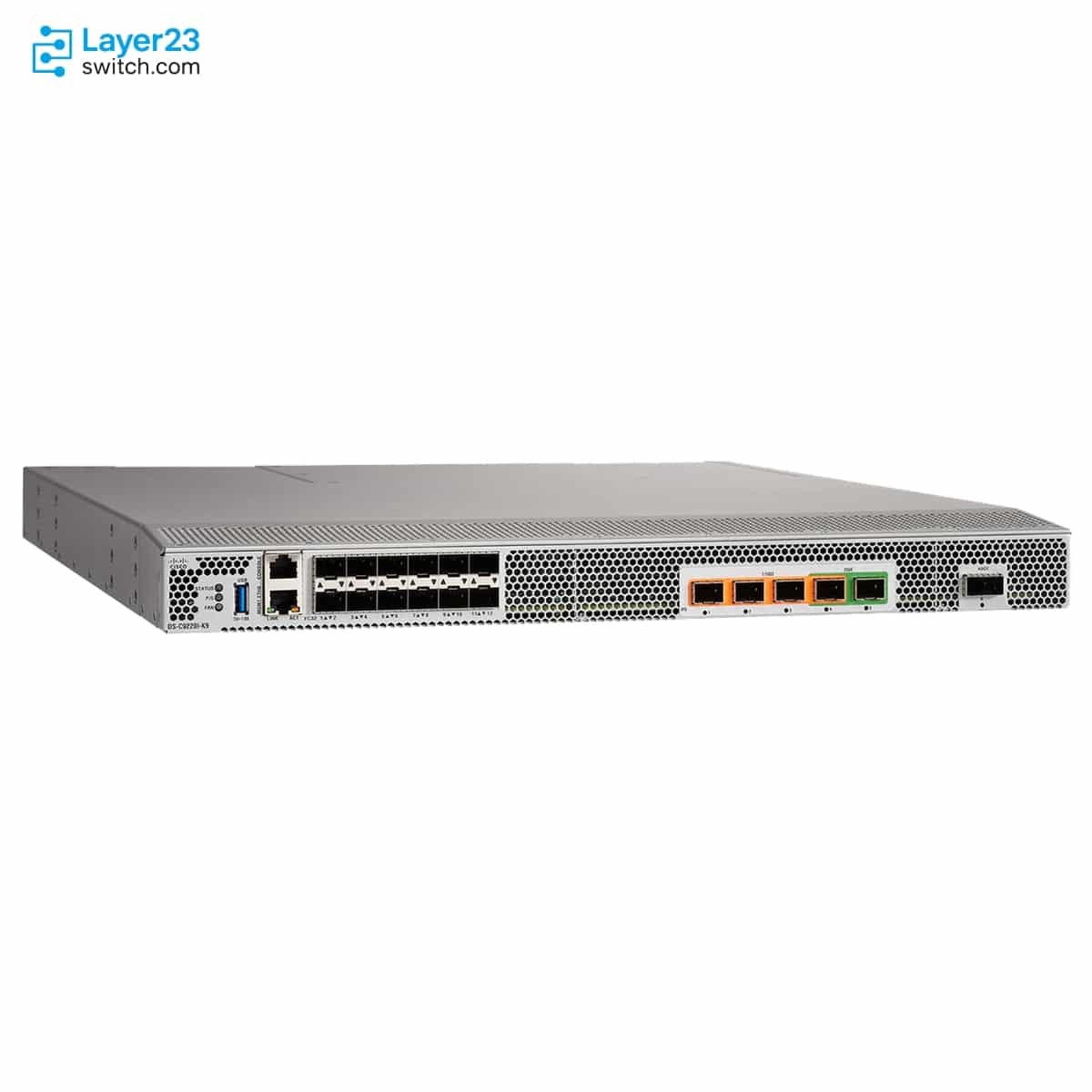
DS-C9220I-4PEK9 – 4x32G FC Ports – 2x IPS 1G Ports – Exhaust SAN Switch







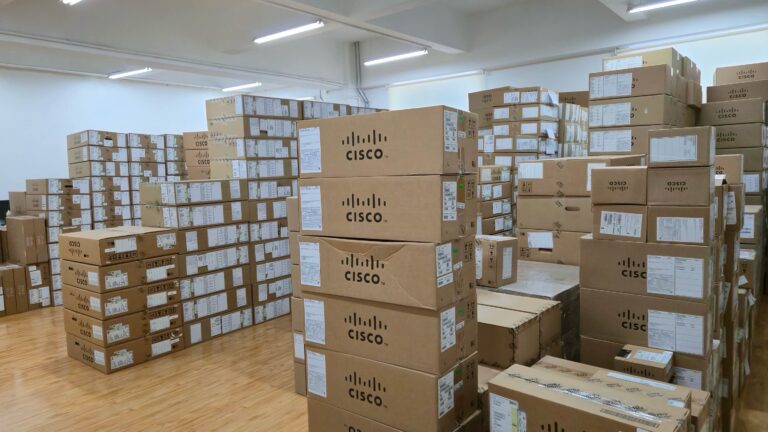
Established Global IT Distributor
With over a decade of industry experience, we are a certified Cisco Partner delivering genuine enterprise networking hardware and trusted services to system integrators, ISPs, and enterprises worldwide.
DS-C9220I-4PEK9 Description
DS-C9220I-4PEK9 is a Cisco MDS 9220i MDS 9200 Series multiprotocol fixed SAN switch for compact SAN extension and FCIP connectivity in branch, departmental, or larger distributed storage fabrics. This port-side exhaust base configuration is a fixed 1RU switch with 4 enabled 32-Gbps Fibre Channel ports, 2 IPS ports active at 1 Gbps, standard SAN Extension over IP capability on the fixed IP storage services ports, and an upgrade path that can enable the remaining MDS 9220i Fibre Channel and IPS port capacity with the M9220I-UPGK9 license.
Quick Specs
|
Parameter |
Specification |
|---|---|
|
Product ID |
DS-C9220I-4PEK9 |
|
Product type |
Multiprotocol fixed SAN switch |
|
Order configuration |
Base configuration with 4x FC ports and 2x IPS 1 Gbps ports |
|
Airflow direction |
Port-side exhaust |
|
Form factor |
Fixed 1RU switch |
|
Enabled Fibre Channel ports |
4 x 32-Gbps Fibre Channel ports |
|
Fibre Channel speed support |
4/8/16/32-Gbps autosensing and optionally configurable |
|
Enabled IPS ports |
2 x IPS ports at 1 Gbps in the base configuration |
|
Upgrade path |
M9220I-UPGK9 enables all ports to 12x FC and 6x IPS 1/10/25/40 Gbps |
|
Software compatibility |
Cisco MDS 9000 NX-OS Release 8.5(1) or later |
|
Power supplies and fans |
Hot-swappable power supplies and fan modules |
|
Exhaust spare fan |
DS-C32S-FAN-E= listed as working with the 9220I switch |
|
Supported Cisco optics |
Cisco-supported SFP, SFP+, or QSFP+ transceivers and cables |
Product Performance
Key Features
DS-C9220I-4PEK9 is the base MDS 9220i exhaust SKU, so the quote starts with 4 enabled Fibre Channel ports and 2 enabled IPS ports rather than the advanced port set.
Cisco maps this part number to port-side exhaust airflow. Procurement should align fan modules, PSU spares, and rack hot-aisle placement with that airflow direction.
M9220I-UPGK9 is listed separately as the license that enables all MDS 9220i ports, which helps buyers avoid treating the base unit as a fully enabled switch at purchase.
Cisco documents the SAN Extension over IP package as included with the MDS 9220i switch, supporting FCIP-oriented use on the IP storage services ports.
The hardware guide documents hot-swappable fan modules and power supplies, with airflow matching required between cooling and power modules.
Cisco lists MDS 9000 NX-OS Release 8.5(1) or later for the MDS 9220i, so software release review belongs in the purchase check before FCIP speed planning.
Application Scenarios
DS-C9220I-4PEK9 fits a SAN extension design that needs the MDS 9220i platform but only the Cisco-listed base activation of 4 Fibre Channel ports and 2 IPS 1 Gbps ports at purchase.
Use this SKU when an MDS 9220i order must match a rack standard built around port-side exhaust airflow. The intake base counterpart is DS-C9220I-4PIK9.
This SKU works for projects that intentionally start with the base order and keep the M9220I-UPGK9 upgrade license as a later BOM item for the full 12 FC and 6 IPS port scope.
Product Comparison
|
Parameter |
DS-C9220I-4PEK9 | |||
|---|---|---|---|---|
|
Product type |
Multiprotocol fixed SAN switch |
Multiprotocol fixed SAN switch |
Multiprotocol fixed SAN switch |
Multiprotocol fixed SAN switch |
|
Order configuration |
Base configuration |
Base configuration |
Advanced configuration |
Advanced configuration |
|
Enabled Fibre Channel ports |
4 x FC |
4 x FC |
12 x FC |
12 x FC |
|
Enabled IPS ports |
2 x IPS |
2 x IPS |
6 x IPS |
6 x IPS |
|
IPS speed scope |
1 Gbps base IPS |
1 Gbps base IPS |
1/10/25/40 Gbps |
1/10/25/40 Gbps |
|
Airflow direction |
Port-side exhaust |
Port-side intake |
Port-side exhaust |
Port-side intake |
|
Upgrade license for all ports |
M9220I-UPGK9 enables all ports |
M9220I-UPGK9 enables all ports |
Not required for listed advanced configuration |
Not required for listed advanced configuration |
|
Form factor |
Fixed 1RU |
Fixed 1RU |
Fixed 1RU |
Fixed 1RU |
|
Software compatibility |
MDS NX-OS 8.5(1) or later |
MDS NX-OS 8.5(1) or later |
MDS NX-OS 8.5(1) or later |
MDS NX-OS 8.5(1) or later |
- In a DS-C9220I-4PEK9 vs DS-C9220I-4PIK9 comparison, the confirmed difference is airflow: DS-C9220I-4PEK9 is the base port-side exhaust order and DS-C9220I-4PIK9 is the base port-side intake order.
- The DS-C9220I-4PEK9 difference from DS-C9220I-12PEK9 is enabled port scope; both are exhaust models, but DS-C9220I-4PEK9 starts with 4 FC and 2 IPS ports while DS-C9220I-12PEK9 is the advanced 12 FC and 6 IPS order.
- For DS-C9220I-4PEK9 vs DS-C9220I-12PIK9 comparison, buyers are checking both base-versus-advanced activation and exhaust-versus-intake airflow before choosing which model to order.
Selection Guide
1. Start with the base exhaust order
Choose DS-C9220I-4PEK9 when the BOM needs an MDS 9220i switch with port-side exhaust airflow and the Cisco-listed 4 FC plus 2 IPS base activation.
2. Move to DS-C9220I-12PEK9 for full exhaust activation
Select DS-C9220I-12PEK9 when the same airflow direction is required but the purchase must include all 12 Fibre Channel ports and 6 IPS ports from the original order.
3. Use DS-C9220I-4PIK9 for intake cooling
Keep DS-C9220I-4PIK9 as the matching base alternative when the rack design expects air to enter through the port side instead of exhausting toward the ports.
4. Treat the upgrade license as a separate decision
Verify whether M9220I-UPGK9 belongs in the quote if the design will expand from the base port count to the full MDS 9220i port set.
Ordering Checklist
|
Buyer Check |
Confirm In BOM |
Procurement Risk Controlled |
|---|---|---|
|
Base PID boundary |
The line item is DS-C9220I-4PEK9 and not the spare PID or any 12-port advanced PID |
Keeps the order tied to the non-spare base exhaust switch |
|
Cooling module direction |
Fan and PSU airflow are planned for port-side exhaust or a Cisco-listed bidirectional PSU |
Prevents a cooling-path mismatch during rack installation |
|
Release-dependent IPS planning |
NX-OS meets the 8.5(1) or later floor and upgraded IPS speeds are checked against the target release |
Prevents assigning 25G IPS use to a release that does not support it |
|
Media and power accessories |
Cisco-supported SFP, SFP+, or QSFP+ media and the correct regional power cord are included |
Keeps optical, cable, and electrical items aligned with Cisco documentation |
Optional Add-ons
|
Model |
Description |
|---|---|
|
M9220I-UPGK9 |
MDS 9220i upgrade license to enable all ports to 12x FC and 6x IPS 1/10/25/40 Gbps |
|
DS-C32S-FAN-E= |
MDS fan module spare for port-side exhaust airflow that Cisco lists as working with the 9220I switch |
|
DS-CAC-500W-E= |
MDS 9100 500W port-side exhaust PSU spare that Cisco lists as working with the 9220I switch |
|
DS-CAC-1200W= |
1200W AC power supply with bidirectional airflow listed by Cisco as a spare |
|
DS-9220I-KIT-CSCO(=) |
MDS 9220 accessory kit for Cisco listed in the Cisco ordering table |
Specifications
| Parameter | Specification | Parameter | Specification |
|---|---|---|---|
| Product ID | DS-C9220I-4PEK9 | Product series | Cisco MDS 9200 Series Multiservice Switches |
| Product type | Multiprotocol fixed SAN switch | Order configuration | Base configuration with 4x FC ports and 2x IPS 1 Gbps ports |
| Airflow direction | Port-side exhaust | Comparable intake SKU | DS-C9220I-4PIK9 |
| Comparable advanced exhaust SKU | DS-C9220I-12PEK9 | Form factor | Fixed 1RU chassis |
| Base Fibre Channel ports | 4 x 32-Gbps Fibre Channel ports enabled | Platform Fibre Channel port capability | Up to 12 ports of 32-Gbps Fibre Channel with the Cisco MDS 9220i upgrade license |
| Fibre Channel port speed | 4/8/16/32-Gbps autosensing and optionally configurable | Base IPS ports | 2 IPS ports running at 1 Gbps in the base configuration |
| Full IPS port capability | 6 IPS ports with 1/10/25/40 Gbps speed options after the Cisco MDS 9220i upgrade license | Upgrade license | M9220I-UPGK9 enables all ports to 12x FC and 6x IPS 1/10/25/40 Gbps |
| PortChannel support | Up to 12 physical links | FCIP tunnels | Up to 3 per 1/10G port or 4 per 40G IPS port on supported MDS 9220i IPS ports |
| Extended buffer-to-buffer credits | Up to 8191 extended credits with 500 default credits | Software compatibility | Cisco MDS 9000 NX-OS Release 8.5(1) or later |
| DCNM support | Cisco MDS 9000 NX-OS Release 11.5.1 or later for Cisco DCNM support | 25G speed caveat | 25G speed is not supported in Cisco MDS NX-OS Release 8.5(1) |
| Included software package | Cisco MDS 9000 SAN Extension over IP Package included with the Cisco MDS 9220i switch | Optional software packages | Cisco MDS 9000 Family Enterprise Package and Cisco DCNM SAN Advanced license |
| Mainframe feature set | Mainframe feature set supported for Cisco MDS 9220i starting 9.4.1a and included in the base NX-OS software with 9.4.1a | Management access | Cisco MDS 9000 Family CLI, Cisco DCNM, SNMPv3, NX-API, onboard Python, serial console, management Ethernet, and in-band IP over Fibre Channel |
| Management Ethernet port | 1 x 10/100/1000 Mbps RJ45 Ethernet management port | Console port | RS-232 serial console port |
| USB port | USB port listed on the chassis component view | Power supplies | Hot-swappable power supplies with one operating PSU minimum and redundancy when two PSUs are installed |
| Fan modules | Four hot-swappable fan modules with redundancy when four fan modules are installed | Airflow matching rule | The direction of PSU airflow must match the direction of the fan module airflow |
| Exhaust fan module spare | DS-C32S-FAN-E= listed for port-side exhaust airflow and working with the 9220I switch | Exhaust PSU spare | DS-CAC-500W-E= listed as MDS 9100 500W port-side exhaust PSU and working with the 9220I switch |
| Default power supply | DS-CAC-500W-E 500W AC port-side exhaust power supply; two supplies in the order configuration | AC input voltage for 500W PSU | 100 to 240 VAC |
| AC input frequency | 50 to 60 Hz nominal | Typical power consumption | 240W listed in the Cisco data sheet |
| Maximum system power | 280W maximum for the Cisco MDS 9220i Fabric Switch | Heat dissipation | 897 BTU/hr |
| Dimensions | 1.72 x 17.3 x 20.11 in. (4.36 x 43.94 x 51.07 cm) excluding PSU, fan module handles, and USB stick | Weight | 21.61 lb (9.8 kg) including two PSUs and four fans, excluding optical modules |
| Operating temperature | 32 to 104F (0 to 40C) | Nonoperating temperature | -40 to 158F (-40 to 70C) |
| Operating relative humidity | 10 to 90 percent noncondensing | Nonoperating relative humidity | 10 to 95 percent noncondensing |
| Operating altitude | -197 to 6500 ft (-60 to 2000 m) | Transceiver support | Cisco-supported SFP, SFP+, or QSFP+ transceivers and cables with LC connectors |
| Transceiver rule | Use only Cisco SFP, SFP+, or QSFP+ transceivers in Cisco MDS 9220i switches |
Get More Information
Need pricing, stock, or shipping details for the DS-C9220I-4PEK9 ? Layer23-Switch can help you check current availability, lead time, and delivery options for this. Send us the part number, quantity, and destination country via live chat or email sales@layer23-switch.com for a fast quotation.
Quality Certifications
Customer Reviews
Questions & Answers
-
What role does DS-C9220I-4PEK9 play?
-
Which Fibre Channel ports are enabled on DS-C9220I-4PEK9?
-
Can DS-C9220I-4PEK9 grow to the advanced port set?
-
How many IPS ports start active on DS-C9220I-4PEK9?
-
How does DS-C9220I-4PEK9 compare with DS-C9220I-4PIK9?
-
Why choose DS-C9220I-4PEK9 instead of DS-C9220I-12PEK9?
-
Which software floor applies to DS-C9220I-4PEK9?
-
When should DS-C9220I-4PEK9 not be selected?
Warranty
Layer23-Switch.com offers genuine, high-quality ICT products at competitive wholesale prices—ensuring exceptional value without compromising quality.
All items are brand new, original, and factory-sealed.
Upon request, each unit can be fully tested and verified by a Cisco CCIE-certified engineer to ensure perfect working condition before shipment.
Our Cisco CCIE-certified experts provide free professional support via phone, email, online chat, or remote login—helping you deploy and troubleshoot with confidence.
If you are not satisfied with your purchase, you may request an exchange or full refund. Our customer service team will guide you through the return process quickly and smoothly. Visit Return Policy page for more information.
We support multiple secure payment and logistics options, backed by industry-leading verification:












Visit How to Pay page for more information
Extended, Worry-Free Warranty Coverage Factory New Sealed Enterprise Hardware:
· 3 Years Factory New Sealed
Visit Warranty Policy page for more information
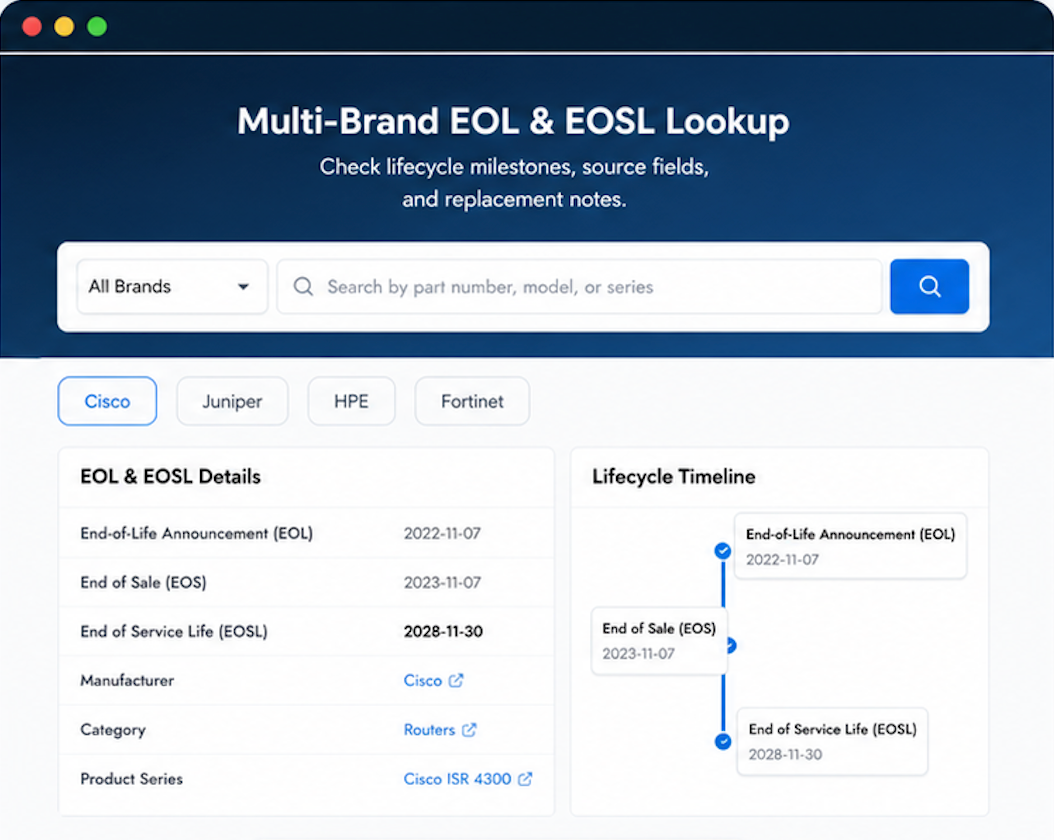
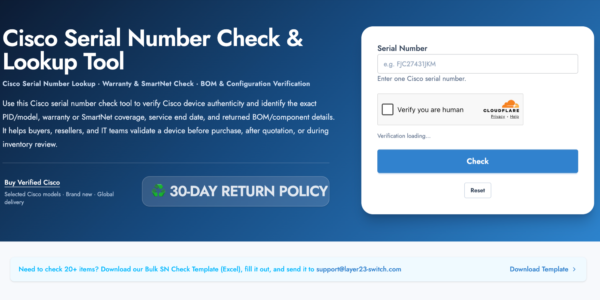
Verify, plan, and comparewith confidence
Use practical tools to check device details, review lifecyclemilestones, and compare hardware before you buy.
Standard Services
Personalized Service, Superior Product Maintenance for Ultimate Satisfaction.
- Projects and Technical Support
- Easy Purchasing Supply
- Product Lifecycle Protection
- Exclusive F3 Team Support
Customized Support for Your Needs with CCIE, HCIE, HPE ASE, etc.

We’ve reordered the same products multiple times. Quality has been consistent every time.
Recommended to two other IT managers in my network. Both have reordered.
Passed our three-point authenticity check: serial, hologram, and documentation.