
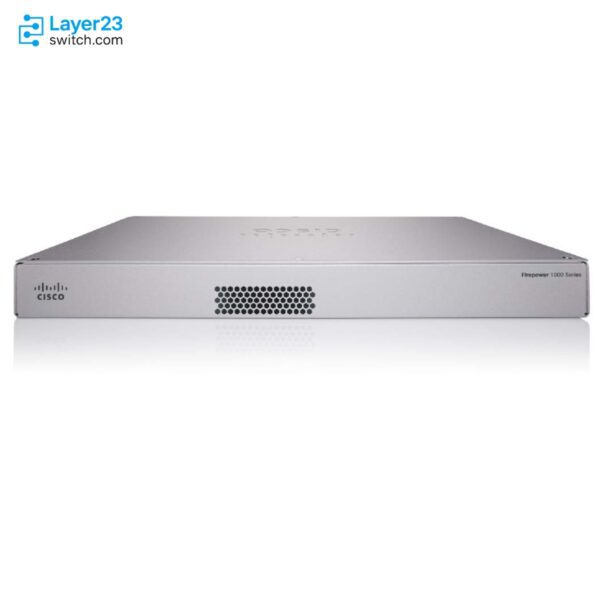
FPR1150-NGFW-K9 – 5.3G FTD NGFW Firewall – 8xRJ45 2xSFP 2xSFP+ – 1RU 1150








Shop Expert-Recommended Accessories for the FPR1150-NGFW-K9
Explore optics, stacking accessories, modules, and power supplies—all verified by our engineers for use with this model.-

SFP-10G-SR-S
10GBASE-SR SFP+ - S-Class - 400m OM4 MMFOriginal price was: $853.95.$52.00Current price is: $52.00. -
SFP-10G-LR-S
10GBASE-LR SFP+ - S-Class - 10km SMFOriginal price was: $2,439.88.$150.00Current price is: $150.00. -
GLC-LH-SMD
1000BASE-LX/LH SFP - 10km SMF / 550m MMF - DOMOriginal price was: $1,260.58.$95.80Current price is: $95.80. -
GLC-TE
1000BASE-T SFP - RJ-45 Cat5 Copper - 100m ReachOriginal price was: $570.10.$70.00Current price is: $70.00. -
GLC-SX-MMD
1000BASE-SX SFP - MMF 850nm - DOMOriginal price was: $633.46.$59.00Current price is: $59.00.

Why Layer23-Switch
Stocked, Shipped and Supported by One Team
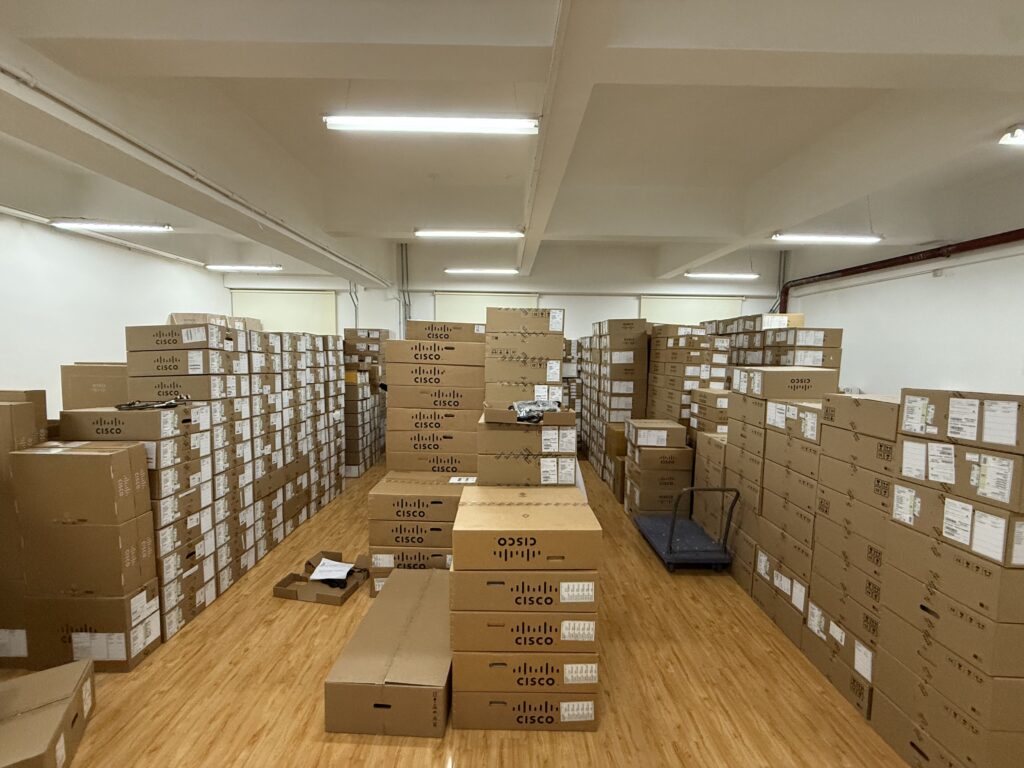
Ships in 1 Business Day
In-stock orders leave our Hong Kong or U.S. warehouse within 1 business day after payment, with tracking by email.
LSCare Warranty
3years on enterprise equipment
Free CCIE Support
Certified engineers help before and after you buy. Reply within 1 business day by email or live chat.
Verify Before You Pay
100%factory-sealed
Get label and serial photos before shipment, and check every serial number with Cisco.
FPR1150-NGFW-K9 Description
The FPR1150-NGFW-K9 is a Cisco Firepower 1000 Series 1RU firewall appliance running Firewall Threat Defense software for branch and internet-edge sites that need 10G uplinks. The appliance has eight RJ-45, two SFP and two SFP+ fixed ports, 4.9 Gbps of FW + AVC + IPS throughput, 6.1 Gbps of NGIPS throughput and 600000 concurrent sessions with AVC. Its Malware, Threat and URL subscriptions apply only to Threat Defense software, and the chassis has a single fixed AC supply with no redundant option.
Quick Specs
|
Parameter |
Specification |
|---|---|
|
Product ID |
FPR1150-NGFW-K9 |
|
Product type |
Cisco Firepower 1150 NGFW appliance |
|
Security software role |
Firewall Threat Defense software with optional subscriptions |
|
Form factor |
1RU rack-mount appliance |
|
Fixed data interfaces |
8 x RJ-45, 2 x SFP, and 2 x 10G SFP+ |
|
Management interface |
1 x 1000BASE-T management port |
|
Storage |
1 x 200 GB 2.5-in SATA SSD |
|
Power and cooling design |
Integrated single AC input and 1 integrated fan |
|
FW + AVC throughput |
5.3 Gbps |
|
FW + AVC + IPS throughput |
4.9 Gbps |
|
NGIPS throughput |
6.1 Gbps |
|
Concurrent sessions with AVC |
600000 |
Product Performance
Key Features
Firewall, AVC and IPS measured together reach 4.9 Gbps, and NGIPS throughput is 6.1 Gbps. Both are the highest Threat Defense values in the Firepower 1000 Series rack-mount group.
Eight RJ-45 ports are joined by two SFP and two SFP+ ports, so 10G uplinks need no module. The four-SFP layout of the 1120 and 1140 stops at 1G.
IPsec VPN throughput is 2.4 Gbps with up to 800 VPN peers, double the peer count of the 1140. That headroom matters for hub sites that terminate many branch tunnels.
Application Scenarios
A remote site that hands off to the provider over 10G fiber can use the fixed SFP+ ports for the uplink and the eight RJ-45 ports for the local network, with Threat Defense inspection applied in between.
A larger branch that runs firewall, AVC and IPS together can use the appliance’s 4.9 Gbps inspected throughput and 600000 concurrent sessions as the central policy point for local traffic.
A regional site that terminates many branch and remote-user tunnels can use the 2.4 Gbps of IPsec VPN throughput and capacity for up to 800 VPN peers.
Product Comparison
|
Parameter |
FPR1150-NGFW-K9 | |||
|---|---|---|---|---|
|
Throughput: FW + AVC (1024B) |
5.3 Gbps |
Not applicable |
3.3 Gbps |
2.3 Gbps |
|
Throughput: FW + AVC + IPS (1024B) |
4.9 Gbps |
Not applicable |
3.3 Gbps |
2.3 Gbps |
|
Throughput: NGIPS (1024B) |
6.1 Gbps |
Not applicable |
3.5 Gbps |
2.6 Gbps |
|
Maximum concurrent sessions, with AVC |
600000 |
Not applicable |
400000 |
200000 |
|
IPsec VPN throughput (1024B TCP w/Fastpath) |
2.4 Gbps |
Not applicable |
1.4 Gbps |
1.2 Gbps |
|
Maximum VPN peers |
800 |
800 |
400 |
150 |
|
Network interfaces |
8 x RJ-45, 2 x SFP, 2 x SFP+ |
8 x RJ-45, 2 x SFP, 2 x SFP+ |
8 x RJ-45, 4 x SFP |
8 x RJ-45, 4 x SFP |
|
Power supply configuration |
Integrated, single AC input |
Integrated, single AC input |
Integrated, single AC input |
Integrated, single AC input |
FPR1150-NGFW-K9 runs Firewall Threat Defense software with optional subscriptions, while FPR1150-ASA-K9 is the same 1150 chassis ordered for ASA software, so deployments that run ASA rather than Threat Defense order FPR1150-ASA-K9. FPR1150-NGFW-K9 is rated 4.9 Gbps FW + AVC + IPS, 6.1 Gbps NGIPS, 600000 sessions with AVC and 2.4 Gbps IPsec VPN, with two 10G SFP+ ports among its fixed interfaces. When 3.3 Gbps of inspected traffic and 400 VPN peers are enough, FPR1140-NGFW-K9 covers it with four 1G SFP ports; below 2.3 Gbps and 150 peers, FPR1120-NGFW-K9 does the same job.
Ordering Checklist
- Threat Defense subscriptions: Add the Threat, Malware or URL subscription term to FPR1150-NGFW-K9; these subscriptions are listed only for chassis running Firewall Threat Defense software. A subscription cannot be added to a chassis ordered with ASA software.
- Smart Licensing account: Make sure the customer’s Smart Software Manager account exists before the Threat Defense order is placed. All ordered licenses are deposited into that account after the order.
- Rack and cable accessories: Add the FPR1K-RM-BRKT=, FPR1K-CBL-MGMT=, FPR1K-RM-ACY-KIT= and FPR1K-RM-FIPS-KIT= accessory PIDs the install needs for the Firepower 1120, 1140 and 1150 chassis. A rack, cable-management or FIPS accessory left off the order has to be bought as a separate spare.
Optional Add-ons
|
Model |
Description |
|---|---|
|
L-FPR1150T-AMP-1Y |
Cisco FPR1150 Threat Defense Malware Protection 1Y subscription |
|
L-FPR1150T-T-1Y |
Cisco FPR1150 Threat Defense Threat Protection 1Y subscription |
|
L-FPR1150T-URL-1Y |
Cisco FPR1150 Threat Defense URL Filtering 1Y subscription |
|
L-FPR1150T-TMC-1Y |
Cisco FPR1150 Threat Defense Threat, Malware, and URL 1Y subscription |
|
FPR1K-CBL-MGMT= |
Cisco Firepower 1K Series cable-management brackets for 1120, 1140, and 1150 appliances |
|
FPR1K-RM-ACY-KIT= |
Cisco Firepower 1K Series accessory kit for FPR-1120, 1140, and 1150 appliances |
|
FPR1K-RM-BRKT= |
Cisco Firepower 1K Series rackmount brackets for FPR-1120, 1140, and 1150 appliances |
|
FPR1K-RM-FIPS-KIT= |
Cisco Firepower 1K Series FIPS kit for FPR-1120, 1140, and 1150 appliances |
|
FPR1K-RM-SSD200= |
Cisco Firepower 1K Series 200 GB SSD for FPR-1120, 1140, and 1150 appliances |
|
1000BASE-T SFP transceiver listed for Firepower 1120, 1140, and 1150 fixed ports | |
|
1000BASE-SX SFP transceiver listed for Firepower 1120, 1140, and 1150 fixed ports | |
|
1000BASE-LX/LH SFP transceiver listed for Firepower 1120, 1140, and 1150 fixed ports | |
|
1000BASE-EX SFP transceiver listed for Firepower 1120, 1140, and 1150 fixed ports | |
|
1000BASE-ZX SFP transceiver listed for Firepower 1120, 1140, and 1150 fixed ports | |
|
10G SFP transceiver listed for Firepower 1150 fixed ports | |
|
10G SFP transceiver listed for Firepower 1150 fixed ports | |
|
10G SFP transceiver listed for Firepower 1150 fixed ports | |
|
SFP-H10GB-CUxM |
10G SFP copper cable family listed for Firepower 1150 fixed ports |
|
SFP-10G-AOCxM |
10G active optical cable family listed for Firepower 1150 fixed ports |
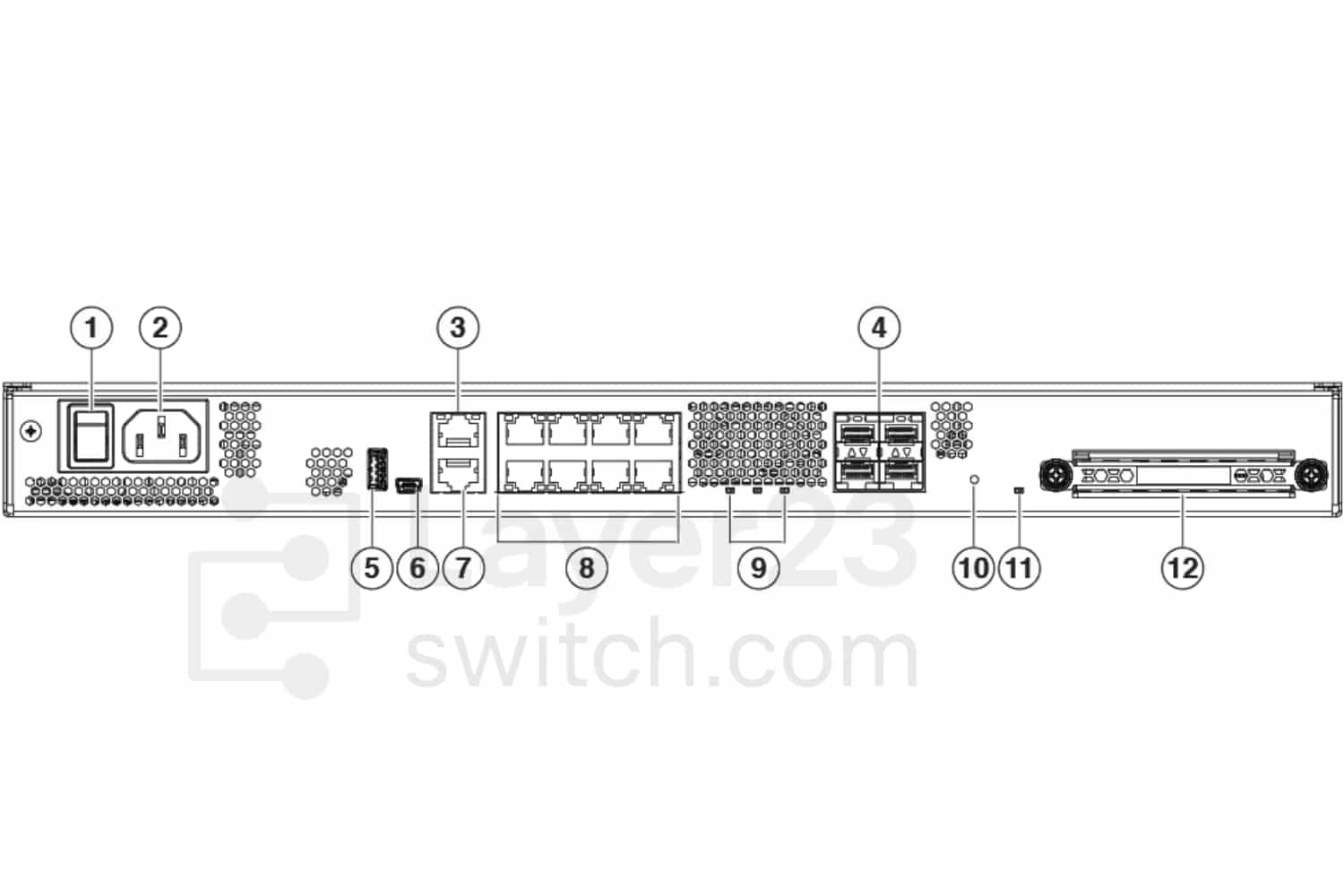
FPR1150-NGFW-K9 Rear View
|
1 |
Power switchNote The power switch provides a way to gracefully shut down the system and place it in standby. The power supply and fan remain active and the fan may continue to spin at slow speed. To achieve total power shut down, unplug the power supply from the chassis. |
2 |
Power cord socket |
|
3 |
Management port |
4 |
SFP ports (numbered 9 through 12) |
|
5 |
USB Type A port |
6 |
USB Mini B console port |
|
7 |
RJ-45 (8P8C) console port |
8 |
Network data ports |
|
9 |
Status LEDs |
10 |
Reset button |
|
11 |
SSD LED |
12 |
SSD bay |
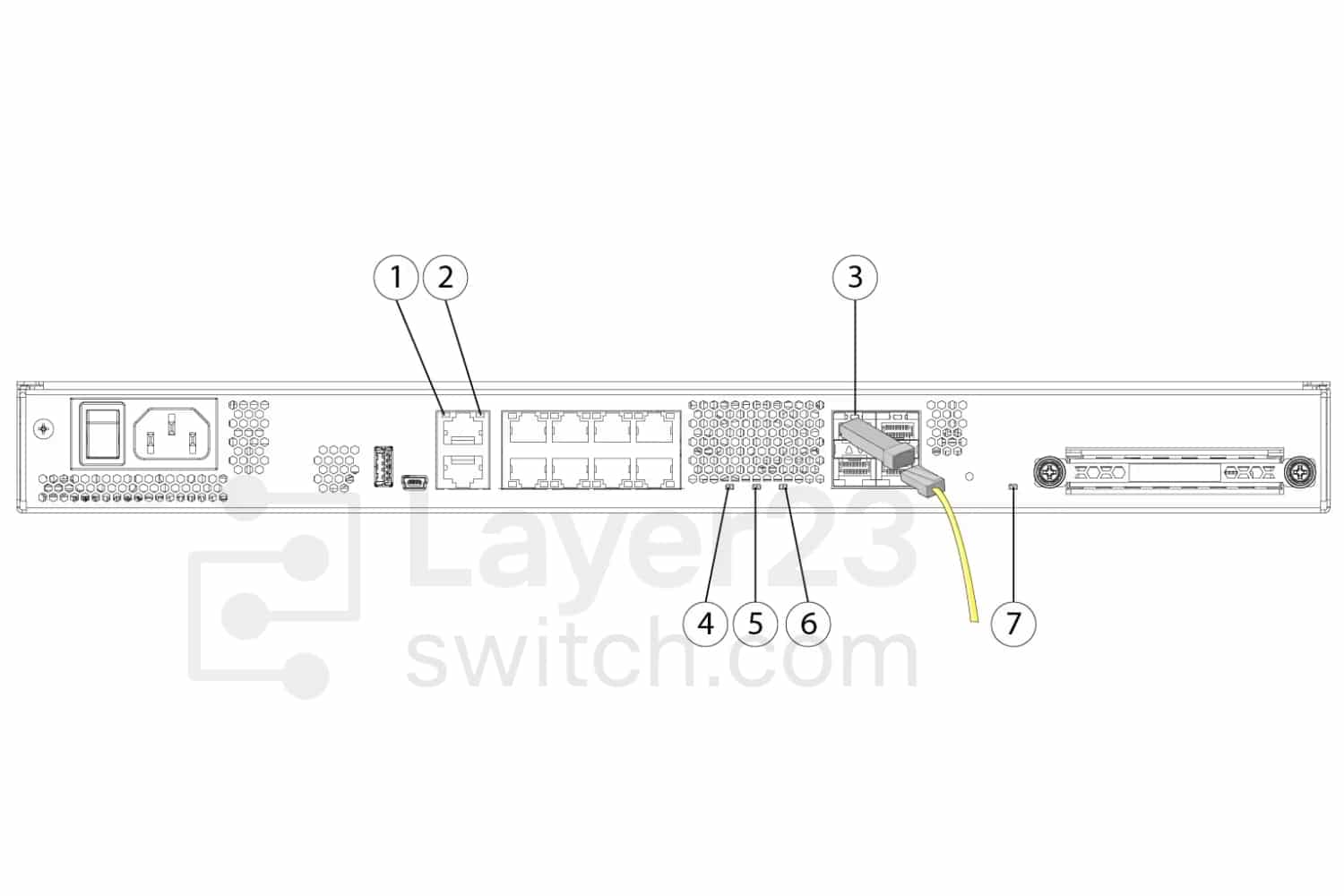
Rear Panel LEDs
|
1 |
NetworkStatus of the network ports:Link status (L):Off—No link, or port is not in use.Green—Link established.Green, flashing—Link activity. |
2 |
NetworkStatus of the network ports:Connection-speed status (S):Green, flashing—One flash every three seconds = 10 Mbps.Green, flashing—Two rapid flashes = 100 Mbps.Green, flashing—Three rapid flashes = 1000 Mbps. |
|
3 |
SFPStatus of the SFP transceiver:Link status (L):Off—No SFP.Amber—SFP present, but no link.Green, flashing—Link established and transmitting. |
4 |
PowerPower supply status:Off —Power supply off.Green—Power supply on. |
|
5 |
StatusSystem operating status:Off—System has not booted up yet.Green, flashing quickly—System is booting up.Green—Normal system function.Amber—Critical alarm indicating one or more of the following:Major failure of a hardware or software component.Over-temperature condition.Power voltage outside the tolerance range.Green, flashing slowly (twice in 5 seconds)—Cloud connected.Note Security Cloud Control is valid for FTD 6.7 and later.Green and amber, flashing—Cloud connection failure.Green—Cloud disconnected.Note The Security Cloud Control LED pattern applies to zero-touch provisioning (ZTP). See the Easy Deployment Guide for Cisco Secure Firewall Threat Defense with Cisco Security Cloud Control for more information. |
6 |
ActiveStatus of the failover pair:Off— Failover is not operational.Green—Failover pair operating normally. The LED is green always unless the chassis in a high availability pair.Amber—When the chassis is in a high availability pair, the LED is amber for the standby unit.Note For Active-Active cases with multi-context enabled, since there will be multiple groups with Active and Standby units, any unit can be in the Active or Standby state in each group, thus the LED behavior is not deterministic. Therefore, you must ignore the LED status for Active-Active cases. |
|
7 |
SSDStatus of the SSD:Off— No SSD present.Green—SSD detected.Green, flashing—Activity on the SSD.Note See Replace the SSD for the procedure for replacing a failed SSD. |
— |
Specifications
| Parameter | Specification | Parameter | Specification |
|---|---|---|---|
| Product ID | FPR1150-NGFW-K9 | Product Type | Cisco Firepower 1150 NGFW appliance |
| Firewall Model | Firepower 1150 | Security Software Role | Firewall Threat Defense software with optional subscriptions |
| Form Factor | 1RU rack mount | Fixed RJ-45 Ports | 8 x RJ-45 |
| Fixed Optical Ports | 2 x SFP and 2 x 10G SFP+ | Management Port | 1 x 1000BASE-T management port |
| Console Interfaces | RJ-45 serial console and USB Mini B serial console | USB Port | 1 x USB 3.0 Type-A |
| Storage | 1 x 200 GB 2.5-in SATA SSD | Airflow | I/O side to non-I/O side |
| Fan Modules | 1 fixed internal fan | Power Supply | 1 fixed internal AC power supply |
| Power Redundancy | No redundant power supply option listed | AC Input Voltage | 100 to 240V AC |
| AC Frequency | 50 to 60 Hz | AC Maximum Power Draw | 100 W |
| AC Maximum Current Draw | Less than 2 A at 100V; less than 1 A at 240V | Rack Mounting | 2-post mounting brackets included |
| Weight | 8 lb (3.6 kg) | Operating Temperature | 32 to 104F (0 to 40C) |
| Operating Humidity | 90% noncondensing | Operating Altitude | 9843 ft (3000 m) maximum |
| Fixed SFP Release Baseline | Threat Defense 6.4 or ASA 9.15 for listed SFPs | Supported Fixed 1G SFPs | GLC-TE, GLC-SX-MMD, GLC-LH-SMD, GLC-EX-SMD, GLC-ZX-SMD |
| Supported Fixed 10G Options | SFP-10G-SR, SFP-10G-SR-S, SFP-10G-LR, SFP-10G-LR-S, SFP-10G-ER, SFP-10G-ER-S, SFP-H10GB-CUxM, SFP-H10GB-ACUxM, SFP-10G-AOCxM | Cisco Device Manager | Local management supported |
| Centralized Management | Firewall Management Center or Cisco Defense Orchestrator | FW + AVC Throughput | 5.3 Gbps |
| FW + AVC + IPS Throughput | 4.9 Gbps | NGIPS Throughput | 6.1 Gbps |
| TLS Throughput | 1.4 Gbps | Concurrent Sessions with AVC | 600000 |
| New Connections with AVC | 28000 per second | IPsec VPN Throughput | 2.4 Gbps |
| Maximum VPN Peers | 800 | High Availability | Active/standby |
| AVC Support | Standard |
Get More Information
Need pricing, stock, or shipping details for the FPR1150-NGFW-K9 ? Layer23-Switch can help you check current availability, lead time, and delivery options for this. Send us the part number, quantity, and destination country via live chat or email sales@layer23-switch.com for a fast quotation.
Quality Certifications
Customer Reviews
Questions & Answers
-
What makes Cisco FPR1150-NGFW-K9 different from other Firepower 1000 models?
-
What ports are included on FPR1150-NGFW-K9?
-
When should I choose FPR1150-NGFW-K9 instead of FPR1140-NGFW-K9?
-
Is FPR1150-NGFW-K9 a good fit for a small data center edge?
-
Does FPR1150-NGFW-K9 run ASA software?
-
Can FPR1150-NGFW-K9 use URL filtering and malware protection?
-
What is the main limitation of FPR1150-NGFW-K9?
-
Who is the ideal buyer for FPR1150-NGFW-K9?
Warranty
Layer23-Switch.com offers genuine, high-quality ICT products at competitive wholesale prices—ensuring exceptional value without compromising quality.
All items are brand new, original, and factory-sealed.
Upon request, each unit can be fully tested and verified by a Cisco CCIE-certified engineer to ensure perfect working condition before shipment.
Our Cisco CCIE-certified experts provide free professional support via phone, email, online chat, or remote login—helping you deploy and troubleshoot with confidence.
If you are not satisfied with your purchase, you may request an exchange or full refund. Our customer service team will guide you through the return process quickly and smoothly. Visit Return Policy page for more information.
We support multiple secure payment and logistics options, backed by industry-leading verification:












Visit How to Pay page for more information
Extended, Worry-Free Warranty Coverage Factory New Sealed Enterprise Hardware:
· 3 Years Factory New Sealed
Visit Warranty Policy page for more information
Verify, plan, and comparewith confidence
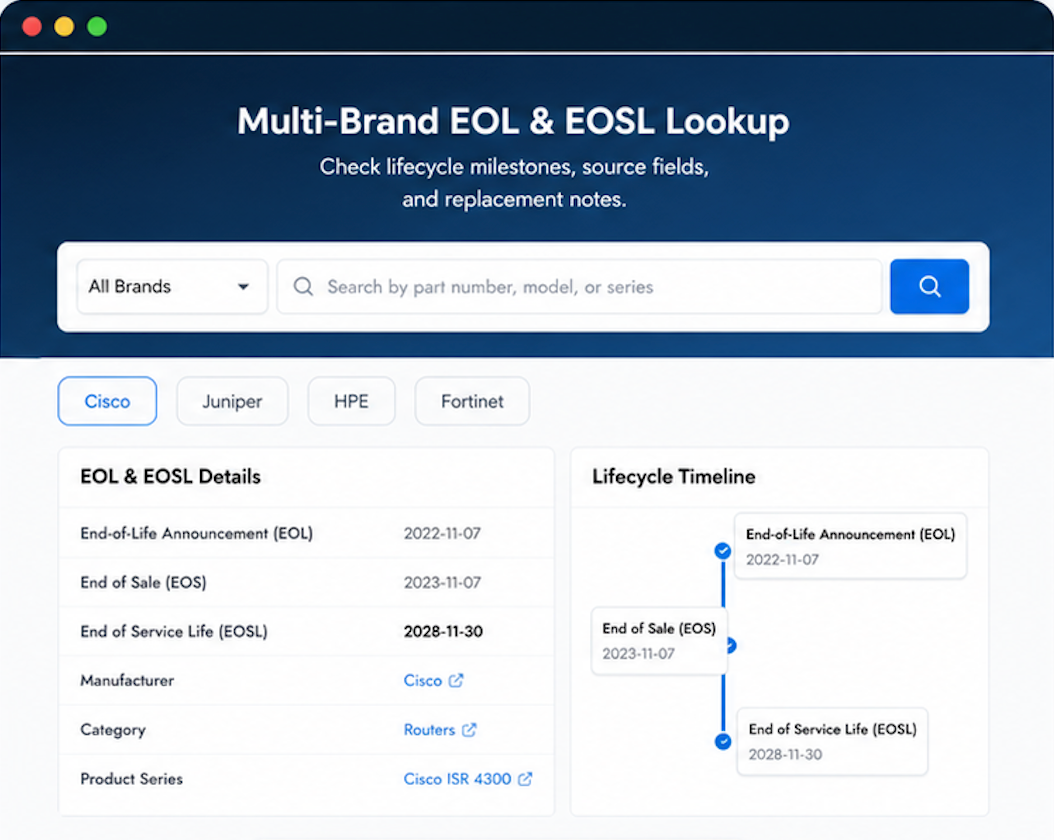
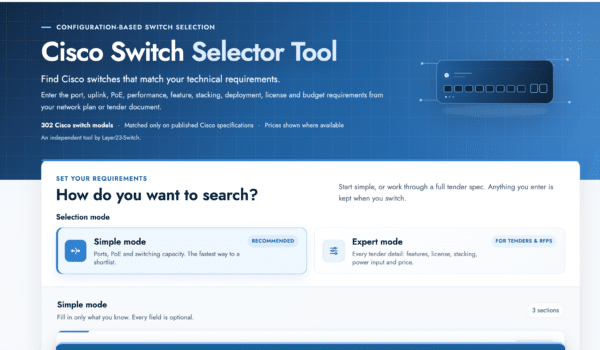
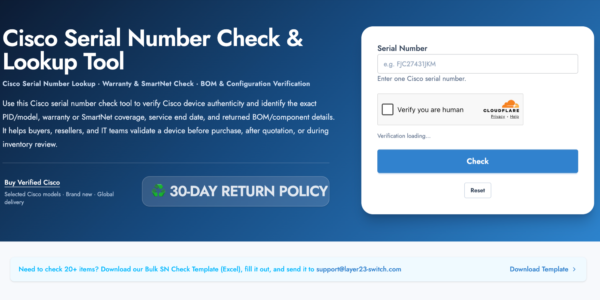
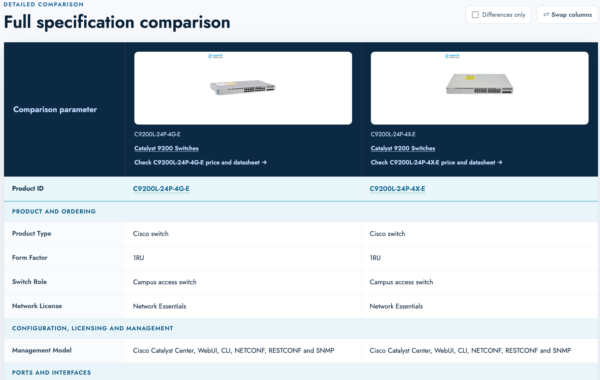
Use practical tools to check device details, review lifecyclemilestones, and compare hardware before you buy.
Standard Services
Personalized Service, Superior Product Maintenance for Ultimate Satisfaction.
- Projects and Technical Support
- Easy Purchasing Supply
- Product Lifecycle Protection
- Exclusive F3 Team Support
Customized Support for Your Needs with CCIE, HCIE, HPE ASE, etc.

After-sale communication was professional and helpful.
Our installation runbook applied without exception or modification.
Product was in pristine condition on arrival.
It got here so fast, it’s like you have a time machine!
Excellent customer service. Sales rep answered all my questions.