Cisco Wi-Fi 7 AP Switch Requirements: PoE, Port Speed, and Switch Pairings by Model
A Wi-Fi 7 AP on the wrong switch port does not go dark. It boots, joins the controller, and reports Low or Medium Power, running fewer spatial streams or a slower uplink than the one the project paid for.
What the access port has to deliver depends on the AP’s uplink speed. The 2.5G models, CW9171I-RTG and CW9172I-RTG, run every radio on 802.3at PoE+. The 5G and 10G models need IEEE 802.3bt at Class 5 or Class 6 and a port that links at their multigigabit rate, and a regular 24-port or 48-port PoE+ switch with 1G ports meets neither requirement. For a refresh budget, that split decides whether the closet switch stays or goes.
Cisco Wi-Fi 7 AP Series and Their PoE Switch Port Requirements
Start from the AP PID, not from “Wi-Fi 7”. Cisco’s range runs from 30 W indoor models to 47 W APs with two 10G ports:
| Series | AP | Use | Port speed | PoE needed | Max draw at the AP | Switch ports |
|---|---|---|---|---|---|---|
| 9171 | CW9171I-RTG | Entry indoor | 2.5G | 802.3at; Class 5 adds USB | 30 W | 1 |
| 9172 | CW9172I-RTG | Mainstream indoor | 2.5G | 802.3at for all radios; rated 802.3bt Class 5 | 32 W | 1 |
| 9172H | CW9172H-RTG | Wall plate with PoE output | 2.5G uplink | 802.3at for all radios; 802.3bt Class 5 for the PoE output | 41 W | 1 |
| 9174 | CW9174I-RTG, CW9174E-RTG | Internal or external antennas | 5G | 802.3bt Class 5 | 37 W | 1 |
| 9176 | CW9176I-RTG, CW9176D1-RTG | Omni or directional (halls, warehouses, corridors) | 10G | 802.3bt Class 5 | 39 W | 1 |
| 9178 | CW9178I-RTG | High density | 2 × 10G | 802.3bt Class 6 | 47 W | 1 or 2 |
| 9179F | CW9179F | Large venues | 2 × 10G | 802.3bt | 47 W | 1 or 2 |
| 9177 | CW9177I, CW9177D, CW9177E | Outdoor | 10G copper or SFP+ | 802.3bt Class 6 | 45.1 W | 1 |
The CW9179F gets the same Class 6 port as the CW9178I-RTG; both draw 47 W. Port speed should follow the AP as well. A 10G port adds nothing for a 2.5G AP, while a CW9176I-RTG on a 2.5G port gives up most of its uplink.
The -RTG models are global-use APs: the same hardware runs under a Catalyst 9800 controller or Meraki cloud management, with the same port requirement either way.
Cisco PoE Switches That Support Wi-Fi 7 APs
The port has to deliver IEEE 802.3bt, Type 3 (60 W) or Type 4 (90 W). A “UPOE” label alone does not settle it. Cisco’s AP power reference states that Wi-Fi 7 APs take standard PoE only, and a 60 W port running Cisco’s pre-standard UPOE can leave the AP unpowered or underpowered.
| Series | Models | 802.3bt / per port | Access ports | Factory PoE mode |
|---|---|---|---|---|
| Catalyst 9300 UPOE | C9300-24U-A, C9300-48U-A | Type 3 / 60 W | 1G | 802.3at |
| C9300-24UX-A | Type 3 / 60 W | 24 × 10G | 802.3at | |
| C9300-48UXM-A | Type 3 / 60 W | 36 × 2.5G + 12 × 10G | 802.3at | |
| C9300-48UN-A | Type 3 / 60 W | 48 × 5G | 802.3at | |
| Catalyst 9300L UPOE | C9300L-24UXG-4X-A, C9300L-24UXG-2Q-A | Type 3 / 60 W | 8 × 10G + 16 × 1G | 802.3at |
| C9300L-48UXG-4X-A, C9300L-48UXG-2Q-A | Type 3 / 60 W | 12 × 10G + 36 × 1G | 802.3at | |
| Catalyst 9300LM | C9300LM-24U-4Y-A, C9300LM-48U-4Y-A | Type 3 / 60 W | 1G | 802.3at |
| C9300LM-48UX-4Y-A | Type 3 / 60 W | 8 × 10G + 40 × 1G | 802.3at | |
| Catalyst 9300 UPOE+ | C9300-24H-A, C9300-48H-A | Type 4 / 90 W | 1G | 802.3bt |
| Catalyst 9300X | C9300X-24HX-A | Type 4 / 90 W | 24 × 10G | 802.3bt |
| C9300X-48HX-A | Type 4 / 90 W | 48 × 10G | 802.3bt | |
| C9300X-48HXN-A | Type 4 / 90 W | 8 × 10G + 40 × 5G | 802.3bt | |
| Catalyst 9350 | C9350-24U, C9350-48U | Type 3 / 60 W | 1G | 802.3bt |
| C9350-48HM | Type 4 / 90 W | 48 × 2.5G | 802.3bt | |
| C9350-24HX | Type 4 / 90 W | 24 × 10G | 802.3bt | |
| C9350-48HX | Type 4 / 90 W | 48 × 10G | 802.3bt | |
| C9350-48HXN | Type 4 / 90 W | 12 × 10G + 36 × 5G | 802.3bt |
The factory mode column matters most on the Catalyst 9300 UPOE models. They ship in 802.3at mode, so a Wi-Fi 7 AP on them negotiates PoE+ until the switch is converted. The conversion reloads the switch, which puts it in the staging plan rather than the cutover window:
Switch(config)# hw-module switch 1 upoe-plus
Switch# show power inline upoe-plus
After the reload, show power inline upoe-plus lists class and allocated power per port. The Catalyst 9300 configuration guide for IOS XE 26.x (September 2026) describes the same behavior. The UPOE+ models, the C9300X, and the C9350 ship in 802.3bt mode and need no conversion.
The 1G models in the table, such as the C9300-48U-A, C9300-48H-A, and C9350-48U, power a Wi-Fi 7 AP fully but hold its link to 1G. The C9300-24UB-A, C9300-48UB-A, and C9300-24UXB-A do not appear on Cisco’s 802.3bt Type 3 list and are best left out of Wi-Fi 7 closets.
Check stock, compare options, or talk with our team.
What Happens When a Wi-Fi 7 AP Connects to a Cisco PoE+ Switch
Regular Cisco PoE+ switches deliver 30 W per port, mostly on 1G access ports. Budgets for the common configurations, from the Catalyst 9200, 9300, and C9350 data sheets:
| Switch | Access ports | PoE per port | PoE budget | Wi-Fi 7 APs at 30 W, one supply |
|---|---|---|---|---|
| Cisco 9200 24-port PoE+ switch | 24 × 1G | 30 W | 370 W; 740 W with two supplies | 12 |
| Cisco 9200 48-port PoE+ switch | 48 × 1G | 30 W | 740 W; 1,440 W with two supplies | 24 |
| Cisco 9200 48-port PoE+ multigig switch | 8 or 12 × 10G, the rest 1G | 30 W | 740 W; 1,440 W with two supplies | 24 |
| Cisco 9300 24-port PoE+ switch | 24 × 1G | 30 W | 445 W; 9300L: 505 W | 14; 9300L: 16 |
| Cisco 9300 48-port PoE+ switch | 48 × 1G | 30 W | 437 W with the 715 W supply, 822 W with the 1100 W supply; 9300L: 505 W | 14; 9300L: 16 |
| Cisco 9350 48-port PoE+ switch | 48 × 1G | 30 W | 625 W; 1,440 W with two supplies | 20 |
On these switches an AP runs into two separate limits. PoE+ sets its power profile, and a 1G port holds its uplink to 1G regardless of power. A CW9176I-RTG on a 48-port PoE+ switch, for example, runs 2.4 GHz at 2×2 and 5 and 6 GHz at 4×4, links at 1G, and reports Low or Medium Power on the controller. The power side varies by model:
| On a PoE+ port | APs | Effect |
|---|---|---|
| Full radios | CW9171I-RTG, CW9172I-RTG, CW9172H-RTG | Every radio runs as on 802.3bt; the CW9172H-RTG has no PoE output |
| Link speed only | CW9174I-RTG, CW9174E-RTG | Radios unchanged; link limited to 2.5G |
| Radios and link speed | CW9176I-RTG, CW9176D1-RTG, CW9178I-RTG, CW9179F, CW9177 | Radios drop to 2×2 on some or all bands; link limited to 2.5G, or 2 × 1G on the CW9178I-RTG in tri-radio mode |
An 802.3af port is a staging state only: every model falls back to 1G, with radios at 1×1 or shut down.
Multigig PoE+ models remove the speed limit but not the power limit. On one of the multigig ports of a Cisco 9200 48-port PoE+ multigig switch, a CW9172I-RTG gets its full 2.5G link and every radio, while a CW9176I-RTG gets 10G and still runs its reduced radio profile. An unconverted Catalyst 9300 UPOE switch lands in the same place: multigig speeds, PoE+ power.
When an AP reports Low or Medium Power, check the port before touching RF settings. show power inline <interface> detail shows the class the AP negotiated and the power allocated to it.
For a handful of APs in a PoE+ closet, a CW-INJ-8 injector supplies full power without replacing the switch. It passes up to 10G, but the link still runs at the switch port’s speed, so behind a 1G port it fixes power only. Set the feeding switch port to power inline never; Cisco notes that an 802.3af-powered port in front of the injector can stop the AP from working properly. Current PoE+ models are under Catalyst 9200 switches and Catalyst 9300 switches.
Wi-Fi 7 AP PoE Budget, Cabling, and Uplinks
An 802.3bt port reserves 45 W for a Class 5 AP and 60 W for a Class 6 AP. In auto mode a Catalyst 9300 holds that full class value when it first powers the port, then lowers the reservation to what the AP requests over CDP or LLDP. Size the budget at the class value, and keep LLDP or CDP enabled on AP ports, as Cisco’s AP data sheets recommend for power negotiation.
Available PoE by power supply, from the Catalyst 9300 data sheet (Table 4) and the C9350 data sheet (Table 7):
| Switch | One supply | Two supplies |
|---|---|---|
| C9300-48UXM-A | 490 W (PWR-C1-1100WAC-P) | 1,590 W (2 × PWR-C1-1100WAC-P) |
| C9300-48UN-A | 645 W | 1,745 W |
| C9300L-48UXG-4X-A | 675 W | 1,390 W |
| C9300X-48HXN-A | 690 W | 1,790 W |
| C9300X-48HX-A | 590 W (PWR-C1-1100WAC-P); 1,390 W (PWR-C1-1900WAC-P) | 1,690 W; 3,290 W |
| C9350-48HM | 570 W (PWR-C2-850WAC); 1,320 W (PWR-C2-1600WAC) | 2,920 W (2 × PWR-C2-1600WAC); up to 4,320 W with three |
| C9350-48HX | 1,150 W (PWR-C2-1600WAC) | 2,750 W; up to 4,320 W with three |
The PWR-C1-1900WAC-P reaches 1,900 W only on 230 V; on 115 V circuits it is limited to 1,500 W.
Cabling follows the AP’s rate. Cisco’s CW9176 and CW9172 deployment guides put Cat5e at 5G maximum, Cat6 at 10G up to 50 m, and Cat6A at 10G up to 100 m. Those limits assume the channel performs to its category, so certify long runs and old terminations at the target rate before the APs go up. A marginal run can link at a lower rate without raising an error.
Uplinks are sized from busy-hour traffic, not from the sum of AP link speeds. Thirty APs averaging 1 Gbps need about 30 Gbps upstream: a C9300-NM-2Y with two 25G links covers that on a Catalyst 9300, and a C9350-NM-8Y does the same on a C9350. The four fixed 10G uplinks on a C9300L-48UXG-4X-A would run close to full at that load. Module options per platform are in Cisco 4G vs 4X vs 8X Network Modules, and budgeting for mixed PoE loads in Cisco PoE Budget Planning.
Real-World Cisco Wi-Fi 7 AP and Switch Pairings
These pairings are sized from the Cisco figures above. Use the closest row as a starting point and recheck the budget against the actual AP count per closet:
| Scenario | APs | Switch | Power supplies |
|---|---|---|---|
| Office floor | Mostly CW9172I-RTG, some CW9176I-RTG | C9300-48UXM-A; C9350-48HM for an all-2.5G floor | 2 × PWR-C1-1100WAC-P; 2 × PWR-C2-1600WAC |
| Branch or small closet, up to 12 APs | CW9176I-RTG or CW9172I-RTG | C9300L-48UXG-4X-A | 1 × PWR-C1-1100WAC-P; a second for redundancy |
| Dense open office | CW9174I-RTG and CW9176I-RTG | C9300X-48HXN-A | 2 × PWR-C1-1100WAC-P |
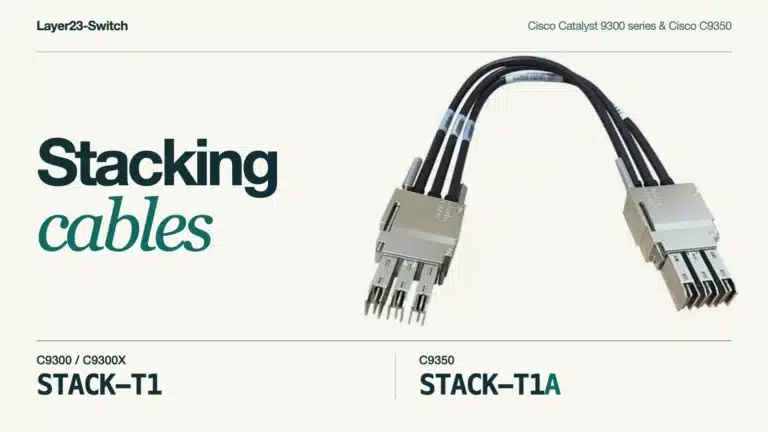
| Auditorium or lecture hall | CW9178I-RTG, CW9176D1-RTG | Two stacked C9300X-48HX-A, or two stacked C9350-48HX | 2 × PWR-C1-1900WAC-P per switch on 230 V |
Office Floor on a C9300-48UXM-A
Two PWR-C1-1100WAC-P give 1,590 W. On an 802.3bt port the CW9172I-RTG requests Class 5, so it is budgeted at 45 W like the 10G APs:
| Load | Count | Reserved per port | Total |
|---|---|---|---|
| CW9176I-RTG on the 10G ports | 12 | 45 W (Class 5) | 540 W |
| CW9172I-RTG on the 2.5G ports | 18 | 45 W (Class 5) | 810 W |
| IP phones on the remaining 2.5G ports | 16 | 7 W (Class 2) | 112 W |
| Total | 46 | 1,462 W |
That leaves 128 W of headroom with both supplies up. If one fails, the budget drops to 490 W, enough for about ten Class 5 APs. In the default power-sharing mode the switch sheds low-priority ports first, and every port starts as low priority, so AP ports should be raised:
Switch(config-if)# power inline port priority highRedundant mode avoids the drop by holding the largest supply’s capacity in reserve at all times, at the cost of that headroom. Either way, upoe-plus goes in before the first AP goes live.
Other Closets
- Branch closet: twelve Class 5 APs reserve 540 W, inside the 675 W of a single supply on the C9300L-48UXG-4X-A. The other 36 ports are 1G for phones and desktops. The C9300L does not support StackPower, so the second supply is the only power redundancy.
- Small 2.5G refresh: because the CW9172I-RTG keeps every radio on PoE+, 8 or 12 of them, depending on the model, can run at full capability on the multigig ports of a Cisco 9200 48-port PoE+ multigig switch. Beyond that count, the C9300-48UXM-A or C9350-48HM is the better fit.
- Dense open office: the C9300X-48HXN-A ships in 802.3bt mode. At 1,790 W it carries 39 Class 5 APs at the class reservation, for example 8 CW9176I-RTG on the 10G ports and 31 CW9174I-RTG on the 5G ports, with LLDP bringing the actual allocation down toward the 37 W and 39 W the APs draw.
- Auditorium: each CW9178I-RTG is cabled to two stack members, one port on each, in the same VLAN. The AP negotiates power on both ports, so both need a 60 W reservation: 24 APs cabled this way put 1,440 W on each member, inside the 1,690 W of two PWR-C1-1100WAC-P and well inside 3,290 W with PWR-C1-1900WAC-P on 230 V.

Send AP models, counts per closet, and current switch PIDs with a Layer23-Switch quote request, and the reply comes back as a matched list of switches, power supplies, and uplink modules.
FAQ
Does a dual-port Cisco Wi-Fi 7 AP draw power from both ports?
The CW9178I-RTG negotiates power on both ports. In the default non-LAG mode it draws from the primary port only and keeps the second on standby, so losing one source does not restart the AP. In LAG mode it draws from both and load-balances traffic up to 10 Gbps in total; LAG requires both ports on the same physical or stacked switch.
Do Cisco Wi-Fi 7 APs need a different PoE class under Meraki management?
One model is documented differently. Cisco’s data sheet lists the CW9176I-RTG at Class 5 with a 39 W maximum, while the Meraki installation guide lists Class 6, up to 60 W. A Type 3 port provisioned for Class 6 satisfies both.
What happens when a Catalyst 9300 runs out of PoE budget?
In auto mode power is granted first come, first served. A device whose class would exceed the remaining budget is denied, its port stays off, the switch logs a syslog message, and it keeps retrying.
Can Cisco StackPower share PoE across switches?
Yes. StackPower pools the supplies of up to four Catalyst 9300 switches into one budget, so a member with spare capacity can carry a neighbor’s PoE load. The Catalyst 9300L does not support StackPower.