
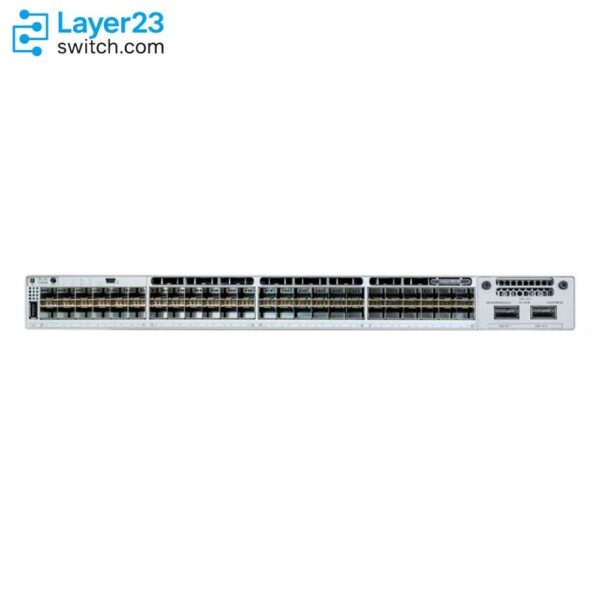
C9300-48UB-A – 48x1G UPOE Ports – Higher-Scale Buffer – 822W PoE Budget








Shop Expert-Recommended Accessories for the C9300-48UB-A
Explore optics, stacking accessories, modules, and power supplies—all verified by our engineers for use with this model.-

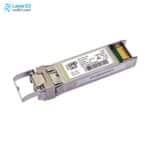
SFP-10G-SR-S
10GBASE-SR SFP+ - S-Class - 400m OM4 MMFOriginal price was: $853.95.$52.00Current price is: $52.00. -
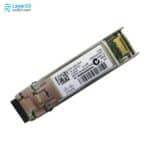
SFP-10G-SR
10GBASE-SR SFP+ - 850nm MMF - 400m OM4Original price was: $1,213.85.$91.68Current price is: $91.68. -
SFP-10G-LR-S
10GBASE-LR SFP+ - S-Class - 10km SMFOriginal price was: $2,439.88.$150.00Current price is: $150.00. -
SFP-10G-LR
10GBASE-LR SFP+ - 1310nm SMF - 10km ReachOriginal price was: $4,873.66.$149.00Current price is: $149.00. -
SFP-25G-SR-S
25GBASE-SR SFP28 - 850nm MMF - 100m OM4Original price was: $1,213.85.$258.00Current price is: $258.00. -
SFP-10/25G-LR-S
10/25GBASE-LR SFP28 - 10 km G.652 SMF - 0 to 70°C Commercial TemperatureOriginal price was: $2,787.19.$431.00Current price is: $431.00. -
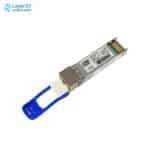
QSFP-40G-SR4
40G SR4 QSFP - MPO-12 MMF - 4x10G BreakoutOriginal price was: $3,653.72.$126.00Current price is: $126.00. -
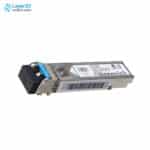
GLC-LH-SMD
1000BASE-LX/LH SFP - 10km SMF / 550m MMF - DOMOriginal price was: $1,260.58.$95.80Current price is: $95.80. -
GLC-TE
1000BASE-T SFP - RJ-45 Cat5 Copper - 100m ReachOriginal price was: $570.10.$70.00Current price is: $70.00. -
GLC-SX-MMD
1000BASE-SX SFP - MMF 850nm - DOMOriginal price was: $633.46.$59.00Current price is: $59.00. -
STACK-T1-50CM
50cm Type 1 StackWise Cable - C9300/C9300X Data Stack - 480G/1TOriginal price was: $121.99.$70.00Current price is: $70.00. -
STACK-T1-1M
1m Type 1 StackWise Cable - C9300/C9300X Data Stack - 480G/1TOriginal price was: $252.03.$140.00Current price is: $140.00. -
STACK-T1-3M
3m Type 1 StackWise Cable - C9300/C9300X Data Stack - 480G/1TOriginal price was: $378.07.$200.00Current price is: $200.00. -
C9300-NM-2Y
2x25G/10G/1G SFP28 Ports - Catalyst 9300 ModuleOriginal price was: $3,227.37.$1,122.00Current price is: $1,122.00. -
C9300-NM-2Q
2x40G QSFP+ Uplinks - Catalyst 9300 ModuleOriginal price was: $3,213.50.$800.00Current price is: $800.00. -
C9300-NM-4G
4x1GE SFP Ports - Catalyst 9300 ModuleOriginal price was: $680.51.$231.00Current price is: $231.00. -
C9300-NM-4M
4x10G/mGig Copper Ports - Catalyst 9300 ModuleOriginal price was: $1,890.30.$626.00Current price is: $626.00. -
C9300-NM-8X
8x10G/1G SFP+ Uplinks - Network Module - Catalyst 9300Original price was: $3,213.50.$761.00Current price is: $761.00. -
PWR-C1-1100WAC-P
1100W AC PSU - Catalyst 9300 C1 - Platinum RatedOriginal price was: $2,317.88.$689.00Current price is: $689.00. -
PWR-C1-1900WAC-P
1900W AC PSU - Catalyst 9300 C1 - Platinum RatedOriginal price was: $12,784.00.$1,598.00Current price is: $1,598.00.








Why Layer23-Switch
Stocked, Shipped and Supported by One Team
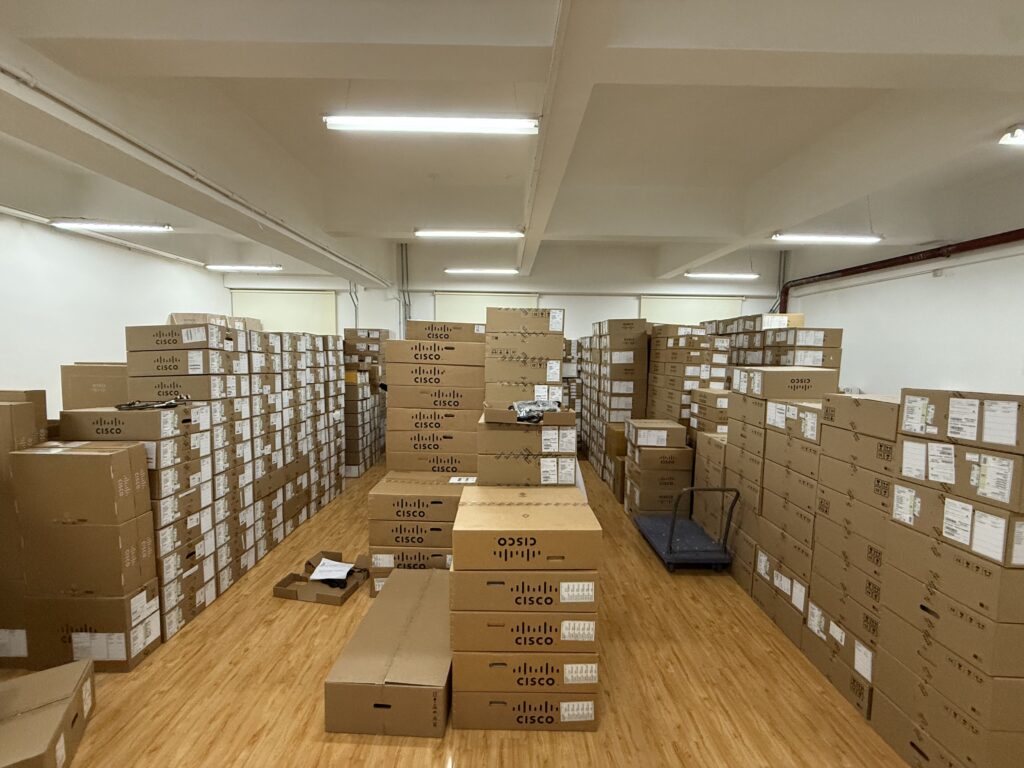
Ships in 1 Business Day
In-stock orders leave our Hong Kong or U.S. warehouse within 1 business day after payment, with tracking by email.
LSCare Warranty
3years on enterprise equipment
Free CCIE Support
Certified engineers help before and after you buy. Reply within 1 business day by email or live chat.
Verify Before You Pay
100%factory-sealed
Get label and serial photos before shipment, and check every serial number with Cisco.
C9300-48UB-A Description
The C9300-48UB-A is a Cisco Catalyst 9300 Series higher-scale stackable access switch for wiring closets that power phones and access points over Cisco UPOE. The switch has 48 10/100/1000 UPOE ports, a modular uplink slot, an 822W default PoE budget, a 32 MB packet buffer and 112,000 IPv4 routes. Higher-scale models stack only with other higher-scale members, and the -A suffix carries Network Advantage, which adds BGP, VXLAN, MPLS and MACsec-256.
Quick Specs
|
Parameter |
Specification |
|---|---|
|
Product ID |
C9300-48UB-A |
|
Product type |
Higher-scale stackable access switch with modular uplinks |
|
Downlink ports |
48 x 10/100/1000 Mbps Cisco UPOE copper ports |
|
Scale profile |
Catalyst 9300 higher-scale model |
|
Uplink architecture |
Modular uplink slot for Cisco Catalyst 9300 network modules |
|
Network license |
Network Advantage |
|
Default power supply |
PWR-C1-1100WAC-P |
|
Default PoE budget |
822W |
|
Stacking and StackPower |
StackWise-480 with StackPower support |
|
Expanded PoE budget |
1800W with supported secondary power supply configuration |
|
Minimum software release |
Cisco IOS XE Gibraltar 16.12.1 |
|
Switching and forwarding |
256 Gbps standalone switching; 190.48 Mpps standalone forwarding |
Product Performance
Key Features
The higher-scale hardware holds 64,000 MAC addresses, 112,000 IPv4 routes and 56,000 IPv6 routing entries, roughly double the MAC table and more than three times the IPv4 route scale of standard Catalyst 9300 modular-uplink models.
The deeper buffer absorbs bursts from uplinks and multicast traffic better than the 16 MB buffer on standard gigabit Catalyst 9300 models.
All 48 gigabit copper ports can deliver Cisco UPOE at up to 60W for access points, displays and thin clients.
The default 1100W supply leaves 822W for PoE. A second supply raises the budget to 1800W for closets that fill more ports with high-draw devices.
The -A suffix adds BGP, VXLAN, LISP, Cisco TrustSec, MPLS and MACsec-256 to the Layer 2 and routed access base, with no OSPF route limit.
StackWise-480 joins up to eight switches, but every member must be a higher-scale model: C9300-24UB-A, C9300-24UXB-A or C9300-48UB-A.
Application Scenarios
A campus building with many wireless clients and endpoints can use the switch’s 64,000 MAC address table and 32 MB buffer in a 48-port UPOE closet.
In a campus fabric that extends segmentation to the access layer, the switch runs VXLAN and Cisco TrustSec under its Network Advantage license.
A stack built from higher-scale Catalyst 9300 members can add the switch as another 48-port UPOE member over StackWise-480.
Product Comparison
|
Parameter |
C9300-48UB-A | |||
|---|---|---|---|---|
|
Downlink ports |
48 x 10/100/1000 Mbps |
48 x 10/100/1000 Mbps |
48 x 10/100/1000 Mbps |
24 x 10/100/1000 Mbps |
|
PoE type |
Cisco UPOE |
Cisco UPOE |
Cisco UPOE |
Cisco UPOE |
|
Available PoE power (default supply) |
822W |
822W |
822W |
830W |
|
Maximum PoE power (second supply) |
1800W |
1800W |
1800W |
1440W |
|
Network license |
Network Advantage |
Network Essentials |
Network Advantage |
Network Advantage |
|
Packet buffer |
32 MB |
32 MB |
16 MB |
32 MB |
|
MAC addresses |
64,000 |
64,000 |
32,000 |
64,000 |
|
IPv4 routes |
112,000 |
112,000 |
32,000 |
112,000 |
|
Switching capacity |
256 Gbps |
256 Gbps |
256 Gbps |
208 Gbps |
C9300-48UB-A and C9300-48UB-E share the same 48 UPOE ports, 32 MB packet buffer and 822W default PoE budget; the difference is that C9300-48UB-A runs Network Advantage, which adds VXLAN, Cisco TrustSec, MPLS and MACsec-256. A site that needs only Layer 2 and routed access with OSPF up to 1,000 routes can drop to C9300-48UB-E, giving up those features, and Cisco lists no downgrade path for an installed switch. The scale profile is the second filter: C9300-48U-A has a 16 MB buffer, 32,000 MAC addresses and 32,000 IPv4 routes against 64,000 and 112,000 here, and it cannot be mixed into a higher-scale stack. A closet with only 24 powered devices fits C9300-24UB-A, which has an 830W default budget.
PoE Power Planning
|
Planning Item |
Cisco Confirmed Value |
Order Impact |
|---|---|---|
|
Default PoE budget |
C9300-48UB-A is listed with 822W available PoE and PWR-C1-1100WAC-P as the default supply |
Size the endpoint power plan against the base budget before adding secondary power |
|
UPOE access profile |
C9300-48UB-A is a 48-port 10/100/1000 Mbps Cisco UPOE model |
Prevents replacement with data-only, PoE+, UPOE+, or multigigabit order lines unless the access requirement changes |
|
StackPower support |
C9300-48UB-A supports StackPower |
Include StackPower cables only when the site design uses shared power across compatible Catalyst 9300 stack members |
|
Higher-scale stack group |
C9300-48UB-A higher-scale SKUs need other higher-scale stack members |
Confirm the stack member plan before using the SKU as a replacement for standard C9300-48U-A hardware |
Ordering Checklist
- Subscription tier: Order an Advantage term: C9300-DNA-A-48-3Y, -5Y or -7Y. New orders need a subscription of the same tier as the Network Advantage license on the switch.
- Uplink module: Keep the default C9300-NM-8X, pick another C9300-NM module, or select C9300-NM-NONE. The uplink slot must hold a module or a blank; C9300X-NM modules do not fit a C9300 chassis.
- Second power supply: A second PWR-C1-1100WAC-P is selected by default and C9300-SPS-NONE removes it. Removing it leaves one supply, so there is no power redundancy and no added PoE headroom.
- Stack cables: The default 50 cm StackWise cable (C9300-STACK-NONE removes it) and 30 cm StackPower cable (C9300-SPWR-NONE removes it) ship on the order. A stack that needs longer or no cables must change these lines, or the cables ship anyway.
- Power cords: Select the cord type for the destination country. The configurator defaults to North America, and two cords ship with the switch.
Optional Add-ons
|
Model |
Description |
|---|---|
|
Cisco Catalyst 9300 4 x 1GE SFP network module | |
|
Cisco Catalyst 9300 8 x 10GE SFP+ network module | |
|
Cisco Catalyst 9300 2 x 40G network module | |
|
Cisco Catalyst 9300 2 x 25G/10G/1G network module | |
|
Cisco Catalyst 9300 4 x 10G/mGig copper network module | |
|
Data stack 50 cm cable option for C9300 and C9300X SKUs | |
|
Data stack 1 m cable option for C9300 and C9300X SKUs | |
|
Data stack 3 m cable option for C9300 and C9300X SKUs | |
|
CAB-SPWR-30CM= |
Cisco Catalyst StackPower cable 30 cm spare |
|
CAB-SPWR-150CM= |
Cisco Catalyst StackPower cable 150 cm spare |
|
1100W AC Platinum-rated power supply spare | |
|
C9300-DNX-A-48-3Y |
C9300 Cisco Catalyst Advantage, 48-port 1G copper, 3-year term license |
|
C9300-DNX-A-48-5Y |
C9300 Cisco Catalyst Advantage, 48-port 1G copper, 5-year term license |
|
C9300-DNX-A-48-7Y |
C9300 Cisco Catalyst Advantage, 48-port 1G copper, 7-year term license |
C9300-48UB-A Switch Rear Panel
The switch rear panel includes StackWise connectors, StackPower or XPS connectors, ports, fan modules, and power supply modules.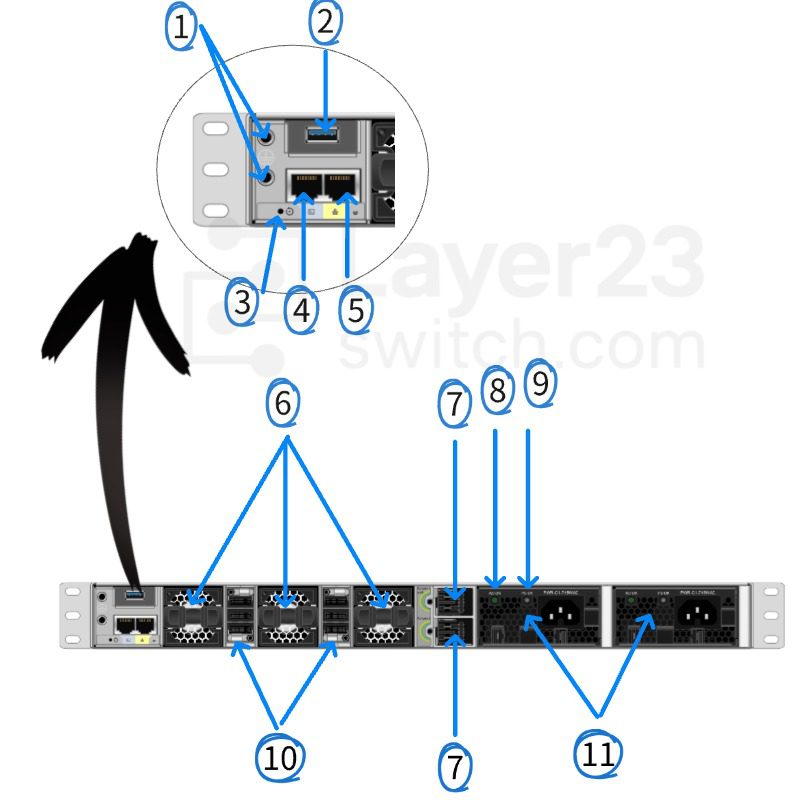
Components Delivered in the Shipping Box
The shipping box contains the model of the switch you ordered and other components needed for installation. Some components are optional, depending on your order.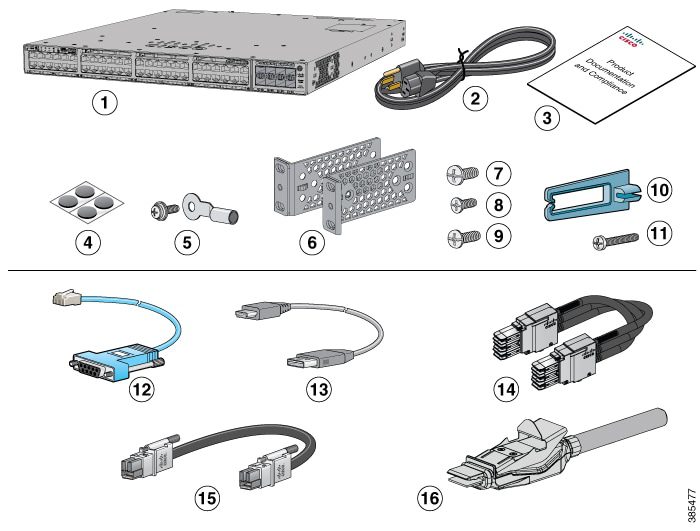
Specifications
| Parameter | Specification | Parameter | Specification |
|---|---|---|---|
| Product ID | C9300-48UB-A | Product type | Higher-scale stackable access switch with modular uplinks |
| Network license | Network Advantage | Downlink ports | 48 x 10/100/1000 Mbps Cisco UPOE copper ports |
| Scale profile | Catalyst 9300 higher-scale model | Default power supply | PWR-C1-1100WAC-P |
| Default PoE budget | 822W | Uplink architecture | Optional field-replaceable C9300 network module |
| Network module included | Default switch configuration does not include the network module | Supported network modules | C9300-NM-4G, C9300-NM-8X, C9300-NM-2Q, C9300-NM-2Y, C9300-NM-4M |
| Stacking architecture | StackWise-480 | Stack members | Higher-scale C9300 models only |
| Stack bandwidth | 480 Gbps | StackPower | Supported |
| Minimum software release | Cisco IOS XE Gibraltar 16.12.1 | Packet buffer | 32 MB |
| Flexible NetFlow entries | 128,000 flows for higher-scale Gigabit Ethernet models | MAC addresses | 64,000 |
| IPv4 routes | 112,000 total routes | IPv6 routes | 56,000 |
| Multicast routes | 16,000 | QoS entries | 18,000 |
| ACL entries | 18,000 | Switching capacity | 256 Gbps standalone |
| Switching capacity with stacking | 736 Gbps | Forwarding rate | 190.48 Mpps standalone |
| Forwarding rate with stacking | 547.62 Mpps | DRAM | 8 GB |
| Flash | 16 GB | VLAN IDs | 4094 |
| Jumbo frames | 9198 bytes | MTBF | 337,170 hours |
| Dimensions | 1.73 x 17.5 x 19.2 in. (4.4 x 44.5 x 48.8 cm) | Weight | 7.72 kg (17.03 lb) |
Get More Information
Need pricing, stock, or shipping details for the C9300-48UB-A ? Layer23-Switch can help you check current availability, lead time, and delivery options for this. Send us the part number, quantity, and destination country via live chat or email [email protected] for a fast quotation.
Quality Certifications
Customer Reviews
Questions & Answers
-
How much power does a device receive from a Cisco UPOE port on C9300-48UB-A?
-
Does a C9300-DNA-A-48-5Y term for C9300-48UB-A include ThousandEyes?
-
How many C9300-48UB-A switches can share power in a StackPower ring?
-
Can C9300-48UB-A use the PWR-C1-1900WAC-P power supply?
-
Does C9300-48UB-A keep PoE running during a reload?
-
How is the 480 Gbps StackWise-480 bandwidth of C9300-48UB-A built?
-
Which power supplies besides PWR-C1-1100WAC-P fit C9300-48UB-A, and what redundancy applies?
Warranty
Layer23-Switch.com offers genuine, high-quality ICT products at competitive wholesale prices—ensuring exceptional value without compromising quality.
All items are brand new, original, and factory-sealed.
Upon request, each unit can be fully tested and verified by a Cisco CCIE-certified engineer to ensure perfect working condition before shipment.
Our Cisco CCIE-certified experts provide free professional support via phone, email, online chat, or remote login—helping you deploy and troubleshoot with confidence.
If you are not satisfied with your purchase, you may request an exchange or full refund. Our customer service team will guide you through the return process quickly and smoothly. Visit Return Policy page for more information.
We support multiple secure payment and logistics options, backed by industry-leading verification:












Visit How to Pay page for more information
Extended, Worry-Free Warranty Coverage Factory New Sealed Enterprise Hardware:
· 3 Years Factory New Sealed
Visit Warranty Policy page for more information
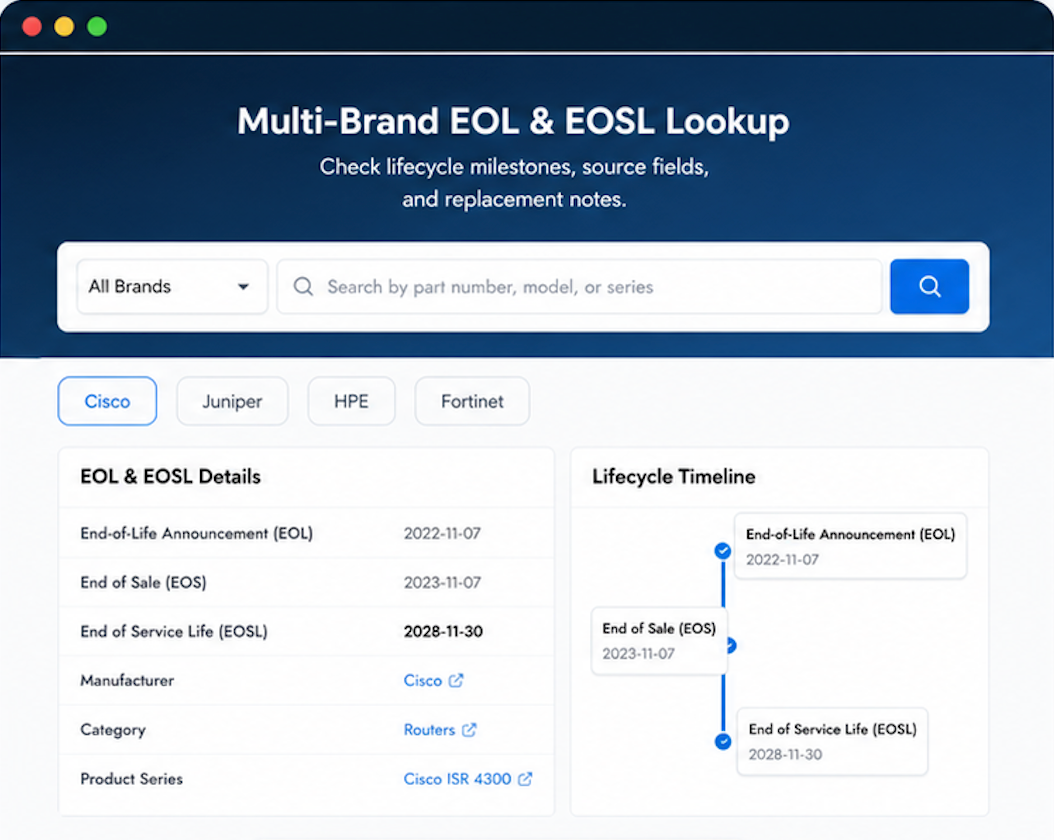
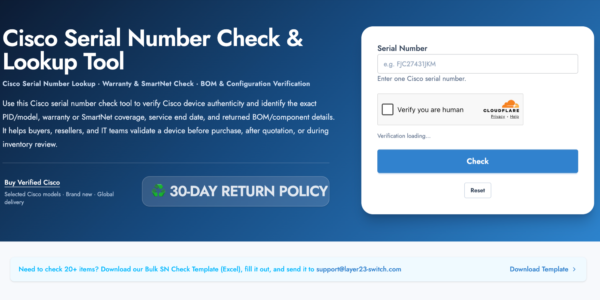
Verify, plan, and comparewith confidence
Use practical tools to check device details, review lifecyclemilestones, and compare hardware before you buy.

Standard Services
Personalized Service, Superior Product Maintenance for Ultimate Satisfaction.
- Projects and Technical Support
- Easy Purchasing Supply
- Product Lifecycle Protection
- Exclusive F3 Team Support
Customized Support for Your Needs with CCIE, HCIE, HPE ASE, etc.
Skip the hesitation. Layer23 is exactly what their reputation suggests.
Our team deployed multiple units. All operational on the first try. Would have liked a tracking update sooner, but the product is great.
Our compliance team verified the product authenticity before deployment. Minor delay in delivery, but everything was in order.
Whoa. Delivery was fast.
High value order. Your team handled the insurance and tracking perfectly.